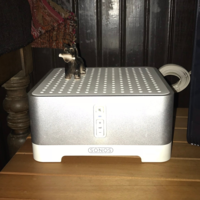
Get help with Sonos Connect, Connect:AMP, Sonos AMP, and setups using Sonance architectural, or your own speakers and components.
Recently active
After four years of perfection, one of my Connect (GEN2) started lagging behind all the other Sonos speakers. Happens regardless of the source (TV, PC, Sonos App using Spotify, etc.). Have always used Sonos Net. Unplugged the Connect, waited 10 minutes, plugged it back in and made no difference. Tried the same with the Sonos Boost (ethernet connected to the router), then the router itself, and still the same lag only in the two B&O towers connected to the Connect (GEN2). The other Connect (GEN2) still in perfect sync (also connected to two B&O towers). The only difference between the two is the one out of sync has Hardware Version 1.22.1.4-1.1 and the other is 1.22.1.5-1.1. I’ve also tried changing wireless channels, to no avail. I have the app on three phones and a PC, all using version 14.18. Any ideas?
I have had my Sonos system up and running with no trouble for 3 years or so. My system consists of 4 Play 1 speakers, a single One speaker, 2 Connects with a Sonance amp driving in ceiling speakers throughout the house and one Connect through a Denon receiver driving my television room. All of a sudden then Play 1/ One speaker are not even close to in sync with the Connects. The One speaker required an update which I did and the problem seemed solved. Today I tried to play music and it is all out of sync again. Anyone have any thoughts on how to solve this? I checked for other updates and everything is fine. I pretty much only ever stream iTunes music through them.
It appears that a dust cover isn’t included with the project sb, sold through the sonos site . Is this correct ? I’m trying to see if I can buy a project dust cover separately, but not finding them easily accessible in Canada. Any insights would be appreciated.
So I’ve had a Gen 1 Connect:Amp from new for years, but I’ve never connected any speakers (because reasons). Just got a new house with speakers in the ceiling, so wired them up to the amp.And nothing, really. At max volume I can just about hear the speakers.I don’t have a ladder yet so haven’t checked out the speakers themselves (impedance, make etc) , but I’m assuming this isn’t normal?There doesn’t seem to be any hard-wired volume control that might affect it.
I set up new S1 system with a ZP90 that I had at my lake cabin. The controller gives the message “Bridge needs an update”. When I attempt to update, it fails immediately. I will add that the controller says (unused) next to it on the app. However, my system is basically functioning from the mobile apps. It will not function from the PC app. I cannot use the bridge to add a product. I have to connect another component to the router to add to the system. I also am unable to register any products as long as the bridge requires an update. How can I get the bridge to update so I can get full system functionality?Bridge ZP90 Sonos One (Gen2)
How far apart should the ceiling speakers be installed?
Hi there,I’ve got 9 speakers around the house. A paired set of Play Ones in the kitchen are consistently AWOL when I want to start playing something. I’m looking for suggestions on the next changes I should try.Maybe it’s the speakers, maybe it’s my network config, maybe it’s wifi interference.I’ve had problems in the past with keeping any speakers connected and have tried several configs with varying success. Only having two speakers that disconnect/disappear regularly is the best it’s been, but still pretty annoying.Setup:1x Playbar & 2x Play:1 in front room HT setup on main floor2x Play:1 stereo pair in middle of main floor in dining room1x Play:1 in middle of main floor in office2x Sonos One stereo pair in kitchen at back of house on main floor1x Play:5 1st gen in basement at back of houseMy home network is a Unifi system with 4 access points so lots of options for configuration and lots of rope to hang myself with.One AP in mid main floor, one at front of house on top floor, o
I’ve had my Sonos for years. In the last 6-12 months it seems like all of my devices disconnect for no reason and I need to reset everything to get them connected again. I have a sonos 1 and 5 running 14.19. Currently using an Eero mesh router. Driving me crazy and making me consider getting rid of all of my speakers….
I have purchased 2 Sonos One SL speakers, My questions are as follows.1:If I purchase a Sonos Port will I have the ability to connect it to my current sound system amp (connected to CD/DVD and television) and be able to “run” the sound from the old amp thru my new Sonos speakers in addition to “old” speakers currently wired to old amp? Question 2: Will I de able to send streamed music through the “old wired “speakers as well as the new Sonos pair?Thanks for your helpA Sonos Newbie😉
Hi have brought a new to me ZP100 I had trouble connecting to my S1 system to start, but I could play a record player through it via speakers attached to it, good start, then I managed to connect it to my existing system, great but now I can play my record player through it ??? Help
Watching Chicago PD and Sonos Amp has restarted twice. As restarted before during show playbacks as well. diagnostic code: 1314829805
Hi everyone,I have sonos amp and LG UM7100PLB. I wish to make lighting of my livingroom by Philips hue HDMI sync box. But I read it need Dolby Vision or atmos. Does sonos amp support it or TV? Thank you for answare
I have a Sonos connect wired to my purely analog amplifier (connected to 2 floorstanding speakers through cable).I’m trying to stream Spotify music to the amplifier from my iPhone XS (so that I use the Sonos DAC) but the sound is chopping up (1-2 sec drops every minute or 2). So, no wireless speakers or anything,Sonos connect is on channel 6, router is on 11. I can stream perfectly from the iPhone to wireless homepod speakers so the wifi is not the problem probably. Not sure what is.
Hello I have in my kitchen 2 sonos one paired as stereo. In my living room i recently got a port. All 3 devices are wired and deactivated wireless. When grouping kitchen and living room i get a delay and it creates an ecco. Sounds terrible. Is there anything to do?
We have a system with a Play:1, Play:3 and Connect. All are in a single group.Until recently everything worked fine but in the last few weeks the Connect has started playing up. Even though the app is showing that music is still playing on the Connect and there is sound coming from the other two, the music stops on the system connected to the Connect.Removing the Connect from the group and adding it back in resolves the problem temporarily. I don't know how long the fix lasts, we normally find the problem has returned the following day but today it actually happened while in use.Has anybody else had this and found a solution?Thanks
Audio coming out of the Connect has half a second time lag vis a vis the other Sonos devices (Move, Beam and Playbar). Any comments or suggestions on what could be the problem or a way to deal with it are welcome. Cheers
Despite having had a Boost installed for quite some time now, I noticed earlier today that my Sonos subwoofer is connected to my wireless network. I first noticed it in my Unifi network dashboard as ‘Sonos Connect Hero’ and then cross-referenced that to ‘About my system’ using IP address.I had noticed before that despite the Boost, my 5ghz network seems to randomly re-appear in the Sonos network settings. Each time, I remove it, then some time later it reappears.How do I permanently ensure that the sub is connecting only via the Boost and NONE of the Sonos speakers are connecting to my wifi?
My workplace has been using Sonos S1 and Connect:Amps with Spotify for years, but suddenly Spotify has dropped off Sonos. Attempting to add it results in an error when trying to authorize. Link code is incorrect. The steps on Windows 10: In Sonos S1, Manage menu -> Service Settings...Services option window - Click AddAvailable services - Select SpotifyAdd Spotify - click Connect to SpotifyAdd Spotify account - Please authorize Sonos to use your Spotify account - Click Authorize After the Authorize button is clicked I’m taken to the following page:https://spotify-v5.ws.sonos.com/deviceLink/home?linkCode=XXXXXX (hidden for privacy) This is where I get stuck. The Link Code is incorrect, and I cannot authorize Spotify. Music Service SetupThe link code you entered is not valid. Please check the link code and re-enter it below.Please enter the link code here to set up Spotify on your Sonos SystemThe link code you entered is not valid. Please check the link code and re-enter it below.
Hi,I have an AMP in an AV rack a long distance from the room with ceiling speakers that the AMP serves.I’ve placed a Sonos SUB in the room itself and it’s connected to Wifi, and there are other Sonos units in nearby rooms (so the SonosNet signal strength in the room should be good), the room has good Wifi signal also).The audio to the sub cuts in and out and sometimes there’s no audio from the SUB at all.The AMP is wired to the network, so the system is in SonosNet mode.My assumption was that the SUB would connect via SonosNet, or via Wifi, to the AMP. but it seems that the AMP is attempting to directly connect (i.e. not over Wifi, and not over SonosNet) to the SUB, and being some physical distance in the AV Cupboard, it’s intermittently failing to maintain it’s own direct wireless connection to the SUB - is that how it works?I.e. you need to have the AMP and SUB physically near each other so they can connect via a direct non-Wifi, non-SonosNet wireless link? As an aside, when I connec
I have a Sonos bridge that of course cannot be updated. I have a playbar and a Sonos 1. mad I cannot update the bridge, I cannot link my Alexa. my question is, can I just remove the bridge and reconnect the playbar and play 1 directly to the internet? Apologies, I’m not that tech savvy so I need simple. L
Hopefully the hive mind can help. My wife was struggling accessing one room on Sonos. It turned out to be a WiFi error subsequently.I’m not sure how she did it but she established another Kitchen group ( called Kitchen 2) which includes components which weren’t in there. ( a Sonos Connect) i seem stuck with it. Even though the group and items aren’t there. The connect is in another room performing fine. Try as I might im unable to delete the room or the connect from it.Do I have to delete the whole system and start again ? It’s just an increasing annoyance. Thanks
Hi, I heard some little noises like little snappings Thank for tour help
Over the last couple of months I’ve noticed when trying to adjust a rooms volume in the sonos app, it will jump ± several points. For example if I move the slider to 13, it will jump up to 15 after I remove my finger from the slider. Sometimes it will jump down, to say, 11. App is up to date and so is the system. It’s been really annoying. Anyone else?
Mon sub à cesser de fonctionner, je le vois dans mon SYSTEM mes aucun son , j’ai toute esseiller , redémarrage, reset, suppression etc…
Hello! I tried to fit the whole question into the title, but will clarify abit.I have a Sonos AMP Gen 2, which I have connected a 3rd party subwoofer to using the RCA LFE out on the amp. This works perfectly, but it also activates an adjustable high-pass filter for the main speakers. I wish to turn this filter off completely and have the full range signal go to my main speakers, even though I still use the sub. I cannot find this setting anywhere. Thankful for assistance!
Already have an account? Login
No account yet? Create an account
Enter your E-mail address. We'll send you an e-mail with instructions to reset your password.