Get help with Sonos Connect, Connect:AMP, Sonos AMP, and setups using Sonance architectural, or your own speakers and components.
Recently active
Hi, I have been using Sonos for over 15 years, was an early adopter. I have 3 Sonos Ones unit connected to my Sonos S1 App and they work fine. I have had an old ZP80 and ZP100 connected together to a S2 App. The latter used to work fine, and as I have changed my router it stopped working. If I wire it to the router it temporary works. Once ethernet cable unplugged it disconnects. Can you please help? Many thanks!
Hello, searched the previous listings. Hopefully not repeating. I have BT whole home wifi premius disks, wifi extenders. Would really like to be able to us my Sonos Play 1 (I know a bit old but still work). out of wifi range of the main router.I can connect my sonos to the main router. But it really does not seem to like / pick up the BT WHW network. Anyone got any suggestions ? Or simply just not supported.Thx All
Playing vinyl via Port results in very poor sound quality on Move (1950’s portable AM radio level). Vinyl via port on the rest of my Sonos system sounds great (Amp, One, Play 1, SL). Move quality is great with other sources. Move is not being moved when moving from say Spotify to vinyl, so not signal loss. Since quality on 9 other Sonos devices is great, it’s not a record player issue. Software is current. It’s done this since day one couple years ago. Confused.
Hi All! Hope this message finds you well. Hoping to get some recommendations on the number and placement of Sonos ceiling speakers in my family’s new construction home. The image below shows the open concept 9 foot ceiling design: Living Room (23’ 2” x 18’ 11” – Cathedral Ceiling), Dining (12’ x 14’ 11”), Kitchen (10’ 8 ½ ” x 14’ 11”) & a hallway down the side. Additionally, Screened Porch (16’ x 17’ 11 ½" - Cathedral Ceiling). We’re considering a 55” Samsung Frame TV (red box location) mounted to the right of the fireplace with a Sonos Sound Bar below. Considering either ceiling speakers (sonos architectural speakers) in living room only (4 architectural speakers with one amp) in addition to sonos sound bar below tv or throughout main living space for music/surround sound throughout (6 architectural speakers with one amp). Of course, this can get pricey and open to other options to save money. Any suggestions on proper placement based on dimensions and where to place/quantify et
Can the Boost be used as a network extender (i.e., without an Ethernet cable plugged in)?
In the process of upgrading my Sonos 1 system, which actually works well for me, apart from an ongoing problem of zones appearing and disappearing and not being able to be reliably grouped. I don’t think I would upgrade if it wasn’t for this problem - Sonos 2 gives me no obvious benefits for my use case.Purchased a new Sonos Amp to start my upgrade and understand the process and the improvements. What I immediately noticed is that when the Amp is plugged in all zones in the Sonos 1 system are listed reliably and can be grouped and ungrouped at will. Unplug the Amp and old situation returns.Both Amp snd old system (8 zones) are showing as being on SonosNet and all zones are wired where possible.My question is this: is the Amp fulfilling the same function as a Boost would fulfil? Or in other words, will the purchase of a Boost solve my zone dropout problem? If yes, I may not bother moving to Sonos 2, saving over £4k and a whole ton of hassle. In the worst case I am even considering leavi
Am planning on wiring 2 sets of Sonance in-ceiling speakers (MAG8R) to a single Sonos Amp. In doing so, how much output / volume will be lost with powering both sets of speakers at the same time?
With the 12v trigger output from the Sonos Port there must be a way to convert this signal to IR and turn on the AV receiver?This would save having to turn it on via the remote My Denon hasn’t got a 12v trigger input unfortunately
I am renovating a house and will have a family room with a surround sound setup ( Arc + 2 Era 300s + Subwoofer Gen 3). The living room is separated from the family room by a thick wall. I was planning on using two era 300 speakers in the family room primarily for use as a stereo setup. I was wondering if I could place the Subwoofer in the wall separating the two rooms and depending on which room I was in, have the subwoofer provide the bass for either room. If this would work I would place the subwoofer between studs and finish the wall by installing a grill with speaker cloth to hide the subwoofer. Would this work?
How do I select to play through the wired speakers connected to an amp? My Sonos app can only play through my Sonos Roam wireless speaker
Hi CommunityWhen I play loud music, my Sonos Amp suddenly decreases the volume. It then tries to turn it up again, but will lower it again. I can the turn volume down - wait a little while - and then i can play loud music again - not for long. When touching the AMP it is not warm at all. There is no change on the volume bars in app or PC controller. I have created an diagnostic: 1541814471Hope to get this solved Best regardsThomas
Access denied to Synolog NAS server – can’t play files in one room other rooms are fine? I am a long time user of Sonos. I have 4 zones that all uses S1. I do have a Roam also (S2) but hardly ever uses it at my home. My zones are: Office: two Play 5: gen1Livingroom: Soundbar, Sub and two Play:3Room 3: Play:1Room 4: Play:1 I do have a booster as well. Out of the I can no longer play my music files from my Synology NAS – BUT only in my office…. I can play my files in the livingroom, room 3 and 4 – but NOT in my office. I have tried from my MacBookPro App and from my iPhone app – but it will not play the files. Radio and streaming services are doing fine. I can perfectly see my files/folders in the app – but access for playing is denied in my office. If I combine livingroom with office I can play the files in the office – but I can not start music from files in the office. On my NAS I have 5 different main folders with files and it is all the same. Will not play in office but other zone
Hi there, Planning on a large kitchen to patio area, with 4x in ceiling in the kitchen, and 2x outdoor speakers on the patio. All driven from a single amp. I know you can have 3 pairs of architectural speakers, and that I will probably lose truplay tuning, but is this going to work as a configuration? I can’t find the answer anywhere.
Hello everybody. I've a Sonos amp and would like to know if the zp 80 would work with it and what would be the flows?Thanks in advance for your help
I am considering buying another SUB with the serial number: *********************I just want to check if anyone can see if there is any warranty left on this product.Thanks Moderator Note: Removed but saved SN. Modified in accordance with the Community Code of Conduct.
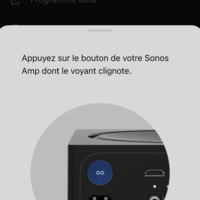
Le bouton d’association de mon AMP ne clignote pas pendant l’installation
bonjour a tous je viens d aquerir un conect amp qui a priori est compatible s2.le proprietaire d avant la laisser sous s1ma question est la suivantedois je le configure dans un premier temps sur l appli s1 ou directement s2merci de m aider
Hey,I've got a Connect Amp which lately has been cutting out, it'll stop playing for a few seconds then continue. If grouped with another room, I can hear the other room continuing while the amp is stopped. The Amp is connected to Ethernet, with it's WiFi disabled, to prevent network loops being a problem (even though I have STP configured on the network, but just disabled it to rule it out for now), so only one device with both Ethernet and WiFi is connected. I don't understand why it's cutting out. It happens on all sources from what I can tell, radio, podcasts, etc. I did a diagnosis just after it happened again for you to look at. Number: 1794230430 Thanks
I have a Sonos port that I’m trying to connect with my turntable. My goal is to play the music on turntable on my two Sonos Five speakers wirelessly. Can this be done? I know I can connect one of the Sonos five directly to the turntable with RCA and 3.5mm cable, but my turntable is not near the Sonos five speaker. I’m not sure Sonos five can be access via the Sonos port wirelessly? If it can, then I can connect my turntable to the port and listen them on the five’s. Pls let me know. Thanks.
I am looking at the Pro-Ject Debut III SB turntable and connecting it to a pair of Play:5 gen 2 speakers via line-in. Is this possible and will the stereo channels from the turntable be maintained? Can the two speakers create a stereo pair with a line-in input? And if so, would this be done by sending two separate (left vs right channel) mono cables, one to each speaker from the turnable preamp? Or by sending a single line-in cable that combines the L/R outputs from the turntable, which then gets “reconverted” into left and right channels for the stereo paired speakers? I would rather not spend the extra money on a port or connect since this would be the only use for me. Thanks for considering this!
We are starting to finish our basement and want to add ceiling speakers to listen to music or to enhance our television audio during movies/football games/etc. A couple of questions:Do we need an amp? There is no existing system down there. We weren’t sure if the speakers were simply Bluetooth and hooked up to the app/TV or if we needed the amp? How many in-ceiling speakers would you need for a 200 square foot room?Thank you!
Hi, going through some renovations and need to consider where to locate the amp. Will the amp work if it is placed in a cupboard? Or does it need to be open to be able to link to the app etc?
I have a Technics SL-1210 turntable connected to a Port. The audio is very low when playing it through the Sonos system. The audio in volume is set to 10 and the audio is uncompressed. I’ve used my laptop with an audio cable plugged into the Port and all works well. Any ideas or suggestions on what to do would be really helpful.
Thanks in AdvanceI am wondering if there is any advantage to connecting my Amp via ethernet to my router when all my speakers are wired to the amp (architectural). My issue is not Sonos per se, its more my Stralink router. The only way I've found to make Sonos work with it is to connect it via a dedicated 2.4 Ghz channel on the Starlink router (by “splitting” the channels on the router), and if I want to use Sonos I have usually have to switch to the 2.4 channel on any mobile devices which always want to be on the 5 Ghz. I assume if it’s hardwired then I can get rid of the separate channels on the Starlink. In this case I assume the amp still outputs to the speakers its connected to and if it creates a sonosnet network its a moot point.
I have a sonos connect:Amp that recently just started lowering the volume by itself! it was working normally until today! I did submit a diagnostic report and the diagnostic number is 1869534414i have restarted the sonos and restarted my phone! i have 2 other connect amp and only one of them is having this problem!
Already have an account? Login
No account yet? Create an account
Enter your E-mail address. We'll send you an e-mail with instructions to reset your password.