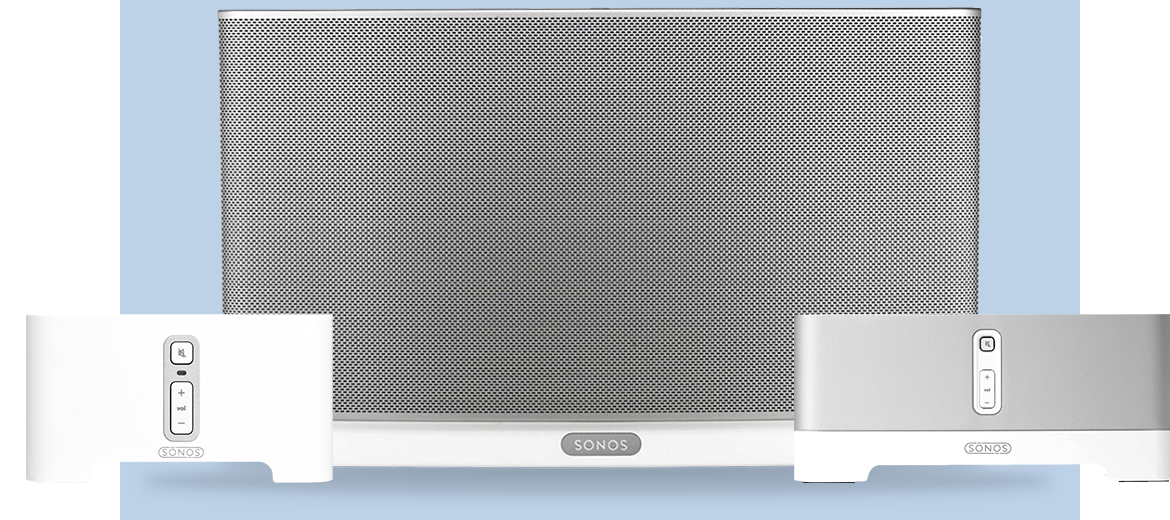
Discuss Sonos Era, Sonos One, One SL, Play:1, Play:3, Play:5, Sonos Five, and IKEA Symfonisk. Talk about your Sonos Speaker experiences here.
Recently active
Hi, long time Sonos user w/ multiple products with a very unusual question. We have a new aussiedoodle pup who is very curious.. recently we found him chewing on something under the couch. Lo and behold, he managed to scrape off the sync button for our Sonos Sub and mangle it good. He didnt swallow it.. but I sure could use a replacement. Sonos.. or anyone, could you help me get a new sync button for a Sonos Sub Gen:1? We will try to keep Zorro away from it. Zorro thanks you in advance.
For all the times when I forget to manually put my wireless speaker into Sleep Mode: I’d like to request settings in the app that let you select the amount of idle time before Sonos Roam automatically goes into Sleep Mode. Half an hour after music stops is a long time for me and eats up battery power, and some flexibility here would be great. PS. First Sonos product and I’m very impressed so far!
Hi Everyone I am not super tech. Suddenly most of my zones say INCOMPATIBLE. I clicked the update and it says there is a problem . I did retry a few times but still nothing is happening. Please help.
I got my Roam on Tuesday. I set it up and could play it on both Wifi and Bluetooth. I was still getting to grips with it and I somehow managed to lose the Bluetoth functionallity. I managed to reconnect to wifi but since then I can not set it up for Bluetooth. I am pressing the button on the back but the only light that appears is the white one which is either constant or flashing. The orange light appears at the bottom too.Any ideas how I can sort this out please? PS When it works it sounds superb.
Sonos Roam Microphone Light IssueSo got my roam yesterday love it, however just found out you cannot use true play while having google assistant enabled which is a shame. I’ve removed google assistant from the device and the microphone LED on top won’t glow white anymore? I’m sure it did yesterday when i first got it, now when pressing the button it just makes the noise but no light indication. I’ve reset the device 3 times and still no luck. the LED for the microphone won’t show even with alexa do i have a defective unit?Anyone else?
Hi I have a Sonos Roam and really like the sound quality etc from this small speaker. But there is one thing I don't like, or I cannot figure out.When I don't use the Roam and store it charged to 100% and it is near my other speakers and within WiFi range it turns on for a few minutes every time somebody opens the APP and/or. I have more that 10 speaker and 4 active users so this happens very often during a day. As a result the battery level is getting lower and lower over a few days and when I would like to take it outside the battery level is (to) low and at least not full anymore.What I would like is to fully power off the Roam to be sure it never turnes on and uses any battery power when not In use. I tried bij using the button on the back but still it turns on every now and then. And I don't want to have it placed on the charger 24/7.What is the trick I'm missing (if any). ? Regards, Jeroen Arends
Hi can the roam play at the same time as the one and 5 and sub? the Sonos app doesn’t allow me to play music on the whole system including the roam. it’s either roam on its own without the rest or all the other speakers on their own without the roam. is this normal or am I doing something wrong? thanks.
I was really excited to receive the roam to extend my music to the other rooms - but am as much more disappointed of its functionality. It doesn’t keep the charging - turns on and off without instruction and is hard to get connected when needed. Quite annoying and demotivating for such an investment - knowing there are other and cheaper loudspeaker systems. As much as I am impressed by the beam the roam is a flop ...
I turn on the device start playing music and without warning the device turns itself off
Originally with my Pro 6’s I had some WiFi issues, which ended up being caused by my wireless subwoofer (Sony HT-ST5000). I fixed it by locking my subwoofer to a single 5.2 ghz channel and turning on “secure link”. My theory at the time was that eero would learn that that particular channel was too noisy and not bother with it.Since the 6.2 update the same WiFi issues seem to have resurfaced, sometimes my connection is fine and other times I have incredibly slow speeds (sub 1mbps on a fiber connection 10 feet from the eero). My subwoofer is having intermittent connection issues too. Granted this could all be a coincidence, but it started happening the day 6.2 was installed on my network.Is anyone else experiencing anything similar?
Here’s a suggestion, if a update is released and affects users worldwide making their £$€¥1000’s systems useless, why not have this information as a leading banner on the Sonos website saying sorry along with ‘we are very sorry for the inconvenience and are working round the clock to rectify this’ instead of ‘ ‘ YES NOTHING. You have to find out thru other forums that everyone else affected too with the same issue. Right now I’m talking about S1 but am aware with the descriptions in the forums that S2 is also having the same issues - ‘components dropping off’ with combined ‘erratic playback’ also ‘insufficient buffer blah blah’ So SONOS as a customer relations exercise have many running thru standard trouble shooting - including messing around Routers that are fine on everything else, I really really cannot believe in the middle of this update crisis that Sonos is not straight with everyone in the first place - and please read the vast amount of social media forum comments before
I have left my Roam constantly plugged in using the original adapter from Sonos and the cable that was supplied with the speaker. What I find odd is that the battery level fluctuates from 97% to 100% even though I have never unplugged it. This never happens with my 18 month old Move - once sat on the dock and fully charged, it always stays at 100%. Is this expected behaviour or could it be a fault? I am concerned as I don't want to unnecessarily degrade the Roam battery over time. Thanks for any advice - would be great to know if there is anything "official" on this from Sonos.
Hello, I’m new to the community but have been a Sonos user since 2013. I have a pretty complete system and looking to enhance the sound in one of my large rooms. I currently have in that room 2 x One (stereo pair) on wall brackets in the corners and 1 x Five on the kitchen counter.I’m not getting enough dept from my Ones and would like to upgrade. A pair of Fives would be over doing it price wise and a pair Move’s the same especially since I dont need the mobility. I can get my hands on a pair of Play 3’s for a decent price but I’m wondering how long will the Play 3’s be supported with on S2.Any thoughts?Thank you in advance!Francois
We announced yesterday that some of our oldest Sonos products will be moving into a legacy mode in May of 2020. Our commitment is to support products with regular software updates for a minimum of five years after we stop selling them, and we have a track record of supporting products far longer. Here is some public information we’ve shared, gathered into one place to respond to some of your questions in one easy thread, so that people can find the correct information easily. Beginning in May, software updates and new features from Sonos will only be delivered to systems with only modern products. After May, systems that include legacy products will continue to work as before - but they will no longer receive software updates or new features. Sonos will work to maintain the existing experience and conduct bug fixes, but our efforts will ultimately be limited by the lack of memory and processing power of these legacy products. We don’t expect any immediate impact to your experience
I have installed the new Roam and have noticed that when used with my other Sonos speakers the volume is low. I use the alarm every day and it is set to 30%. This is fine with all other grouped speakers but the Roam is considerably quieter.
I have a Sonos Roam which is want to use as both a portable speaker but also as an integrated room music device. I have the wireless charger too.The roam turns itself off or goes into sleep mode after a certain time, which means it will not react to voice commands. When I am using it as a room music device I want the speaker to stay on, and even when on the wireless charging stand still turns off. The only way I have managed to get it to stay turned on it to connect via the charging cable. Is there a way to turn off the sleep function so I can use the wireless charging station when using as a room music device? Mod Edit: changed “Sonos Move” to “Sonos Roam” for clarity.
I’ve had my Sonos Roam and wireless charger for about a week. It’s been in my office the whole time. Today, I noticed there was no longer a magnetic connection between the Roam and the wireless charger. Why would this happen?
Hello,I currently have a Sonos Arc for my TV and im in love with it.I would like to know if one of the speakers would be suitable for a computer, either for video conferences, listening to music, videos and playing games. If it could also be plugged in a Turntable, it would be perfect.Waiting for your answer and your opinionHave a great dayGreetings,Roy
Can I use a 20 watt apple usb c charger to charge roam or could it damage it?
Just bought a Sonos Roam and unable to play my tabata app without using Spotify. Can anyone recommend an app that will play on its own. Thanks.
Hi all had the Roam very pleased however I can get it to transfer the music it is playing to the nearest speaker I have two beams but are connected to play 1 which are not supported is that my problem.Also I have a iPod classic 1tb which I was hoping I could use a Bluetooth transmitter to Roam but the ones I have are older and will not link is there a version Bluetooth transmitter needed the highest I've seen is 3.1 or is the fact with a phone you have a visible named connection to link with, I'd love to try the more expensive Bluetooth transmitter for iPod but at £80 reluctant to spend that much as it's only the Roam I want it to really work with cheers Phil.
Hi. Picked up my roam last week and I keep it constantly on my Qi charger. I ask Alexa to play music for maybe 20 mins every weekday and longer on weekends (remotely). ‘Will I degrade the battery/reduce the life expectancy’ of the Roam if I keep it constantly sat on a Qi charger in standby mode?I have read conflicting answers to this question, but is there somebody from Sonos who can provide an accurate answer. Thanks
Hi - I’ve been using the above combination, and only have a few hours listening to the Roams as a stereo pair. The battery life has seemed pretty poor, but after leaving them overnight on the Livboj chargers starting at about 30% charge, this morning both were dead with no charge. The amber light was flashing, showing a charging fault. I’ve charged them for the past 4 hours on USB, and they’re now showing 49%. I’m resuming wireless charging which seems to be working for now.The Livboj is rated at 5W, the same as the Sonos charger, and I’m using them with an IKEA Askstorm 40W charging brick. They are both sitting perfectly centred on the charging pad.Has anyone had similar experiences or can anyone explain why they’re charging so slowly if at all? Thanks.
Having replaced a Bose wireless speaker with the Roam, one feature I’m really missing is that the Bose would announce remaining battery life when powered on via the power button. This served as a useful reminder that when I’m finished using it (or asap) I should place it on the charger.
I recently received my Roam and fired it up. Sound is good for what it is, no complaints there. However I have to add my voice to the increasing complaints of the device turning itself on whenever the Sonos app is accessed, which subsequently drains the battery rendering it unusable until battery is charged for about 5 minutes (maybe more). Advice of “just leave it on the charger” doesn’t work because it doesn’t come with the charger!!!! Said charger costs extra and is of course out of stock currently. Moreover, a simple phone charger (which charges my equally-if-not-more-capable Bose Soundlink Mini) charges the Roam at a snail’s pace! Sonos you’ve dropped a bit of a clanger here - I would absolutely recommend a) not selling this device without its native charging dock b) NOT having the device turn itself on whenever the app is accessed. I think a software update is needed quickly to prevent the above. Lastly, turning the roam on and off requires placing equal pressure on the front
Already have an account? Login
No account yet? Create an account
Enter your E-mail address. We'll send you an e-mail with instructions to reset your password.