Show off your setup or get inspired by others
Recently active
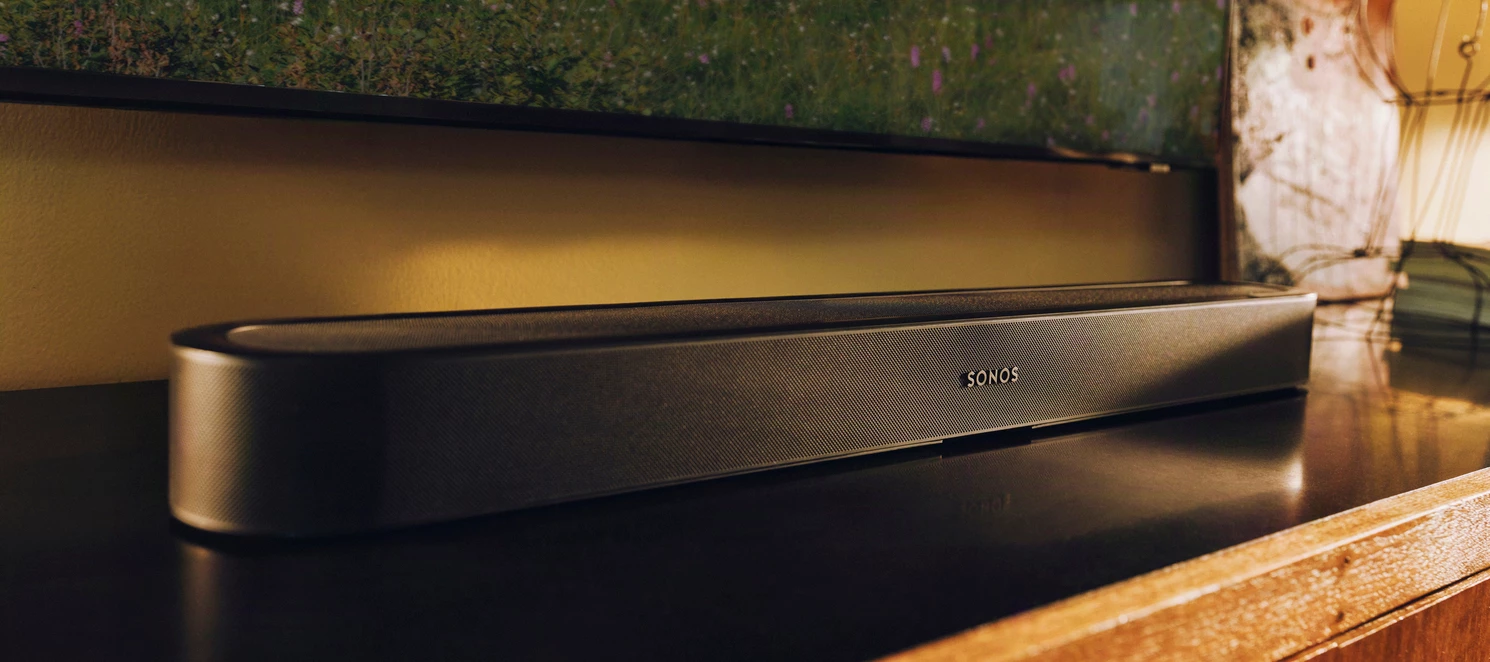
Since the Beam Ultra unveiling one question has been showing up here and over on r/Sonos in a dozen different forms: which soundbar is right for me and where exactly does Beam Ultra fit? Is it a Beam replacement? A smaller Arc Ultra? Something in between? This post is to help provide clear lanes for each soundbar just in time for Beam Ultra to become available today, September 29th.The Blog team published a full guide on the Sonos blog and it is worth a read. This is the community version. It is a bit more direct about trade-offs and it is written to be the one place you can point someone when they ask. Nobody is trying to sell you anything here. If the right answer for your room is the Beam you already own, this post should help you feel good about that too. Start with what they all shareEvery current Sonos soundbar comes with the same core set of features so you can take these off your comparison list right away:Trueplay tuning that adjusts the sound to the acoustics of your room (a
Hey folks, I wanted to give you a heads up about a change that affects Google Assistant on Sonos. Google has announced that it’s moving users from Google Assistant over to Gemini and because of this shift, Android phones will only support Gemini going forward. This change takes effect today, 4 September 2026. This means that the Google Assistant app is no longer available for voice set up with the Sonos app. If you still want to use Google Assistant with your Sonos system, you'll need to use an iOS device like an iPhone or iPad. If you’re looking for other ways to control your Sonos system by voice, Sonos Voice Control (SVC) is available (and works with Philips Hue). You can find out more info about Sonos Voice Control at sonos.com/sonos-voice-control.
Howdy y’all! We have a new Sonos App update out today and it’s a really big one: Android widgets, rearranging your list of music services, portable surrounds(!), and so much more. A more complete list is below and the full list of changes can be found in our App release notes and Player release notes.This update is rolling out in phases, so it may take up to two weeks to reach your device. No action is needed - it will install automatically once it's available to you (if Automatic Updates are enabled).iOS users: You can check availability early by opening the App Store, tapping your account icon, and pulling down to refresh. If it's not there yet, that means the update hasn't reached your device in the rollout. It's on the way. App Update DetailsiOS - 89.00.54Android - 89.00.49 Player Update DetailsModern Players - 97.1-80312Legacy Players - 86.10.80260 New Sonos App features in this update:Our new navigation experience is coming to you! This will be rolling out in phases over the next
Our Chief Innovation Officer, Nick Millington, put a message together that was shared on the Sonos subreddit about Sonos 27mcp. I thought it would be valuable to share with the community here as well: “I’m excited to share with this community that you can be among the first to try Sonos 27mcp.It’s live now at https://mcp.ws.sonos.com/mcpMCP is the standard for connecting real world software-controlled systems like Sonos to AI assistants like ChatGPT and Claude. It’s the mechanism that lets you enter “Group my Kitchen and Patio speakers and crank up the volume” into an AI assistant app, and have the right thing happen on Sonos.I’ve been living with Sonos 27mcp for the last several months, and as a software developer spending a lot of time on my computer using prompt-based engineering tools, Sonos 27mcp has become my most convenient way to control Sonos. Without getting out of my flow I can tell my AI assistant to play or pause music, adjust volume, move music between my speakers, or (w
This article was originally published on Reddit. But the Sonos Reddit/Community team thought it has value to post it on the community as well. Good news, everyone! I want to provide an update about what to expect when using Sonos in an offline environment. I've been doing some testing and further digging into this from a technical side, but I also wanted to check on a few things internally before posting anything I was unsure of. I know it’s been a hot topic in the sub, and I appreciate your passion. We feel the same way as you do. First and foremost, I am happy to confirm that Sonos is still capable of working in an offline state. This has lovingly been described internally as the “cabin in the woods” scenario (alternatively: “Sonos on a boat” in the world of Sonos Support), with the understanding that the products have already been registered and updated first. To be clear, this is a relatively specific scenario with specific requirements, so I’ll expand on that below. There are some
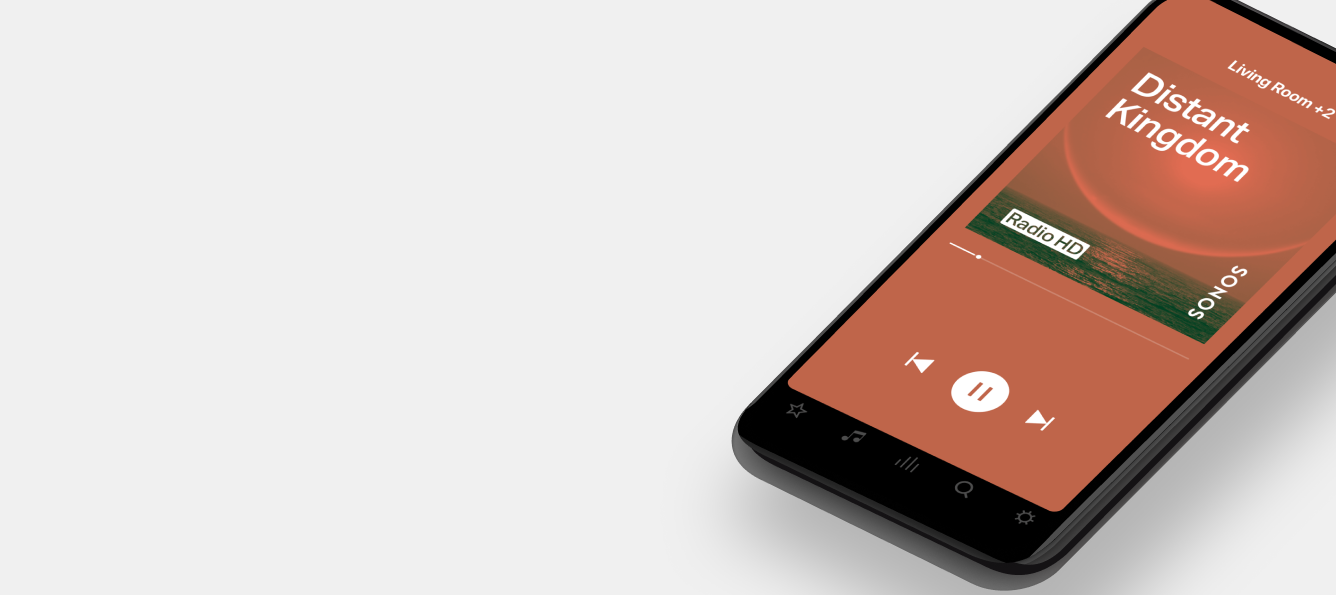
This page relates to the S1 app, and the older S2 app. For instructions on how to use the newest Sonos app (released 7th May 2024, and has a black icon), please visit https://en.community.sonos.com/the-new-sonos-app-229144.Hi!So you’ve bought your first Sonos speaker, plugged it in, downloaded the Sonos app and completed setup. Now what? This is not a comprehensive guide to using the Sonos apps and their features, but an introduction to you as a new Sonos user so you better understand the basics of use, what the differences in apps are, and the beginnings of what the apps can do for your new Sonos system.If you are looking for help in how to use the Sonos app and you don’t find it here, please visit our support pages and search for keywords, or ask a question in our forums - we have a very helpful community.Like all apps, ours have minimum system requirements but unlike others, if these are not met the Sonos app may still be able to run in a limited-compatibility mode whereby it can st
Hi everyone!This article will be focusing on Music Services available within the Sonos app - if you have any further questions on this subject, feel free to post a reply, and we’ll update the article What Music Services are available on Sonos? You can find here a full list of Music Services on Sonos - it’s worth noting however that not all music services are available in all regions, you can check where any given service is available to be added to Sonos by clicking the link for that music service.If you should have access to a music service, but it doesn’t show up in the list when adding a music service , then we recommend double checking that you have the correct location set on your Sonos Profile, and then performing a manual check for updates from the Sonos App - this will update the list of available Music Services in the app. What content is available via Music Services? Not all music services offer the same selection of content, and this may even change within the same service
With the prospect of having parties once more now on the horizon perhaps you're looking for a way to make sure yours are going to be the talk of the town? If you have a Sonos system, a Sonos Port or Connect, a PC and the Philips Hue lighting system in your home, here’s one way of guaranteeing your friends and family will be talking about your parties for some time:This is a guide on how to use a Port/Connect and a PC/laptop to link your Sonos system and your Philips Hue system together so that you can have your Hue lights react to the music playing on Sonos.This method does require the Hue Bridge v2 device but does not require the Philips Hue HDMI Sync box.If you don’t have a Connect or Port, but do have a first-generation Play:5, you could use the headphone socket on it and a 3.5mm to 3.5mm lead. The volume control for the Play:5 would come into play, however.For now, instructions are for Microsoft Windows 10 and macOS but the troubleshooting/help steps in red are for Windows only. St
Hi all,This is a list of all current (date of release) voice commands you can use to control your Sonos system with Sonos Voice Control.Sonos Voice control will work in any region, however it only understands US English at the moment.We have added in a table of contents to make the list a little easier to scan through, to find what you’re looking for.Remember, to activate Sonos Voice Control you start by saying “Hey Sonos” and then you follow with your chosen command, for instance volume control:“Hey Sonos, volume up”You can also specify where the command should be executed:“Hey Sonos, Volume up in the kitchen”Click through the list here to find what you’re looking for, and click ‘show content’ to see the details.The basics Controlling your music Changing your music Controlling your music service library Grouping, ungrouping, and moving your music Informational Home Theater controls Sleep Timers Timers Controlling your music playback from Spotify SVC Weather Update (May 2024)The basics
Through cloud updates, Google Assistant has added the ability to set up Voice Match on voice enabled Sonos devices. This feature has rolled out to all households where Google Assistant is available. Voice Match allows you to teach the Google Assistant to recognize your voice. If you have multiple people using the Google Assistant on Sonos, you can set up Voice Match to provide user-specific responses and content based on who is speaking. This enables personalized results for the person asking Google Assistant questions. For more information about Voice Match, see the Google article here. Here are the steps to enable Voice Match straight from the Google article linked above: Link your voice To use Voice Match, you must link a Google Account to the Google Assistant device. If you have multiple Google Accounts, you can choose which account you want to use. On your Android phone or tablet, open the Google Home app . At the bottom, tap Home Settings . Under "Googl
We announced yesterday that some of our oldest Sonos products will be moving into a legacy mode in May of 2020. Our commitment is to support products with regular software updates for a minimum of five years after we stop selling them, and we have a track record of supporting products far longer. Here is some public information we’ve shared, gathered into one place to respond to some of your questions in one easy thread, so that people can find the correct information easily. Beginning in May, software updates and new features from Sonos will only be delivered to systems with only modern products. After May, systems that include legacy products will continue to work as before - but they will no longer receive software updates or new features. Sonos will work to maintain the existing experience and conduct bug fixes, but our efforts will ultimately be limited by the lack of memory and processing power of these legacy products. We don’t expect any immediate impact to your experience
Moderator note: This article was updated in December 2024. This article will help clarify what surround sound is, and answer some common questions about using Sonos surround sound setups. So if you’re wondering: Why don’t I hear anything from the rear speakers? How do I make surrounds louder? My surrounds aren’t working? Or something of that nature, this thread might be for you. What is Dolby Digital 5.1?Surround sound is TV and movie content that surrounds you with the audio based on how it’s intended to be heard. When talking about 5.1 audio, surround sound is dedicated mixing for six channels. You’ve got the front left and right channels, along with the front center, and the rear surround channels as well. When it’s working correctly, you should hear the audio mixed for each specific channel play out of that side. What is Dolby Atmos?Dolby Atmos is an innovative spatial audio technology that allows engineers and artists to precisely place individual sounds in three-dimensional spac
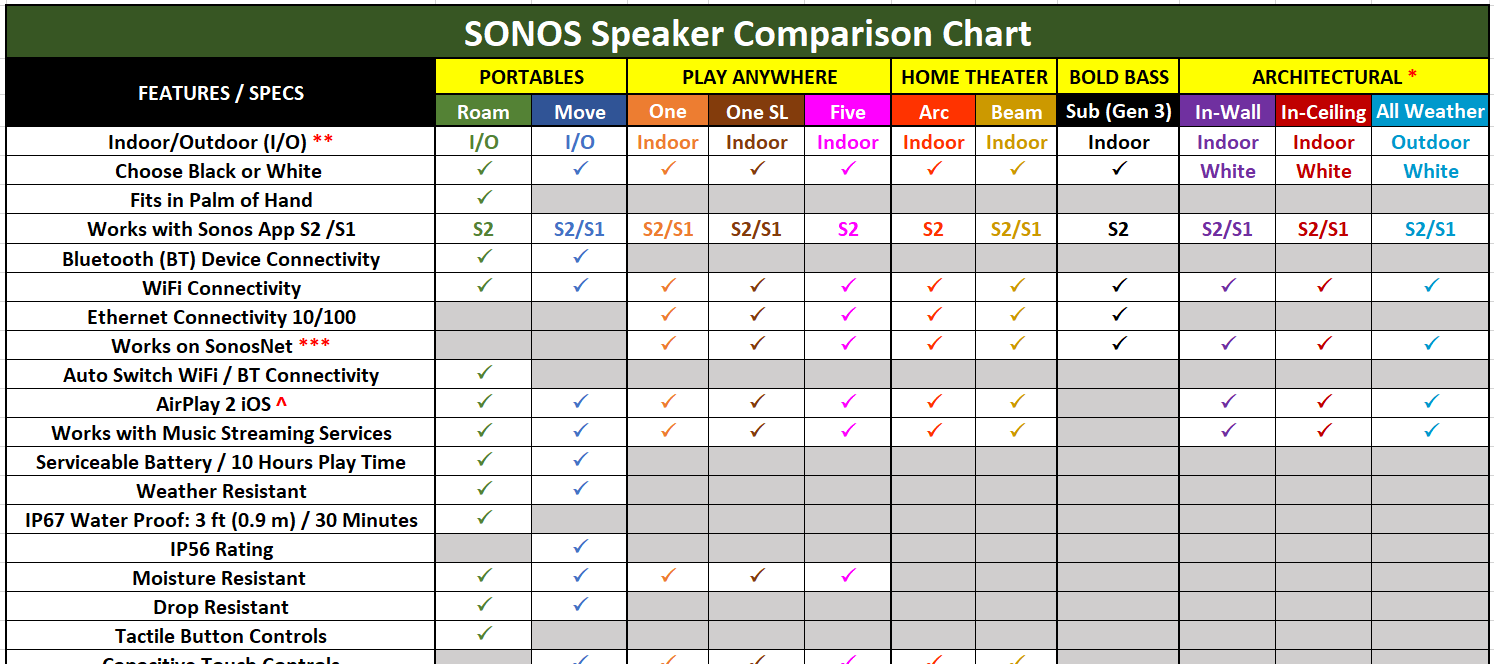
Updated 09/06/23HelloWhether you are a current Sonos user or a first time visitor looking for pre-sales information...Welcome. We hope you’ll find the information useful.The chart below provides a “snap shot” of the Sonos speaker line-up for quick reference. As it’s a community member project it is not an official Sonos piece. However, it has been vetted by Community Moderators for accuracy. It will be updated when new information is released by Sonos.Be sure to check out the Era 300, Era 100 and Move 2 which are Sonos’ newest additions to its speaker line (thus far for 2023)! FYI, the Era 100 makes an interesting comparison versus the One/One SL.There is a line item in the chart titled Works with Sonos App S2/S1. Those speakers that align with S2, S1 or both are noted.If you purchase a product that is S2/S1 compatible and introduce it into a system that is comprised of S1 products (multiple or single) the S2/S1 product will downgrade to S1 level. That means it will not receive any S2
There have been a lot of threads and questions asking how to initiate the playing of BBC Radio Stations after the BBC removed voice control of their stations from within TuneIn. So I thought I would bring all of the recommended steps together in one thread. Open the Sonos App and click on the Search icon and then select ‘Stations’ below the Search Text box; Type into the Search Text box, the name of the BBC radio station that you want to listen to and against the station in the list below click on the three vertical buttons and then select ‘Add to My Radio Stations’. Then click ‘Done’ (For the purposes of this example, I will use Radio 2); Open www.IFTTT.com and either create an account or log-in to your existing account; If using a Web Browser, click on your profile picture in the top right hand corner of the screen, to the left of the Explore button, and select ‘Create’; Click on the ‘+’ symbol and enter ‘Alexa’ in the Search Text Box, then select the Amazon Alexa icon; Select ‘Say a
One of the most exciting features of the new Sonos Arc is its ability to play Dolby Atmos sound. As with all relatively new technology, it’s understandable that you might feel a little confused when it comes to making sure you have a compatible setup for the feature. Head’s up—we’ll be talking about things like “codecs,” and “audio formats” below, but don’t panic. We’re here to make sure you understand why those things are important in setting up Arc to play Dolby Atmos. Rest assured that no matter what you’re listening to with Arc, it’s going to sound great. But to get the most out of Arc, it’s worth ensuring that your system is set up to deliver Dolby Atmos. And, as always, we’re here to help. If you have questions, feel free to ask. Dolby Atmos (as in “atmosphere”) is a format that allows sound to be heard three-dimensionally —including from above! (Arc achieves this by bouncing sound off of the ceiling). To facilitate this experience, Atmos information is contained within an aud
Updated: 05/15/20 (see Note below) These charts were developed to give you a snapshot feature/design comparison of Sonos all-in-one speakers. They are separated into two groups...those generally associated with Music and those generally associated with Home Theater. However, depending upon the application all the speakers in the charts can be used cross-functionally (Sonos Move has some restrictions). The charts should not be used as the determining factor for your buying decision. They are merely an aide to be used as a starting point based upon your individual/personal need(s). Every situation (while on the surface may appear to be similar) has specifics that does not fit into a "one-size-fits-all" scenario. The Community is still here to offer counsel and suggestions to assist you in building your ultimate Sonos system. NOTE: Information regarding Sonos Music Speakers for the Sonos Five; the successor to the Play: 5, and how it differs can be found in FAQ’s information regarding
There are some basic things to check when you’re trying to get the Google Assistant to work with Sonos if you’re having trouble. This thread will have some starting steps to getting it all sorted out. You can also find some useful tips and tricks here and there's a list of commands here. Check your Google Account(s) To start with, make sure you’re checking that you have the correct Google Account being used for Sonos. If you have multiple Google accounts set up and logged in on your mobile device, it’s possible the wrong one is trying to be used. Check in your phones Account Settings, you may need to remove the extra ones during set up if the apps keep trying to use the wrong one. You may have your Sonos system linked to one of your Google accounts but your Google Home devices could be linked with a different one. In this case, Google will return an error about being unable to find the device. Possible Mismatched Music Service accounts If you’re using a music service t
With the release of the Sonos One (Gen2) you may have questions as to how it compares to the Sonos One (Gen1) and its not so distant cousin the Sonos Play:1. Rest assured that all three speakers are top notch in terms of build quality, internal components, attention to detail and deliver the outstanding audio experience you expect from a Sonos speaker. In a blind listening test you'd be hard pressed to choose one over the other (if at all). Update 2019: In addition to Amazon Alexa, Google Voice is also available as a programmable single choice voice assistant on the Sonos One (Gen 1&2). Please use the chart below as a reference tool for your buying decision:
Moderator note: This article was updated in December 2024. This article discusses how to add your speakers to an existing system. If you are taking your speaker to another location that does not have an existing Sonos system in place, these instructions will not apply to you. In that case, you can simply set up a new Sonos system.How do we get your speakers added to another system? Say, at a friend or family member’s house.This is a fairly straightforward process and should not take too long. Sonos products can remember the credentials for up to 16 wireless networks. When you bring your device home, it will automatically reconnect to your WiFi network. This is unless you Factory Reset your Sonos device, which we do not recommend. Things you will need before you get started:The WiFi password of this “new” network. The network needs to have an existing Sonos system set up already. You will need to have the owner of this system’s Sonos account information at hand. The steps to take:Con
Trying to find where to download the Sonos Controller Software? The Sonos software is available on our support page and you can find direct links below for each of your devices. Click here to download the Sonos Desktop Controller for Mac Click here to download the Sonos Desktop Controller for PC Click here to download the Sonos Controller for iPhone Click here to download the Sonos Controller for iPad Click here to download the Sonos Controller for Android You don’t have to follow those links, you can also download the Sonos Controller for iOS devices by just searching for Sonos in the App Store, or for Android by searching for Sonos in the Google Play Store or Amazon Appstore.If you have any trouble getting a controller to connect, please see the following article concerning connectivity issues with your Sonos system, or this one, which talks about firewalls and Sonos. You may also wish to check the Sonos system requirements page. Still struggling? You can contact our Customer C
Moderator note: This article was updated in December 2024 to account for new products. Hello!If you are considering equipping your home with Sonos, deciding what to get should be easy.We offer a range of WiFi-connected audio devices, suited to a host of purposes. However, before you are able to make a decision (or even consider the options), it’s helpful to get an idea of what’s available in the Sonos range.We have an entire section dedicated to discussions surrounding what Sonos products to get, where you will find conversations centered around this very topic. You’re always welcome to start a new topic to discuss which Sonos products may be best for you. Though if you have more specific questions in mind, this article may be the best place to start.Comparisons: A number of our users have already posted some very helpful articles describing the differences between some of our products. We have a topic which compares Sonos products on a chart in a comprehensive overview.
Google Assistant is experiencing temporary issues today, the 20th of August '19. You may find that you are unable to initiate music playback. Upon trying, you will receive the following voice notification: ”I can’t do that here, but you can ask me to play it on one of your other devices”. You can view the status of any ongoing outages via our Status page. We are currently investigating the issue and we will have it fixed as soon as possible. We will update this thread once the outage is resolved. Many thanks for your patience and understanding!
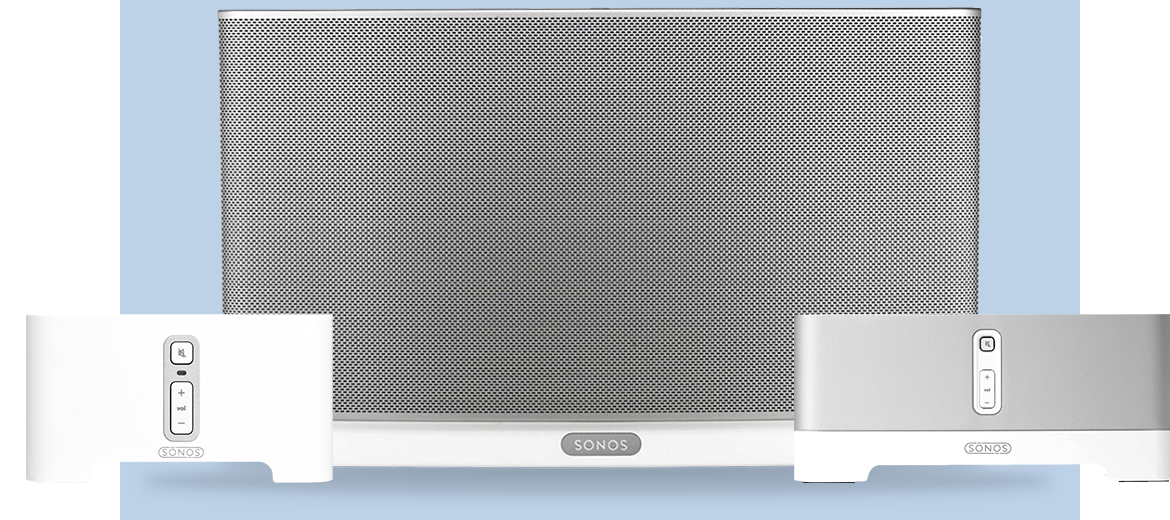
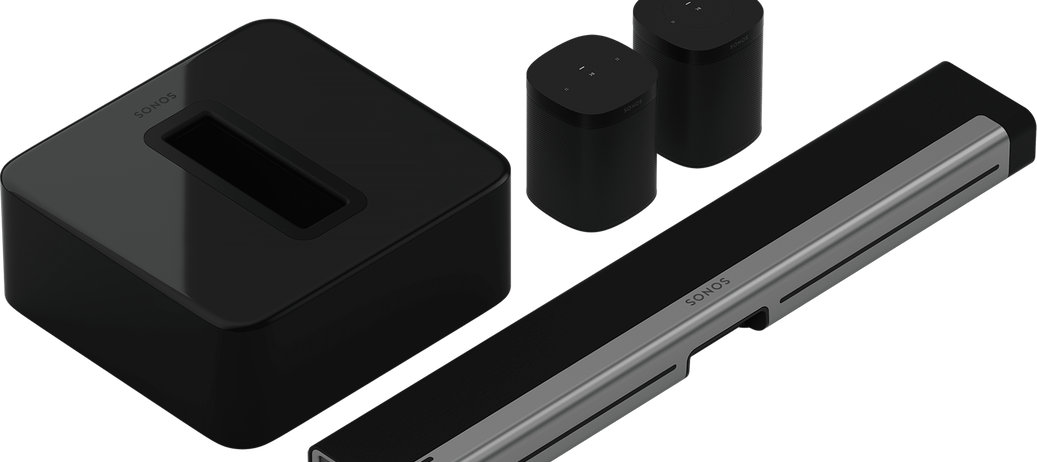
Updated: 02/14/21 (see Notes below for additional information)This chart has been adjusted to showcase those speakers shown in the picture above which are current in the Sonos catalogue. The Sonos Arc is the newest addition to the family of Sonos speakers. It brings Dolby Atmos sound to the Sonos Home Theater listening experience. Although not listed in this chart click the link under Notes to view a detail of it compared to other Sonos.The Sonos Five with subtle cosmetic changes has replaced the Play 5.The Sonos Sub has been upgraded to a 3rd generation with the addition of an infinity button for setup and a few internal upgrades. In addition to the above Sonos has listened to it’s audience and incorporated in the S2 software the ability to add two subs for increased low-end performance. Home Theater enthusiasts will find this feature a welcome addition. The Playbar and Playbase are included only for reference; as they are discontinued, but still may be available via 3rd party res
Wondering what to do now that you have a Google Assistant enabled device and Sonos players? This page will help you get all set up. 1. Make sure your Sonos and Google Home devices are all powered up and connected to your home network. If you're new to Sonos, this means Installing the Sonos app, and going through the steps for setting up Sonos. You’ll need an iOS or Android device to set up Sonos. If you're new to Google Home, install the Google Home app and add your Google Assistant enabled devices if they’re not listed. This is done by pressing the Home button and then the Plus (+) Google has a great setup guide here. 2. In the Sonos app for iOS or Android, tap the More tab at the bottom, then tap Voice Services. Choose Google Assistant from the list. This will take you to the Google Assistant app, where you’ll sign in to your Sonos account. 3. Follow the on-screen prompts and search for Sonos players. Add them to rooms for easy control. 4. Make sure you’ve added your m
Already have an account? Login
No account yet? Create an account
Enter your E-mail address. We'll send you an e-mail with instructions to reset your password.