
Ryan S
Retired Sonos Staff
June 18, 2020
Tips & Tricks

Understanding Dolby Atmos and Sonos Arc

  • June 18, 2020
  • 41 replies
  • 39823 views

One of the most exciting features of the new Sonos Arc is its ability to play Dolby Atmos sound. As with all relatively new technology, it’s understandable that you might feel a little confused when it comes to making sure you have a compatible setup for the feature. 

Head’s up—we’ll be talking about things like “codecs,” and “audio formats” below, but don’t panic. We’re here to make sure you understand why those things are important in setting up Arc to play Dolby Atmos. Rest assured that no matter what you’re listening to with Arc, it’s going to sound great. But to get the most out of Arc, it’s worth ensuring that your system is set up to deliver Dolby Atmos. And, as always, we’re here to help. If you have questions, feel free to ask.

Dolby Atmos (as in “atmosphere”) is a format that allows sound to be heard three-dimensionally —including from above! (Arc achieves this by bouncing sound off of the ceiling). To facilitate this experience, Atmos information is contained within an audio wrapper (known as a codec), which has metadata instructing the audio drivers how to direct the sound within your space. 

Arc-compatible codecs that contain Dolby Atmos include Dolby Digital Plus, Dolby TrueHD, and Dolby MAT. Most streaming services that have Atmos content use Dolby Digital Plus, while Blu-rays usually use Dolby TrueHD or Dolby MAT. 

To get Dolby Atmos sound from Sonos Arc, you need to address the following:

  1. Connections. Sonos Arc needs to be connected to your TV with an HDMI cord (one is provided with Arc) via an ARC or eARC port (eARC is required for Dolby TrueHD and Dolby MAT).

  2. Compatibility. Every device that ‘touches’ the audio (e.g. Blu-ray player, Apple TV, Fire TV) needs to be able to pass Atmos on to the next in line—from the source of the content to Sonos Arc. For Blu-ray, the individual discs need to have Atmos content and the player needs to be capable of sending Atmos as well.

  3. Apps. Your app (e.g. Netflix, Disney+) needs to be capable of playing Atmos content via your particular TV. 

  4. Content. Your content needs to have Atmos audio in an Arc-supported codec: Dolby Digital Plus, Dolby TrueHD, or Dolby MAT. 

Some things to note:

  • Not every episode of every show may have Atmos, even if the streaming service supports Atmos.

  • A device (such as your TV or a streaming box like the Apple TV) may support Atmos, but not for all apps running on it. 

  • Some devices may not pass Dolby Atmos by default without making some adjustments to audio settings.

We’re happy to help answer questions, but in some cases you may need to contact the manufacturer of certain devices to check compatibility.

When set up properly, your Now Playing screen in the Sonos app will display the Dolby Atmos logo.
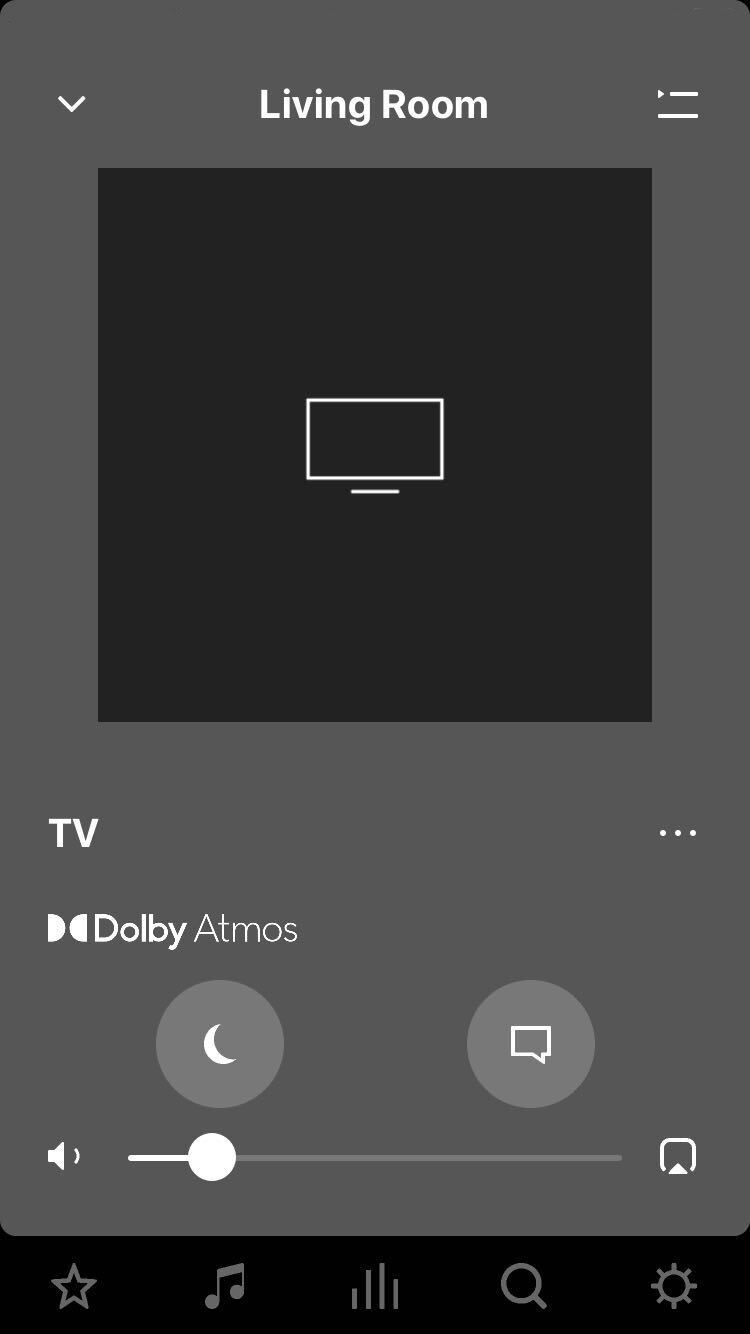


If you have all of the above set up, but are still not getting Dolby Atmos sound, let us know what you’re experiencing in a new thread or join an existing one and we’ll try to help you address the problem.

    This topic has been closed for further comments. You can use the search bar to find a similar topic, or create a new one by clicking Create Topic at the top of the page.

    41 replies

    Contributor I
    June 18, 2020

    Is the recommended surround placement any different for Atmos placement than Dolby 5.1? I am debating whether to add a pair of Ones to my Arc & Sub but they would have to go immediately behind my couch as shown in the Sonos One Stands photo below. Will the Atmos “bubble” be apparent to all seating positions on the couch with the surrounds placed so close to the couch? I’m concerned with placing the Ones so close to the listening positions but I have no other option for their placement.


    jgatie
    June 18, 2020

    The placement is the same.  Trueplay should account for the surrounds being so close. 

    Local Superstar
    June 18, 2020

    There is a good video here that explains what Ryan has said above (skip the first minute if you are short of time):

    https://www.youtube.com/watch?v=Kvs2Y4lAGUk


    Contributor I
    June 19, 2020

    I’ve done trueplay tuning a few times but I cannot hear any sound bouncing from above from any atmos content (I see the flag for atmos). Any tips for setup or reference material for it?

    Ryan S
    Ryan SAuthor
    Retired Sonos Staff
    June 19, 2020

    I’ve done trueplay tuning a few times but I cannot hear any sound bouncing from above from any atmos content (I see the flag for atmos). Any tips for setup or reference material for it?

    If you’re seeing the flag for Atmos than everything is set up correctly. What sort of content you hear from the various directions will depend a lot on what your watching. You should feel surrounded by the audio, but you might not notice something specific from the ceiling. Perhaps try Trueplay off to see if that sounds different.

    Mark good posts by pressing the like button, and select the best answer on questions you've asked to help others find solutions.
    Local Superstar
    June 19, 2020

     Any tips for setup or reference material for it?

    https://www.dolby.com/about/support/guide/dolby-atmos-trailers/

    Trending Lyricist I
    June 21, 2020

    Question:  If there is a streaming device that has 2 HDMI outputs, one w/ eARC out and 1 regular HDMI output, can  the eARC connect to Sonos Arc and the other HDMI connect to the TV to get lossless Atmos TrueHD?  Will something like this ever work to take advantage of Sonos Arc to output full Dolby Atmos for TVs that do not have eARC?

    Airgetlam
    June 21, 2020

    Yes, that’s pretty much what the whole thread about HDFury’s device here is all about. 

    Bruce
    Prominent Collaborator I
    June 22, 2020

    Ryan S,


    In the webpage https://www.sonos.com/support/en-us/sonos-user-guide/index.html#t=sonos-user-guide%2Farc%2Farc.htm , it states that:


    • Arc’s advanced processing creates five phased-array channels that deliver sound to your ears from all directions.

    What are those five channels? Where do the height channels fit in there?


    Thanks  


    Ken_Griffiths
    June 22, 2020

    Ryan S,


    In the webpage https://www.sonos.com/support/en-us/sonos-user-guide/index.html#t=sonos-user-guide%2Farc%2Farc.htm , it states that:


    • Arc’s advanced processing creates five phased-array channels that deliver sound to your ears from all directions.

    What are those five channels? Where do the height channels fit in there?


    Thanks  


    ekwok,
    The five channels mentioned will be the left, right, center, LFE (bass) and the upward facing ‘height‘  (reflective) channel for Dolby Atmos.