Show off your setup or get inspired by others
Recently active
I was disappointed that the Sonos One no longer has the mounting threads on the back. Minor issue but it will change my setup.
I can't update my sonos desktop controller because i've forgotten my password. I've reset the password online but this still doesn't work. tearing my hair out!
I like many hate the new controller in version 8.0 / 8.1 I’ve been trying (without luck) for hours now to get version 7.4 back onto my iPhone & iPad. Does anybody know where I can get the .ipa file for version 7.4? Or can anyone be kind enough to upload it to Dropbox or equivalent? Thanks in advance
I have a fairly large home where the Wifi signal significantly weakens on one side of the house. To alleviate this I have set up access points in my home that do not use the same SSID for reasons beyond this conversation. I want to set up Sonos speakers all throughout my home, however I would need to be able to connect my speakers on the far side of my home to an access point with a different SSID in order to work properly. Placing a Boost centrally in the home is not an option due to the design. Request: Allow Sonos speaker to connect to Access points that broadcast different SSIDs on different channels. Thanks
I think it will be a great idea if it was possible to "lock" a speaker to a specified volumelevel when it is in a group. I have a speaker in the garden and to prevent trouble with the neighbours when I turn up the music inside I will like the outside speaker to stay on a choosen level but the level on the rest of the speakers can increase 😃
Hi, One thing that is annoying is that there is no way to permanently turn ON the shuffle feature. In other words, no matter which playlist I select, I want it to be in SHUFFLE mode. At the moment, each time I select a playlist, I need to manually select shuffle. Seems obvious to me... some people don't care about the order of the tunes, but would appreciated that there is a good MIX all the time. Not the same tunes in the same order. Thanks
Ultimate Ears just came out with their new MegaBlast its a Portable Wift/Bluetooth speaker with alexa and has a Power Doc accessory for use when inside. 16 hour battery life. The wifi lets the device stream with out your phone and lets you use alexa to request songs, pause, play forward etc.. When your done using it in your back yard you bring it in and plop it on the doc where it charges and can be used as one of your indoor speakers. This is what Sono's should have added to the Play One (or they should make a new one for $299 called Play one portable)
Hi I have a 2013 Smart Samsung TV with SKY HD box and a Playbase, I am after a universal remote that will play nice with all these. Any Recommendations TIA Ian
Is it possible to hook my sonos play 5 to my Sony Bravia television? Just wondering.
Apologies in advance if everyone thinks this is obvious, but it may prove useful to some people. I have realised that the 'rename' facility gives me total control over the order in which my favourite playlists, radio stations etc display. So, for example, I have about 50 Sonos Playlists. I have selected 15 that I play most and added them to the 'My Sonos' Playlists category. Then the eight 'favourite favourite' playlists I have renamed with an asterisk in front of the name, so that these are the ones that appear without my having to tap "See All". I have also put this list at the top of the "My Sonos" screen, as I use Playlists more than radio stations etc I can see other possibilities here for categorising items, but I'm still playing around with this. For the avoidance of doubt, the name change only affects the item in My Sonos, not the original source. I hope that is of some use. All we need now is icons a sensible size.....
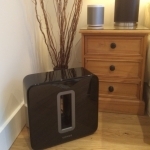
I got completely roasted today on another forum for suggesting the SONOS SUB. The sentiment on there was that it was part of a pretty package but that it isn't capable of serious performance with such small drivers for a living room and that it didn't even hit the marketed 25Hz (does it matter)? I am not an audio gear-head so bear with me, what should my reply have been?
The new app is awful. Everything is slower Alexa integration is so disappointing and unreliable to the point of being unusable. I want my old Sonos set up back
I have a Connect tied to a Bose Wave Radio in my bedroom. I run my TV sound though the system via SONOS Line In. I'd like to set an alarm so that the SONOS automatically switches to the Line-In input every day at noon (changing from the news/music I listen to in the morning), so there's sound on my TV when I turn it on without having to change additional settings. Currently, I can't select the Line-In input as an alarm source. If this is too difficult to achieve directly, what about allowing a line-in source to be tied to a SONOS Playlist? I could select that playlist as my alarm source as well.... Thank you.
Someone recommended an automatic 2 input optical audio switcher in one of the original playbar threads. It was from monoprice and the link is dead, and a search on monoprice makes it look like it's discontinued with nothing else up in its place. I'm buying a new TV soon but based on what research I've done, it's impossible to be certain any TV I buy will have proper 5.1 optical switching. 99% chance it will not have it in spite of what people casually report on the internet. So, I'll need to buy an optical audio switcher. I need to route at least three inputs, ideally four to help future proof me. And it needs to support 5.1. It does me no good if it downgrades the signal to 2.x. I'm also debating over whether I should just buy another A/V receiver. I sold my old A/V receiver with my old 5.1 speaker set when I bought my playbar. As ridiculous as it sounds (and actually is), my best bet may be to buy a cheap $100 to $200 A/V receiver and use that for all my audio routing to the
I am unable to browse my stream in SoundCloud. When I choose the "Stream" option, I get the error message "Unable to browse music" All other SoundCloud options appear to be working fine: "Likes", "Following", etc. I have tried deleting and re-adding the service several times, and it makes no difference.
Is the sonos app compatible with Windows10 phone?
Sadly SONOS have enough on trying to get the buggy voice integration software stable and addressing users being disappointed and underwhelmed by the lack of functionality. The competition are almost upon them.... From CNET this morning... Sonos executives must be looking at vast tech companies making smart speakers and resisting the urge to hum a dirge. Amazon launched its latest Echos last week. Google on Wednesday presented its new Homes -- including a charmingly unattractive Max that claims to offer quite a boom. Then there's Apple, whose music-based HomePod comes to market in Common sense would be to heed the adverse feedback on the new app and revert to the old version, which had few issues being raised. Or at least give the user the choice. I know that 'Sonos knows best' is value often perceived by customers but carrying on regardless over this issue could be huge distraction and add to what must be a worrying time for the company. Show some courage Sono
Hi guys. Apologies if these questions have been discussed before. I bit the bullet and ordered a Playbar which is arriving tomorrow hopefully. This will be set up in my living room, but as I already have a Play:5 there which I have been using for TV audio and music, would there be any issues sound wise with grouping them together in the same room for both TV audio and music? I will eventually purchase the Sub and use either Play:1 or 3's which I already have in other rooms for 5.1, so the Play:5 will be moved then. Just wanting the best set up with what I will have when the bar arrives. The other question is, my Samsung TV is only 1 year old and I have looked into the spec regarding Dolby and such likes. It states it has Dolby Digital Plus and also DTS Codec. Is this the correct requirements for the Playbar and the 5.1 when I eventually get it all to run smoothly? I'm not really clued up on the DTS thing and noticed there seems to be some issues with it but reading into it
Hi There I own 2x PLAY:1 that are paired to play stereo music in the family room. I also own a Bose Cinemate 130 soundbar and sub for the TV. I would like the sub to play along the PLAY:1s, would Connect allow me to do so? not particularly interested in playing music on the soundbar. Thanks
what are the steps to follow to make playlists ?
I'm not sure if there's a bug or just really poor engineering. It seems like a lose/lose, especially without a way to change sources from the hardware. TV Autoplay: OFF = If you're listening to music from your phone, you can have your TV on in the background, change channels, pause/un-pause video games, or anytime the sound might stop and start like when internet videos buffer, BUT you have to always use the Sonos app to switch back to the TV. TV Autoplay: ON = Your TV audio will resume after you stop listening to the music on your phone AND ALSO anytime you change channels, pause/un-pause video games, or anytime the sound might stop and start like when internet videos buffer... so just don't use the TV for anything when this setting is on or else music from your phone will disconnect.
Ordered a Sonos Sub that never arrived but shows as having been delivered. I have been dealing with customer support that now won’t return my emails. I am very unimpressed so far . .
I now use the playbar as a stand-alone unit for music in the living room. We bought a new tv and want to use the playbar as a soundbar for the TV. But is it then still possible to use it when the tv is turned off, as a normal "speaker" ? (from smartphone) Thnx
I've downloaded version 6.4 of the app. What a mistake. To anyone who is about to do it, DON'T DO IT IF YOU LIKE YOUR QUEUE. Sonos please put it back how it was. This new app is so awful I am considering selling my entire Sonos rig (6 pieces!) and walking away from you, after what was until this week, many happy years. Touching on a track because I want to play it, or add it to the queue (the queue that I DID WANT), does not mean I want to delete the whole queue and replace it with the entire album (which I DON'T WANT) which the newly added track comes from. If I wanted to delete my queue, I would delete it. If I wanted to add the whole album, I would add it using the play all function. You've just taken something intuitive and user friendly which worked so well and turned it into a worse than hateful mess. PLEASE UNDO THIS AWFUL, HORRIBLE CHANGE.
Like many of you, I've got a combination of Sonos and Homes in my life. Unfortunately I only currently have two Play 1s but I'm desperate to find a way to cast music via my Homes, to my Sonos. As I see it, there are currently two solutions. Get a Play 5 or Connect and then add a Chromecast Audio. The obvious choice seems to be the Play 5, but will I be able to cast to all the speakers in my house if I have that? Or would I need to have a Connect to enable that? Is there another option? Could I buy a PlayBase and connect that to my TV then add a Chromecast to the TV and cast music to the Chromecast and then to the Playbase (and maybe to the other speakers?) If it would work, it seems like the best option as I'm much more interested in getting a Playbase than I am a 5 or a Connect. AND FINALLY, have many people had luck getting things to play via IFTTT? Is that a viable fourth option? Thanks for all your thoughts!
Already have an account? Login
Enter your E-mail address. We'll send you an e-mail with instructions to reset your password.