
Retired Sonos Staff
May 4, 2023

‘On this Device’ for Android controller no longer supported
Related content:Software
‘On this Device’ for Android controller no longer supported

Starting May 23rd, 2023, the Sonos S1 and S2 controller for Android will no longer support the ‘On this Device’ feature for streaming locally saved audio files directly to Sonos devices.

As newer versions of mobile operating systems are released, it can sometimes change the way information is shared between devices, and this feature will no longer be compatible with newer versions of the Android operating system. 

While this feature will no longer be available in the app, we know local audio files are important to our listeners and we’ll continue to offer other options to enjoy downloaded tracks on Sonos, including:

  • Streaming the catalog from a music service. There are more than 100 music services available on Sonos, many with several millions of songs. 

See our article on 'Adding music services' to get started.

Some music services allow you to upload your own music files to a cloud storage service like YouTube Music for example, which allows for an upload of up to 100,000 files with a free account. Services that allow you to upload files to a cloud storage:


Streaming through music services or cloud storage allows you to access your music without your phone. 

You can play music files from your Android device to a supported Sonos product using Bluetooth.

See more about 'Using Bluetooth on Sonos' here.

  • Setting up a Music Library share on a Network Attached Storage (NAS) drive. You’d need to have the drive available in your network when you want to play music, but your library would be easy to transfer to these devices, if it isn’t already on them.

See our article on 'Using a NAS drive with Sonos' to get started.

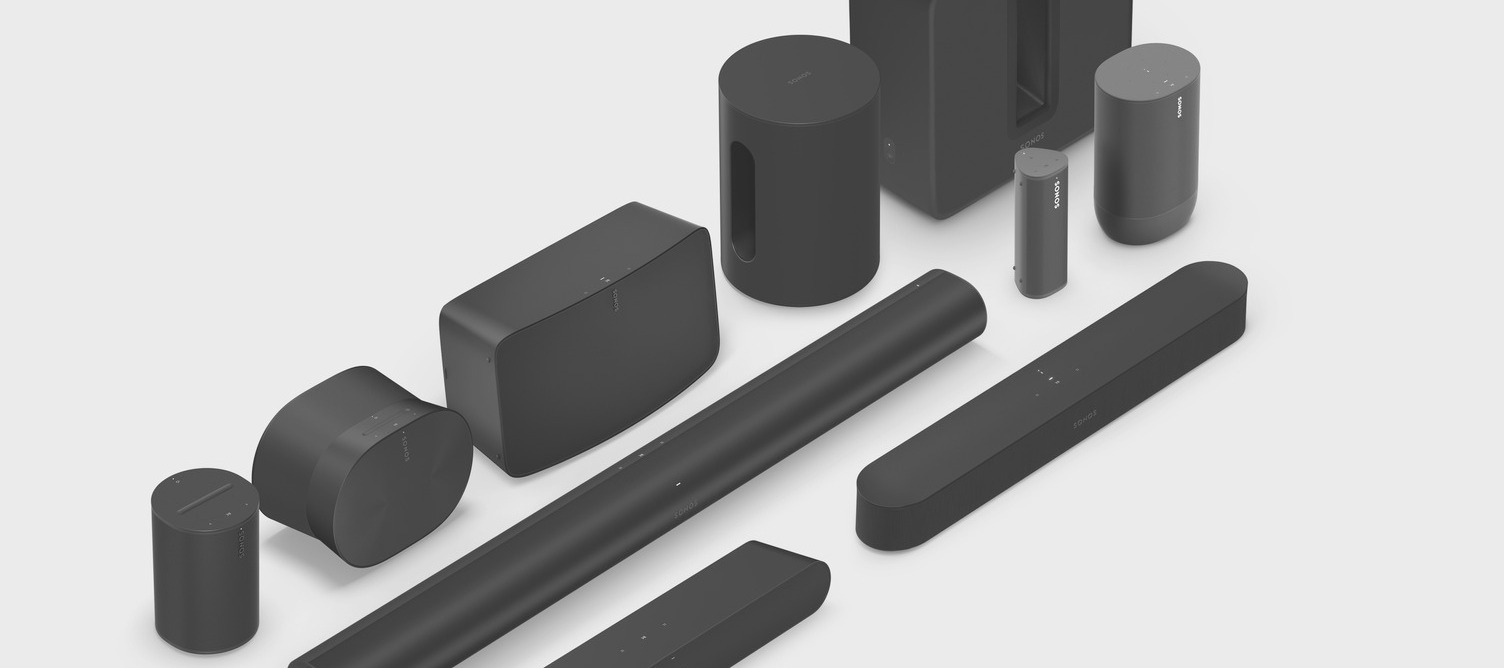
  • If you have a Sonos Play:5, Connect, Connect:Amp, Amp, Era 100 or Era 300 (with the Line-In dongle), you have a Sonos player with a Line-In connection. Using that Line-In, you can play music directly from any device connected to it, to any player around the house.

See more about 'Using the Line-In on Sonos' here.

We'll continue to support everyone through this change, and will help you through the necessary steps to keep listening to your favorite tracks on Sonos.

This topic has been closed for further comments. You can use the search bar to find a similar topic, or create a new one by clicking Create Topic at the top of the page.

297 replies

Senior Virtuoso
May 27, 2023

I found that the speaker on my Samsung Galaxy is good enough for my singing practice. Now to find a sledgehammer to smash my Sonos to smithereens. 

Can you film it and post on here, just to prove you do it, please? 

controlav
Lead Maestro
May 27, 2023

I found that the speaker on my Samsung Galaxy is good enough for my singing practice. Now to find a sledgehammer to smash my Sonos to smithereens. 

Why not sell it so you can buy a better microphone, or get an agent to further your singing career?

Author of the leading independent Sonos apps for Android, MacOS, iOS, Windows and Xbox.
Trending Lyricist III
May 27, 2023

What i do wonder i why they got rid of it now? Why on the 23rd of May? It seems a bit random. I haven't seen any big Android update on my phone or something. I think thy could have supported it longer. 

Lyricist III
May 27, 2023

I found that the speaker on my Samsung Galaxy is good enough for my singing practice. Now to find a sledgehammer to smash my Sonos to smithereens. 

Can you film it and post on here, just to prove you do it, please? 

If I did, it would be something like this


Lyricist III
May 27, 2023

I found that the speaker on my Samsung Galaxy is good enough for my singing practice. Now to find a sledgehammer to smash my Sonos to smithereens. 

Why not sell it so you can buy a better microphone, or get an agent to further your singing career?

I'm not selling the sledgehammer because I need it to destroy the Sonos.

Senior Virtuoso
May 27, 2023

I found that the speaker on my Samsung Galaxy is good enough for my singing practice. Now to find a sledgehammer to smash my Sonos to smithereens. 

Can you film it and post on here, just to prove you do it, please? 

If I did, it would be something like this


Now you say “if I did…”. Does that now mean you’re not going to do it? 

Prodigy II
May 27, 2023

I checked mine and even though it has a usb port it can't be used for much other than a sim dongle. I assume that's how yours is connected? 

. 


Did you actually login to your router to check? I just looked at a router and it only mentioned USB sharing in the manual. The main page only mentioned 4g modem use with the USB port.

"I saw the Stooges and the MC5"
Trending Lyricist III
May 27, 2023

No, i Googled my router and read that other people asked and tried the same and replies were that it wasn't possible with this model. 

Lyricist III
May 27, 2023

I found that the speaker on my Samsung Galaxy is good enough for my singing practice. Now to find a sledgehammer to smash my Sonos to smithereens. 

Can you film it and post on here, just to prove you do it, please? 

If I did, it would be something like this


Now you say “if I did…”. Does that now mean you’re not going to do it? 

If I filmed it and posted here. 🤗

Prodigy II
May 27, 2023

No, i Googled my router and read that other people asked and tried the same and replies were that it wasn't possible with this model. 


Digging further it seems with my brand that if you go cheaper you get only modern support. If you go more expensive you also get print server support.


At least digging further showed me where I was going wrong with my new router sharing setup. I didn't really want to be sharing the whole drive. Now it's sorted.

"I saw the Stooges and the MC5"