Troubleshoot, tune and get the most out of your system
Recently active
Hey, was just wondering how to activate the Google Assistant on the Sonos One? cant seem to get it to work it keeps failing
This hasn't been adequately answered in the community as yet.For me, it happens randomly (today) no new software, changes to voice assistant, etc. Random network drop outs have been a proposed culprit, but why does it still work if I use the Alexa on my phone. This fact alone points to issues in Sonos - either the microphone is not picking up the question / statement being made to Alexa correctly, or other wiring/electronics issues. However more likely a sonos network issue, given that all sonos products with microphones are equally affected.Any thoughts, brilliant experienced sonos community?
hi I have lost all my playlists and I have not done any reset only added a couble of ikea sonos speakers to my system
For a second day Alexa is giving the message “Sorry I’m having trouble, please try in a little while.” Done the usual turning devices off and back on, same with router. Also disabled and reenabled the skill in Alexa app. Anyone any suggestions? Thanks.
I’m having a problem with my Sonos Amp. I almost exclusively use TuneIn on the Amp, and often the audio stream will just stop. If I check on a phone or PC it will show the audio has stopped and I need to press play to have it start again. I am pretty sure it only ever happens after a commercial break is coming to an end. Not every commercial break though. Sometimes it happens after 10 minutes, sometimes after an hour or two. Three TuneIn stations that I use have this problem - 181.fm Beatles, Classic Hits, Classic Rock Hits. These are really the whole reason I even use the Sonos.The Amp is hard wired via ethernet into my switch, then hard wired to 4 speakers. There is no wireless being used. I don’t believe it to be an Internet issue; I can stream 4K video content with no buffering.Any advice would be appreciated. It’s getting annoying.I created a diagnostic report - 151035383Thank you.
Currently I run my music library through an external hard drive through my MAC. My music library is much bigger than what Sonos allows so I am selective in what I import to Sonos. THe music is imported through iTunes and then syncedto SONOS. I have a Synology server that I have not been able to get to communicate with SONOS. I am looking for a better way of managing the music that does not slow down my desk top. I have read mixed reviews of the PLEX system. Has anyone figured this out?
Would it be possible to add LPCM 7.1 support on the sonos beam as it was the case for the Arc recently? I have a lot of problems with voice/image synchronization on my ps5, I ordered an HD Fury Arcana hoping that this will solve the problem.... I find it absurd to have so many problems in 2021 with formats that should have been standardized a long time ago.
My Alexa stopped ducking the sonos sound when I ask Alexa a question..my Sonos speakers are in a group that includes Alexa devices that previously solved the problem… but acting up again.
Hi! Recently I have found that my 2 SUBs and 2 Play 1 (surrounds) are detached from my living room HT setup, but they are not actually detached, but just from the Android app… That is when I check from “System”, it just shown “Arc” but not “(x2Sub + surrounds)”. It’s not showing “?” but nothing. Therefore, I couldn’t adjust the volume level of my Subs and surrounds. However, they are actually still linked with my Arc as usual. This happen occasionally and my only solution is to uninstall the app and reinstall it, then everything back to normal… Just wonder any of you encountered the same?
One of my music files plays in iTunes and in an iTunes playlist to which it was added on my iMac. When Sonos is synced (indexed) to this iTunes library, the file can be found and played under artist within Sonos. However, although the file is included in the imported playlist in Sonos, when it is played within that imported playlist, Sonos indicates the file can not be found. I can not see any difference in this file and any other file among the thousands of other files and 70 other iTunes playlist imported to Sonos. Could there be something in the file that allows it to play as an album in sonos but confuses sonos when played from the imported playlist? The file was purchased/downloaded from Qobuz Store. When I inspected the metadata from the Qobuz file it had a weird file name (wrong artists). Don’t know if this could allow stand alone playback in Sonos but not Playlist playback? Weird. “Qobuz support” maintains nothing is wrong with the file even though the file name is wrong!
This is a very strange situationMy computer is connected to the same netgear switch as my SONOS play 1.I have another ethernet cable connected to this switch to my main router.Last week i noticed my laptop was dropping the network connection for a few seconds every 5-10 minutes.I diagnosed it today as my laptop connecting to the internet via my SONOS PLay 1. To do this i disconnected the main network cable going to my router and the laptop still had an internet connection - all be it around 10% of my expected speed. When I discconected the LAN cable of the PLAY 1 it was fine. Anyone else experienced this?
Searching for anything at all on YouTube Music returns no results whatsoever. I’ve tried both the Android app (S2, v13.2), as well as the Windows app. The subsection “YouTube Music” was active, not “Uploads” Search terms were:[Artists] “big red machine” [Artists] “vernon” [Albums] “how long do you think”TIA-- Jakob
Hi, i am having an issue with volume not syncing between normal stereo content and high res audio.I have an LG 55 nano90 2020 model. I work with a Chromecast with google tv. Chromecast is in hdmi stating higher refresh rate. And Soundbar is plugged into the eArc port. Chromecast is also directly plugged in with Ethernet.*Yes ALL my stuff is updated to latest software. (Computer nerd, build computers...have Plex server...)At first I struggled to get the Atmos or Dolby format to play. Was only getting stereo. Finally found setting in Chromecast to allow surround sound formats and also set tv to passthrough.*Other settings hdmi is set to bitrate and not pcm. I have tried turning eArc on and Off. Unplugged system so it could reset between swapping. I have tried to turn off and on the CEC settings in Chromecast and or tv to see if that would help...nothing.I don't know what else to try...i have fiddled with app settings but not much. I see there was remote setups but it doesn't pick up my C
Sometimes even in a silent room, google will say “Sorry I dont understand”. Anyone else experience this? My other google home mini dont seem to triggered. Once in a while this will happen 2 in the morning. Some times it says “Sorry I dont understand”
After the most recent update, I have lost 4 one’s ( 2 are sl 2 reg latest version) Yes, I have been in contact with Sonos but the more that go down ( zero power ) the more I get scared to even plug anything in. I have probably 10K in Sonos devices. I have had an electrician even come out to make sure no surges and nothing wrong at the outlets. Within one month I lost 4. I have or had many products on this series of outlets but only the ones are affected. When you deal with support you get different ideas but I have tried everything to check and make sure all of my products are safe. Any ideas or any ways to fix the power issue? Yes, they are in process of replacing but its a pain in the a**2 arcs1 beam 4 fives4 subs gen 210 ones3 ampsmany in wall and in ceiling speakers + outdoor4 bookshelfs, 2 lamps, 2 picture frames so you can understand my fear from the list I have Any advice is greatly appreciated
I use a TV as my computer monitor via an HDMI cable and a playbase as an external speaker. When I updated my playbase to S2, I lost sound coming from my computer. I can still stream music to the playbase but I get no sound from the computer. It's as if the optical audio cable was not connected between the TV and playbase. I've tried replacing the cable to no avail. I've also replaced the HDMI cable from the computer to the TV. The windows 10 sound troubleshooter replaced the audio drivers. Still no sound. Please help. Thank you.
Hi,I'm thinking of getting another Sonos Roam but bluetooth stereo is a must for me as I can't stereo pair via wifi (I don't have a stable internet connection). Can someone help test the latency between the two speakers when setting up bluetooth stereo on Mac via Audio MIDI setup?Here's a guide: https://titusbatson.com/how-to-connect-mac-to-multiple-bluetooth-speakers/Appreciate it!
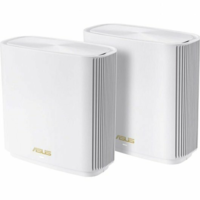
Following the upgrade of my ZenWifi XT8 to Version 3.0.0.4.386.43170 all my wifi speakers disappeared from the Sonos App. The only way to make them work was to connect one of the speakers to the ZenWifi router directly using an Ethernet cable and reboot all the other speakers. The router sees them as all connected through cable and work fine.However, I wanted my Speakers to be all connected through wifi again and I had to downgrade my ZenWifi XT8 router nodes to the previous firmware that worked perfectly (Version 3.0.0.4.386.42095 2021/03/18).Do other Sonos / ZenWifi XT8 users see the same incompatibility with this specific firmware version?Thanks!
Relying on Apps to setup external devices always seems like a crap shoot to be honestI have an iPhone 8 running 14.7.1 and the Sonos 2 App. My home is hard wired with a router->switch->second switch→Sonos Arc. In trying to setup the Sonos Arc, the iphone App identifies the product and I select Add. Unfortunately after a few minutes I get the following:I’ve unplugged the Sonos a few times. I’ve restarted the App a few times as well, and that’s as far as I get. Within my router settings, I can confirm the Sonos has received an IP address from the wired ethernet: Honestly really frustrated. I thought this stuff just worked. What a pain in the A**!
Hi all, New to the world of Sonos. Treated myself to an Arc + Sub, connected to my LG C1 via the eArc HDMI port. I’m also using a PS5 for gaming and watching 4k discs. My issue is I can’t get the Arc to play any of my 4k discs with Dolby Atmos. The ‘best’ settings I can get are Multichannel PCM 7.1. These are the settings I have on my C1: HDMI Input Audio Format: BitstreamDigital Sound Output: Pass ThrougheARC support: On And on the PS5:HDMI Device Type - Soundbar (have tried having this as TV and Amp too, results still the same)Audio Format Priority: DolbyAudio Format (from menu when watching 4k disc): Bitstream Im getting a bit flustered by not being able to figure out what I’m doing incorrectly! Any guidance, tips or suggestions to get Dolby Atmos working would really be appreciated. Thank you for your time.
I added a Sonos Move to my existing system. There are 3 Sonos AMPs in the system also. Two of the AMPs are hardwired to the network, one is wireless. All of the AMPs group properly with each other. The Sonos MOVE will play fine by itself. If you play something on the MOVE then add in another room, it shows like everything is grouped properly (including volume display for both rooms) but the second added room doesn’t play anything (even though the app indicates that it is). If I start with one of the AMPs then add in the MOVE, I get the same secanario except the room with the AMP works and the MOVE doesn’t play. The volume is turned up and displays as such, but there is no sound. I have tried:Rebooting all Sonos devices and the Modem/Router Switching to different WiFi channels Switching from 2.4GHz network to 5GHz network Factory defaulting Sonos MOVE and readding Calling tech support, twice Moving the MOVE close to the modem/router Grouping the MOVE with different AMPsWhen I ca
Hi. I’m pretty happy with the performance of my Sonos kit. I have a big system. I have recently moved from using sonosnet to using my TP Link 3 channel mesh network. This seems to have stopped most of the sound dropouts I was getting. Likely because there is less congestion on the 2.4 ghz band. Anyway, when my wife and I sleep, we play a spotify track on repeat (deep sleep delta waves) as it helps us sleep. It kind of stutters when repeating. Sometimes pauses for a few seconds between reaching the end and replaying. In the Sonos app I often see ‘cannot play this song as it is not properly encoded’. Surely that error is garbage, if it’s streaming fine most of the time. Is there a better way to achieve the aim here? I have a NAS I could host a song on. I could build a longer version of the song. There’s no problem playing with Spotify in general (unless Sonos needs an update, but we use Spotify issues as a trigger to check for system updates). Thanks for any suggestions!
Diagnostic 1334398637, occasionally the radio skips back and repeats a few seconds, the radio will later turn off.
Hi all, Alright I just got the LG cx in order to get oled AND earc support because I was getting lipsync issue with my samsung q80r and apple TV (Video before Audio) But as I did all the requirement with the LG I realised that the audio seems to be a little bit earlier with the apple TV. I know I can adjust this but unfortunately I can’t seem to find the perfect settings because it seems that each time I switch to another app (disney+ or Netflix or even youtube) everything seems out of sync. Can someone who has this setup share his audio settings ? I dont understand I tried everything.Earc On/offPassthrough or autoBitstream or PCMand Bypass or not AV sync. Tried to change cable same same.Am I the only one. Was the purpose of earc not supposed to address this issue ?Oh and with the built in apps everything works great but I would like to use the apple TV.Thanks all for the help
Using Sonos Play1 (4 off) and Play 3 (2 off)After installing a new WiFi Router (TP-link AX5400 Archer AX73) the audio periodically drops out for approximately 10 to 30 seconds and then comes back on. Network consists of FTTN - DSL - Modem - Modem LAN - WiFi WAN Port - WiFi LAN - Network switch (for other Ethernet devices) Can you assist with this issue?
Already have an account? Login
Enter your E-mail address. We'll send you an e-mail with instructions to reset your password.