

Sonos Beam Now Available - Setup and Useful information
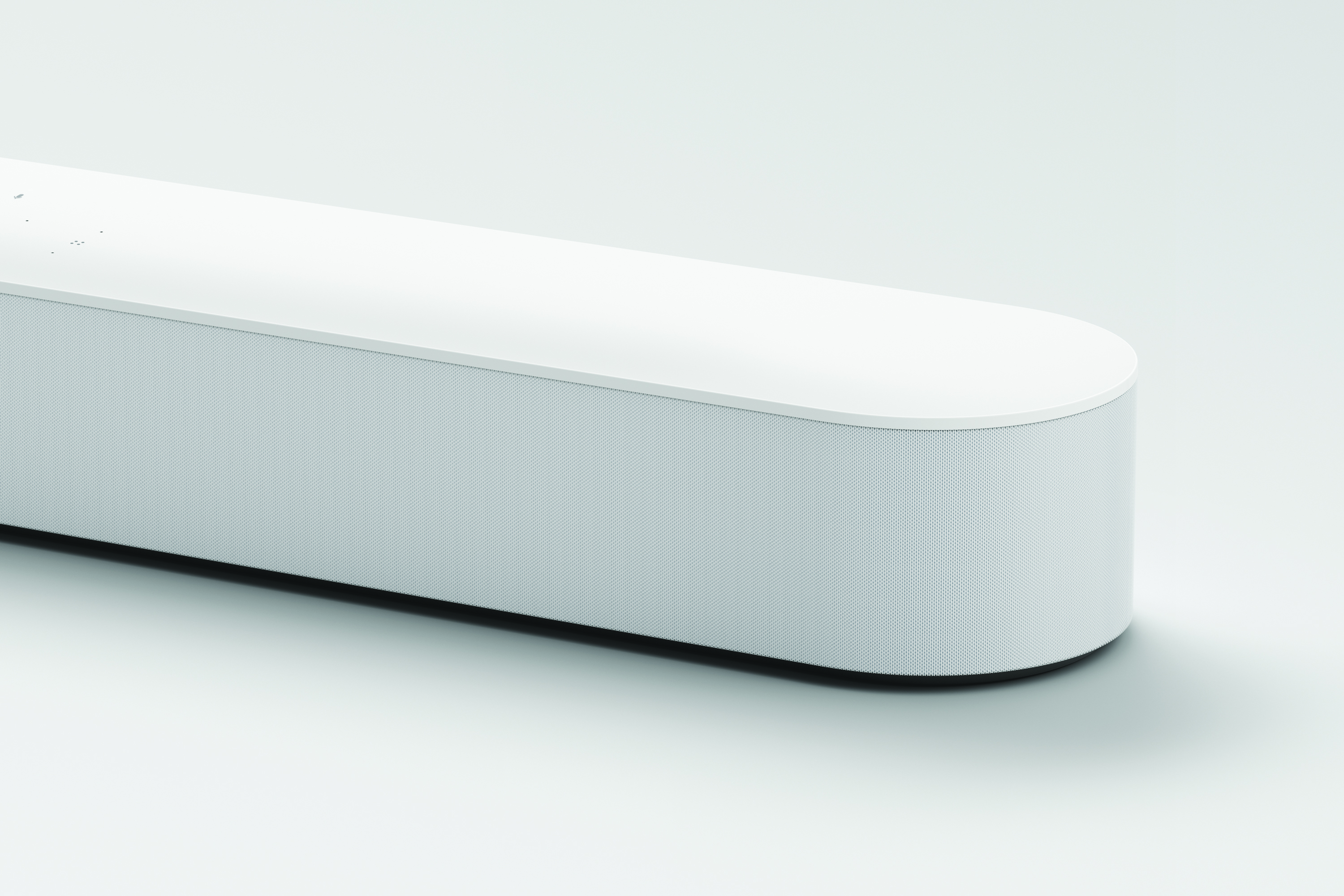
Sonos Beam, the smart, compact soundbar for your TV is now available. Play music, TV, movies, podcasts, radio, audiobooks and video games with rich, detailed sound that fills the entire room. We've collected some of the best resources for the Beam in this thread so that it'll help you find the answers you might be looking for. Find out more on our announcement post here.
For full details on our setup, HDMI-ARC, how to control your TV with Alexa. and check out our page here.
In short, Beam connects to your TV’s HDMI-ARC port. Most TVs have two to four HDMI ports, so make sure you're using the one labeled ARC, which stands for Audio Return Channel. This connection syncs audio and picture, plus automatically pairs your TV remote to Beam. If you’re unsure if your TV has the right connections, consult your TV manufacturer’s specs.
If your TV is older than 5 years, or otherwise doesn't have an HDMI-ARC port, you can use the included optical audio adapter to connect Beam to the optical port on your TV. Note, Amazon Alexa TV voice commands will not work when connected via the optical adapter.
Beam plays audio from PCM stereo and Dolby Digital sources. When using HDMI-ARC, Beam will automatically request Dolby Digital 5.1 from the device it's connected to, which should convert Dolby formats for the best sound.
Wall mounting Beam
You can easily and securely mount Sonos Beam using our custom designed wall mount. The wall mount comes in all white or black and is designed with 1 inch/2.5 cm of clearance from the wall to achieve the best acoustics. Sonos Beam also supports a range of certified third-party accessories that you can find on Sonos.com.
Sonos Beam is the first Sonos speaker for home theater that supports voice control and AirPlay 2. It uses HDMI-ARC to connect to your television and supports CEC to work with your existing remote. Sonos Beam is a more compact speaker and can fit almost anywhere. Playbar and Playbase have more drivers, so they produce a louder sound with more width and bass. Beam is optimized for small to mid-sized rooms, whereas Playbar and Playbase are capable of filling large spaces.
The Playbar does not support AirPlay 2.
Sonos Beam has Alexa built-in. Beam listens for commands to start music and content with Spotify, Pandora, SiriusXM, TuneIn, iHeartRadio and Audible; commands to control music from other services started with the Sonos app, plus requests for popular Alexa features like “What’s my Flash Briefing?” or “What’s the weather?” or “Play Song Quiz.”
Sonos Beam can also control devices through Alexa skills. In addition, Sonos has certified partnerships with smart home systems like Wink and Lutron. Based on your setup, commands to control various smart devices throughout your home will work. Possibilities include “Set temperature to 68,” and “Turn Living Room lights on.”
Controlling your TV and home with Alexa and Beam
For compatible TV’s, Sonos Beam introduces commands specific to TV use, including “Turn on the TV” and “Turn off the TV”. Sonos Beam also takes commands such as “Turn it up” and “Mute” and applies them to the TV volume.
Sonos Beam must be connected to your TV’s HDMI-ARC input and your TV has to support these CEC features. You can check which CEC features your TV supports with the manufacturer. Amazon Alexa voice control for your TV will not work if Sonos Beam is connected via the optical adapter.
Where available, you can use Sonos Beam with Alexa-enabled video streaming devices such as Fire TV. Once linked, you can control those services with Sonos Beam by saying “Play Catastrophe,” “Switch to ESPN,” or “Tune to channel 500”. If you’ve logged into Netflix or added HBO shows on your Fire TV, you’ll be able to play shows by name, e.g. “Play Stranger Things” or “Play Game of Thrones”. For steps to set up the Amazon Fire TV with Sonos, check out the article here.
If you're playing music and you need Beam to start playing the TV input, just ask "Alexa, switch to TV," and the source will change on the Beam.
Sonos Beam was designed primarily to be used with televisions via HDMI-ARC but will also connect with TVs that do not support HDMI-ARC by using an included optical adapter. For the best overall experience with Sonos Beam, we recommend pairing with a TV that supports HDMI-ARC and has full CEC capabilities. We don't have any official recommendations but feel free to make your own.
See our article here on television compatibility for Sonos home theater speakers.
If you're seeing a message about receiving unsupported audio on your home theater speaker, this thread is a great starting point.
Using Beam with your television remote
Beam has an IR receiver to pick up commands directly from remotes. When connected with HDMI-ARC supporting CEC, Sonos Beam automatically connects with your existing remotes - TV, cable box, and universal remotes - by sending and receiving commands over HDMI. If you're using the optical adapter to connect Sonos Beam to your television, you may need to program your remote to work with Sonos Beam.
Setting up, Requirements, and Basics of Beam
For full details on our setup, HDMI-ARC, how to control your TV with Alexa. and check out our page here.
In short, Beam connects to your TV’s HDMI-ARC port. Most TVs have two to four HDMI ports, so make sure you're using the one labeled ARC, which stands for Audio Return Channel. This connection syncs audio and picture, plus automatically pairs your TV remote to Beam. If you’re unsure if your TV has the right connections, consult your TV manufacturer’s specs.
If your TV is older than 5 years, or otherwise doesn't have an HDMI-ARC port, you can use the included optical audio adapter to connect Beam to the optical port on your TV. Note, Amazon Alexa TV voice commands will not work when connected via the optical adapter.
Beam plays audio from PCM stereo and Dolby Digital sources. When using HDMI-ARC, Beam will automatically request Dolby Digital 5.1 from the device it's connected to, which should convert Dolby formats for the best sound.
Wall mounting Beam
You can easily and securely mount Sonos Beam using our custom designed wall mount. The wall mount comes in all white or black and is designed with 1 inch/2.5 cm of clearance from the wall to achieve the best acoustics. Sonos Beam also supports a range of certified third-party accessories that you can find on Sonos.com.
How does Sonos Beam differ from Playbar and Playbase?
Sonos Beam is the first Sonos speaker for home theater that supports voice control and AirPlay 2. It uses HDMI-ARC to connect to your television and supports CEC to work with your existing remote. Sonos Beam is a more compact speaker and can fit almost anywhere. Playbar and Playbase have more drivers, so they produce a louder sound with more width and bass. Beam is optimized for small to mid-sized rooms, whereas Playbar and Playbase are capable of filling large spaces.
The Playbar does not support AirPlay 2.
Sonos Beam with Alexa
Sonos Beam has Alexa built-in. Beam listens for commands to start music and content with Spotify, Pandora, SiriusXM, TuneIn, iHeartRadio and Audible; commands to control music from other services started with the Sonos app, plus requests for popular Alexa features like “What’s my Flash Briefing?” or “What’s the weather?” or “Play Song Quiz.”
Sonos Beam can also control devices through Alexa skills. In addition, Sonos has certified partnerships with smart home systems like Wink and Lutron. Based on your setup, commands to control various smart devices throughout your home will work. Possibilities include “Set temperature to 68,” and “Turn Living Room lights on.”
Controlling your TV and home with Alexa and Beam
For compatible TV’s, Sonos Beam introduces commands specific to TV use, including “Turn on the TV” and “Turn off the TV”. Sonos Beam also takes commands such as “Turn it up” and “Mute” and applies them to the TV volume.
Sonos Beam must be connected to your TV’s HDMI-ARC input and your TV has to support these CEC features. You can check which CEC features your TV supports with the manufacturer. Amazon Alexa voice control for your TV will not work if Sonos Beam is connected via the optical adapter.
Where available, you can use Sonos Beam with Alexa-enabled video streaming devices such as Fire TV. Once linked, you can control those services with Sonos Beam by saying “Play Catastrophe,” “Switch to ESPN,” or “Tune to channel 500”. If you’ve logged into Netflix or added HBO shows on your Fire TV, you’ll be able to play shows by name, e.g. “Play Stranger Things” or “Play Game of Thrones”. For steps to set up the Amazon Fire TV with Sonos, check out the article here.
If you're playing music and you need Beam to start playing the TV input, just ask "Alexa, switch to TV," and the source will change on the Beam.
TV requirements, recommendations for Sonos Beam?
Sonos Beam was designed primarily to be used with televisions via HDMI-ARC but will also connect with TVs that do not support HDMI-ARC by using an included optical adapter. For the best overall experience with Sonos Beam, we recommend pairing with a TV that supports HDMI-ARC and has full CEC capabilities. We don't have any official recommendations but feel free to make your own.
See our article here on television compatibility for Sonos home theater speakers.
If you're seeing a message about receiving unsupported audio on your home theater speaker, this thread is a great starting point.
Using Beam with your television remote
Beam has an IR receiver to pick up commands directly from remotes. When connected with HDMI-ARC supporting CEC, Sonos Beam automatically connects with your existing remotes - TV, cable box, and universal remotes - by sending and receiving commands over HDMI. If you're using the optical adapter to connect Sonos Beam to your television, you may need to program your remote to work with Sonos Beam.