News

Headphone Linking in Early Access for Ace Ultra

Related content:Hardware NewsSoftware News
  • September 15, 2026
  • 43 replies
  • 1329 views
Show first post

43 replies

Forum|alt.badge.img
  • Lyricist III
  • September 30, 2026

Sad to see Port not on the supported list. 


  • Lyricist I
  • September 30, 2026

​@kap1, Read Known limitations with headphone linking. Does any of this apply?

Unfortunately no, I do everything by the books.


Smilja
  • October 1, 2026

​@kap1, There are hidden hardware faults that diagnostics fail to uncover. Your best option might be to contact support and request a warranty replacement. If the replacement headphones have the same bug(?), it's probably a firmware issue and you'll just have to wait for a patch.


Schlumpf
Forum|alt.badge.img+19
  • Virtuoso
  • October 1, 2026

I need to clarify how supported products fit into this list. Does it mean that headphone linking will only be able to pull audio initiated on supported products? What if an unsupported product is grouped with a supported one?


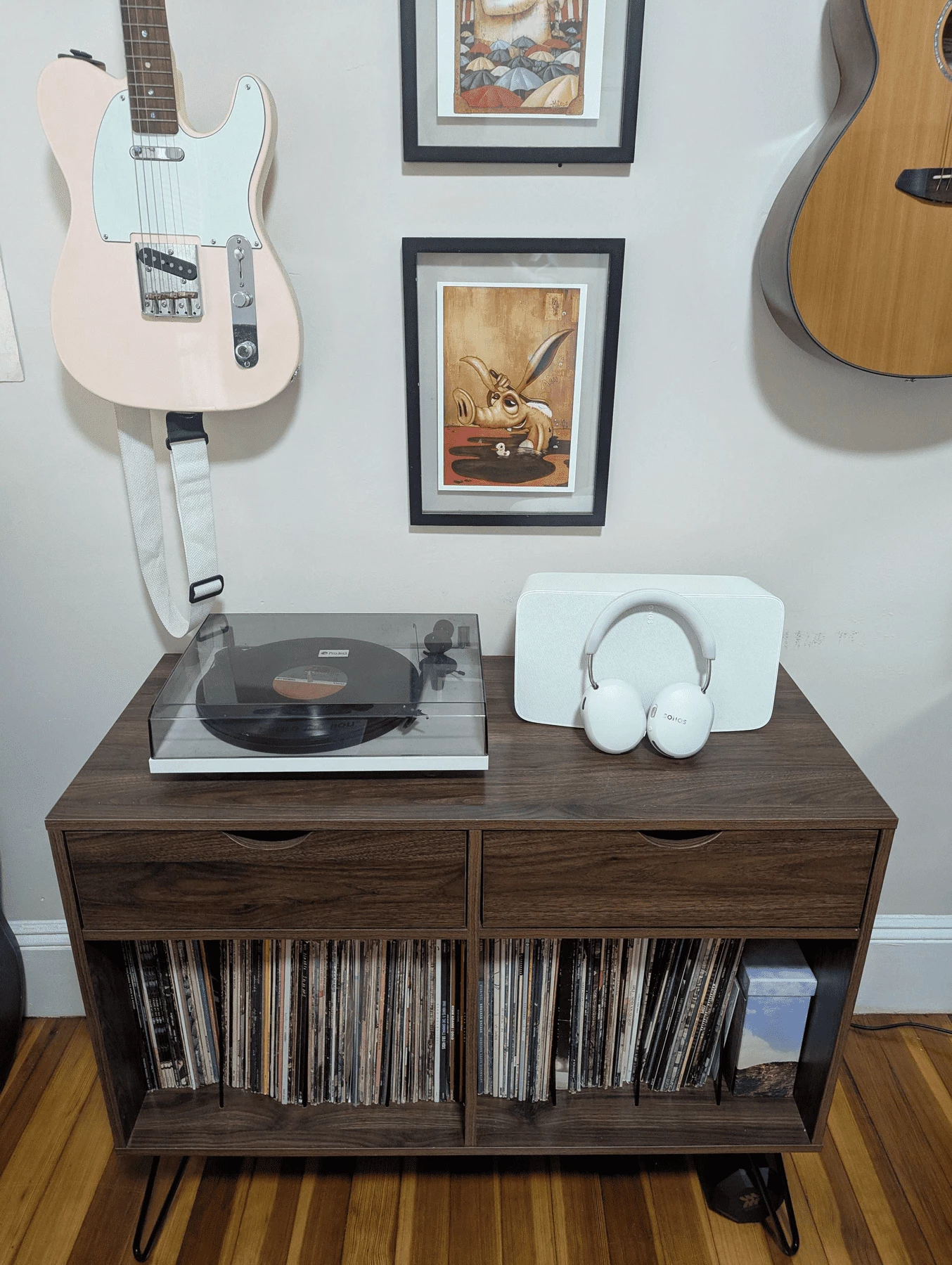
for example, my turntable is connected to a Play 5 via line in which is not on your supported list, but if I group it with my era 100, will I be able to pull the audio?

This is in the OP:

  • Audio plays in one place at a time; linking moves it, it doesn’t duplicate or group it. If you link from a speaker that’s playing in a group, the group will disband and stop playing.

So the group will be disbanded and stop playing. What about if you played your Play:5 line-in on the Era 100 and then pulled from the Era 100. That should work. Also line-in is listed as a valid source for Ace Ultra. You might be able to select it directly in the controller. But there won’t be line-in audio on the Play:5 or the Era 100. But it should work (I think).


I think the question is still valid.  Line in is listed as a valid source for Ace Ultra, but the implication is that’s a line in on the device Ace Ultra is linked to, not a different speaker in your system. 

We know that headphone linking requires that the Ace Ultra to use resources on the speaker it’s linked to in order to function properly. We know that the speaker cannot be grouped with others, which is presumably a technical limitation.   The speaker can’t send audio to the Ace Ultra while receiving/sending audio from a different speaker in your system...as that’s what’s required in grouping.  In my mind, it stands to reason therefore, the speaker cannot receive line-in audio from another speaker and send that audio to the Ace Ultra.

But...a counterpoint to this may be that grouping requires precise timing with other speakers.  Just receiving audio from another speaker’s line-in...maybe not so much?  Also, we know that the speaker feeding audio to Ace Ultra can play audio from a separate source concurrently, which seems resource intensive.  

Yeah this is really a question around how much assistance the ace ultra’s need from other speakers and if that assistance can indirectly happen. My suspicion is no which would be disappointing but it’s still in early access. 


I can speak to this! As long as you have one supported device on your system, headphone linking will work. So in your example - an unsupported Play:5 with a turntable connected via line-in - headphone swapping will work as long as you have a supported device (Era 100 in your example) as a part of your system, whether or not it’s grouped with the Play:5.

To add to that, and I know this isn’t exactly what you were asking: You can see in my post that I have a similar setup, albeit with a supported Five instead of Play:5. I was able to start the turntable audio on the Five, and then pull the turntable audio to Ace Ultra. I then went back to the Sonos App and reinitiated line-in audio on the Five, and even grouped it with other rooms - and Ace Ultra kept playing! Now, Ace Ultra wasn’t playing in sync with the group in this example, but it didn’t bother me because with the headphones on, I couldn’t hear the speakers - and with the headphones off, I could only hear the speakers. 

I hope this helps to clear up the use-case you described!

Yes it does thanks and it makes all the difference. 
 

An addendum to this would be would I be able to also pull audio from my playbase (which is unsupported) as long as I have a supported speaker somewhere in my network? I guess that would fall under TV audio swap which only supports specific sound bars, but I wonder if headphone linking would allow me to at least pull some audio  


My understanding is that only TV audio falls under the ‘TV audio swap’ requirements.  If you are streaming audio with the playbaase, then the supported speaker somewhere in your network has the hardware to handle the headphone swap.


Hi Danny and all other people discussing this before…

My result after testing for two days is that a direct headphone linking with an unsupported device doesn’t work even if there’s one or more supported device in your system. I tested with Sonos One and Play5 Gen2. No chance to get the audio playing on one of them to Ace Ultra via headphone linking. 

So in case you like to hear the line in source from a Play5 Gen2 on your Ace Ultra via headphone linking, you will have to select the P5 line in as source on a supported device. Then you will be able to do the headphone link with the supported device.

Via Sonos app you will be able to select the P5 line in directly as source for Ace Ultra. 
 

With a supported device and its line in you are able to use both alternatives. Choosing the line in as source for Ace Ultra via app, or doing a headphone linking. 


Schlumpf
Forum|alt.badge.img+19
  • Virtuoso
  • October 1, 2026

​@kap1 

Though headphone linking mostly for me works fine, sometimes I also have problems to get a headphone link working. There are situations I have to try a second time, and also there are situations I pulled audio from a speaker but can’t push it back to another speaker or even not to the same speaker. 
My suspicion is, that this happens where several speakers are located nearby to each other. 


Forum|alt.badge.img+10
  • Headliner I
  • October 1, 2026

I see my already limited use case for Linking is shrinking ever smaller


SarahN
Forum|alt.badge.img+14
  • Local Superstar
  • October 2, 2026

​@kap1 

Though headphone linking mostly for me works fine, sometimes I also have problems to get a headphone link working. There are situations I have to try a second time, and also there are situations I pulled audio from a speaker but can’t push it back to another speaker or even not to the same speaker. 
My suspicion is, that this happens where several speakers are located nearby to each other. 

I have this exact same situation. Like you, I suspect in some cases, it’s due to a few speakers being close together as when I used it with my Fives and turntable, it worked fine. They are away from other speakers. Using the App to switch of course, works all the time and seems to also work with non supported speakers like my One SLs which I tried it with.

I guess with this being in early access, they will continue to improve the outcome


Schlumpf
Forum|alt.badge.img+19
  • Virtuoso
  • October 2, 2026

​@SarahN 

Thank you for sharing your experiences and confirming my suspicion. I also hope Sonos will improve things regarding different headphone linking situations. 
Yesterday I got an email from Sonos with a link to share my early access experiences. So they obviously really care about feedback on the early access program. 👍🏻


SarahN
Forum|alt.badge.img+14
  • Local Superstar
  • October 2, 2026

​@Schlumpf - that’s good to know.

Yeah on the whole, I’m happy with how it’s going so far as I will mostly use the linking feature for my Fives and turntable rather than the other speakers. If I do want to swap with other speakers that are close to others, I may use the App for now. I was happy it worked through the app for unsupported One SLs though.

I also like that it’s easy to stream music directly from the App although if they can find a way to make that HD, that would be awesome.


Schlumpf
Forum|alt.badge.img+19
  • Virtuoso
  • October 2, 2026

​@SarahN 

Some situation here… happy with the headphones upgrade overall. And wife and daughter are happy about the Ace that still is in use. 😉

Btw sound (mainly bass) on the Ace Ultra improved compared to Sonos Ace, but not that much as I would have expected. Sonos Ace still sounds great! 😎

​@Schlumpf - that’s good to know.

…

I also like that it’s easy to stream music directly from the App although if they can find a way to make that HD, that would be awesome.

I don’t know what quality / audio format it is in detail. I just found Sonos talking about a high quality compressed stereo format. So I can imagine that it could be a HD format. The only thing that definitely doesn’t work is spatial audio like Atmos music. 


melvimbe
  • October 2, 2026

​@kap1 

Though headphone linking mostly for me works fine, sometimes I also have problems to get a headphone link working. There are situations I have to try a second time, and also there are situations I pulled audio from a speaker but can’t push it back to another speaker or even not to the same speaker. 
My suspicion is, that this happens where several speakers are located nearby to each other. 


Sonos stated the tech to determine which Sonos speaker room is nearest is an audio ping.  I can see why that wouldn’t be 100% accurate all the time.  I can even see where the system does work as designed but the user intended audio to go to the 2nd nearest speaker room.  You probably can’t improve much on that without additional hardware (proximity sensors ?)  and maybe some AI to help determine intention in these situations.  Perhaps Sonos Voice can be another option to do perform the switch, in addition to the content key or the app.


Schlumpf
Forum|alt.badge.img+19
  • Virtuoso
  • October 2, 2026

​@melvimbe 
Of course, Danny… 👍🏻 I think for an „early access“ it already works quite well, and probably there will come some improvements in the near future.

Just speaking for myself I somehow like these early testings, because you can learn how it works in detail and what the technical details / competitions behind the curtain are. 😎


  • Contributor I
  • October 2, 2026

Does anyone have any experience using the ace ultras with a port yet? 


I'm assuming you'll have to autoplay on a supported device then use the app or audio switch feature to play it on the ace ultras? 


Schlumpf
Forum|alt.badge.img+19
  • Virtuoso
  • October 2, 2026

Does anyone have any experience using the ace ultras with a port yet? 


I'm assuming you'll have to autoplay on a supported device then use the app or audio switch feature to play it on the ace ultras? 


Yes, exactly!

For headphone linking…

If you use the app, you directly can choose Ports input as source for Ace Ultra. In this case no need of autoplaying on a supported device.


Forum|alt.badge.img
  • Trending Lyricist I
  • October 4, 2026

I have the same issue and I meet all requirements listed in the article just posted. I cannot get it to work with my Arc Ultra though I opted in to early access. When streaming music to the Arc Ultra (with TV off) using Sonos Voice control I hear the headphones attempting to do the swap four or five times, but then gives up with no error message. TV audio swap works fine. I have even done a factory reset on the headphones but no luck. Does not work with my Arc either. I cannot test it with my Era100's or 300's because they are being used as surrounds for each soundbar and I don't want to ungroup them and have to run TruePlay again when I don’t own an iPhone. I activated headphone linking successfully. I even deactivated it and reactivated it. I've also noticed they do not show up as another speaker with an IP address in the "About your system->Sono system info" section of the app like the external speakers do each with an IP address. I'm guessing TV audio swap uses SonosNet and not Wifi because I tried walking around my house and it cut out when I got too far away from the Arc Ultra. Even Sonos technical support tried to get it working for me, but couldn't. I told them I would try a factory reset when I got the time. I did that, but didn't fix it. Haven't contacted them again. Also, I cannot stream directly to the Ace Ultra headphones from within the app even though “Sonos Ace Ultra” is selected. It just hangs up spinning for a while and then says, “Cannot connect”, “Something went wrong”. Has anybody else been able to headphone link when the Arc Ultra or Arc are in a home theater configuration with surrounds and a sub streaming music using the app or voice control with the TV off?


kdowling
  • October 4, 2026

I can play to the Ace Ultra using the sonos app. I can speaker swap using the app. I can TV Audio Swap. But I have yet to get Content Key linking to work.


Schlumpf
Forum|alt.badge.img+19
  • Virtuoso
  • October 4, 2026

I can play to the Ace Ultra using the sonos app. I can speaker swap using the app. I can TV Audio Swap. But I have yet to get Content Key linking to work.

Speaking for myself I sometimes have success initiating a headphone linkink via Ace Ultra hardware button. But it definitely doesn’t work reliable… it’s some sort of Russian roulette. 


SarahN
Forum|alt.badge.img+14
  • Local Superstar
  • October 4, 2026

I can play to the Ace Ultra using the sonos app. I can speaker swap using the app. I can TV Audio Swap. But I have yet to get Content Key linking to work.

I also can do all the above and sometimes have success with the content key on the headphones. But then sometimes not. Hoping Sonos can make it more reliable as a way to swap the music. But I'm still happy with the Ace Ultra.