News

11th Aug 2026 - 📲 New Sonos App & Player Updates Now Available! 🔊

Related content:Software News
  • August 11, 2026
  • 14 replies
  • 450 views

Liz P.
Forum|alt.badge.img+1

Hey all! We've got a new update live for Android. Here's a quick breakdown of what's changed. Want the full history of what we've been up to? Check out our App Release Notes here and System (Player) Release Notes here.


As always, this is a Phased Rollout, think of it like a wave; not everyone gets it at the same time. 


What's New:

App Update

  • Android - 88.00.43
  • Smarter handling of offline products - We tuned up the settings experience for products that go offline:
    • Offline products now stick around in Settings for 3 months instead of disappearing right away, giving you time to reconnect them.
    • Improvements to how bonded sets behave when part of the set drops offline.
    • Added a "hide" option so you can tidy up Settings by removing offline products you don't plan to bring back.


Player Update

  • Modern - 96.1-79270

And for iOS, we didn’t forget about you. Just some last minute polishing on the update. It’ll be here soon.

As always, feedback is welcome. The good, bad, or in between. We read it all. 🙏


14 replies

  • August 11, 2026

Can’t wait for the iOS lock screen/dynamic controls and updated iPad Now Playing bar.


Airgetlam
  • August 11, 2026

Just as a clarity point, a ‘player’, which we tend to use the term ‘firmware’, update has been released. So even if there is no update available to your iOS controller in the Apple Store, there is still an update available to your speakers in your current, existing, controller. 


  • Lyricist I
  • August 11, 2026

There is an issue moving products from S1 to S2. It has been like this for a couple of updates. You get error code 30 when using Wi-Fi. You need to use ethernet cable. But that is difficult for the Sonos Move for example.


Airgetlam
  • August 11, 2026

Interesting. I’m not sure this thread is the place for that, though. I’d open a new thread, and also call Sonos Support to discuss it.

When you speak directly to the Support staff, they have tools at their disposal that will allow them to give you advice specific to your network and Sonos system.


Forum|alt.badge.img+2
  • Trending Lyricist I
  • August 13, 2026

Hi, 

Every player update i have run Trueplay after the firmware updates. I asked on Rediit if this was necessary, the repsonse is no.

So basically I want to ask people here, who have more knowledge,  if that's the case ,or is it totally unnecessary?


Also noted that in general settings , about your system.

The input is labelled as Dolby Mat,  sorry if this a basic question what is MAT?

Thanks 


Schlumpf
Forum|alt.badge.img+18
  • Virtuoso
  • August 13, 2026

@Dg7559 

I usually don’t do trueplay tuning after an update. Only if I will recognize significant changes in audio output I would do so. 
 

Regarding Dolby Mat…

https://www.avproglobal.com/blogs/news/a-deep-dive-into-dolby-mat
 

Apple TV uses Dolby MAT. 


Airgetlam
  • August 13, 2026

Just to tease ​@Schlumpf , there is also information about MAT in 

https://en.wikipedia.org/wiki/Dolby_Atmos

specifically several paragraphs in under the section labeled ‘Implementation and differences from commercial implementations’


Forum|alt.badge.img+2
  • Trending Lyricist I
  • August 14, 2026

Thank-you for your  replies! ​@Schlumpf & ​@Airgetlam 


I don't have an Apple TV unit,  I was just surprised to see this in the about system, as I've never seen it before. Thanks for the link, so it's an Atmos component.

Yesterday I had the latest Android update ,and the tv had one of the streaming apps active, I was just checking version numbers etc and noticed hdmi input Dolby MAT.


Regarding Trueplay, that's good, you don't have to update each and every time there are firmware updates.


Regards

Dave.


Stanley_4
  • Grand Maestro
  • August 14, 2026

Is this new or have I just not noticed it, also what does it indicate or do?

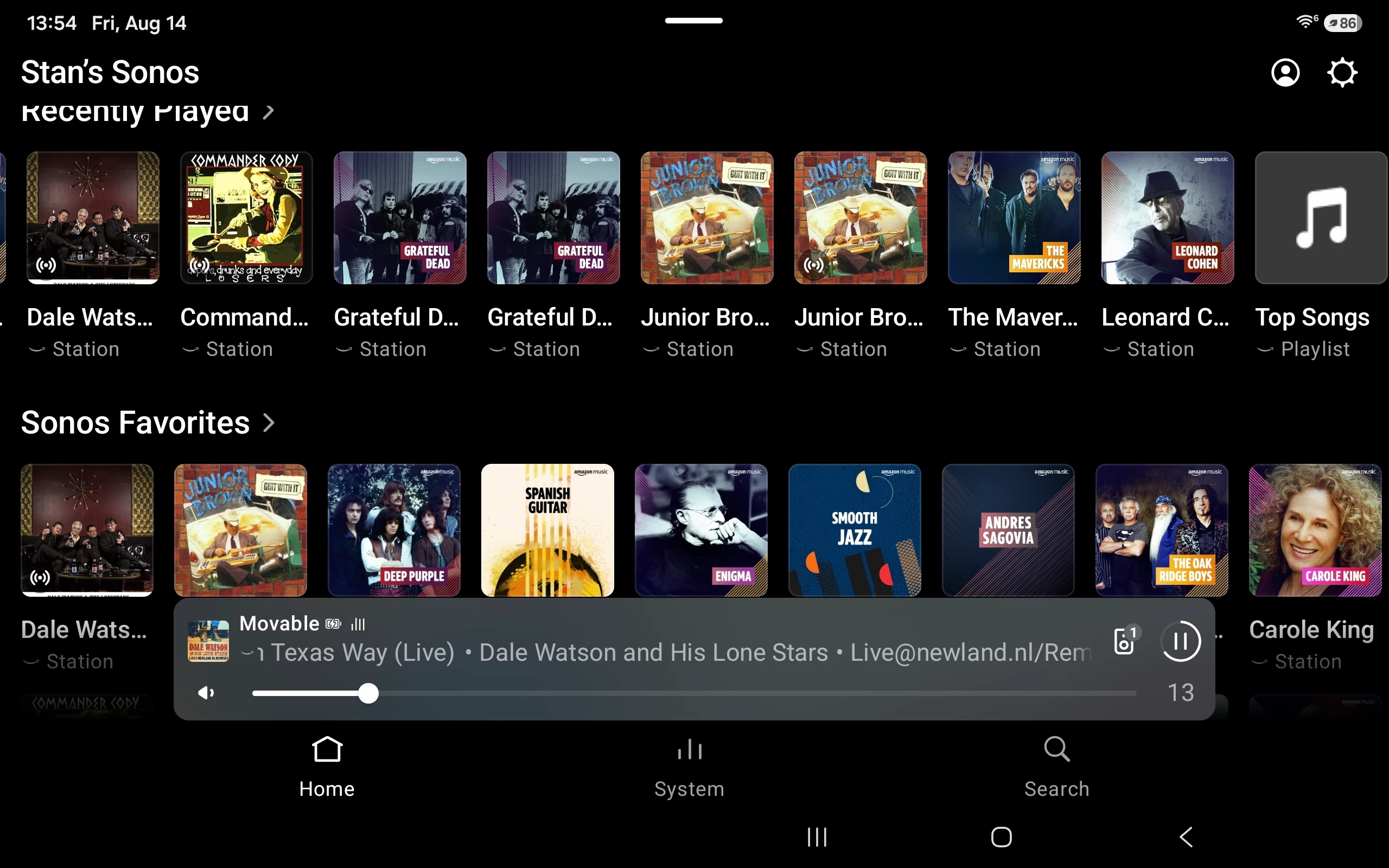
The little ((.)) on Dale Watson,  Commander Cody and Junior Brown favorites?


Schlumpf
Forum|alt.badge.img+18
  • Virtuoso
  • August 14, 2026

Is this new or have I just not noticed it, also what does it indicate or do?

The little ((.)) on Dale Watson,  Commander Cody and Junior Brown favorites?


I‘m pretty sure that this is the symbol of Amazon Music radio stations. In the AM iOS App I can see it on every station. 
Just don’t know, why via Sonos the symbol isn‘t there on some stations. 


Stanley_4
  • Grand Maestro
  • August 14, 2026

Stations I've had saved for some time don't show it, might be older cached icons.

Odd to have a graphic addition when the favorite has Staton right under the name. 

Guess it doesn't matter as long as I'm not missing any new function behind the overlay.


Stanley_4
  • Grand Maestro
  • August 16, 2026

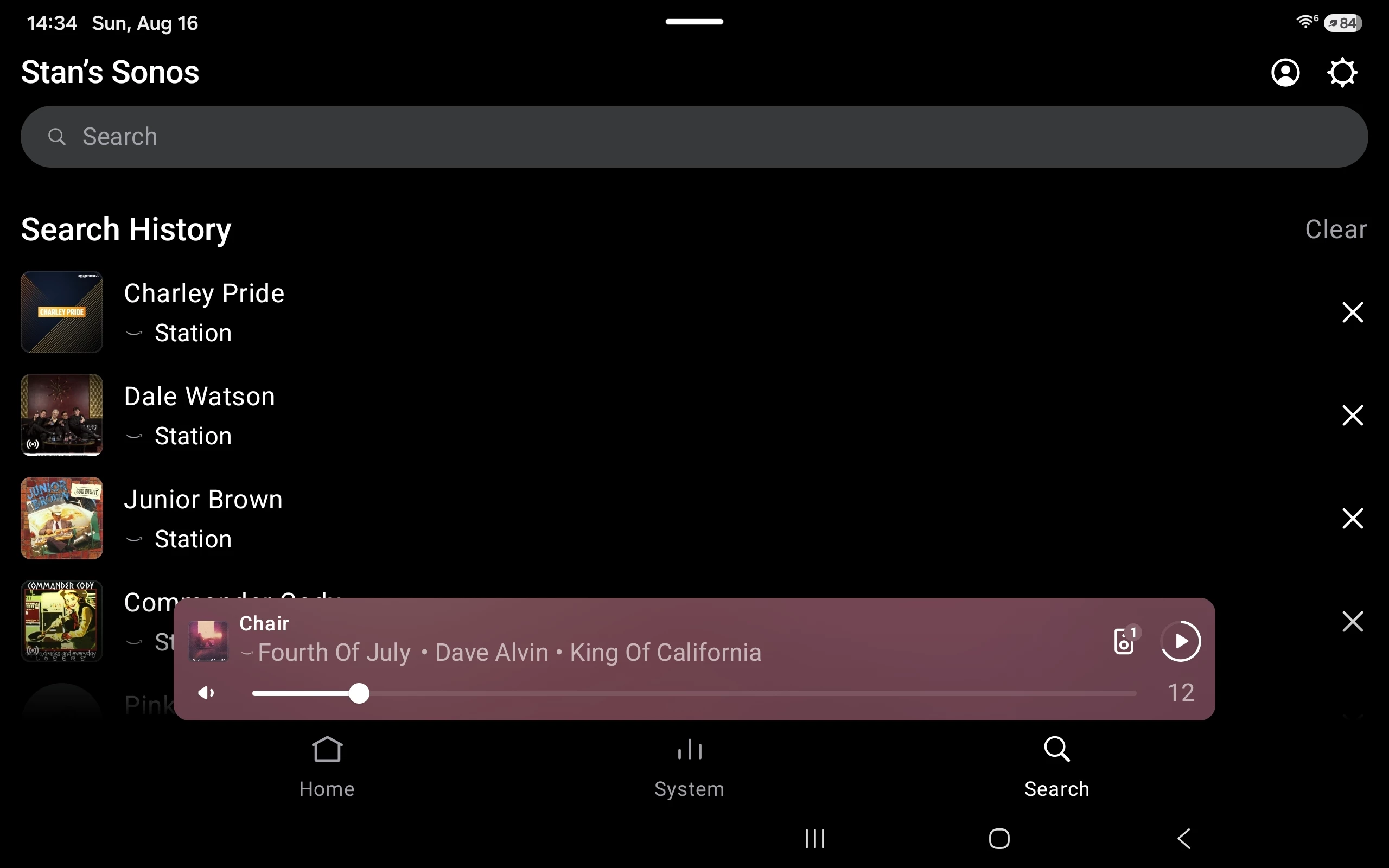
Not sure when this happened but the Search history is now showing the search response, not the search string.

Aggravating as I have to keep retyping the search string instead of simply editing it. At least copy/paste works there.


Stanley_4
  • Grand Maestro
  • August 17, 2026

While I'm complaining, why do screens reposition or change configuration when I leave and come back? Unless I change something I'd really prefer the app view stay where/how it was.

How aggravating would it be if someone followed you around and every time you set something down and looked away, they moved it a couple feet?


User117655
Forum|alt.badge.img+10
  • Prodigy II
  • August 17, 2026

@Stanley_4 yes the search history corruption both annoying and illogical (are these things tested?)…

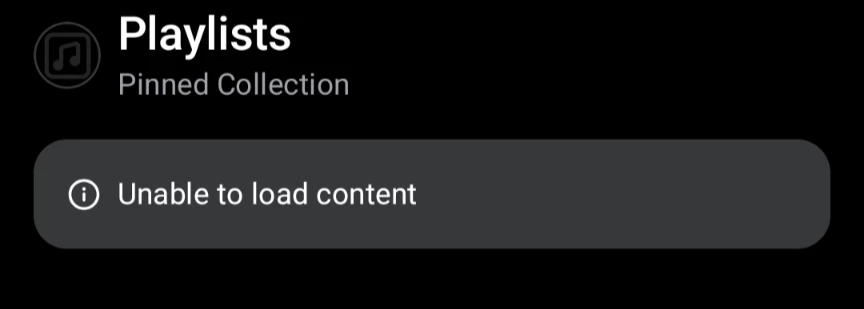
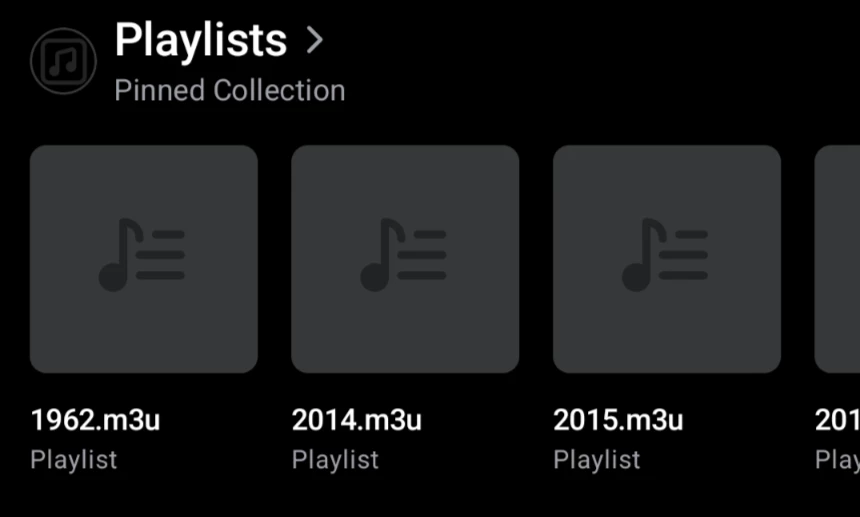
Also, I lost my pinned local folders on the home screen, for ex.

they re-pin OK fortunately: