Trending Lyricist I
June 18, 2020
Answered

Sonos Arc switching back and forth from internal speakers to external speaker on HDMI ARC Input - Sony Bravia

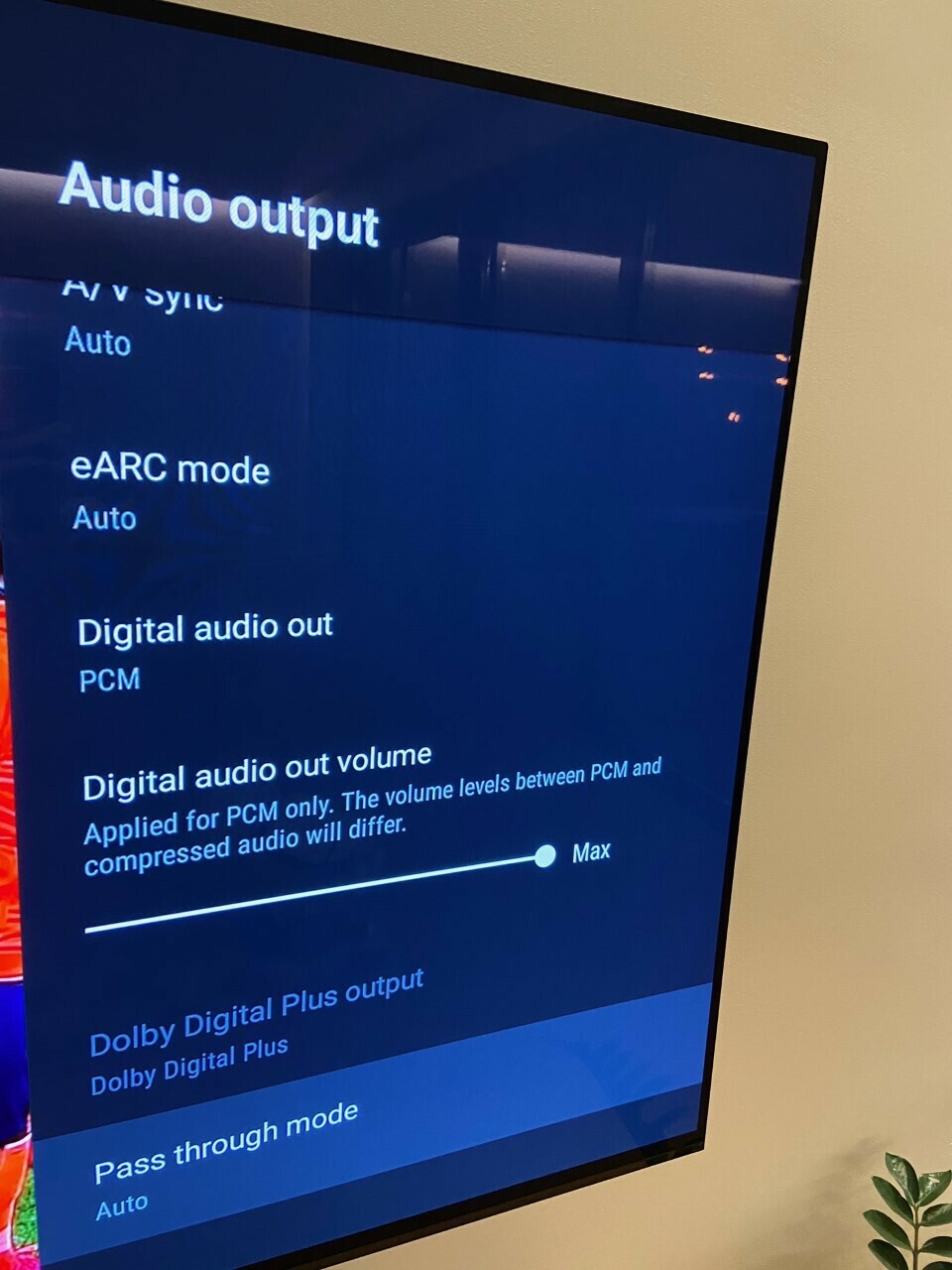
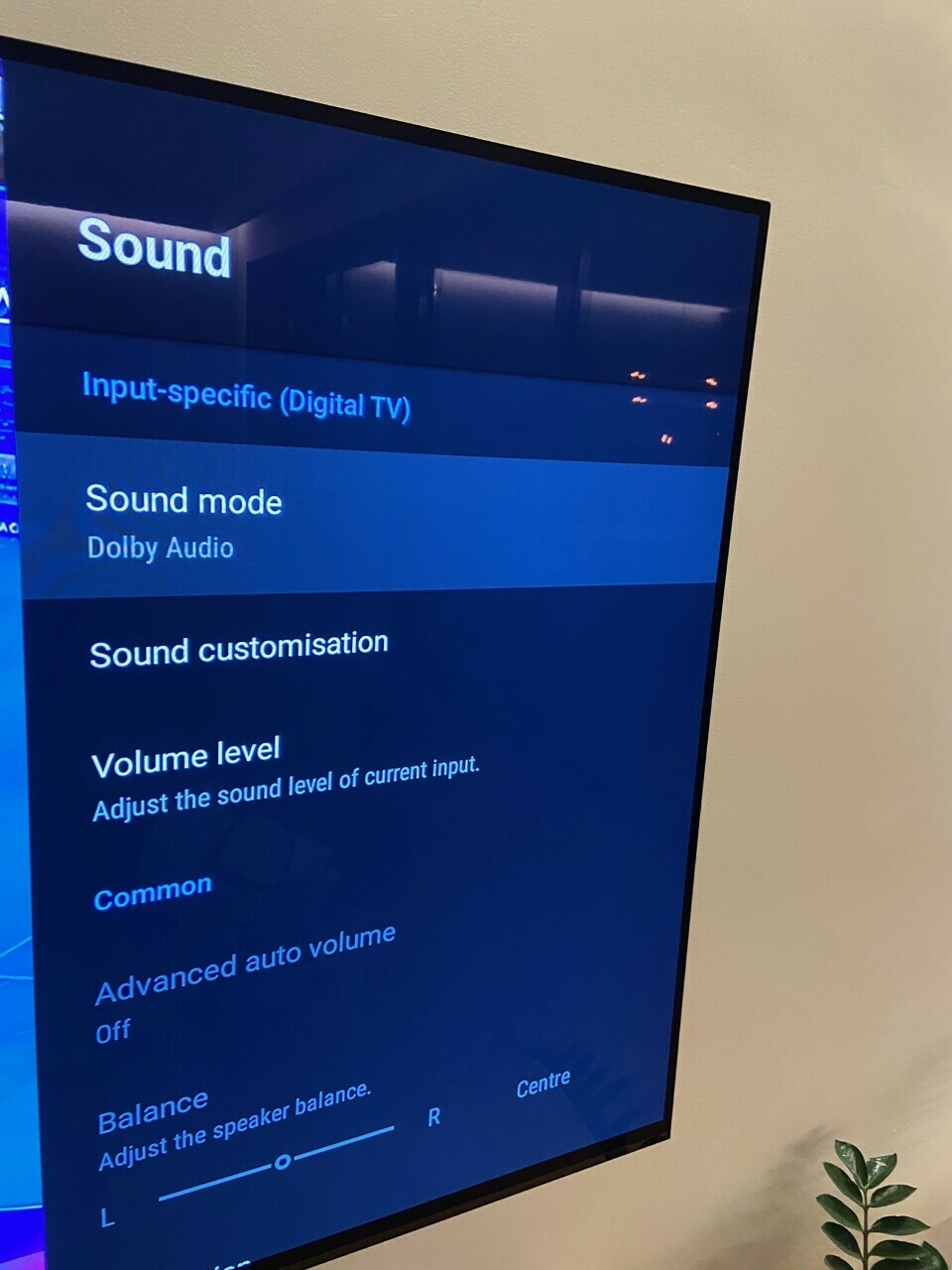
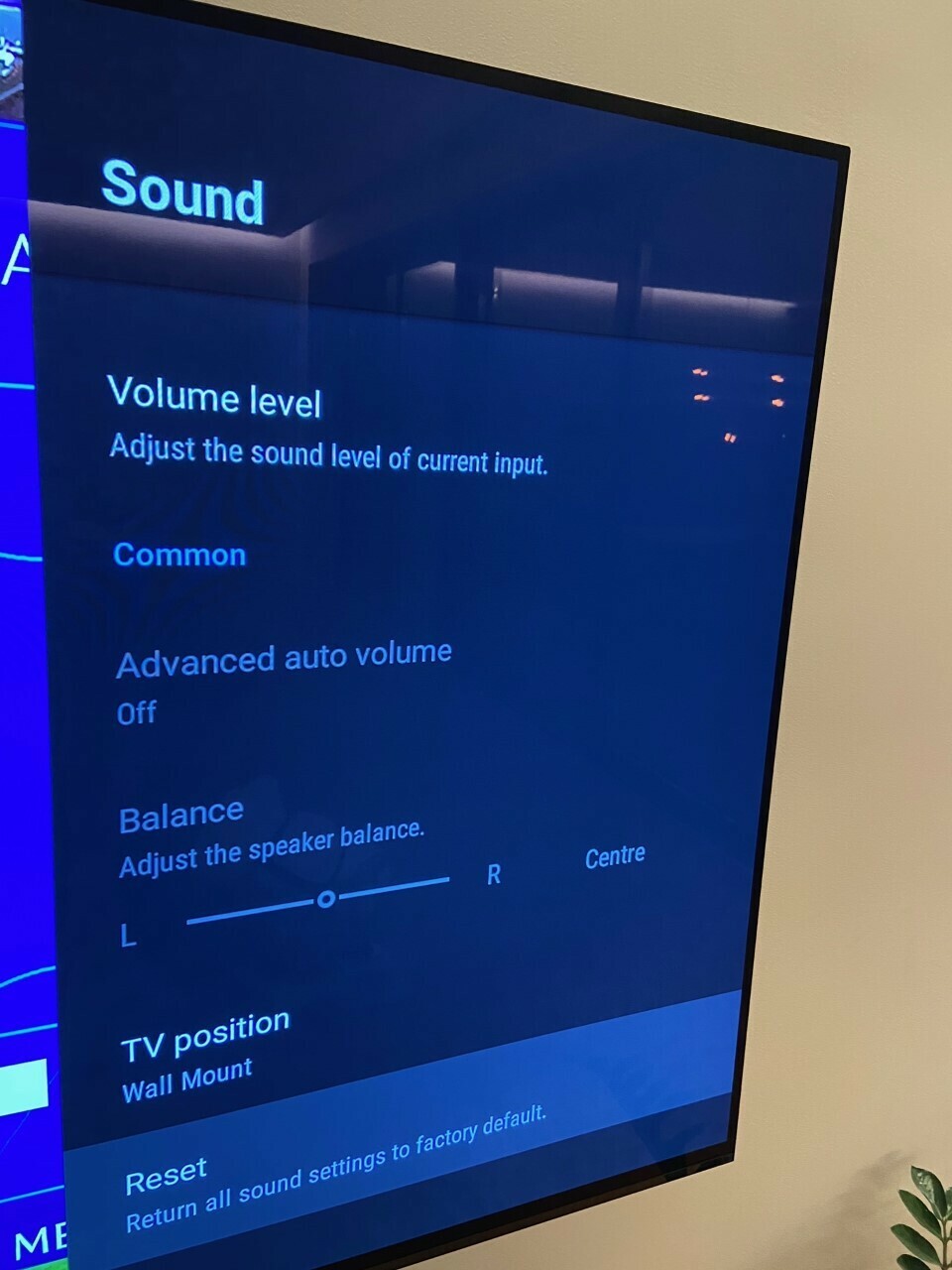
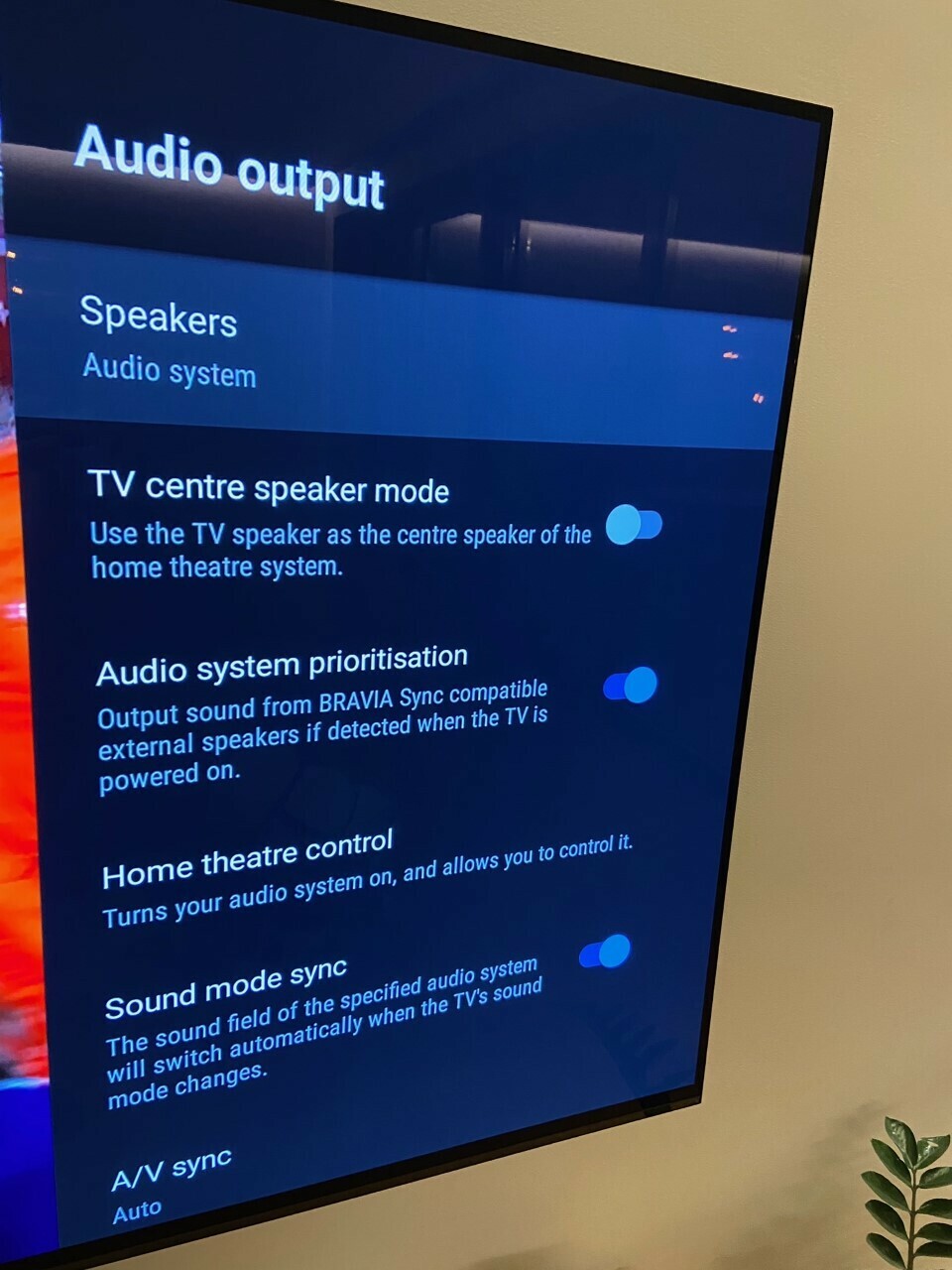
I thought I had this problem taken care of but it still seems to be happening and I am tempted to switch back to Optical connection instead of HDMI Arc connection. Sony Bravia TV keeps reverting back and forth intermittently watching Cable TV from Arc to Internal TV Speakers and I thought I had this taken care of by turning off Bravia Sync and Auto Audio Recognize but evidently that did not take care of this issue. The Bravia is still dropping off from using Sonos Arc and switching back to TV Internal speakers at times and its annoying and interrupts DVR shows etc. Some type of update needs to happen here since Bravia is still not recognizing the sophistication of using a sound bar on the HDMI 3 ARC input. This is not that old a Bravia, its a 2017 OLED and is fully updated. Any help on this?

This topic has been closed for further comments. You can use the search bar to find a similar topic, or create a new one by clicking Create Topic at the top of the page.
jcmartiz
jcmartizAnswer
November 11, 2020

Hey Gene


I fixed mine!!!!!!


let me tell you my settings so you can try them, let me know if it worked!!


Regards


Juanqui

22 replies

jcmartiz
October 20, 2020

Hi!

Thanks for all your points.

not sure how to change my community name, I tried everywhere around the settings and my account but no luck

regarding the issue

my tv is updated to the latest software and so is the Sonos 

i have not change any internal speakers settings, I’ve set the speaker for the tv to be the Sonos

i have tried 5 different hdmi cables today all high speed certified but sooner or later I get the sound cut

hdmi connections were tight 


I noticed something today if I keep watching the movie even when the sound gets cut and wait for some time around 3 to 5 min the sound comes back again automatically.

this issue is killing me as all my equipment is the latest of both brands and I just really need this to work without issues

thanks for your support


Juanqui
Lyricist III
November 10, 2020

Having the same issue with my Sony A9G 77 and the Sonos Arc connected via eARC.  The sound sporadically cuts out.  I thought I had a remedy for this by switching to TV audio then switching back to external audio, but no.  It continues to cut out.  Sometimes I have to unplug the TV for it to reset and even that doesn’t work at times. This is SUPER frustrating and for all of the money I have spent on the ARC + Sub + AMP + Ceiling speakers- this should not be happening on a high-end system.  I come from a Bose lifestyle 5.1system (15+ years with zero issues).  I’ve tried switching audio sources, using numerous certified high speed cables, disconnecting/reconnecting the TV (which is ridiculous) and this keeps happening.  I am very disappointed with the ARC.  Sonos, please come out with some sort of patch or firmware update to fix this. 

jcmartiz
jcmartizAnswer
November 11, 2020

Hey Gene


I fixed mine!!!!!!


let me tell you my settings so you can try them, let me know if it worked!!


Regards


Juanqui
Lyricist II
November 14, 2020

I seem to be having the same issue, no luck with the settings as detaild above though.

Sony Bravia AG9, ARC going into the Sonos Amp.  Only want the Amp running when watching movies etc, so normal viewing through the TV audio.

When I change the audio setting on the TV to be TV audio, it briefly flips to over, the Sonos Amp goes green as if on mute, coupleof seconds later the audio flips back and starts coming out of the Amp again.

I’ve changed a number of setting on the Sonos Home Theater settings, turned off TV Autoplay, used different cables and no difference.

Lyricist III
November 14, 2020

Hey Gene


I fixed mine!!!!!!


let me tell you my settings so you can try them, let me know if it worked!!


Regards


Hey Juan, thanks for posting this.  I haven’t tried it yet because Sonos just released an update to my equipment and I haven’t had any issues for 2 days so far.  If this continues I will assume the update took care of the issue.  I will be checking back in after a week. Thanks 👍🏼

Lyricist III
November 14, 2020

I seem to be having the same issue, no luck with the settings as detaild above though.

Sony Bravia AG9, ARC going into the Sonos Amp.  Only want the Amp running when watching movies etc, so normal viewing through the TV audio.

When I change the audio setting on the TV to be TV audio, it briefly flips to over, the Sonos Amp goes green as if on mute, coupleof seconds later the audio flips back and starts coming out of the Amp again.

I’ve changed a number of setting on the Sonos Home Theater settings, turned off TV Autoplay, used different cables and no difference.

Did you try the new Sonos update? I updated a few days ago and haven’t had any issues since then.  Hopefully this continues 🙏🏼

Lyricist II
November 14, 2020

Yeah, updated Sonos system and TV is on latest update as well!

Lyricist III
November 30, 2020

Hey Gene


I fixed mine!!!!!!


let me tell you my settings so you can try them, let me know if it worked!!


Regards


Didn’t work 😕 back to square one.  One thing I’ve noticed is that I don’t seem to have this problem when using one of the inputs like Apple TV or PS4. The sound never cuts out while using the inputs.  When I switch back to the apps on Home (Android OS) the problem starts again.  There may be an issue with eARC and Android TV and the only way I’ve been able to get the sound back is by unplugging/replugging HDMI cable and also hard resetting the TV by pulling the plug.  So annoying!

Lyricist I
February 4, 2021

I have similar issue with Sony TV where I set it to switch to TV (internal) speakers and it keeps switching back.. This worked fine with a Yamaha receiver, however I prefer to consolidate on Sonos… 

Hopefully Sonos will fix this as few people are complaining about this on the message boards. I will gladly volunteer my TV for testing! 

I have the same issue- my dialogue wasn’t matching so I wanted to use internal speakers to see if it was my cable box or the arc. Every time I want to switch my Bravia to internal speakers, it automatically switched back to the arc (external speakers). I even switched off all of the auto sync options in settings of tv and on Sonia app. I had to unplug the arc to get it to stop switching. 
this is ridiculous 

Lyricist I
February 4, 2021

I seem to be having the same issue, no luck with the settings as detaild above though.

Sony Bravia AG9, ARC going into the Sonos Amp.  Only want the Amp running when watching movies etc, so normal viewing through the TV audio.

When I change the audio setting on the TV to be TV audio, it briefly flips to over, the Sonos Amp goes green as if on mute, coupleof seconds later the audio flips back and starts coming out of the Amp again.

I’ve changed a number of setting on the Sonos Home Theater settings, turned off TV Autoplay, used different cables and no difference.

Did you try the new Sonos update? I updated a few days ago and haven’t had any issues since then.  Hopefully this continues 🙏🏼

Same issue for me gene. It should know auto switch. I want internal speakers I should be able to use internal whenever I want.