

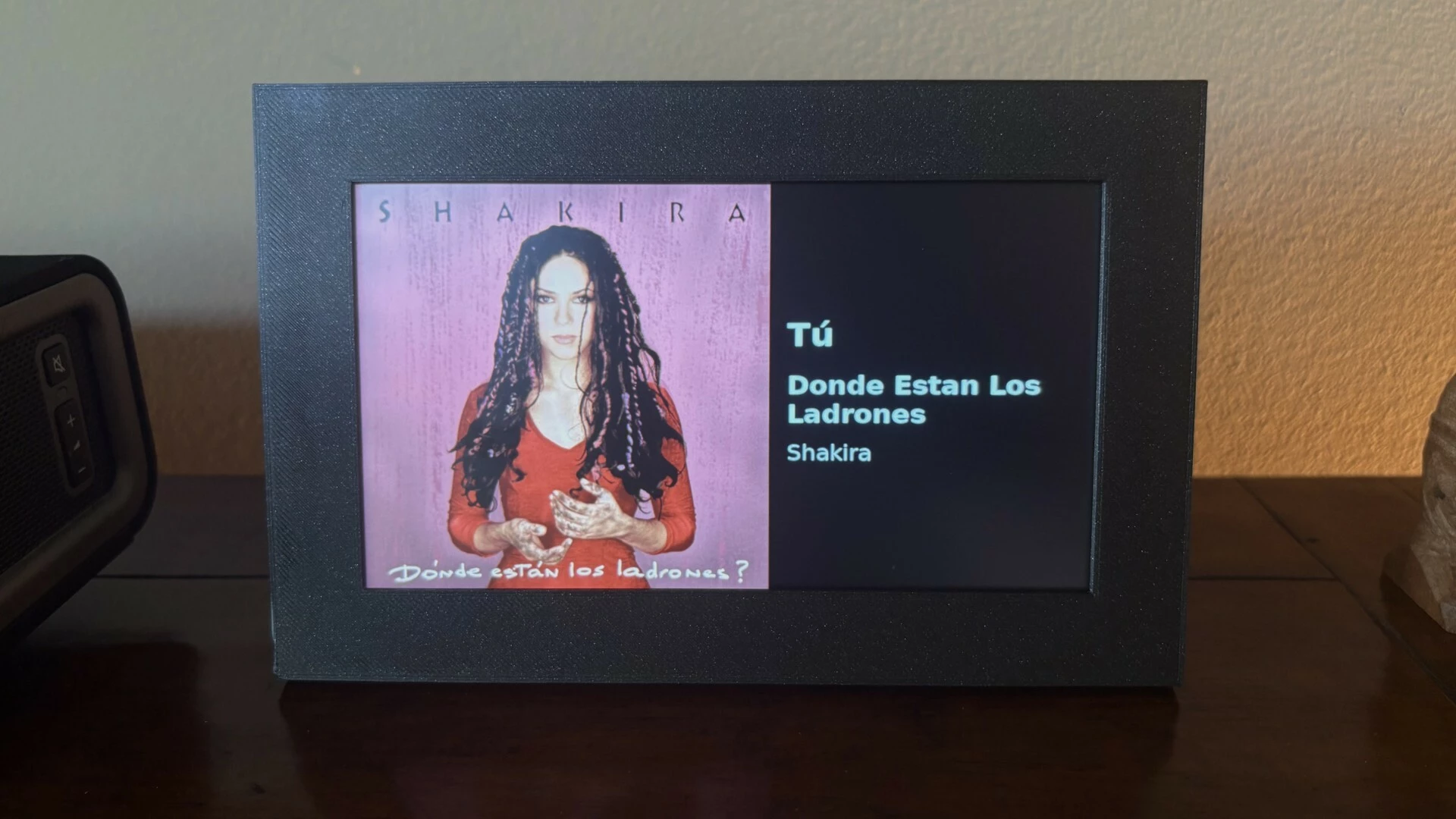
Album Art Display - standalone with touch controls

  • August 12, 2026
  • 5 replies
  • 44 views

DevMiser
Forum|alt.badge.img
Album Art Display shows the current track

Album Art Display shows the album art from the currently playing track on your Sonos music system. It runs on a Raspberry Pi 3 Model A+ (or more current version) with an attached 7-inch DSI touchscreen. The album art fills the left square of the screen, with the song, album, and artist shown on the right. The display's backlight turns fully off when nothing is playing and wakes automatically when music starts.

Touch the screen at any time to bring up on-screen transport controls (previous track, pause/resume, next track, and a sliding volume control) which fade away a few seconds after your last touch. If the Pi cannot automatically connect to a Wi-Fi network at startup, it broadcasts its own temporary Wi-Fi hotspot so you can connect it to the Wi-Fi network from your phone. A small built-in web page also lets you switch which Sonos zone is shown from any device on your network.

I open-sourced this project. The code and complete DIY instructions are available for free here: [link redacted - search GitHub for Album Art Display]

Moderator Note: Modified in accordance with the Community Code of Conduct.

5 replies

Corry P
Forum|alt.badge.img+19
  • Sonos Staff
  • August 13, 2026

Hi ​@DevMiser 

Welcome to the Sonos Community!

Thanks for sharing your work - it looks great!

Please be aware that I have removed the direct link to your GitHub page in accordance with the Community’s T&C’s.


Forum|alt.badge.img+1
  • Trending Lyricist I
  • August 13, 2026

Nice build. I went down a similar road recently but landed on a deliberately different philosophy: pure appliance, zero interaction.

Mine is a budget 11" Android tablet (Galaxy Tab A11+, ~$170 class on sale) on a stand next to my Amp, running Fully Kiosk Browser pointed at a Home Assistant dashboard. HA already tracks all my Sonos zones, so a small set of template sensors picks whichever zone is actually playing and latches onto it; the dashboard shows full-width album art with title/artist/album below. HA drives the screen over Fully's local REST API, wakes when music starts anywhere, blanks five minutes after it stops.

No touch controls at all, by design. Control already lives in everyone's pocket via the Sonos app, or SVC/Alexa, so yet another control surface felt redundant, the screen's only job is to be glanceable from the couch. Zone switching is automatic rather than manual, which is the piece HA's state tracking buys you.

Cost comparison is interesting: a Pi 3 A+ with the official 7" DSI touchscreen runs roughly the same money as the tablet, but the tablet brings a bigger, higher-res panel, case, battery backup, and Wi-Fi in one box. The honest caveat is that my approach assumes you already run Home Assistant, if you don't, the Pi route is self-contained and yours ships with setup provisions mine doesn't need. Different tools for different homes.


DevMiser
Forum|alt.badge.img
  • Author
  • Contributor I
  • August 13, 2026

Thank you, Corey, for the welcome and for conforming my post to the Community T&Cs.


DevMiser
Forum|alt.badge.img
  • Author
  • Contributor I
  • August 13, 2026

Interesting to hear about your build, fforsell.  The all-in cost of my solution is actually less than $100. It also doesn’t require Home Assistant which is an additional expense.

Screen size is a personal preference. I chose the 7-inch screen because it renders the image art at about CD case size and blends into, instead of dominating, my living space. However, my solution can easily be used with larger display screens as well because it is coded to automatically scale to the resolution of the attached display.

I also find the touch screen controls very helpful and use them frequently instead of tracking down my phone or taking it out of my pocket. I agree with different tools for different homes.


Forum|alt.badge.img+1
  • Trending Lyricist I
  • August 13, 2026

Interesting to hear about your build, fforsell.  The all-in cost of my solution is actually less than $100. It also doesn’t require Home Assistant which is an additional expense.

That's very impressive value, under $100 all-in beats my build on cost, no argument, and HA is its own commitment (mine was a sunk cost).

On size we optimized for opposite things. My project actually originated in a frustration, a Samsung 65" OLED sitting right there that would be the perfect album-art canvas, except OLED burn-in protection means screensavers and dimming make it useless as a persistent display. The tablet is my compromise: big enough to read title and artist from the listening position across the room, small enough to park between the TV and a speaker. Glanceable-from-the-couch was the design requirement everything else followed from, and my tablet across the room made controls feel somewhat pointless. Could add them in version 2.0, that’s the beauty of HA
