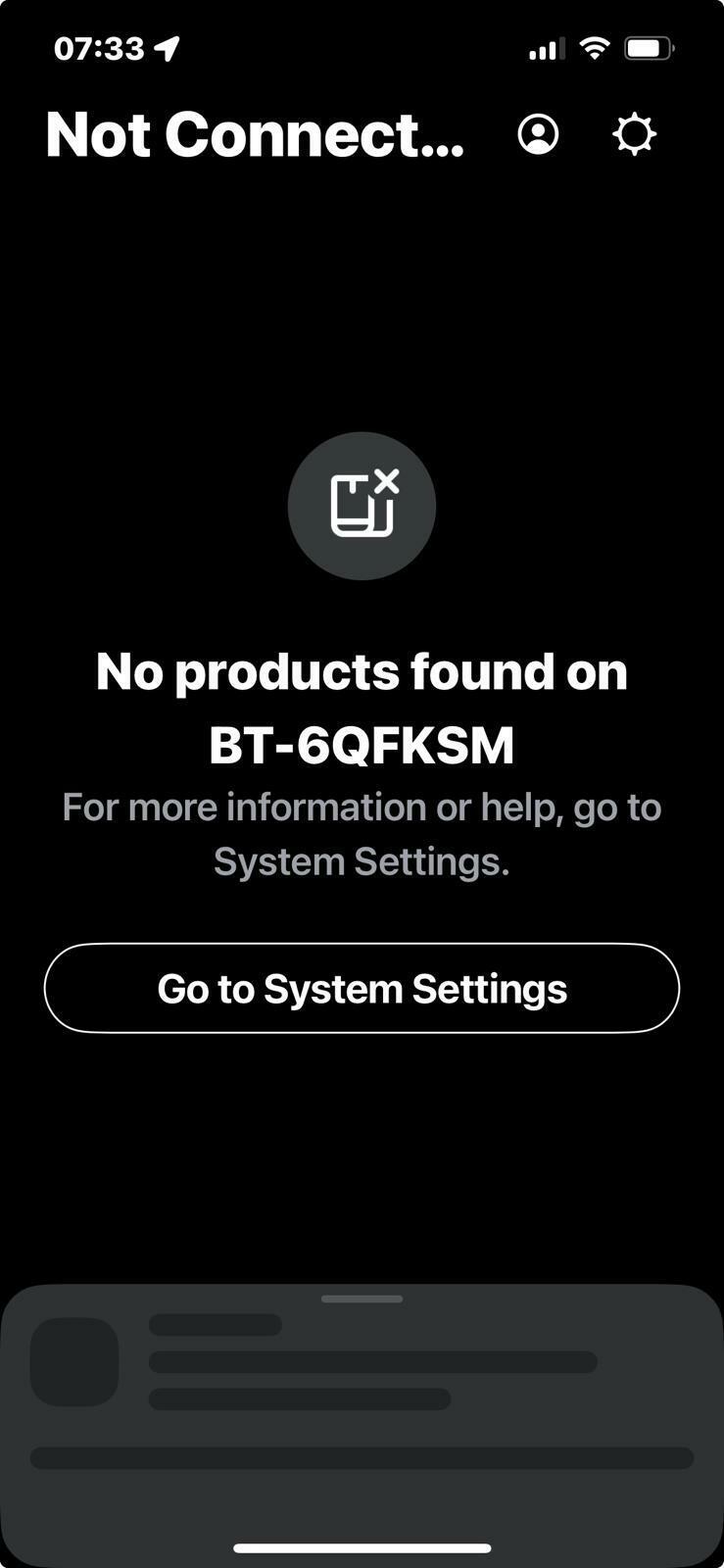
Starting to lose my patience with this now. I’ve had numerous phone calls and chats, read up on the site forums. Is it just me or does sonos and BT not work?
I’ve tried disabling all security on all devices 🙄
Any help before I stick this lot on ebay and buy something that actually works?
This topic has been closed for further comments. You can use the search bar to find a similar topic, or create a new one by clicking Create Topic at the top of the page.
Pinned Reply By Corry P
Hi @schnawl
Welcome back to the Sonos Community!
I’m sorry to hear of the issues you have had with connecting to your Sonos system on your BT Smart Hub 2.
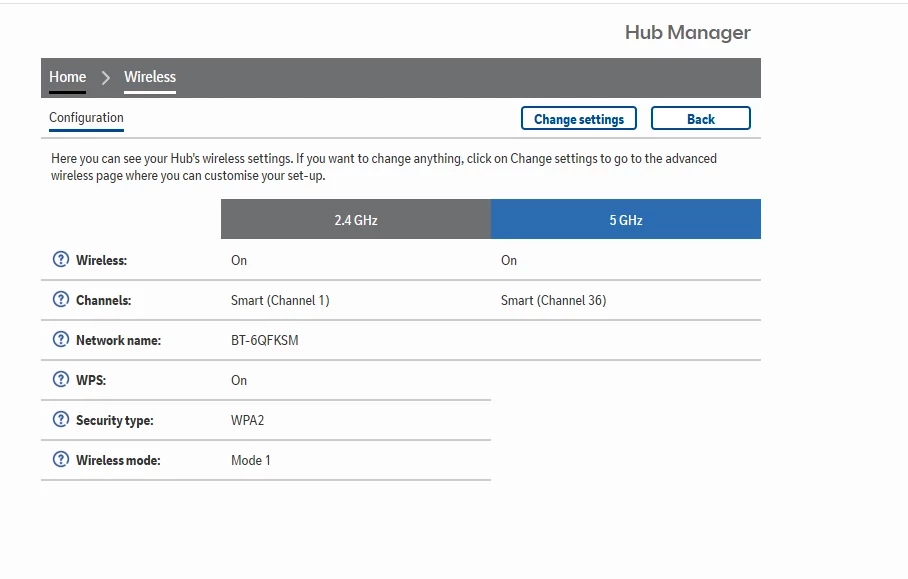
The ”wireless mode” setting at the bottom of your router settings screenshot needs to be changed to Mode 2:
I also recommend that you turn off “Smart” channel selection for both 2.4 and 5GHz bands, if possible.
But, for the record, your router is old. Really old. You should either call BT and ask for an updated model or simply buy your own replacement (I recommend the latter, as you get what you pay for, and any BT router will be free). If you buy your own, I recommend not spending less than about £50-£60, but a mesh system will likely cost above £150 for much better coverage of your space (and with better reliability than with extenders).
Incidentally, most devices that connect to WiFi are only interested in talking to the internet - it is not fair to compare the connection of one of these with a Sonos system of multiple devices and controllers that are all trying to talk to each other as much as with the internet. The network requirements are different.
I have just deleted half of the posts on this thread without affecting the readability of the thread one iota. For the sanity of the other users involved in this thread, I will soon close it to further discourse. If you have anything further to say, I recommend that you put it all in one post, rather than in 7 or more disjointed ones.
the only thing I see connected to 2.4 is my watch so will need to see what that’s all about
What is your watch connected too?
Your system should always at least connect to the Era speaker [when using 5GHz only] if you never disconnect it from power, whereas Move and Roam will depend on whether they are powered on. After a period of time, portables will enter sleep mode, then power off, although you can amend the Battery settings in the app.
Actually from a Search, this thread suggests there is an inherent problem with some BT Smart Hub 2 routers.
I’d therefore ask BT to send you a replacement and if that still has issues, buy your own router to use instead.
I’d be installing my own router, changing or disabling the BT WiFi, and moving any wired network clients to the new router. The new router will be the only wired client of the BT. Keep all of your network clients powered down (or in Airplane mode), except the phone/pad/computer you are using during setup, until you have the new router configured and operating.