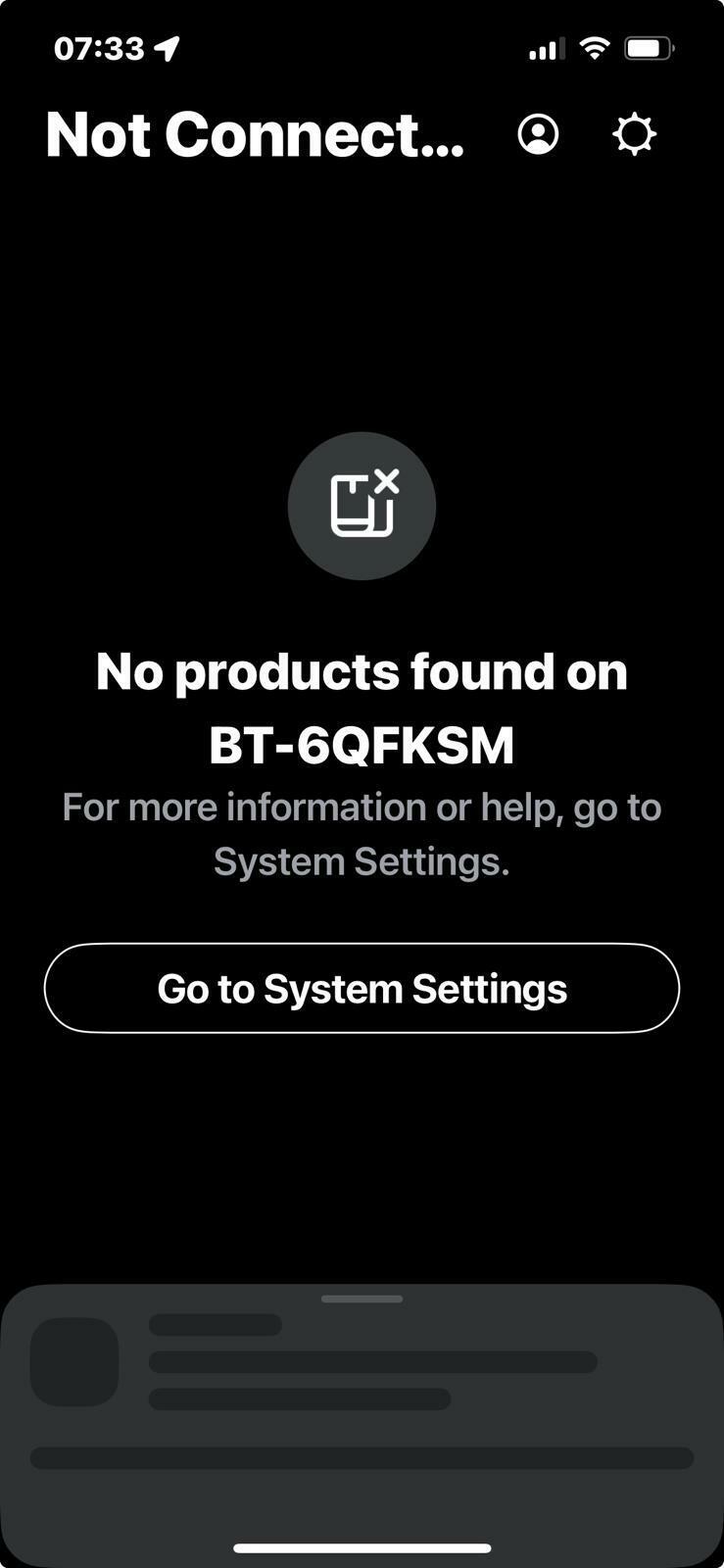
Starting to lose my patience with this now. I’ve had numerous phone calls and chats, read up on the site forums. Is it just me or does sonos and BT not work?
I’ve tried disabling all security on all devices 🙄
Any help before I stick this lot on ebay and buy something that actually works?
This topic has been closed for further comments. You can use the search bar to find a similar topic, or create a new one by clicking Create Topic at the top of the page.
Pinned Reply By Corry P
Hi @schnawl
Welcome back to the Sonos Community!
I’m sorry to hear of the issues you have had with connecting to your Sonos system on your BT Smart Hub 2.
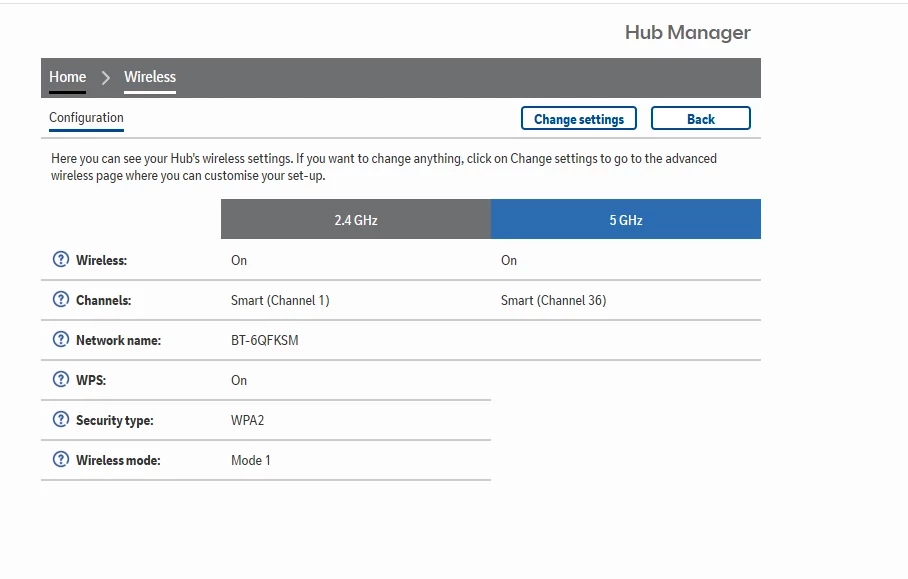
The ”wireless mode” setting at the bottom of your router settings screenshot needs to be changed to Mode 2:
I also recommend that you turn off “Smart” channel selection for both 2.4 and 5GHz bands, if possible.
But, for the record, your router is old. Really old. You should either call BT and ask for an updated model or simply buy your own replacement (I recommend the latter, as you get what you pay for, and any BT router will be free). If you buy your own, I recommend not spending less than about £50-£60, but a mesh system will likely cost above £150 for much better coverage of your space (and with better reliability than with extenders).
Incidentally, most devices that connect to WiFi are only interested in talking to the internet - it is not fair to compare the connection of one of these with a Sonos system of multiple devices and controllers that are all trying to talk to each other as much as with the internet. The network requirements are different.
I have just deleted half of the posts on this thread without affecting the readability of the thread one iota. For the sanity of the other users involved in this thread, I will soon close it to further discourse. If you have anything further to say, I recommend that you put it all in one post, rather than in 7 or more disjointed ones.
I’m sorry to hear of the issues you have had with connecting to your Sonos system on your BT Smart Hub 2.
The ”wireless mode” setting at the bottom of your router settings screenshot needs to be changed to Mode 2:
I also recommend that you turn off “Smart” channel selection for both 2.4 and 5GHz bands, if possible.
But, for the record, your router is old. Really old. You should either call BT and ask for an updated model or simply buy your own replacement (I recommend the latter, as you get what you pay for, and any BT router will be free). If you buy your own, I recommend not spending less than about £50-£60, but a mesh system will likely cost above £150 for much better coverage of your space (and with better reliability than with extenders).
Incidentally, most devices that connect to WiFi are only interested in talking to the internet - it is not fair to compare the connection of one of these with a Sonos system of multiple devices and controllers that are all trying to talk to each other as much as with the internet. The network requirements are different.
I have just deleted half of the posts on this thread without affecting the readability of the thread one iota. For the sanity of the other users involved in this thread, I will soon close it to further discourse. If you have anything further to say, I recommend that you put it all in one post, rather than in 7 or more disjointed ones.
I hope this helps.
Translate
"Common sense is the collection of prejudices acquired by age eighteen." - Albert Einstein
ill try this thank you. This router is BTs latest one.
i can’t get a newer one.
The recommendation was to buy one. For the money you’ve invested in Sonos devices, spend a couple of hundred pounds/dollars/Euros and get something decent to match that investment.
There is simply no way that the Smart Hub 2 is BT’s latest - it was old when I was on the phones for support 6 years ago.
When I was with Virgin and had an old modem that they refused to update with a newer model, I unplugged it, then called them up and told them it simply would not turn on anymore - they soon gave me a newer one.
As stated (and repeated by @nik9669a), however, my advice was to buy a replacement. BT hand out thousands of free routers every year - to think they do not do so as cheaply as possible is counter-productive to your mission here.
For what it is worth, I recall having to sometimes disable the UPnP option on BT routers (despite our using UPnP at the time). If I recall correctly that setting is in the Network section of the BT router’s settings. Be aware that we have since moved to mDNS for product discovery, so this may not have the effect it once had.
I hope this helps.
Translate
"Common sense is the collection of prejudices acquired by age eighteen." - Albert Einstein
Ok, so it was released in 2018. So Sonos. An American brand has launched products here in the UK which clearly has issues talking to the UKs largest internet provider ..
sorry but I’m struggling to come to terms with this.
Every other product I’ve ever bought in the 20 + years I’ve been with BT has never had issues. Yet somos somehow, or as someone says on this thread some of somos older products have issues talking to BT.
you guys should be a little clearer here or perhaps launch products with a router thst works alongside them !!!