
Contributor I
June 15, 2024
Question

Amazon Music no longer working

  • June 15, 2024
  • 180 replies
  • 10168 views

I am hoping that someone can assist with a major problem I have and this is not yet another 'new app problem'.

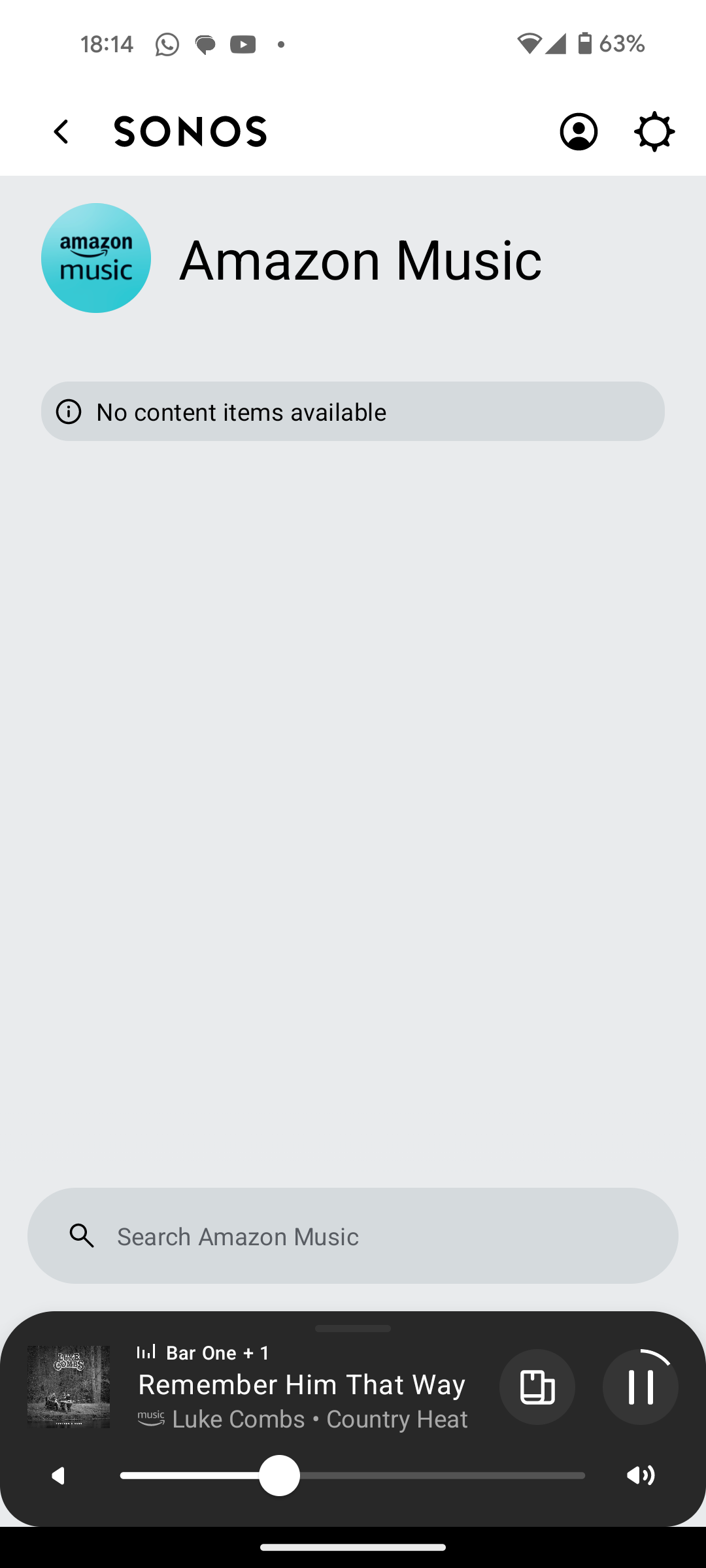
I have Amazon Music Unlimited connected to my (extensive) Sonos system. With the latest app update it has basically stopped working leaving me with limited misic. Behaviour is odd however mostly it just doesn't work and I get errors saying there is a problem with Amazon. However, every so often it does at least list some music, e.g a playlist. When I try to play it, it may work or skip a number of songs before finding one that plays. After that it will stop. If a speaker already had a music queue, you can hit play on the speaker and it works but stops after maybe 3 songs.

I have tried:

- uninstalling and reinstalling Sonos app

- re authorising Amazon Music

- other devices (same behaviour)

- contacting Sonos support (have an incident number but have to phone next week - will update if I find out more as I have sent diagnostics).

I attach screen shots as examples. I also have a video of it wildly skipping songs but don't seem to be able to upload.

Note other services work. Sonos Radio and Calm. Plus Amazon Music App itself works sweetly.

Help. I currently have a very expensive, unusable system.

Thanks


This topic has been closed for further comments. You can use the search bar to find a similar topic, or create a new one by clicking Create Topic at the top of the page.

180 replies

Ken_Griffiths
July 1, 2024

It’s working on my Android tablet okay - so I guess it’s not that version of their App - I can only think it’s something local getting in the way - did you authorise the usual LAN access etc. and is the App signed in?


Ken_Griffiths
July 1, 2024

I understand that a users ’playlists’ by the way are now stored under Sonos Favorites… you just need to hit the right arrow next to that category to view all Favorites. er… if you can get things working, that is🤔?

Enthusiast II
July 6, 2024

When the Sonos Favorites show up for a while, just show what I've saved from Amazon recently, no Sonos Playlists from what I saved pre-May that I can still see on laptop using pre-May gold app.

Most frustrating aspect is that whilst waiting for reistatement of library facilities and Sonos Playlists, some favs from Amazon would be a temp way of just having quick access to content, but 'favs' and 'recently played' disappearing means to play a couple of hours of preferred music means starting again every time... On to version 80.04.05 w/e 5th July but still basically unstable... 


Contributor I
July 27, 2024

The problem I'm having, is when I search an artist and I go into "Top Songs", I can only play one song at a time. Is this anyone else's experience or am I doing something wrong? 

Enthusiast II
July 27, 2024

The problem I'm having, is when I search an artist and I go into "Top Songs", I can only play one song at a time. Is this anyone else's experience or am I doing something wrong? 

No, you're not doing anything wrong. When you load top songs and tap the three dots to the right you only get the option to pin (which has never worked for me) The options to replace/add/play etc. aren't there yet.

Contributor I
August 2, 2024

Still having issues, UK based.

Issue looks to be the Alexa Skill, every day I (and every member of my family) have to disable and enable again. 

Though this does not totally fix the issue, I can play a track, but half way through the Amazon app goes back to thinking Sonos is playing something from yesterday and at the end of the track it continues playing yesterday's playlist…

We are new to Amazon Unlimited and thinking we had done something wrong, as Spotify was seamless. This really needs fixing, top dollar equipment should come with top dollar service. Come on Sonos, fix this please.


Contributor I
August 18, 2024

Another UK user…….. I cannot get Amazon Music to play tracks requested from a search. Sometimes even its search doesn’t work!  If it searches by Artist it will sometimes give you a list of tracks it has found but if I choose one it will play something else completely unrelated!  

It refers to “Artist” as a “Station”  so I wonder if the data from Amazon is corrupted when it arrives at the latest Sonos app? 

This is all since the May Sonos update, on IOS apps both on iPhone and iPad

Contributor I
August 22, 2024

So still no answer or solution to this, even though apparently the question is 'answered'. I have spent more than enough time removing, updating, clearing cache reloading both apps, resigning everything up, factory resetting... Yes kudos to both Amazon and Sonos support, but unfortunately the issue clearly is not a setting or anything a user has any agency over. It's backend comms between the two systems. Whoever manages the links between APIs - I suspect that it's the  Alexa Skill cleanly connecting and remaining connected to the Sonos service that's at fault. Would be great if Sonos could advise Amazon devs on getting their s*** together

Moderator Note: Modified in accordance with the Community Code of Conduct.

MoPac
Headliner III
August 22, 2024

 Richard_24
Just tried Amazon Music search and it seemed to work OK.  Can you give me a search example that failed for you.  Just tried Miles Davis: Kind of Blue, So What which worked.  I’m in the US.  Maybe it’s a UK issue.  That would of course make no sense.

Contributor I
August 23, 2024

 Richard_24
Just tried Amazon Music search and it seemed to work OK.  Can you give me a search example that failed for you.  Just tried Miles Davis: Kind of Blue, So What which worked.  I’m in the US.  Maybe it’s a UK issue.  That would of course make no sense.

Still having problems…….. Today, a search for Artist Harriett , track =  I really want to see you tonight shows the track name but plays something totally unrelated. Other days the track is not found at all!

Crazy!