
Contributor I
June 15, 2024
Question

Amazon Music no longer working

  • June 15, 2024
  • 180 replies
  • 10169 views

I am hoping that someone can assist with a major problem I have and this is not yet another 'new app problem'.

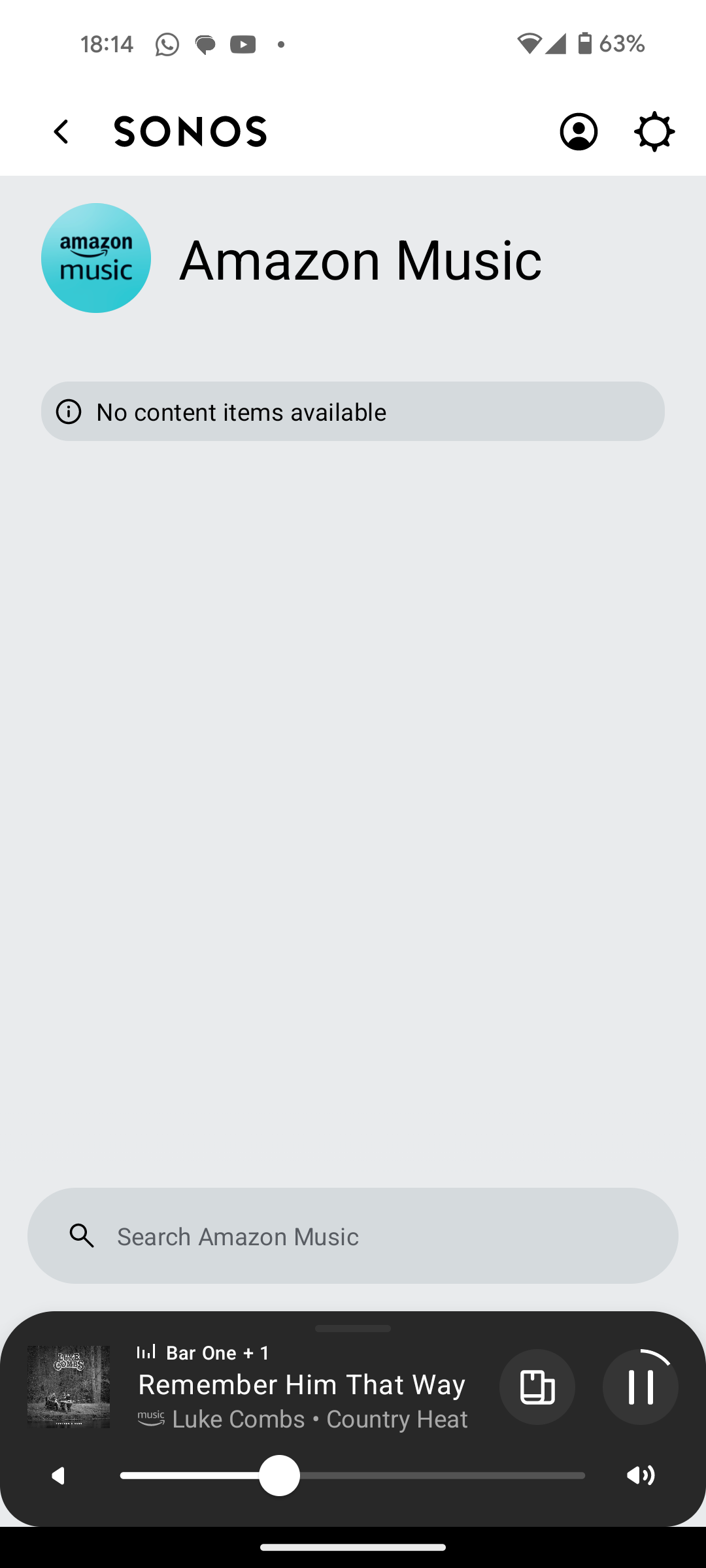
I have Amazon Music Unlimited connected to my (extensive) Sonos system. With the latest app update it has basically stopped working leaving me with limited misic. Behaviour is odd however mostly it just doesn't work and I get errors saying there is a problem with Amazon. However, every so often it does at least list some music, e.g a playlist. When I try to play it, it may work or skip a number of songs before finding one that plays. After that it will stop. If a speaker already had a music queue, you can hit play on the speaker and it works but stops after maybe 3 songs.

I have tried:

- uninstalling and reinstalling Sonos app

- re authorising Amazon Music

- other devices (same behaviour)

- contacting Sonos support (have an incident number but have to phone next week - will update if I find out more as I have sent diagnostics).

I attach screen shots as examples. I also have a video of it wildly skipping songs but don't seem to be able to upload.

Note other services work. Sonos Radio and Calm. Plus Amazon Music App itself works sweetly.

Help. I currently have a very expensive, unusable system.

Thanks


This topic has been closed for further comments. You can use the search bar to find a similar topic, or create a new one by clicking Create Topic at the top of the page.

180 replies

Prodigy III
August 23, 2024

Hi @Corry P, this seems to be affecting mostly UK users. There's also a report from France. Is there anyone at Sonos and/or Amazon looking at this?

Ken_Griffiths
August 23, 2024

 Richard_24
Just tried Amazon Music search and it seemed to work OK.  Can you give me a search example that failed for you.  Just tried Miles Davis: Kind of Blue, So What which worked.  I’m in the US.  Maybe it’s a UK issue.  That would of course make no sense.

Still having problems…….. Today, a search for Artist Harriett , track =  I really want to see you tonight shows the track name but plays something totally unrelated. Other days the track is not found at all!

Crazy!

Isn’t the album and track called  “I’d really love to see you tonight”? Also Harriet is with just the one letter ‘T’ at the end (I think🤔?) See screenshot attached.

Ken_Griffiths
August 23, 2024

I was also able to find the Miles Davis track on the ‘Kind of Blue’ album - see attached screenshot too. I’m based in the UK by the way.

Corry P
Sonos Staff
August 26, 2024

Hi @Carnesure (et al)

Welcome to the Sonos Community!
I’m sorry to hear of this issue you all are having with Amazon Music playback on your Sonos systems. I’d like to look into this for you all, but will need your help.

Please follow these steps if you are still experiencing this issue:

  1. Recreate the issue in whichever way you can.
  2. Immediately submit a support diagnostic afterwards.
  3. In your own time, come back here and post the following:
    • Verify that you have submitted a diagnostic (please do not share the given number)
    • What exactly it was that you were trying to search/play
    • Your location (country is detail enough)
    • The current OS, Make and Model of your device (e.g. Samsung Galaxy S23 Android 12)
    • The version number displayed in the Amazon app (if you have it installed)
    • If clearing the cache for the Amazon app helps matters at all (please try the steps on this page, especially the highlighted part)

I look forward to hearing back from you all.

"Common sense is the collection of prejudices acquired by age eighteen." - Albert Einstein
Prodigy III
August 27, 2024

Hi @Corry P, in the past few days I started having issues with Amazon Music as well. When playing a station, some songs are skipped, like it was not able to play the song and then automatically jumps to the next one. I'm in Canada, so not an UK issue.

I've just submitted diagnostics. BTW, I've just upgraded to 80.07.05 on Android, but it was happening on previous version a couple days ago.

Prodigy III
August 27, 2024

I've just noticed that when it skips songs, it displays an error message on the good old Windows desktop app. The error varies and is one of these ones:


or


or


Neither the Android App nor the Browser App display any error messages, they just keep skipping to the next song.

Diagnostics submitted again.

Corry P
Sonos Staff
August 27, 2024

Hi @furacaopr 

Thanks. Given that your Beam is ethernet wired, I’m finding it strange that the input buffer for the streamed music is never getting above 40%. Do you have a LTE (mobile/cellular network) internet connection, by any chance? Or a satellite one?

If so, I recommend performing an internet speed test the next time this happens - if it’s slow, that is the reason for the dropouts.

If not, then I recommend a reboot of the Beam, just to see if that helps.

In addition, I couldn’t help but notice that your Beam has it’s WiFi radio disabled - while this may seem sensible due to the ethernet cable, your surrounds and Sub rely on (or would like to) the radio in your Beam. Please re-enable WiFi on the Beam, permanently. You could even disconnect the ethernet cable after doing so (although it looks like you may have disabled 2.4 GHz on your router - if this is the case, please do not disconnect the ethernet cable, but I still think you should re-enable WiFi on the Beam).

Settings » [room with Beam] » Beam » Enable WiFi.

If none of this helps, please let me know - the buffer issue could be something that we need to address, as, if you have a “normal” internet connection I don’t see any reason for this behaviour other than things not working as intended.

I hope this helps.

"Common sense is the collection of prejudices acquired by age eighteen." - Albert Einstein
Corry P
Sonos Staff
August 27, 2024

Hi @furacaopr 

I just took a quick look. Again, that error is not something I’d expect to see when ethernet is in use - it’s generally due to WiFi interference.

I’ll give you a chance to reply to my above post, though.

"Common sense is the collection of prejudices acquired by age eighteen." - Albert Einstein
MoPac
Headliner III
August 27, 2024

 The Encoding error makes no sense because it happens in the middle of a track and when the track is started over it’s likely to play all the way through.  Used to happen to me with Dolby Atmos.  Sent Diagnostics once and was told the Art broke connection.  Well if that’s the case maybe the error should tell me that.  
 

 Encoding errors rarely happen here anymore.

Prodigy III
August 27, 2024

Hi @Corry P, I have FTTH 1.5Gbps down and 1Gbps up. As my router only has 1Gbps ports it's capped at around 940Mpbs. Speedtest, Fast.com, etc. all seem fine.

I wired the Beam 2, so I would only use my 5Ghz Wi-Fi. But SonosNet creates issues with my network and STP, so I disabled it's radio. The surrounds are connected to my 5Ghz Wi-Fi and it worked fine before. BTW, this is a request I have for a future development: could we have a setting to disable SonosNet for good, even when wiring a speaker, pls?
 

I will disconnect the Ethernet cable from the Beam 2, enable again my 2.4Ghz band and enable the radio on the Beam 2 and check again.