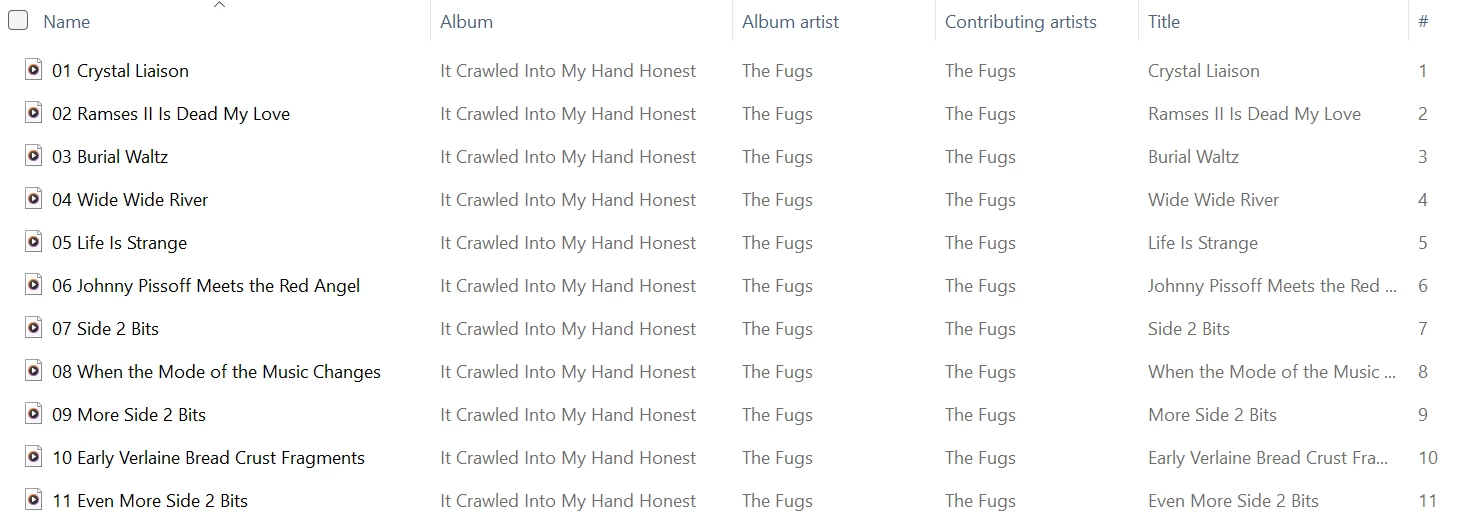
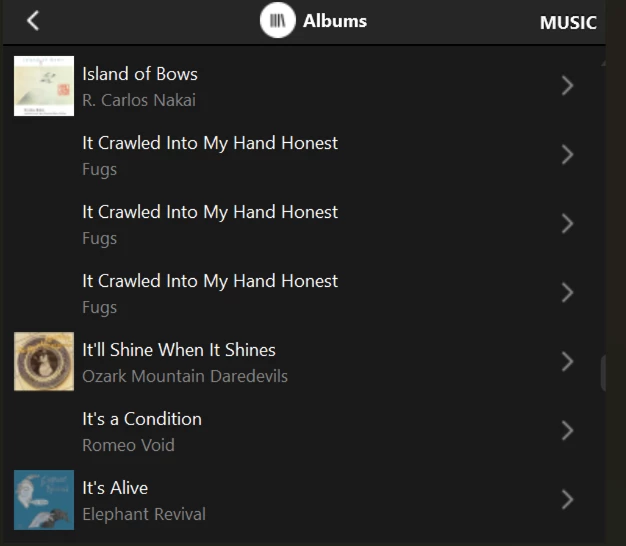
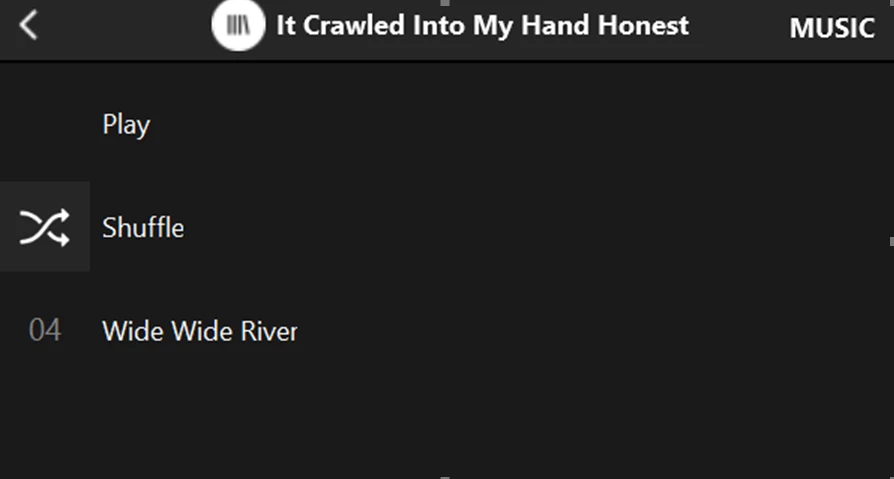
Sonos Controller - Duplicate Album Titles

  • October 20, 2025
  • 236 replies
  • 2298 views

Show first post

236 replies

Forum|alt.badge.img+4
  • Collaborator II
  • March 25, 2026

Just pursuing a line of thought so can I just ask... Are people seeing this issue consistently on the desktop as well as the phone apps?

Mac or PC but specifically PC... 🤔

I’m seeing this on Android (Google Pixel 7), PC (Win11) & Ios (Ipad 2025).


Forum|alt.badge.img+10
  • Enthusiast II
  • March 25, 2026

Just to be clear, my issue (and there are no doubt others) is not with tag lengths at all, it’s with filename lengths themselves.


Forum|alt.badge.img+10
  • Enthusiast II
  • March 25, 2026

oh, actually, I said it was track length, not tag length. But I guess the track name tag follows the file name?


  • March 25, 2026

The first album in my library that displays multiple times and the longest path/filename in that album:

“Allman Brothers Band, The/A Decade Of Hits 1969-1979/14 - In Memory Of Elizabeth Reed.flac”

which is no where near the limit mentioned. 

I doubt I have any path names over 170 characters, but I guess it’s possible. How would one go about finding out if any of the over 50,000 songs in my library have a path name over 170/180 characters?


Forum|alt.badge.img+10
  • Enthusiast II
  • March 25, 2026

funny, I had a different allman brothers with a full path that was too long!

I have a huge library also. I had about 50 songs that were too long - I hand edited them.

I have my own software that looks at all the music, so it was easy for me to add something that would spit out all the stuff that’s too long. Commercially, I don’t know. I think Bliss will do it (which I own anyway to find missing artwork).

btw, your full path is most likely something like mine:  “music/Allman Brothers/Allman Brothers Band, The/A Decade Of Hits 1969-1979/14 - In Memory Of Elizabeth Reed.flac”. Unless I am misunderstanding.


  • March 25, 2026

Well, the share is “//nas1/Music”, so I’m not sure if “Music” would be considered part of the path name. But that doesn’t really change the fact that it’s no where near the limit you mentioned.

The path / file name is just like I posted it.


Forum|alt.badge.img+7
  • Prodigy I
  • March 25, 2026

Well, the share is “//nas1/Music”, so I’m not sure if “Music” would be considered part of the path name. But that doesn’t really change the fact that it’s no where near the limit you mentioned.

The path / file name is just like I posted it.

Yes //nas1/Music/ would be part of the path name so:

//nas1/Music/Allman Brothers Band, The/A Decade Of Hits 1969-1979/14 - In Memory Of Elizabeth Reed.flac

is the full path…

Also, if you are on Windows there are some answers here:

https://stackoverflow.com/questions/64768880/windows-file-pathtoolongexception-batch-file-to-identify-filepaths-longer-than

regarding path length investigation...


  • March 25, 2026

Thanks for that. I’m on linux:

find . -regextype posix-extended -regex '.{180,}'

does the trick. I have 8 files in the library with path/filenames exceeding 180 characters. (out of 50,502). 

Edit to add: None of those files are in albums listed multiple times. So I’m not sure what to think.


  • March 25, 2026

I also checked and Sonos plays all 8 of the files and the albums they are in just fine.


Stanley_4
  • Grand Maestro
  • March 25, 2026

I’m seeing a few:

stan@hp-800:~/Desktop-Folders/data/Server All/copies/music/Current> find . -regextype posix-extended -regex '.{180,}'


./I/Idil Biret/Rachmaninoff - Idil Biret - Preludes Op. 23 - Cinq morceaux de fantaisie, Op.3/02 - Rachmaninoff - Idil Biret - Preludes Op. 23 - No. 2 in B flat major Ma
estoso.flac

six more snipped


None of them are a duplicate problem.


CronoCX
Forum|alt.badge.img+4
  • Enthusiast II
  • March 26, 2026

I found a (well known) fix for this. I very tediously shortened all file names so that total path < 170 and file name < 90. This fixed it for me. 

One album that I’m having this issue with now is only 70 characters, with spaces, and with the IP Address before the file name.

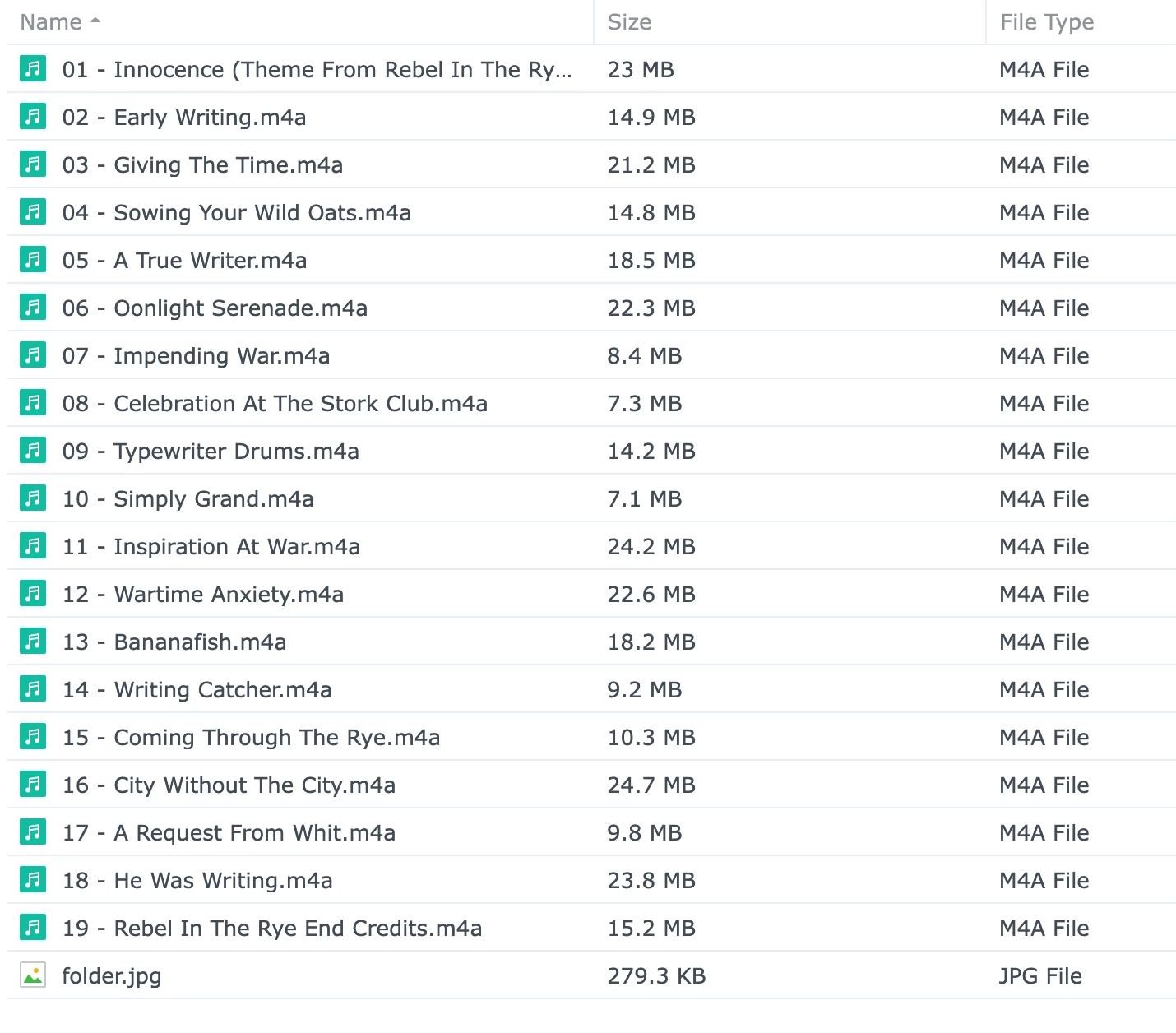
//**.*.***.***/C*****/M****/M****/B****/Bear McCreary/Rebel In The Rye

---Brian

Plus ‘.mp3’or something?  But the point is still valid.

Yep!


CronoCX
Forum|alt.badge.img+4
  • Enthusiast II
  • March 26, 2026

Consider the possibility that the “new improved” indexer will not tolerate quite as many characters in the tags and some of your formerly close to the limit tags are now over the limit.

Well, isn't it up to Sonos to make that clear. They should then give instructions on what the requirements are. All I'm seeing when I search the web is a lot of conflicting information with no backing from Sonos.

This.

--Brian


Forum|alt.badge.img+10
  • Enthusiast II
  • March 26, 2026

note that the “long something issue” has been reported to affect other albums / songs (other than the one that shows up wrong). Without knowing something real (from Sonos, say), it’s very difficult to qualify this issue. I convinced there is some issue around long names, since I was able to fix my issues by shortening some. But it’s easy to believe there are other things going on, and/or that this bug manifests itself in strange ways.


Stanley_4
  • Grand Maestro
  • March 26, 2026

It wouldn't surprise me to hear there is an issue with the indexing but since that is internal to the speakers, not the app, I would be surprised if the fix was announced in any detail.

With no user access to the logs and error messages there is nothing we can do to fix things. Maybe work around them, which is why the shortening was worth looking at, but we are waiting on Sonos for the cure.


Forum|alt.badge.img+10
  • Enthusiast II
  • March 26, 2026

gonna be a long wait!


Forum|alt.badge.img
  • Trending Lyricist I
  • May 17, 2026

I've been struggling with the issue of albums being shown multiple times. Renaming the album folder fixed then problem for that album but shifted it to another. I posted several times about it earlier this year but couldn't solve it so I just kept going until it was only "unimportant" albums that were effected and then I just stopped add anything new to my music library. Until yesterday, when I added a few new albums and the problem resumed.


But following the suggestion here on the number of characters in the file path/name of the MP3 file, I not only renamed the folders corresponding to the effected albums, but dramatically shortened them. I edited the folder names as it's less disruptive than editing file names, or trying to change the entire file path for the share on my NAS, which is quite long. On reindexing, then albums corrected themselves (as expected) but no new problems were created (unexpected).


Just to be clear, the longest file path in any of the albums was 157 characters, so inside the limit. And these are not then longest file paths in my library - some albums which indexed fine have longer ones. So it's certainly not a clearcut issue about file path length. And it may be nothing to do with file paths at all, and I just got lucky. But if you have this frustrating problem, it's worth a try.


Forum|alt.badge.img+4
  • Collaborator II
  • May 17, 2026

I've been struggling with the issue of albums being shown multiple times. Renaming the album folder fixed then problem for that album but shifted it to another. I posted several times about it earlier this year but couldn't solve it so I just kept going until it was only "unimportant" albums that were effected and then I just stopped add anything new to my music library. Until yesterday, when I added a few new albums and the problem resumed.


But following the suggestion here on the number of characters in the file path/name of the MP3 file, I not only renamed the folders corresponding to the effected albums, but dramatically shortened them. I edited the folder names as it's less disruptive than editing file names, or trying to change the entire file path for the share on my NAS, which is quite long. On reindexing, then albums corrected themselves (as expected) but no new problems were created (unexpected).


Just to be clear, the longest file path in any of the albums was 157 characters, so inside the limit. And these are not then longest file paths in my library - some albums which indexed fine have longer ones. So it's certainly not a clearcut issue about file path length. And it may be nothing to do with file paths at all, and I just got lucky. But if you have this frustrating problem, it's worth a try.


Thanks for that info. I think you may have just got lucky. Having said that I've finally set up a copy of my music library on another NAS drive I've got kicking around. This will allow me to mess with that copy without ruining my main library.

Taking your findings as a starting place the path to the copy library is shorter to start with. I am considering removing all folders withing the library to just having a very long list of tracks. That would remove a good few characters from the path to each track. I know it sounds drastic, but it isn't going to damage my main library. I might also consider shortening all the track file names as a test as well. When I get round to it I'll post my findings on this community page.


Forum|alt.badge.img+7
  • Prodigy I
  • May 17, 2026

From my past investigations prompted by this and other threads there seems to be no correlation between path lengths and duplicate albums appearing/shifting across the collection, other than staying within the recommended limit. Even that though seems negligible...

The only impact I can think it may have is the contribution to index size overall rather than individual file names. 

Recent changes to indexing for example (addition of 'both') seems to have excluded some of my longer playlists from processing via app... I can only conclude this is because the change has altered the index itself and so the internal processing and referencing functionality.

Either way it would seem there is still an issue here that Sonos need to address...


Forum|alt.badge.img+4
  • Collaborator II
  • May 17, 2026

From my past investigations prompted by this and other threads there seems to be no correlation between path lengths and duplicate albums appearing/shifting across the collection, other than staying within the recommended limit. Even that though seems negligible...

The only impact I can think it may have is the contribution to index size overall rather than individual file names. 

Recent changes to indexing for example (addition of 'both') seems to have excluded some of my longer playlists from processing via app... I can only conclude this is because the change has altered the index itself and so the internal processing and referencing functionality.

Either way it would seem there is still an issue here that Sonos need to address...

Thanks for that, I'm not denying that Sonos still has a underlying issue with this but I've got some spare time coming up so I just thought a few experiments wouldn't go a miss. In fact my idea of getting rid of album folders might have problems as some tracks will have the same name. I did consider actually replacing the file name of each track with nothing more than a number. Like I said this would be on a copy of my library so if it breaks it it's only going to wreck the copy.

In your post you mentioned a recommended limit, I wasn't aware there was a recommended limit to file names. Can you tell me what the recommended limit is and where did you find it, thanks.


MoPac
Forum|alt.badge.img+19
  • Headliner III
  • May 17, 2026

@Anthony_6 

I can’t seem to find any duplicate albums in my library of approximately 47,000 tracks.  My path is Storage-Music-Genre-Artist-Album-Tracks.  Is your path longer than that?   Are the names of the folders in your path very long?  I can’t see any reason to eliminate album folders.  Could your issue be the tags have too much information?  I hesitate to believe tags are a problem either as one member who posted a screenshot of his tags, which had only the necessary information, still had duplicate albums.
 

I’m baffled by all the folks in this community that have duplicate albums.  I’m sure the issue exists.  Just have no idea what causes it.  Hope there is clarification eventually. 


Forum|alt.badge.img+4
  • Collaborator II
  • May 17, 2026

@Anthony_6 

I can’t seem to find any duplicate albums in my library of approximately 47,000 tracks.  My path is Storage-Music-Genre-Artist-Album-Tracks.  Is your path longer than that?   Are the names of the folders in your path very long?  I can’t see any reason to eliminate album folders.  Could your issue be the tags have too much information?  I hesitate to believe tags are a problem either as one member who posted a screenshot of his tags, which had only the necessary information, still had duplicate albums.
 

I’m baffled by all the folks in this community that have duplicate albums.  I’m sure the issue exists.  Just have no idea what causes it.  Hope there is clarification eventually. 

My path is a bit different. Storage-Media-Audio-Sonos-Album-Tracks

Some albums do have longish names, this one for example

Vivaldi; Four Seasons; Pachelbel; Kanon; Albinoni; Adagio [Münchinger]

but that’s about the longest one I could find.


Forum|alt.badge.img+7
  • Prodigy I
  • May 17, 2026

@Anthony_6 Off hand I can't remember...If it wasn't this thread it was one related to, and probably preceding, it.

I remember at the time checking all my path lengths and track name lengths for compliance. They all complied but I also did some messing with nothing conclusive.

Google says:

Sonos limits file names to a maximum of 100 characters! for local libraries. While there is no formal specification for total path lengths, exceeding 100-128 characters! or having excessively verbose metadata can cause the Sonos indexing system to run out of memory or fail to catalog your tracks. [1, 2, 3, 4, 5]


Forum|alt.badge.img+7
  • Prodigy I
  • May 17, 2026

I'll also re-iterate I am still seeing the search result anomalies mentioned in earlier posts for, specifically, compilation albums with Album Artist of 'various artists'...


MoPac
Forum|alt.badge.img+19
  • Headliner III
  • May 17, 2026

@Anthony_6 

I can’t seem to find any duplicate albums in my library of approximately 47,000 tracks.  My path is Storage-Music-Genre-Artist-Album-Tracks.  Is your path longer than that?   Are the names of the folders in your path very long?  I can’t see any reason to eliminate album folders.  Could your issue be the tags have too much information?  I hesitate to believe tags are a problem either as one member who posted a screenshot of his tags, which had only the necessary information, still had duplicate albums.
 

I’m baffled by all the folks in this community that have duplicate albums.  I’m sure the issue exists.  Just have no idea what causes it.  Hope there is clarification eventually. 

My path is a bit different. Storage-Media-Audio-Sonos-Album-Tracks

Some albums do have longish names, this one for example

Vivaldi; Four Seasons; Pachelbel; Kanon; Albinoni; Adagio [Münchinger]

but that’s about the longest one I could find.

That path structure does not seem very long.  I’m pretty sure I have some paths with more characters.  All in all this duplication problem is still baffling.  Don’t know if the NAS or other storage location has anything to do with it.  My library is in a SonicTransporter i5 with solid state drives: one internal & one external.

My tags are Artist-Track Name-Album-Track No.-Genre-Album Artist.  All other extra tag information that comes with downloads is removed.


Forum|alt.badge.img+4
  • Collaborator II
  • May 17, 2026

@Anthony_6 

I can’t seem to find any duplicate albums in my library of approximately 47,000 tracks.  My path is Storage-Music-Genre-Artist-Album-Tracks.  Is your path longer than that?   Are the names of the folders in your path very long?  I can’t see any reason to eliminate album folders.  Could your issue be the tags have too much information?  I hesitate to believe tags are a problem either as one member who posted a screenshot of his tags, which had only the necessary information, still had duplicate albums.
 

I’m baffled by all the folks in this community that have duplicate albums.  I’m sure the issue exists.  Just have no idea what causes it.  Hope there is clarification eventually. 

My path is a bit different. Storage-Media-Audio-Sonos-Album-Tracks

Some albums do have longish names, this one for example

Vivaldi; Four Seasons; Pachelbel; Kanon; Albinoni; Adagio [Münchinger]

but that’s about the longest one I could find.

That path structure does not seem very long.  I’m pretty sure I have some paths with more characters.  All in all this duplication problem is still baffling.  Don’t know if the NAS or other storage location has anything to do with it.  My library is in a SonicTransporter i5 with solid state drives: one internal & one external.

My tags are Artist-Track Name-Album-Track No.-Genre-Album Artist.  All other extra tag information that comes with downloads is removed.

I think it's one of those elusive things. It would be interesting to see if anyone else is using a Sonic transporter i5 to see if they are getting the issue. I can't say I've seen any posts with anyone mentioning that their storage device is a SonicTransporter i5.

I'm off now to Google SonicTransporter i5 🤣