
Contributor I
July 23, 2020
Answered

Sonos App doesn't find existing system.

  • July 23, 2020
  • 107 replies
  • 50182 views

This topic is older and might not have the most up to date information. Please click here to see a list of more topics around the same subject.


Hi there,


I am so fed up with your buggy systems I can't even describe the level of frustration. I am using the latest version of the app on Android as of now and for no apparent reason the app does not recognize the set up system anymore (my wife's phone and app does and works no problem). I tried to reconnect to the system but says it doesn't find any devices on the network (which obviously isn't true - see screenshot)
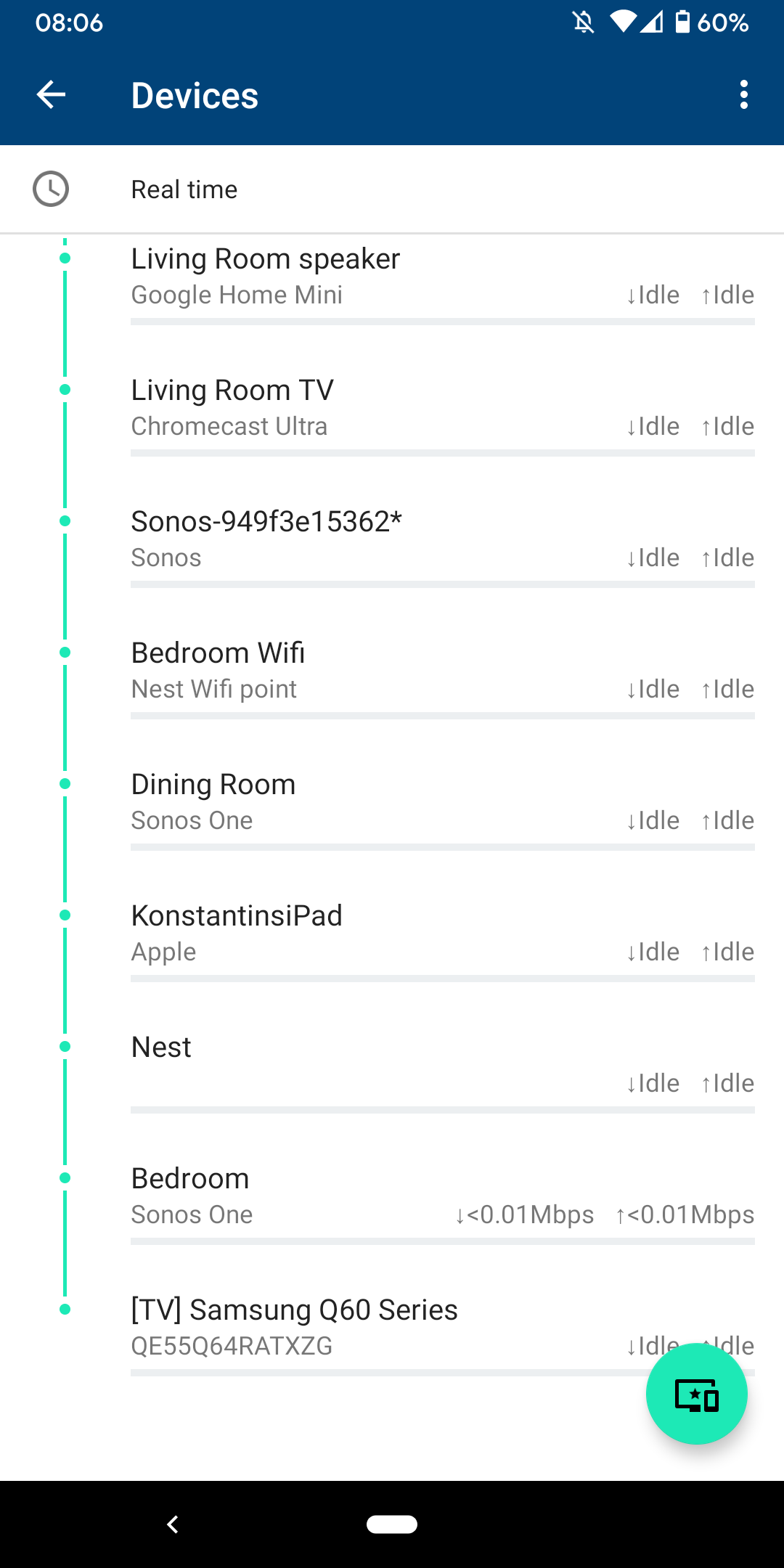
 

I am sitting next to a Sonos One and following instructions on how to reconnect pressing button on the back - but no doesn't find the system sitting right next to it.
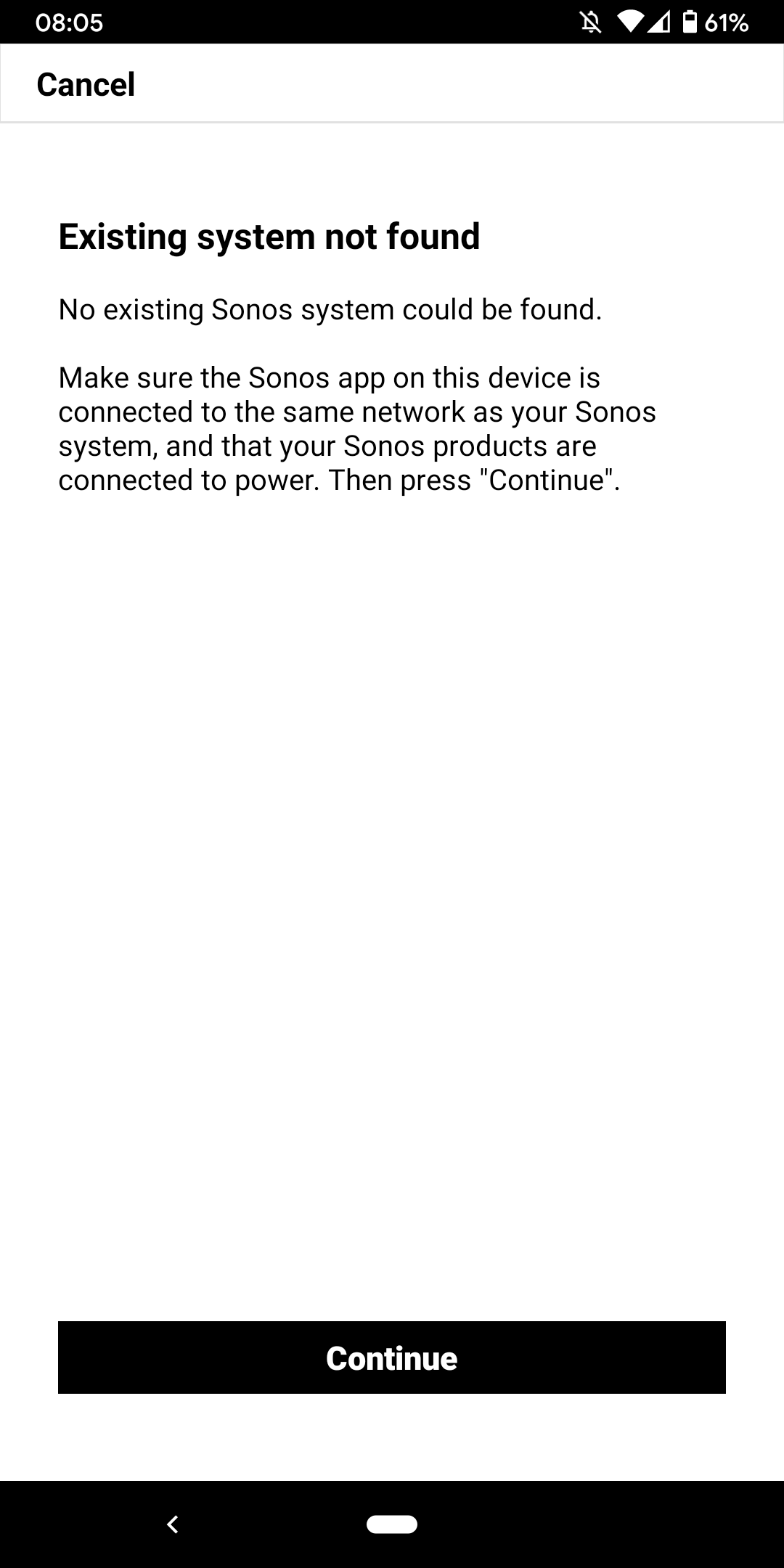
 

I don't want to go through the process of reinstalling the app and setting up the whole system again for the x time - it costs half an hour each time and at the price of your products we should be able to expect that you can employee at least one software engineer and one app developer that can create a better experience than a 10 year old hobby programmer with the attention span of a humming bird could.


Rant = off


Do you have any solutions to offer that are not requiring me to reset the system completely?


Moderator note: We updated this article in October 2023 with new information below.

If you are experiencing this issue and your controller won't connect to you existing Sonos System please have a look at this support article and follow the steps.

If your Sonos app still won’t connect after following the steps in the article, please contact Sonos Customer Care for further help.


This topic has been closed for further comments. You can use the search bar to find a similar topic, or create a new one by clicking Create Topic at the top of the page.
Best answer by Konstantin79

Thanks for the answer even though just a deflection and nothing to do with the problem at hand - the mesh network couldn't be the problem since the overall system is still working via my partners phone (as described). Just the app on my phone lost the system and wouldn't reconnect. I found a solution that worked: I disconnected the TV from the Sonos Beam (which is 1 of 3 Sonos devices in the house and connected by cable). The moment I disconnected the TV the app was able to reaquire the system that was setup already... I tried following the instructions before with both Sonos One and Beam before doing this without success. Maybe you can share that with the intern responsible for your app as a hint for troubleshooting…

Sorry I know you are working the forum and it's not in your control but please share with the product team so they can make some much needed improvements.

107 replies

April 23, 2024

I see this is going nowhere.  Part of the problem with any tech support.  Sorry for mixing up days from weeks. That I will own up too.  As for the reply that isn’t helpful at all.  I will wait and see what happens when the App is released in 2 weeks!  Again we shall see.  As I said everything else works on my network except the Sonos App.  Not a consistent connection when controlling my speaker. I always go to Spotify to find my One on the network with no problem and connect that way.  You need another job if you aren’t listening to the customer. Enough said.

jgatie
April 23, 2024

I see this is going nowhere.  Part of the problem with any tech support.  Sorry for mixing up days from weeks. That I will own up too.  As for the reply that isn’t helpful at all.  I will wait and see what happens when the App is released in 2 weeks!  Again we shall see.  As I said everything else works on my network except the Sonos App.  Not a consistent connection when controlling my speaker. I always go to Spotify to find my One on the network with no problem and connect that way.  You need another job if you aren’t listening to the customer. Enough said.


First of all, I don’t work for Sonos.

Second, you said exactly as I said you would, “Everything else works, blah blah blah.”  The fact is, Sonos devices need to communicate with each other hundreds of times a second in order to keep in sync.  This is much more complicated than individual devices and requires a stable network.  Sonos is particularly sensitive to things like duplicate IP addresses, something your average TV streamer or web browsing device won’t even notice, or only suffer a small buffering problem.

So I ask again, do you want to wait for a new app that won’t ever fix your problem, yet allows you to blame the company, or do you want to fix your wonky network?  Again, the choice is yours.

Moderator Note: Modified in accordance with the Community Code of Conduct.

April 23, 2024

Thanks for your input. Sound kind of sensitive to my comments. I in no way am accusing you of anything. I am frustrated along with several others over the Sonos App. Not you.  For someone who isn’t working for Sonos, you sure sounded like it. Maybe bring it down a couple notches.  People don’t need to be lectured about their point of view. This is a forum for issues with Sonos.

Hope you have a Great Day.

jgatie
April 23, 2024

Thanks for your input. Sound kind of sensitive to my comments. I in no way am accusing you of anything. I am frustrated along with several others over the Sonos App. Not you.  For someone who isn’t working for Sonos, you sure sounded like it. Maybe bring it down a couple notches.  People don’t need to be lectured about their point of view. This is a forum for issues with Sonos.

Hope you have a Great Day.


So that would be a “No” to the query as to whether you want help with your network instead of blaming? 

Here’s the facts (whether you consider them a “lecture” or not, I don’t really care).  A few years back, there were a couple incidents of actual bugs in a single Sonos device connected with a certain few TVs.  The main thread for that problem reached hundreds of pages in a few days.  There were also dozens of peripheral threads dealing with the same problem.  Soon after, Sonos acknowledged the bug and stated they were working on it.  They eventually released a fix.  

Contrast this with the half dozen of so posts like yours that seem to show up after an update.  An update which always entails a reboot of each Sonos device.  These reboots often uncover problems with a router’s IP table, because a reboot causes the devices to all request a new IP.  If your router IP table is in a wonky state caused by a power outage or something similar, it can hand out IP addresses that are still in use by another device, wreaking havoc with the cross communication required by a system like Sonos.  That’s just one of the problems.  A VPN running in the background can cause the problems you are seeing, as can poorly configured mesh nodes or extenders.  However, if you aren’t willing to accept it may be your network, there’s no way to begin to fix it.

Now I’ve already wasted too much time on someone who clearly has deaf ears to this subject, but I will ask one last time - Do you want help fixing your network or not?  If not, I’ll go help someone who does want help.

buzz
April 23, 2024

As I said earlier in this discussion: Once you’ve decided that the problem must be [...] or cannot be [...], you are likely to be blindsided.

Play the percentages. There is no point chasing the 0.01% possibilities before ruling out the 90% probability.

April 23, 2024

I have already gone through all the network things you have mentioned. This seems to be the fix for sum but not all. Again I appreciate your feedback. You are taking this way too personal for someone who doesn’t work for Sonos. Hope you have a Great Day! Stay Safe. I will wait and see what Sonos does next. 

jgatie
April 23, 2024

I have already gone through all the network things you have mentioned. This seems to be the fix for sum but not all. Again I appreciate your feedback. You are taking this way too personal for someone who doesn’t work for Sonos. Hope you have a Great Day! Stay Safe. I will wait and see what Sonos does next. 


I’m not taking it personal at all.  But good luck with the new app that will never solve your problems.  

Lyricist III
April 24, 2024

Hi,

I was having the same issue with my wife’s iPhone (my phone works fine). Not sure why this setting on her phone changed - but what resolved the issue was going to setting>privacy>Local Network - and flipping the Sonos to “allow” or “on”. 
 

No issues logging on or with the app connecting after this (so far today). 

Seems Sonos is finally releasing an updated App in the next 7 days (2024). Better late than never.  Just another frustrated customer getting the run around from techs.  We shall see.  They need to find better talent for their engineers and Tech support.  Everything else in my home works fine except their App.  Constant disconnects and No Sonos found is very frustrating.

I've got a bunch of expensive paperweights too . Unreal!  

Lyricist II
April 24, 2024

After about 20 hours of painstaking troubleshooting I eventually removed my entire Sonos system from my home and factory reset all devices. I then installed it all with an ethernet cable direct onto my main router and added the devices to the WiFi I wanted to use them all on. After about the 6th attempt of removing the entire system and adding it again I eventually got my sonos system to talk to the Sonos app on my Android phone. So it's all working, for now. Let's see how long it lasts. Fingers crossed. 


My feedback to Sonos remains the same, as nothing that expensive should be that difficult to install and use. Not in this simple plug and play era.


I know it's just a matter of time before it just all of a sudden stops working again. Sigh.....

Lyricist I
April 28, 2024

Same issue