
Contributor I
July 23, 2020
Answered

Sonos App doesn't find existing system.

  • July 23, 2020
  • 107 replies
  • 50182 views

This topic is older and might not have the most up to date information. Please click here to see a list of more topics around the same subject.


Hi there,


I am so fed up with your buggy systems I can't even describe the level of frustration. I am using the latest version of the app on Android as of now and for no apparent reason the app does not recognize the set up system anymore (my wife's phone and app does and works no problem). I tried to reconnect to the system but says it doesn't find any devices on the network (which obviously isn't true - see screenshot)
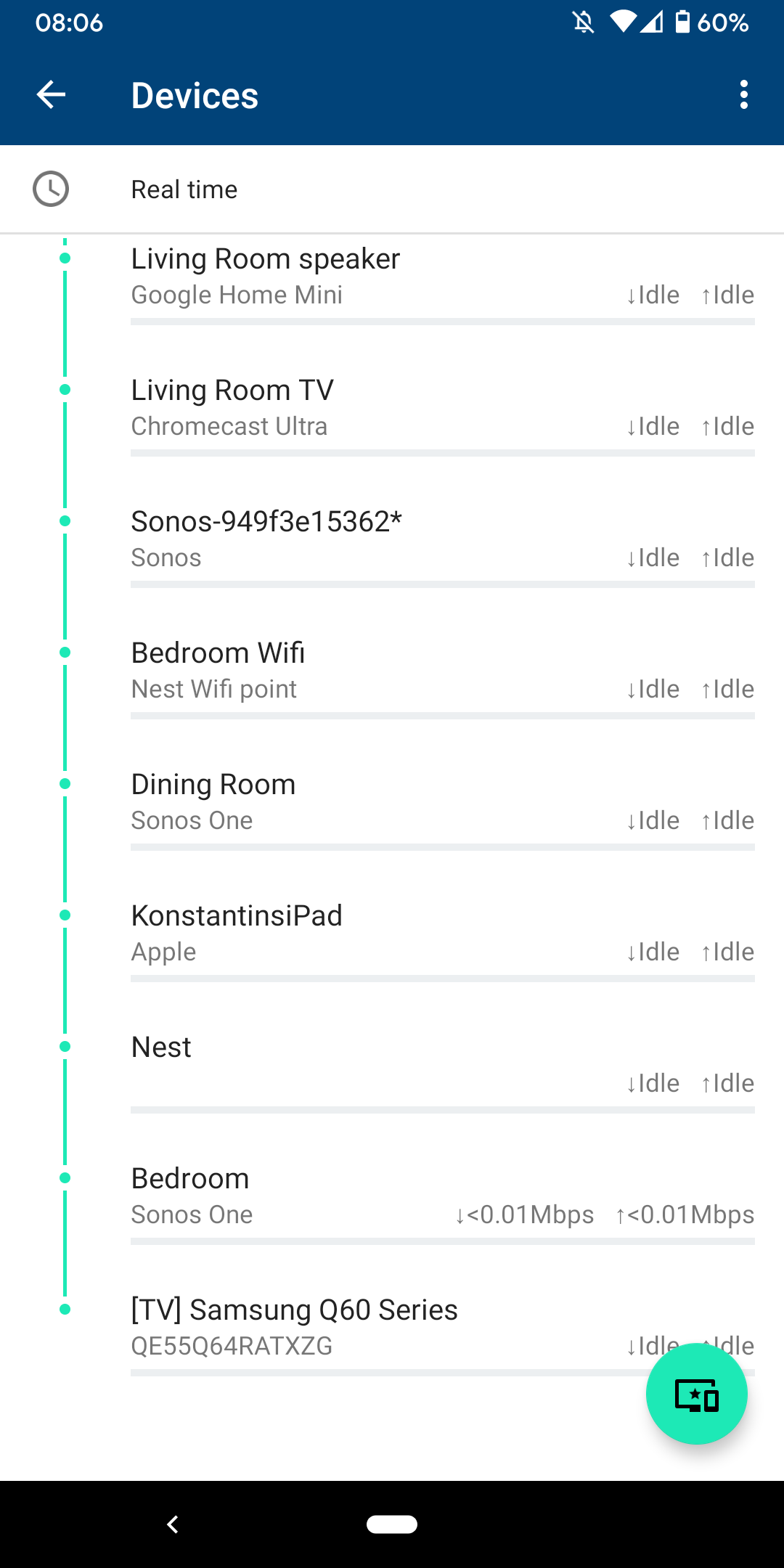
 

I am sitting next to a Sonos One and following instructions on how to reconnect pressing button on the back - but no doesn't find the system sitting right next to it.
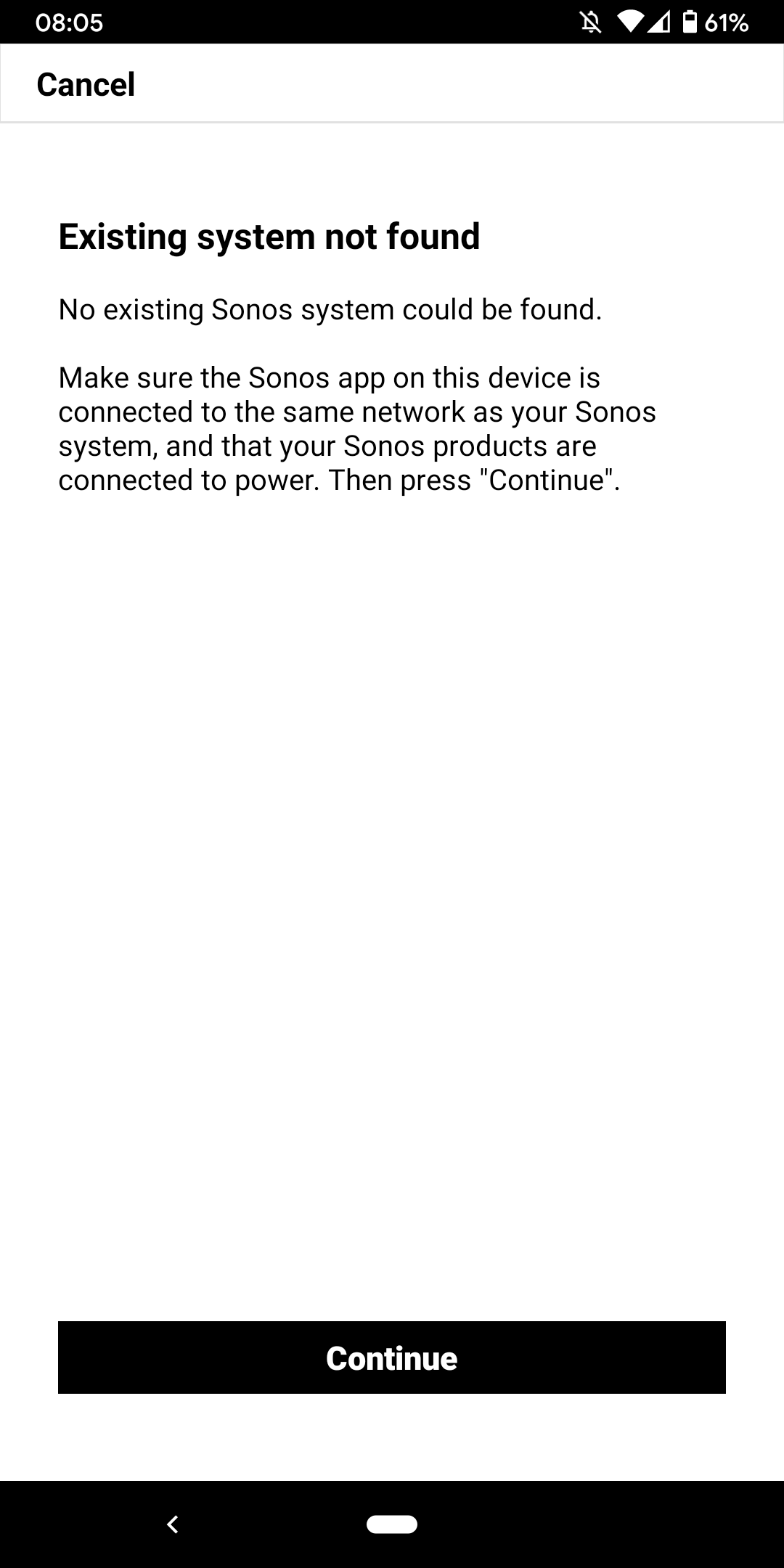
 

I don't want to go through the process of reinstalling the app and setting up the whole system again for the x time - it costs half an hour each time and at the price of your products we should be able to expect that you can employee at least one software engineer and one app developer that can create a better experience than a 10 year old hobby programmer with the attention span of a humming bird could.


Rant = off


Do you have any solutions to offer that are not requiring me to reset the system completely?


Moderator note: We updated this article in October 2023 with new information below.

If you are experiencing this issue and your controller won't connect to you existing Sonos System please have a look at this support article and follow the steps.

If your Sonos app still won’t connect after following the steps in the article, please contact Sonos Customer Care for further help.


This topic has been closed for further comments. You can use the search bar to find a similar topic, or create a new one by clicking Create Topic at the top of the page.
Best answer by Konstantin79

Thanks for the answer even though just a deflection and nothing to do with the problem at hand - the mesh network couldn't be the problem since the overall system is still working via my partners phone (as described). Just the app on my phone lost the system and wouldn't reconnect. I found a solution that worked: I disconnected the TV from the Sonos Beam (which is 1 of 3 Sonos devices in the house and connected by cable). The moment I disconnected the TV the app was able to reaquire the system that was setup already... I tried following the instructions before with both Sonos One and Beam before doing this without success. Maybe you can share that with the intern responsible for your app as a hint for troubleshooting…

Sorry I know you are working the forum and it's not in your control but please share with the product team so they can make some much needed improvements.

107 replies

Lyricist II
April 28, 2024

Well as an update 2 speakers have dropped off my system. As expected. Yay!


I'm going to sell these speakers and try and get some money back for them. 

buzz
April 29, 2024

I think that this is the best plan for you.

For some reason your network is not able to support SONOS. It’s clear from your screen capture above that your router is not sending data to any SONOS units shown except the ONE near the bottom and the indicated throughput is much lower than expected.

Lyricist I
May 9, 2024

If you are stating that everything else on your network works, I wonder if you might have some VPN or something that messes with your tunneling. 

For example, in my case, I have Private Internet Access (PIA), and even if VPN is not connected, but I have the Split Tunneling enabled within the app, everything else on my mac works great, but Sonos fails on my Mac, though it connects fine on my iPhone. (Even setting up Sonos to Bypass VPN via the Split Tunnel), it still doesn’t work. You actually have to disable that option altogether for things to work. I can consistently reproduce the Sonos app behavior by toggling that setting in the app, all while not affecting anything else on my Mac. 


You may or may not have that same app on your computer, but this is a direction you should look into, to isolate the problem. If your Mac is indeed on the same network as your speakers, it is unlikely that you will have a failed connection, unless something is standing in the way. 


Hope this helps guide you in the right direction.

Lyricist I
June 17, 2024

If anyone else stumbles on this thread, what worked for me is that my phone was connected to my route via WiFi 6 (802.11ax). I turned that off and was able to find my system (and then switched it back and remained connected).

Stephen Pollett
Lyricist I
July 4, 2024

Same issue with arc. I have sworn off Sonos products. Endless frustration that no amount of sound quality can compensate for. 

Contributor I
July 5, 2024

Hi,

I was having the same issue with my wife’s iPhone (my phone works fine). Not sure why this setting on her phone changed - but what resolved the issue was going to setting>privacy>Local Network - and flipping the Sonos to “allow” or “on”. 
 

No issues logging on or with the app connecting after this (so far today). 

Its so hard not to swear! This suggestion is genius. After years ( seriously) of trying to get our Sonos speakers to work. This did it. Like a previous poster said “when I get the courage to investigate it all again …”. That is exactly our experience, every now and then I think I will have another go Im messing about for hours to no avail. Thank-you, thank-you, thank-you Dinoro. 
WHY is this not listed at the top of the things to try first?

Lyricist I
July 22, 2024

After several weeks, I was finally able to get my system, which consists of several play1’s of varying ages to work with the new app. 
 

Thanks to a post of software engineer Andy Pennell,  I learned that the website play.sonos.com more easily finds speakers than the app. The site successfully found my newest speaker, which makes sense as this speaker probably had more capacity to accomodate the new app. I was then able to perform factory resets on the other speakers and add them to the system. This had to be done with a wired Ethernet connection.  It seems that the Ethernet connection allowed the older speakers in my system to successfully receive necessary updates - a step that was failing before. 
 

After each speaker is added, you’ll need to log out of play.sonos.com and log back in to see each speaker added to the system. When that was done, each speaker would then also become visible in the mobile app. 
 

I’m glad I’ve finally gotten everything working again, but more so hope my experience helps other frustrated users. 

Lyricist I
August 16, 2024

If anyone else stumbles on this thread, what worked for me is that my phone was connected to my route via WiFi 6 (802.11ax). I turned that off and was able to find my system (and then switched it back and remained connected).


That fixed my issue as well but it did not stay connected when I switched back so I have to leave my phone on my 2.4MHz network for now.

Stanley_4
Grand Maestro
August 16, 2024

You might look into your router settings, some can seamlessly merge Ethernet, 2.4 and 5 GHz wireless, some can't.

Lyricist I
October 4, 2024

had same issues as OP and shockingly, this part of the instructions worked for my partner’s phone:

  1. Close the mobile data connection on your Wife’s iPhone and restart the mobile device by turning it off and turning it back on.
  2. Once your wife’s iPhone is turned back on and you are close to one of your Sonos product, turn on the WiFi connection of your wife’s iPhone (keep mobile data off) and connect to the same WiFi name your phone is connected to.