
Contributor I
July 23, 2020
Answered

Sonos App doesn't find existing system.

  • July 23, 2020
  • 107 replies
  • 50184 views

This topic is older and might not have the most up to date information. Please click here to see a list of more topics around the same subject.


Hi there,


I am so fed up with your buggy systems I can't even describe the level of frustration. I am using the latest version of the app on Android as of now and for no apparent reason the app does not recognize the set up system anymore (my wife's phone and app does and works no problem). I tried to reconnect to the system but says it doesn't find any devices on the network (which obviously isn't true - see screenshot)
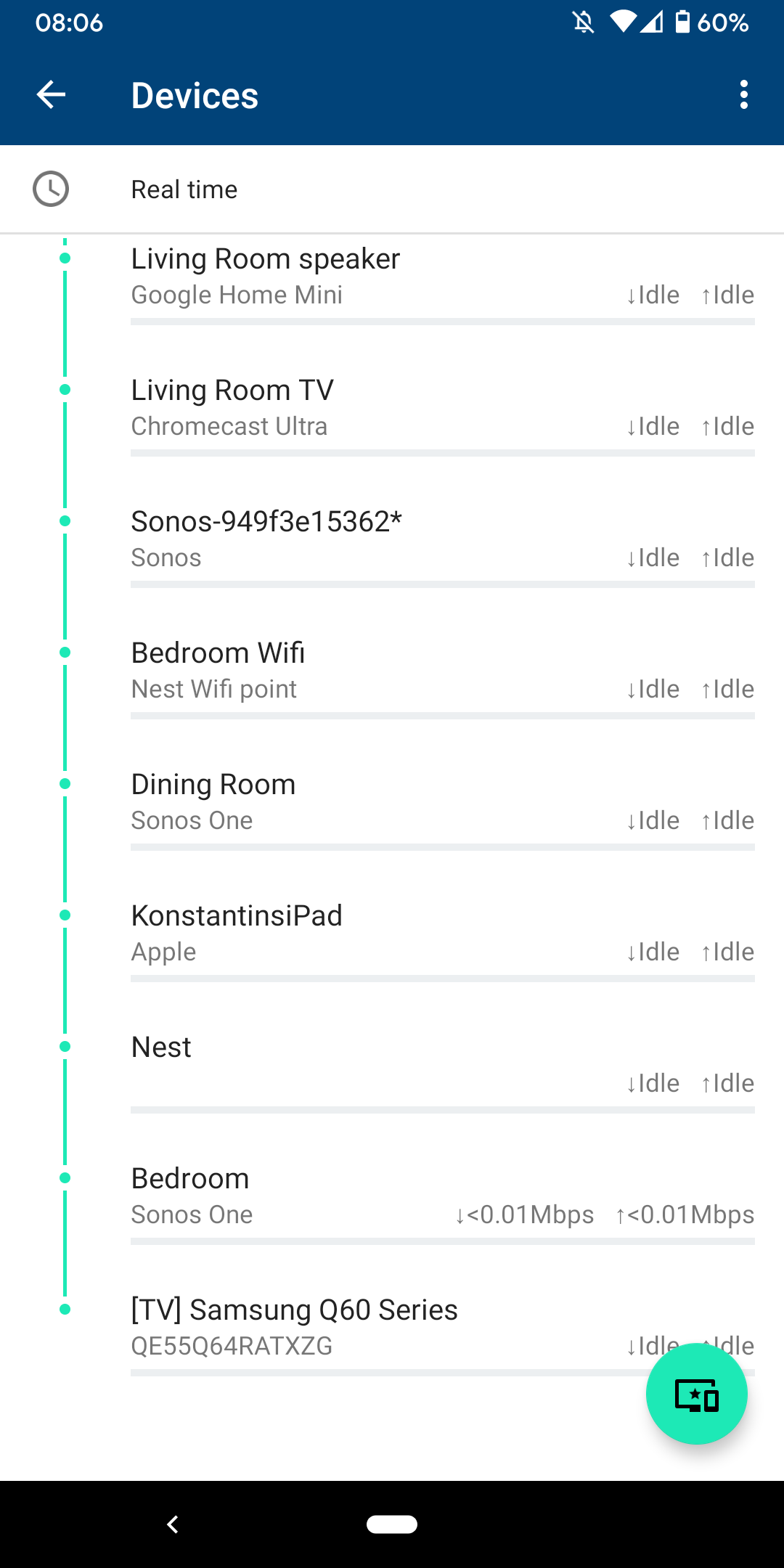
 

I am sitting next to a Sonos One and following instructions on how to reconnect pressing button on the back - but no doesn't find the system sitting right next to it.
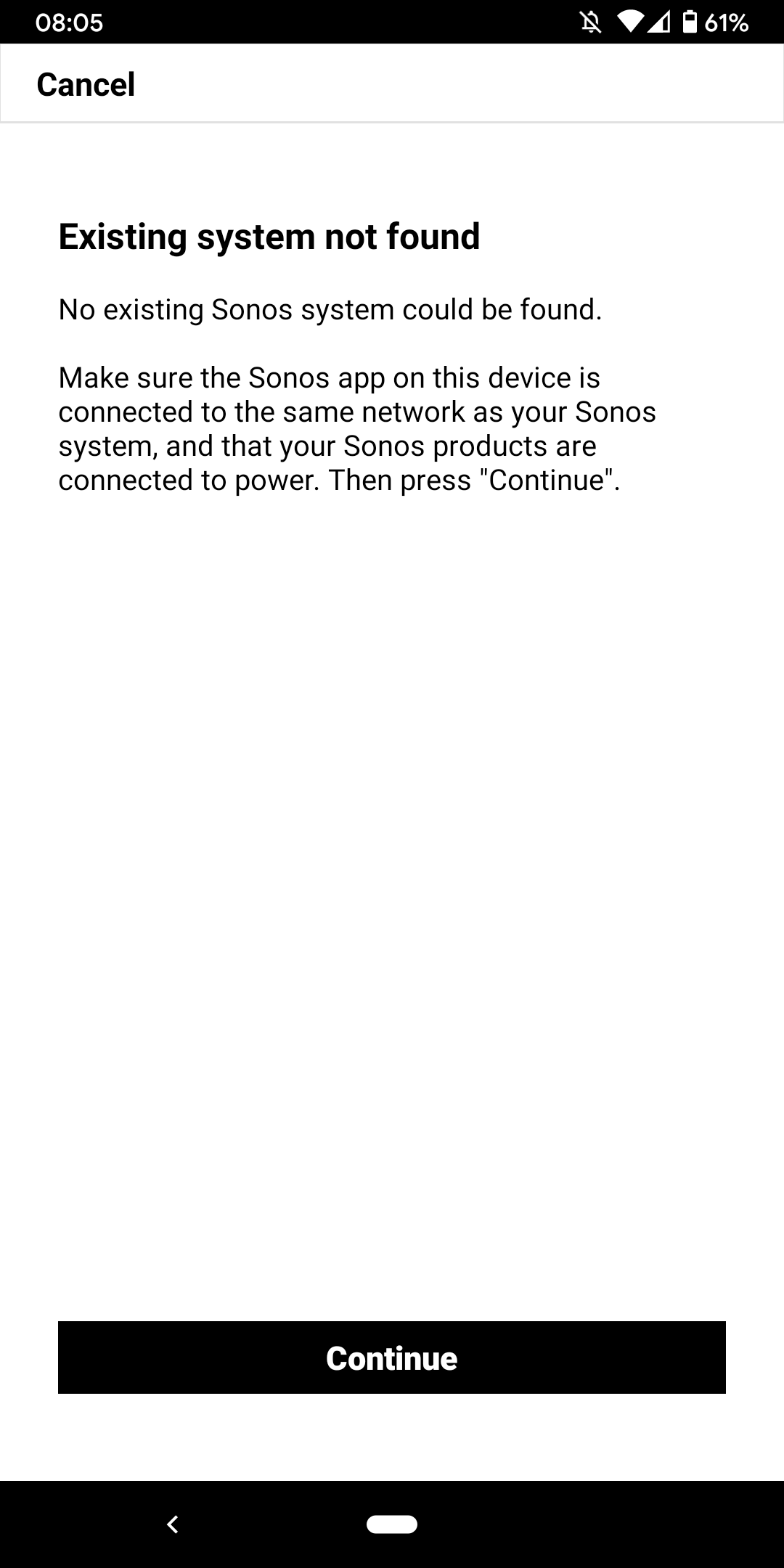
 

I don't want to go through the process of reinstalling the app and setting up the whole system again for the x time - it costs half an hour each time and at the price of your products we should be able to expect that you can employee at least one software engineer and one app developer that can create a better experience than a 10 year old hobby programmer with the attention span of a humming bird could.


Rant = off


Do you have any solutions to offer that are not requiring me to reset the system completely?


Moderator note: We updated this article in October 2023 with new information below.

If you are experiencing this issue and your controller won't connect to you existing Sonos System please have a look at this support article and follow the steps.

If your Sonos app still won’t connect after following the steps in the article, please contact Sonos Customer Care for further help.


This topic has been closed for further comments. You can use the search bar to find a similar topic, or create a new one by clicking Create Topic at the top of the page.
Best answer by Konstantin79

Thanks for the answer even though just a deflection and nothing to do with the problem at hand - the mesh network couldn't be the problem since the overall system is still working via my partners phone (as described). Just the app on my phone lost the system and wouldn't reconnect. I found a solution that worked: I disconnected the TV from the Sonos Beam (which is 1 of 3 Sonos devices in the house and connected by cable). The moment I disconnected the TV the app was able to reaquire the system that was setup already... I tried following the instructions before with both Sonos One and Beam before doing this without success. Maybe you can share that with the intern responsible for your app as a hint for troubleshooting…

Sorry I know you are working the forum and it's not in your control but please share with the product team so they can make some much needed improvements.

107 replies

Lyricist I
March 9, 2024

Hi,

I was having the same issue with my wife’s iPhone (my phone works fine). Not sure why this setting on her phone changed - but what resolved the issue was going to setting>privacy>Local Network - and flipping the Sonos to “allow” or “on”. 
 

No issues logging on or with the app connecting after this (so far today). 

this worked for me! thank you

Lyricist III
March 9, 2024

I can't believe the amount of time I've spent trying to reset, unplug plug back in, re group rooms, reset router, install uninstall app, and everything else support has told me to do and still CANT listen to music when I want to. Nothing has been a permanent fix and for the amount of money I paid for all my speakers this is total BS. 
i even write a letter to them complaining and they emailed  me a reply telling me to do the same stuff I already did and listed in my letter. 
I'll be switching back to BOSE

Lyricist III
March 10, 2024

I should be able to open my music app, choose how I want to listen, and listen to music. It should be that simple. 

106rallye
March 10, 2024

For most of us it is…..

Lyricist III
March 11, 2024

For most of us it is…..

I see that with all of your free time from not having to fuss with your speakers, you use on this forum replying to everyone lol 

Lyricist II
April 21, 2024

I have two play3 and a playbar. 


The app just all of a sudden says can't find system. I've read through this entire feed and tried all the suggestions and I can't get my Sonos system to work again. 

I can see my three Sonos devices connected to my WiFi network. The app just refuses to connect to them. 

So I can no longer use the play3 speakers now at all. They are just large paperweights. I would recommend that nobody ever buys these expensive speakers that just stops working one day and causes sooo much frustration. What a huge waste of money and time. 


Very frustrating. 

April 23, 2024

Hi,

I was having the same issue with my wife’s iPhone (my phone works fine). Not sure why this setting on her phone changed - but what resolved the issue was going to setting>privacy>Local Network - and flipping the Sonos to “allow” or “on”. 
 

No issues logging on or with the app connecting after this (so far today). 

Seems Sonos is finally releasing an updated App in the next 7 days (2024). Better late than never.  Just another frustrated customer getting the run around from techs.  We shall see.  They need to find better talent for their engineers and Tech support.  Everything else in my home works fine except their App.  Constant disconnects and No Sonos found is very frustrating.

April 23, 2024

Hi there,


I am so fed up with your buggy systems I can't even describe the level of frustration. I am using the latest version of the app on Android as of now and for no apparent reason the app does not recognize the set up system anymore (my wife's phone and app does and works no problem). I tried to reconnect to the system but says it doesn't find any devices on the network (which obviously isn't true - see screenshot)


I am sitting next to a Sonos One and following instructions on how to reconnect pressing button on the back - but no doesn't find the system sitting right next to it.


I don't want to go through the process of reinstalling the app and setting up the whole system again for the x time - it costs half an hour each time and at the price of your products we should be able to expect that you can employee at least one software engineer and one app developer that can create a better experience than a 10 year old hobby programmer with the attention span of a humming bird could.


Rant = off


Do you have any solutions to offer that are not requiring me to reset the system completely?


Moderator note: We updated this article in October 2023 with new information below.

If you are experiencing this issue and your controller won't connect to you existing Sonos System please have a look at this support article and follow the steps.

If your Sonos app still won’t connect after following the steps in the article, please contact Sonos Customer Care for further help.


Finally a new App. 2024 release is coming in 7 days according to my iPhone.  Maybe this will fix their buggy software.  These speakers are not cheap and should work flawlessly as everything else in my home.  Same issues and same answers are frustrating to the consumer.  Everything else works with no issues except their App. Fingers crossed on this update in 7 days.

Airgetlam
April 23, 2024

May 7 is in two weeks, not 7 days. 

Constant disconnects are indications of local network issues. A new controller method won’t fix that, unfortunately. 

Bruce
jgatie
April 23, 2024

Seems Sonos is finally releasing an updated App in the next 7 days (2024). Better late than never.  Just another frustrated customer getting the run around from techs.  We shall see.  They need to find better talent for their engineers and Tech support.  Everything else in my home works fine except their App.  Constant disconnects and No Sonos found is very frustrating.


I’ve got news for you, a new app is not going to fix what is most assuredly a network problem.  Now you can reply that your network is perfect and everything else works, but that would be denying the hundreds (maybe thousands) of people over the years that have claimed the same, only to be embarrassed when they find out it is a network problem.

Now the question is . . . do you want to blame some company and never get your problem fixed, or do you want to suck it up and try a few things to get your network stabilized and working well?  Your choice.