
Contributor I
July 23, 2020
Answered

Sonos App doesn't find existing system.

  • July 23, 2020
  • 107 replies
  • 50185 views

This topic is older and might not have the most up to date information. Please click here to see a list of more topics around the same subject.


Hi there,


I am so fed up with your buggy systems I can't even describe the level of frustration. I am using the latest version of the app on Android as of now and for no apparent reason the app does not recognize the set up system anymore (my wife's phone and app does and works no problem). I tried to reconnect to the system but says it doesn't find any devices on the network (which obviously isn't true - see screenshot)
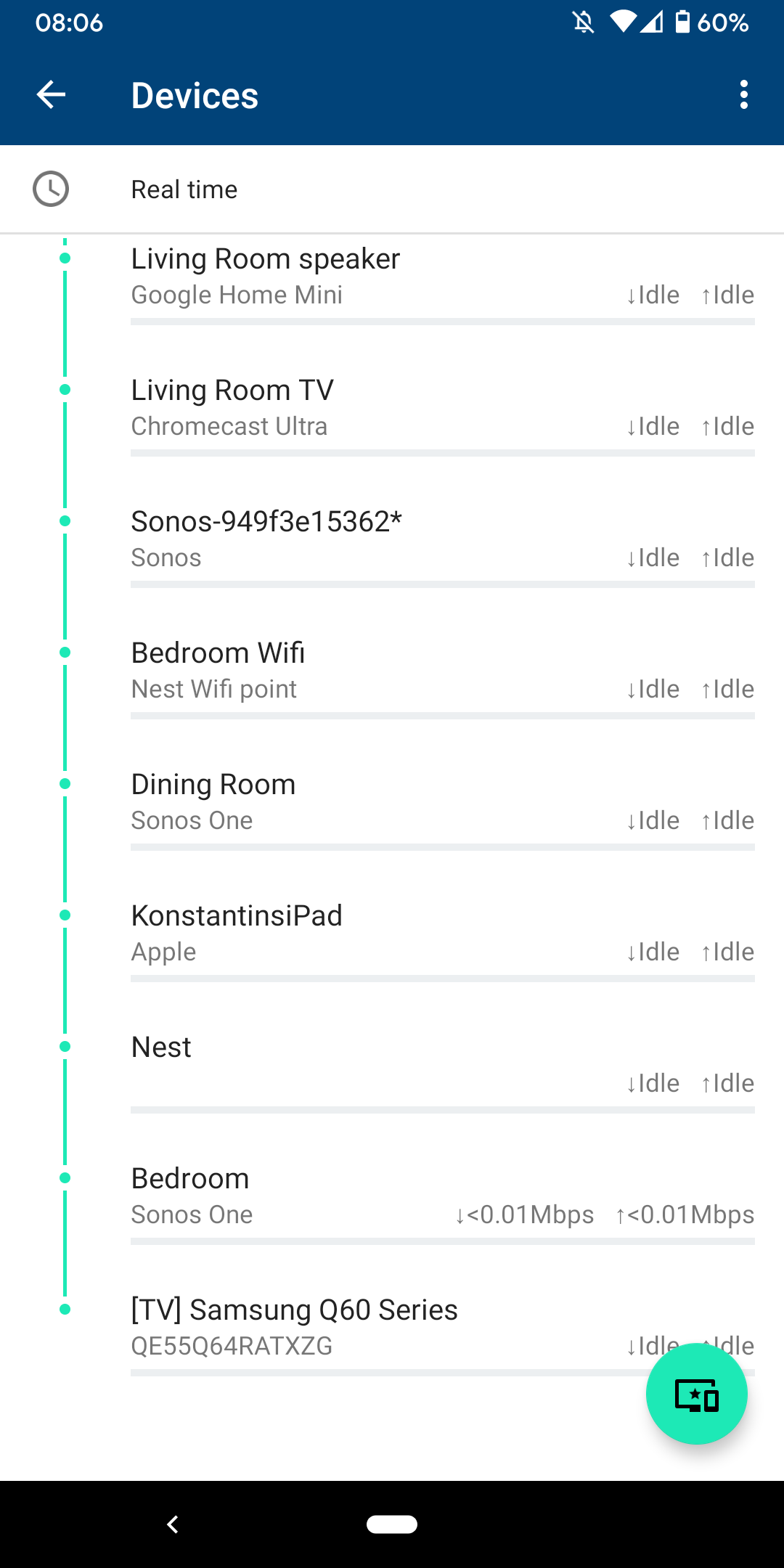
 

I am sitting next to a Sonos One and following instructions on how to reconnect pressing button on the back - but no doesn't find the system sitting right next to it.
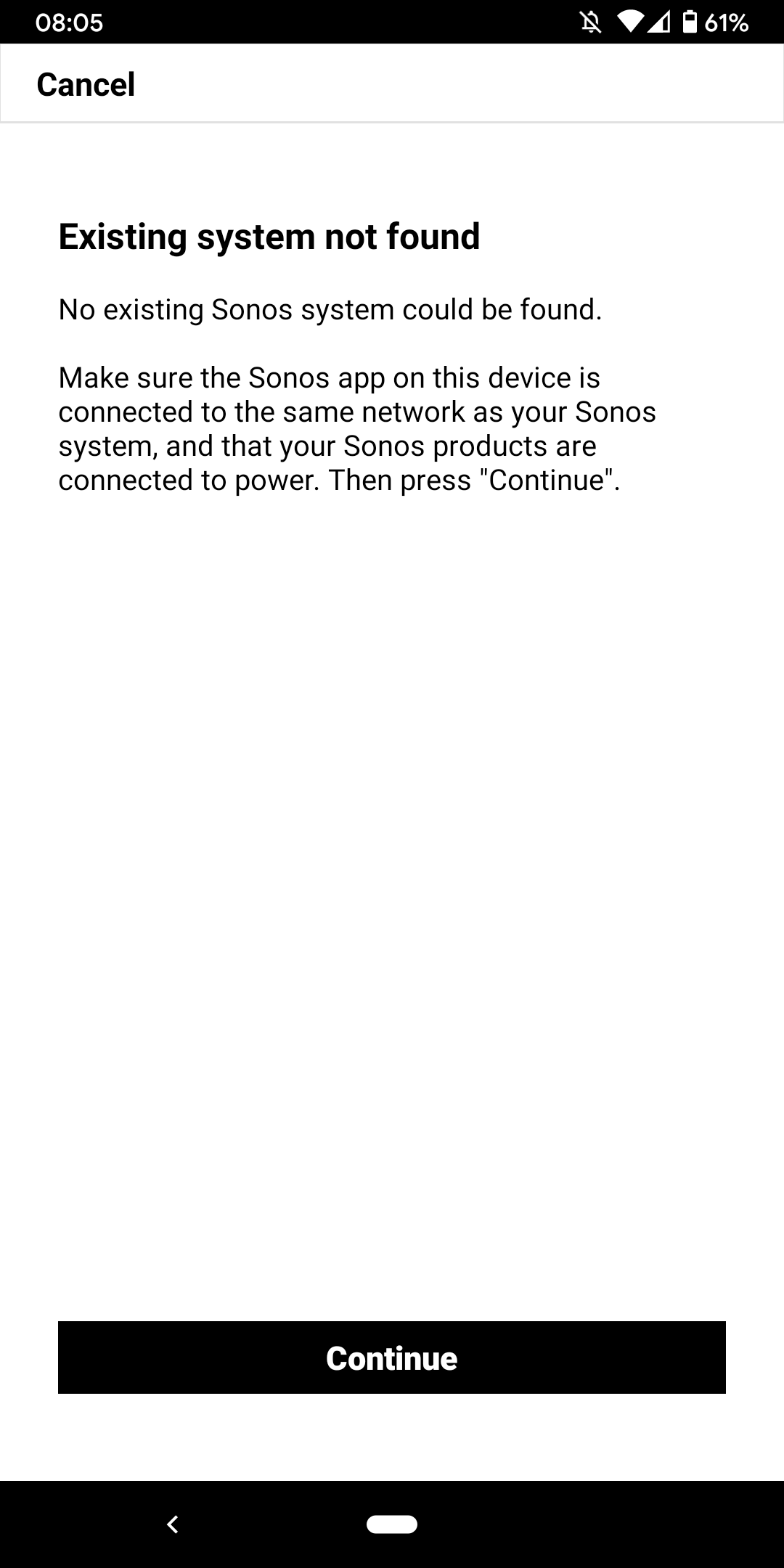
 

I don't want to go through the process of reinstalling the app and setting up the whole system again for the x time - it costs half an hour each time and at the price of your products we should be able to expect that you can employee at least one software engineer and one app developer that can create a better experience than a 10 year old hobby programmer with the attention span of a humming bird could.


Rant = off


Do you have any solutions to offer that are not requiring me to reset the system completely?


Moderator note: We updated this article in October 2023 with new information below.

If you are experiencing this issue and your controller won't connect to you existing Sonos System please have a look at this support article and follow the steps.

If your Sonos app still won’t connect after following the steps in the article, please contact Sonos Customer Care for further help.


This topic has been closed for further comments. You can use the search bar to find a similar topic, or create a new one by clicking Create Topic at the top of the page.
Best answer by Konstantin79

Thanks for the answer even though just a deflection and nothing to do with the problem at hand - the mesh network couldn't be the problem since the overall system is still working via my partners phone (as described). Just the app on my phone lost the system and wouldn't reconnect. I found a solution that worked: I disconnected the TV from the Sonos Beam (which is 1 of 3 Sonos devices in the house and connected by cable). The moment I disconnected the TV the app was able to reaquire the system that was setup already... I tried following the instructions before with both Sonos One and Beam before doing this without success. Maybe you can share that with the intern responsible for your app as a hint for troubleshooting…

Sorry I know you are working the forum and it's not in your control but please share with the product team so they can make some much needed improvements.

107 replies

Lyricist I
June 8, 2023

I’m so fed up with this system as well. I’m having the same problem as the original poster. The system works fine (some days) on my phone but can’t find the system at all on my wife’s phone. I have tried unplugging the beam from the tv, have unplugged and replugged the beam, turned off and on my wife’s phone- all to no avail. We are seriously considering taking the system back. For this kind of money, I would expect it to work better than a cheap Bluetooth speaker. 


World-Class Superstar
June 8, 2023

I’m so fed up with this system as well. I’m having the same problem as the original poster.

Submit a diagnostics within 10 minutes of the event and call Sonos support.

Lyricist I
July 6, 2023

Great sound terrible software,  I  quess Sonos has shot their wad. 

Lyricist I
July 6, 2023

Sell your Sonos stock if you have any, their software sucks.  And there customer support can’t make it work


106rallye
July 6, 2023

Thank you for your valuable contributions…….

Lyricist III
October 8, 2023

I'm having this problem too. I wish I had known this stuff before I bought a bunch of your speakers. Why hasnt this issue been fixed? 

106rallye
October 8, 2023

Have you tried the measures mentioned earlier in this topic?

Lyricist III
October 8, 2023

Yes, several times. Just like the hundreds of other people. Do you know why Sonos hasn't done anything to fix this known problem? Btw all the years I owned Bose products, I NEVER had any problems. 

Lyricist I
October 22, 2023

I was able to fix the issue for my system, using iPhone 15 and Eero mesh WiFi.

In Sonos app > Settings > App Preferences > Manage iOS Settings > (takes you to iPhone settings) Allow Sonos app to access Local Network


This was toggled OFF initially. 

Contributor I
October 24, 2023

I am using an Android phone and have been having issues connecting the Sonos App to my system. App cannot find the system and have tried numerous times to uninstall, re log into existing system etc. I can play music from my Spotify app (sometimes by holding the on/off button on the Playbar to initiate connection) but nothing else on the Sonos App itself. 

Tried to send diagnostics to Sonos and even that fails.

No changes to my router etc. 


Frustrating.


UPDATE:   Found the Issue………


I had VPN on my phone on.


Thanks Anyway.