
Contributor I
July 23, 2020
Answered

Sonos App doesn't find existing system.

  • July 23, 2020
  • 107 replies
  • 50185 views

This topic is older and might not have the most up to date information. Please click here to see a list of more topics around the same subject.


Hi there,


I am so fed up with your buggy systems I can't even describe the level of frustration. I am using the latest version of the app on Android as of now and for no apparent reason the app does not recognize the set up system anymore (my wife's phone and app does and works no problem). I tried to reconnect to the system but says it doesn't find any devices on the network (which obviously isn't true - see screenshot)
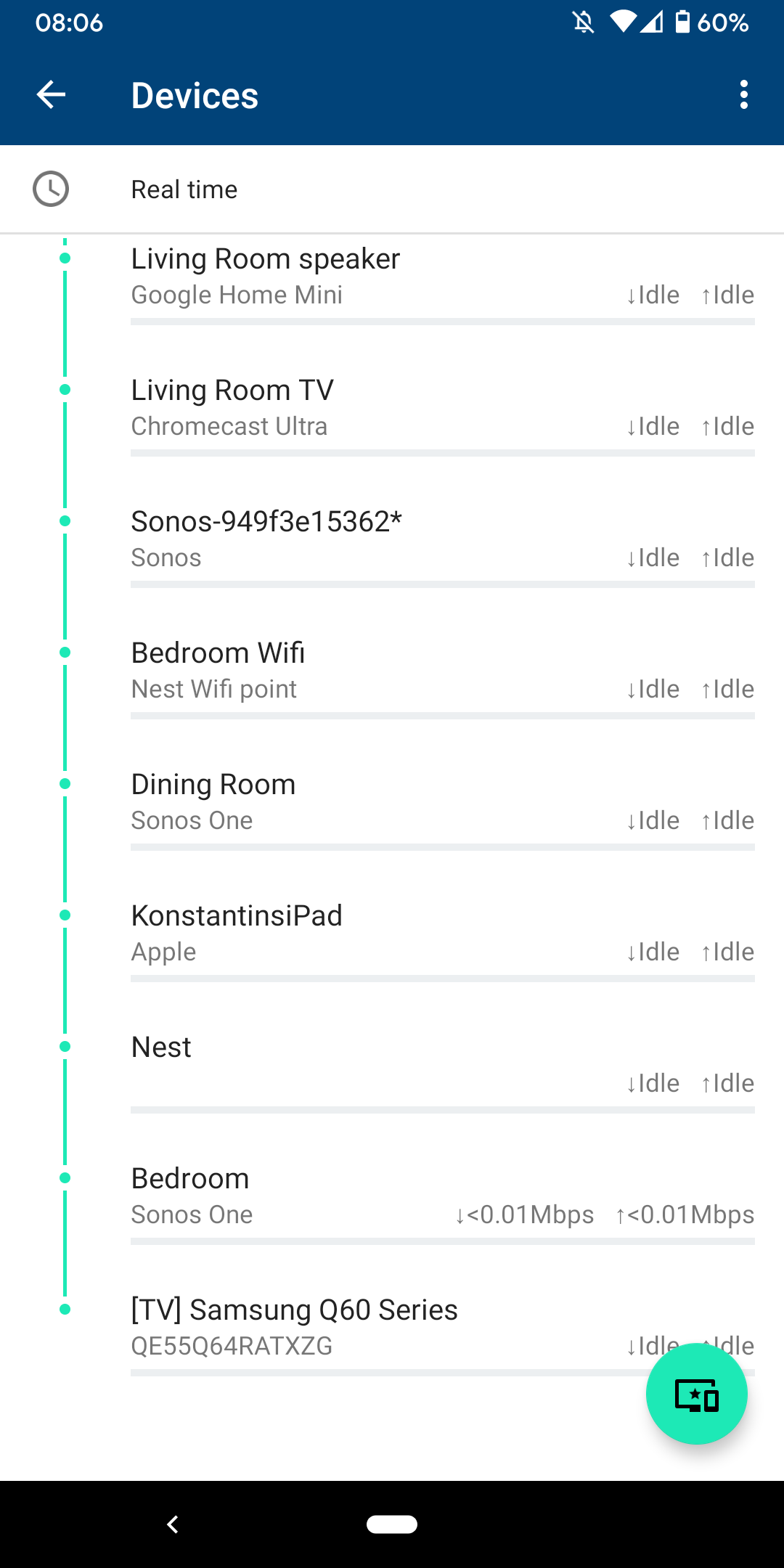
 

I am sitting next to a Sonos One and following instructions on how to reconnect pressing button on the back - but no doesn't find the system sitting right next to it.
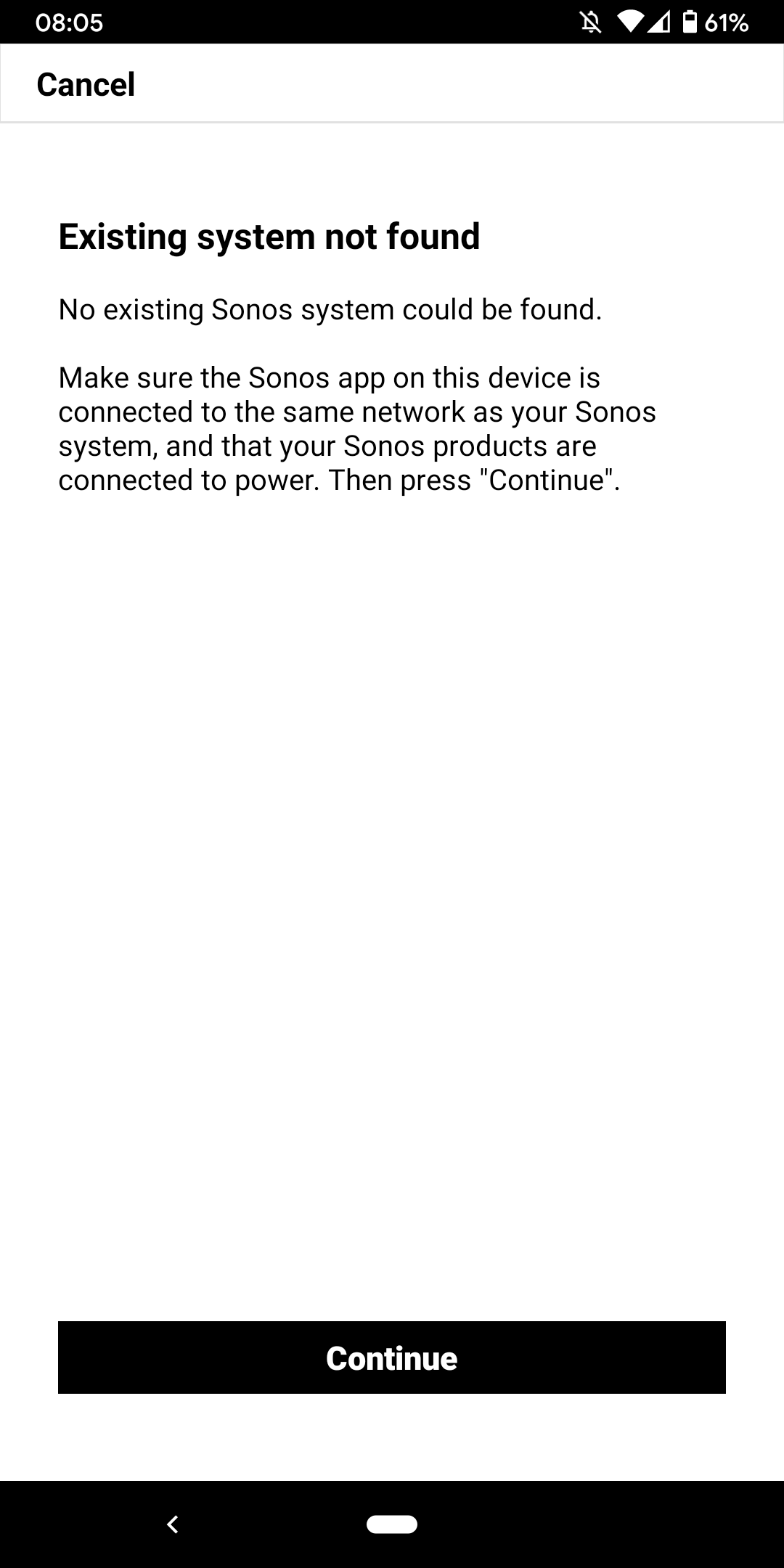
 

I don't want to go through the process of reinstalling the app and setting up the whole system again for the x time - it costs half an hour each time and at the price of your products we should be able to expect that you can employee at least one software engineer and one app developer that can create a better experience than a 10 year old hobby programmer with the attention span of a humming bird could.


Rant = off


Do you have any solutions to offer that are not requiring me to reset the system completely?


Moderator note: We updated this article in October 2023 with new information below.

If you are experiencing this issue and your controller won't connect to you existing Sonos System please have a look at this support article and follow the steps.

If your Sonos app still won’t connect after following the steps in the article, please contact Sonos Customer Care for further help.


This topic has been closed for further comments. You can use the search bar to find a similar topic, or create a new one by clicking Create Topic at the top of the page.
Best answer by Konstantin79

Thanks for the answer even though just a deflection and nothing to do with the problem at hand - the mesh network couldn't be the problem since the overall system is still working via my partners phone (as described). Just the app on my phone lost the system and wouldn't reconnect. I found a solution that worked: I disconnected the TV from the Sonos Beam (which is 1 of 3 Sonos devices in the house and connected by cable). The moment I disconnected the TV the app was able to reaquire the system that was setup already... I tried following the instructions before with both Sonos One and Beam before doing this without success. Maybe you can share that with the intern responsible for your app as a hint for troubleshooting…

Sorry I know you are working the forum and it's not in your control but please share with the product team so they can make some much needed improvements.

107 replies

Airgetlam
January 17, 2023

If you’re able to, then you’re a better person than I. My sanity went away years and years ago.

Glad it helped! Networking is such a pain, and Sonos does a great job of exposing every possible issue :)

Bruce
Trending Lyricist I
January 18, 2023

I’m going to run a Cat6 line to my garage and see if that fixes the issue. Otherwise, I will have to try to sell this unit or exchange for a WiiM mini streamer. I’ve been thinking of giving one of those a try. 

Trending Lyricist I
January 22, 2023

I had switched from my Sonos Conner G2 to my Heos Link G1, and after a couple of weeks of working just fine, it now doesn’t show up on my WiFi’s network just like my Sonos. After searching my NETGEAR nighthawk AX80 router under the WiFi setting I noticed that it was set to the smart option—it automatically selects whichever network has the highest bandwidth not the strongest connection, which selected the 5 rather than the 2.4. So, I’ve changed the settings to where the 2.4 and 5 bands are separate. We will see if this solves the issues. 

buzz
January 22, 2023

SONOS does not work well using WiFi that is constantly changing channels.

Trending Lyricist I
January 22, 2023

So far so good. After changing my routers WiFi setting to separate the 2.4 and 5 bands my HEOS Link G1 has been connected all this time. I will connect my Sonos Connect G2 next and test it out. 

Trending Lyricist I
January 23, 2023

My Sonos Connect G2 has been connected to for at least 24 hours since separating the 2.4 and 5.0 bands. I’ve got it connected to the 2.4 band. The only issue I have found with separating the bands are that I can’t control my IOT devices from my phone since my phone was connected to the 5.0 band, which doesn’t affect controlling my connect. So, I’ve switched my phone to the 2.4 band to prevent all these connectivity issues.

Lyricist I
January 23, 2023

Hi I’ve had 2 Sonos Onesfor a few days and am experiencing issues much as described in this thread which is disappointing as its a few years old. Also the same programmer seems responsible for the forum registration screen as after you enter all you info it then says that user name is in use, deletes it all so you can go through it all again. Anyway...

Few questions

  1. I think my Sonos devices are connected to 2ghz wifi but my phone is on 5ghz. Is that a problem.
  2. Does it help to have fixed IP addresses for the SONOS speakers
  3. if i have an amazon echo (quite old) and a SONOS speaker in the same room and say ‘Alexa play radio 4’ which one will listen, or both , or can i change the wake word on the echo dot without changing it on the SONOS.
  4. what is SONOSNET
  5. is there a way of voice controlling which speakers are playing , if say, I just want the kitchen on can I say ‘ specific speake off’ or can I start on just one speaker with a voice command?
  6. Am I right that SONOS speaker with voice control can’t play BBC Radio 4.

If all this info is in a sticky thread , web page for newbies, or help document somewhere please point me in the right direction 

Thanks


2 * Sonos 1,
World-Class Superstar
January 23, 2023

Does it help to have fixed IP addresses for the SONOS speakers

Most definitely yes.


what is SONOSNET

As soon as you wire a Sonos component, it creates Sonosnet. It ignores your wifi and provides a far better wireless network. My advice: step over to Sonosnet.


Lyricist I
January 23, 2023

As soon as you wire a Sonos component, it creates Sonosnet. It ignores your wifi and provides a far better wireless network. My advice: step over to Sonosnet.


Sorry, by that you mean hard wire one of the speakers to the router via an ethernet cable? OK I’ll give that a go next time it all disappears. Which will probably be after i’ve fixed the IP addresses.😑

2 * Sonos 1,
buzz
January 23, 2023

I have an Amazon DOT that is barely six feet from a SONOS unit. Usually, Alexa figures out which unit is closest to me and should play.

“Reserving” IP addresses results in a much more stable system.

SONOS has been a wireless mesh (SonosNet) system since inception in 2005. Lately, the consumer router manufacturers have started their own mesh products. At one point the SONOS competition was accusing SONOS of being a liar for calling SONOS a “wireless” system because at least one SONOS unit had to be wired. This was such a marketing headache that SONOS finally enabled WiFi (a cheap trick for SONOS) and took the wind out of the competition’s sail. In my opinion, SonosNet is more reliable than WiFi, but at least no one can now claim that SONOS is not wireless. SONOS will automatically switch to SonosNet when one or more units is wired. ROAM and MOVE are WiFi only.

Yes, you can instruct Alexa to play in a specific Room.

I successfully asked Alexa to play BBC 4.