

Hello
Often the question is asked which Source Level to use for turntable (TT) audio. Sonos doesn’t provide a recommended level to use.
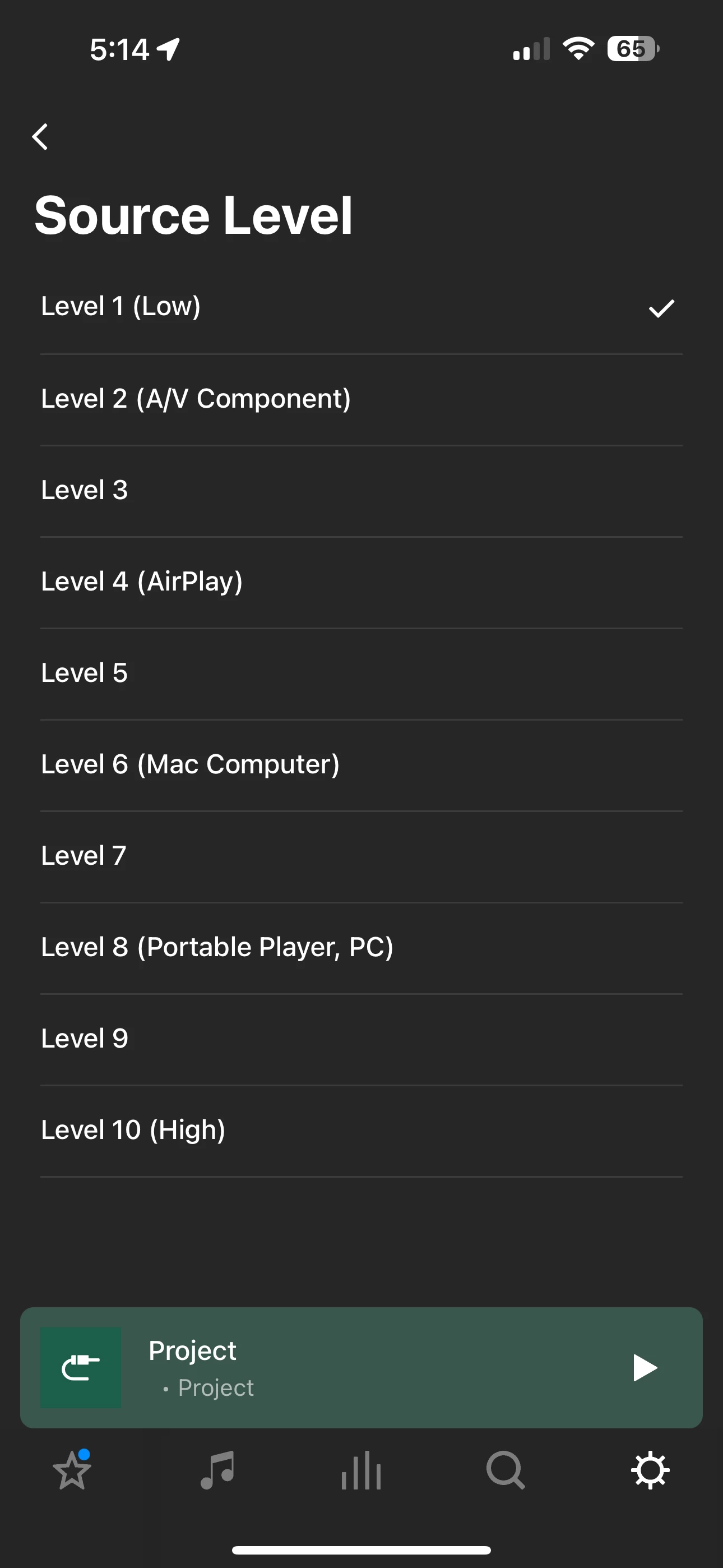
The most common answer given by experienced community members when questions are posed regarding low audio with a TT; is to increase the source level. Good advice. However increasing the source level too high can have unwanted side effects adding coloring to the TT audio.
Assuming you have correctly setup your TT using line-in to a Sonos speaker, Amp or Port here’s something that may help determine the optimum level.
- In a quiet environment
- Power on your TT
- Make sure the line-in is active
- Play some vinyl for about five (5) minutes to get things warmed-up
- After Five minutes raise the tone arm
- Open the Sonos app and select the room for your TT
- Scroll down to Source Level and open it
- Select Level 10 (high)
- Listen for audio hum
- Decrease the Source Level until the hum dissipates (it’s still there but hopefully too low to audibly notice depending upon your ear)
- That should be the optimum Source Level for your TT
The final selection is not a one-size-fits-all. Your selection may be low or high based upon a number of variables such as pre-amp (either built-in or 3rd party outboard), phono cartridge, tone arm material, plinth construction, internal motor damping as well as environmental factors.
You can also set the Audio Delay to the Sonos recommended level of 2,000 ms and Auto Play volume to a desired level. Suggest picking an Auto Play volume level that requires an upward adjustment for listening
I hope you found this information helpful. Enjoy your vinyl on Sonos!
