
Contributor I
January 18, 2023
Answered

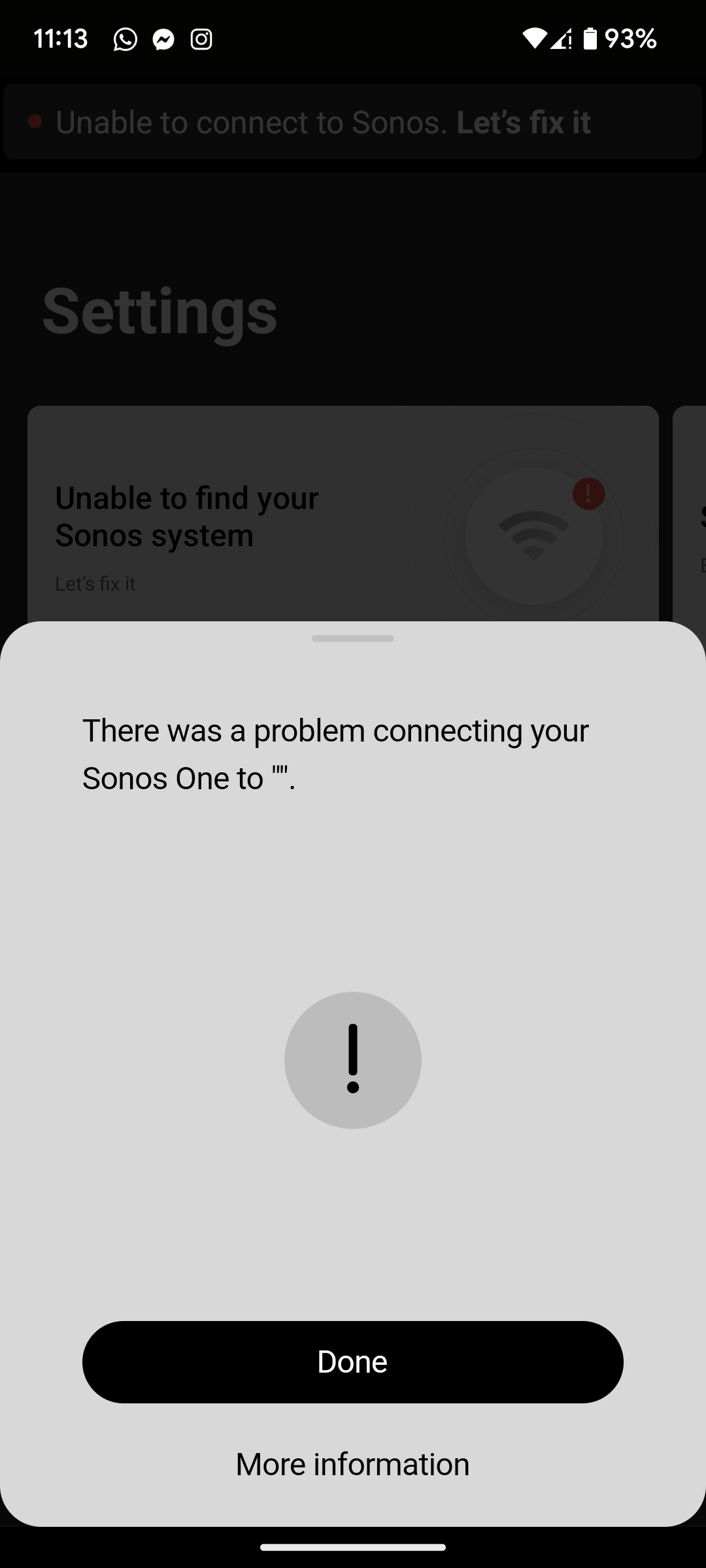
There was a problem connecting your Sonos One to ".

I've just moved house and have a new WiFi router so my network settings are different to the ones previously used on my Sonos One. I'm following the instructions on connecting my product to my new WiFi, it plays the audio chimes and I press the button when the light flashes white and green, but when it comes to putting my WiFi password in (it's definitely the correct password) it says There was a problem connecting your Sonos One to ". I'm assuming that my WiFi Network Name should be between those last quotes. The only other things I've been prompted to do to fix this is turn the product off and on, and do the same with my router, neither of which were successful.
 

This topic has been closed for further comments. You can use the search bar to find a similar topic, or create a new one by clicking Create Topic at the top of the page.
Airgetlam
AirgetlamAnswer
January 18, 2023

Wire that Sonos One directly to the router with an Ethernet cable, it should the show up in the controller. At that point, you can change the network information in the controller, it will be changed on the speaker, and you can then remove the Ethernet cable.

This is all assuming you didn’t factory reset the device, something you should never do unless instructed. 

Bruce

36 replies

Ken_Griffiths
June 17, 2024

New router today = disaster. Sonos one no longer appears anywhere, can’t be found/located in network or anywhere else, ‘no products found’ in Manage Networks to reset WiFi network details, WiFi won’t connect, only Ethernet cable works. All WiFi 2.5ghz/5.0ghz/WAP2 checked, channel set to11, 6 and smart, etc, etc. Nothing works and nothing at all in the Sonos website solves the problem. 

Perhaps see this link:

https://support.sonos.com/en-us/article/connect-sonos-to-a-new-router-or-wi-fi-network

Lyricist II
June 17, 2024

New router today = disaster. Sonos one no longer appears anywhere, can’t be found/located in network or anywhere else, ‘no products found’ in Manage Networks to reset WiFi network details, WiFi won’t connect, only Ethernet cable works. All WiFi 2.5ghz/5.0ghz/WAP2 checked, channel set to11, 6 and smart, etc, etc. Nothing works and nothing at all in the Sonos website solves the problem. 

Perhaps see this link:

https://support.sonos.com/en-us/article/connect-sonos-to-a-new-router-or-wi-fi-network

Thanks, but you’re kidding me right? I started with that article 4 hours ago.

Ken_Griffiths
June 17, 2024

New router today = disaster. Sonos one no longer appears anywhere, can’t be found/located in network or anywhere else, ‘no products found’ in Manage Networks to reset WiFi network details, WiFi won’t connect, only Ethernet cable works. All WiFi 2.5ghz/5.0ghz/WAP2 checked, channel set to11, 6 and smart, etc, etc. Nothing works and nothing at all in the Sonos website solves the problem. 

Perhaps see this link:

https://support.sonos.com/en-us/article/connect-sonos-to-a-new-router-or-wi-fi-network

Thanks, but you’re kidding me right? I started with that article 4 hours ago.

I wasn’t kidding actually, as I have had no issues adding a new WiFi network to my Sonos system - in fact I have numerous networks added to my Sonos System - if you’re choosing to wire a player just remove the old WiFi network and use “Update Networks” to add the new SSID/password.

Lyricist I
June 18, 2024

Having the same problem with my Era 100s and 300s. We're working fine connecting through my TP Link router. Switched to Verizon and set up with the same network name and everything connected fine. Just switched back to Spectrum and the TP Link, still set up with the same network name, and now none of the speakers connect. Connecting via ethernet isn't an option since I don't have the Sonos ethernet dongle, and all of the speakers are too far from the router, which sits in a closet.

So is the only solution to factory reset all of the speakers and set up again from scratch? 

Lyricist I
June 18, 2024

Ok, solved my own issue. For me, the issue was the iOS app. I had the updated app on my phone and it couldn't find the speakers. Tried on my IPad, with an older version of the app and it worked fine. And now that the speakers are connected the current app on the phone works fine.

Lyricist I
November 24, 2024

It seems like the new iOS app is so dumbed down there is nothing that can be done to restore an older Sonos device. I have tried everything including using both the Android and iOS app. The hardwire option doesnt work. 


If there was still a way to manage the network and/or update firmware on devices through the app, that would probably help so many people. But now it seems you cannot do anything until the Sonos device is completely provisioned on a new network which is not possible because the legacy settings cannot be altered. 

I’m never buying another Sonos product. 

Lyricist II
November 24, 2024

I’m never buying Sonos products again either, and I’m telling everyone I know not to buy them, including the Best Buy employee who asked me why I was recycling EIGHT Sonos products which became sitting bricks this year.

Ken_Griffiths
November 24, 2024

It seems like the new iOS app is so dumbed down there is nothing that can be done to restore an older Sonos device. I have tried everything including using both the Android and iOS app. The hardwire option doesnt work. 


If there was still a way to manage the network and/or update firmware on devices through the app, that would probably help so many people. But now it seems you cannot do anything until the Sonos device is completely provisioned on a new network which is not possible because the legacy settings cannot be altered. 

I’m never buying another Sonos product. 

You might have to explain this one to me - why wouldn’t a Sonos speaker of any description not show up in the Sonos App if it’s wired to the local network router, as long as the controller device in use is connected to the same network subnet (with no wireless network segment isolation) and the App is using the same Sonos Household that the speaker was originally added to?

You don’t need access to any Sonos App settings when the device is using a wired/SonosNet connection.

Lyricist I
December 4, 2024

I have the same issue. I recently changed my router and network provider. The new router is an Archer C64. I have two Sonos One Gen1 on my work desk. Both need to be factory reset to connect to a new network. However, both can’t connect to the WiFi. 

BUT, if I change to the old router there is no issue. I tried to change all the settings as recommended of the new router: 2.4 ghz, channel 11, Mode 802.11n only,… you name it. It won’t connect. 
 

So I am not really sure what the problem is, neither what the solution is. Any ideas? 
 

Airgetlam
December 4, 2024

My guess is the security settings on your WiFi channel, but I don’t have access to any diagnostic submission data. 

For what it’s worth, neither needed to be factory reset (and losing all stored stations, streamers, etc). You could have just followed the new router - installation instructions FAQ.

One other thing I’d try is simply wiring one of them to your router with an Ethernet cable, long enough to get them set up. Once that’s done, you should be able to remove the cable, given that they can see the WiFi signal. 


Bruce