
Contributor I
January 18, 2023
Answered

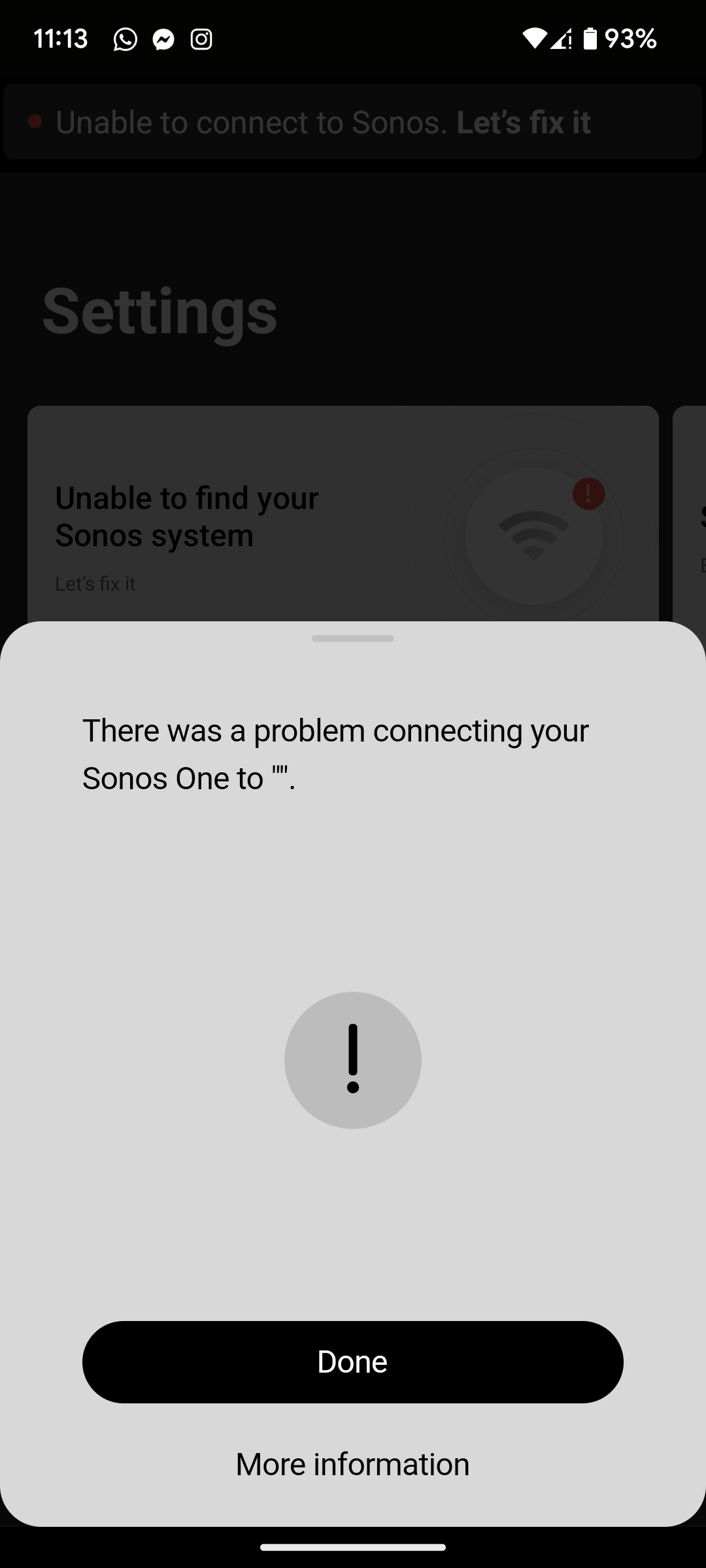
There was a problem connecting your Sonos One to ".

I've just moved house and have a new WiFi router so my network settings are different to the ones previously used on my Sonos One. I'm following the instructions on connecting my product to my new WiFi, it plays the audio chimes and I press the button when the light flashes white and green, but when it comes to putting my WiFi password in (it's definitely the correct password) it says There was a problem connecting your Sonos One to ". I'm assuming that my WiFi Network Name should be between those last quotes. The only other things I've been prompted to do to fix this is turn the product off and on, and do the same with my router, neither of which were successful.
 

This topic has been closed for further comments. You can use the search bar to find a similar topic, or create a new one by clicking Create Topic at the top of the page.
Airgetlam
AirgetlamAnswer
January 18, 2023

Wire that Sonos One directly to the router with an Ethernet cable, it should the show up in the controller. At that point, you can change the network information in the controller, it will be changed on the speaker, and you can then remove the Ethernet cable.

This is all assuming you didn’t factory reset the device, something you should never do unless instructed. 

Bruce

36 replies

Ken_Griffiths
December 4, 2024

I have the same issue. I recently changed my router and network provider. The new router is an Archer C64. I have two Sonos One Gen1 on my work desk. Both need to be factory reset to connect to a new network. However, both can’t connect to the WiFi. 

BUT, if I change to the old router there is no issue. I tried to change all the settings as recommended of the new router: 2.4 ghz, channel 11, Mode 802.11n only,… you name it. It won’t connect. 
 

So I am not really sure what the problem is, neither what the solution is. Any ideas? 
 

What network SSID do you see when you go into the network settings of the new Sonos App?

‘Settings (gear icon)/Manage/Network’

Lyricist I
February 20, 2025

So I’ve just been troubleshooting this issue on a second hand Sonos One speaker that I’ve picked up.

Initially, there was a tear in the cone, so I spent some time fixing that with some glue, and I’m quite impressed with out it all worked out.


But my wife wants this speaker in the kitchen where there is no network ports, so I had to figure it out.

I factory reset the device, as it was configured to someone elses account, and set up from scratch. It’s the only SONOS device that we own, so there’s no issues there.

After that, I ran into the same wifi problems as everyone else while trying to set it up.

In the end I just unplugged the ethernet port, then the Sonos app popped up telling me that there was a new speaker that I could connect to. Put in my 2.4ghz specific SSID details, and it connected right away.


I hope that helps someone in the future.

Contributor I
March 30, 2025

NOTHING should be this difficult to fix!  Two hours later, after trying every suggestion, still unable to connect to WiFi network.  Router resets, ethernet cables, various Sonos apps...all useless.  This is the second time this has happened after a power outage.  Time to find another wireless product I guess.  Sonos:  Publish a solution that doesn’t have multiple lame, “...if that doesn’t work, try….” steps.  One problem.  One solution or Fix.  Sonos One.

Contributor I
March 30, 2025

I’ve re-read everything Sonos has published about this problem.  I have tried everything.  Just when I think I have it figured it out, nothing.  Only way it’s working is via ethernet cable.  Not acceptable.

Contributor I
March 30, 2025

Screw it.


Lyricist I
May 26, 2025

I have the same issue with Sonos One and cannot add a WiFi network in the app. The update network widget in the app does not find the device and I cannot go any further. Need to use an ethernet cable directly to the router which is completely unacceptable. Basic concept of connecting a device to WiFi and Sonos can’t deliver it. Quite something tbh.