
Hi everyone,
I’m hoping someone has seen this before.
I have a fairly large Sonos system with multiple Era 300s, Subs, Arc Ultra, Era 100s, Fives, and a Roam.
One specific Era 300 is behaving very strangely:
- The speaker works perfectly when added to a brand-new Sonos household/system.
- When I add the same speaker to my main Sonos system, it does not identify properly.
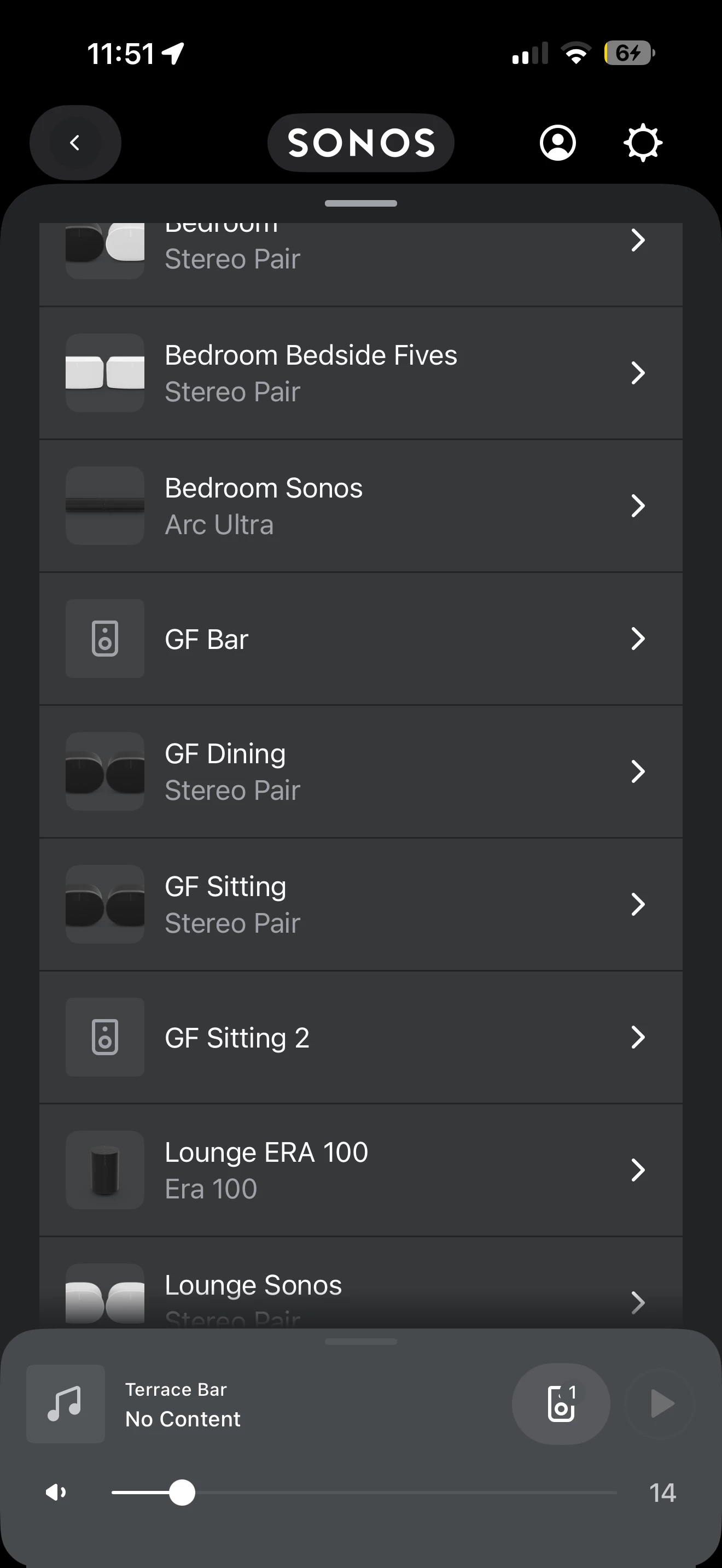
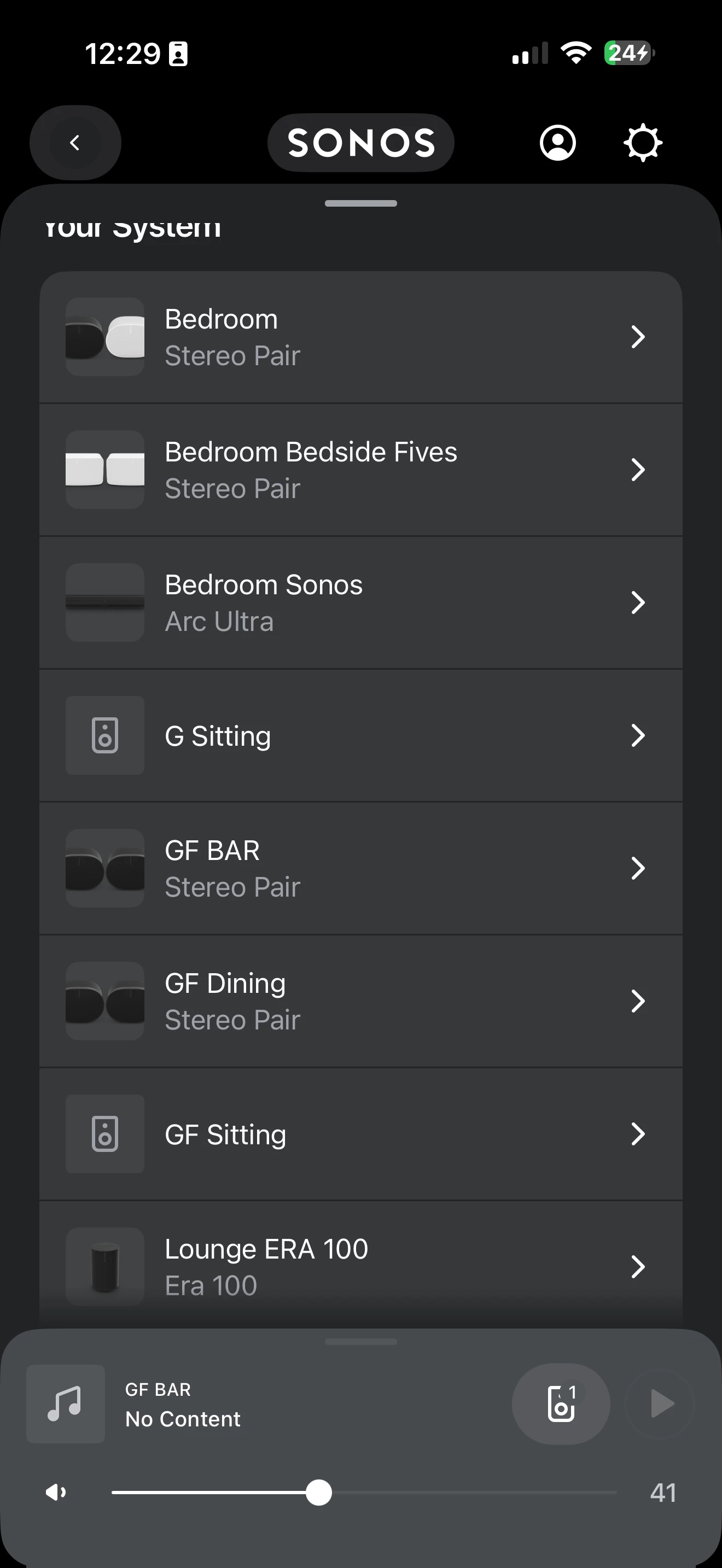
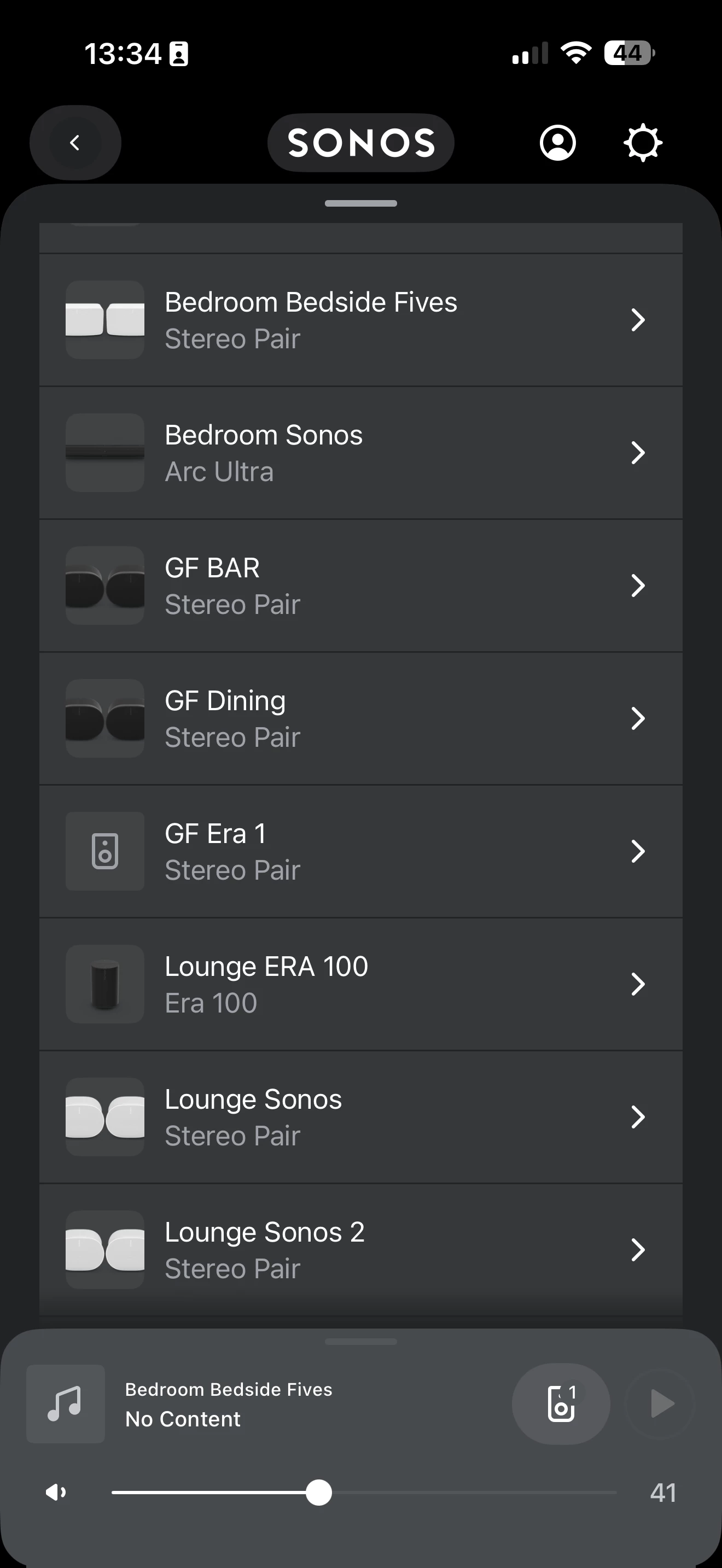
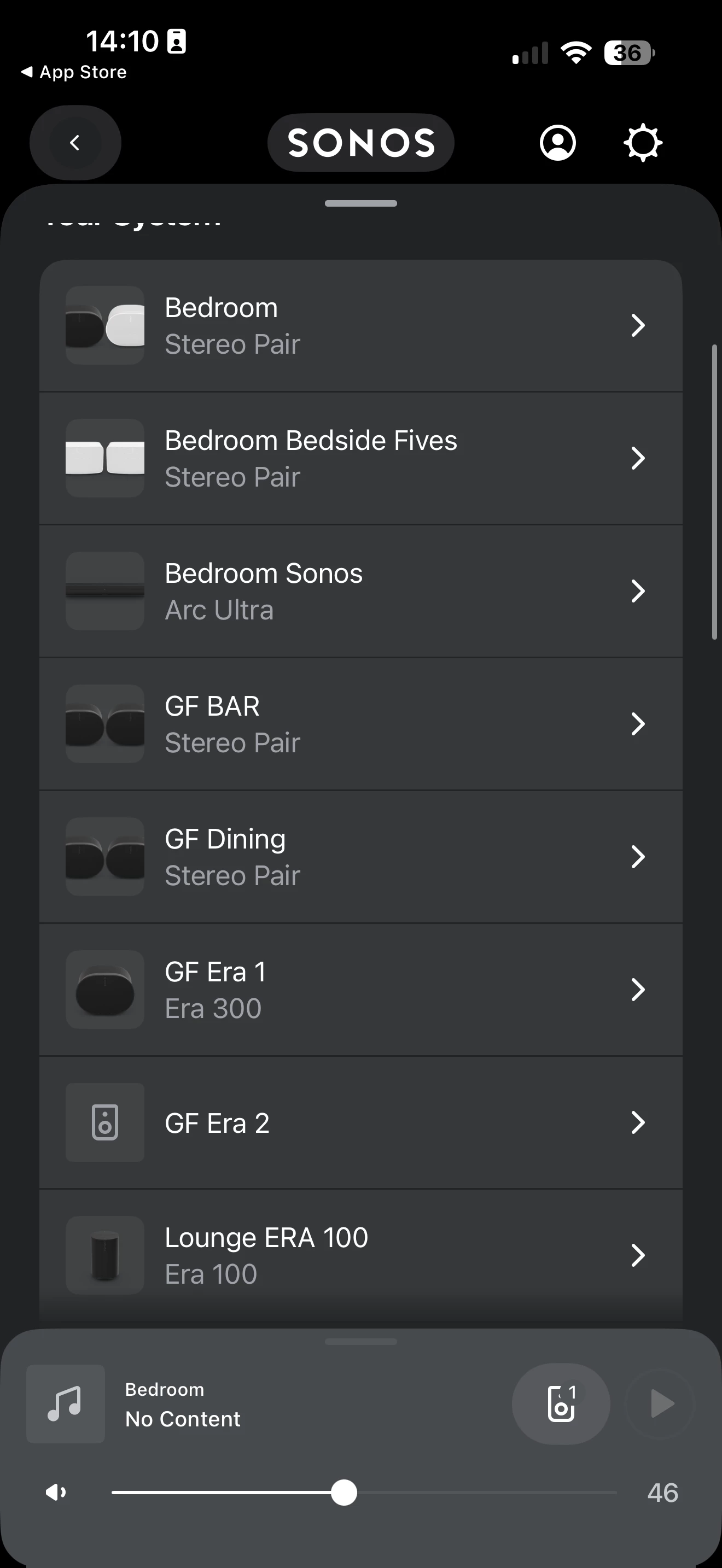
- Sometimes it shows the correct Era 300 image, sometimes it shows a generic/ghost speaker icon.
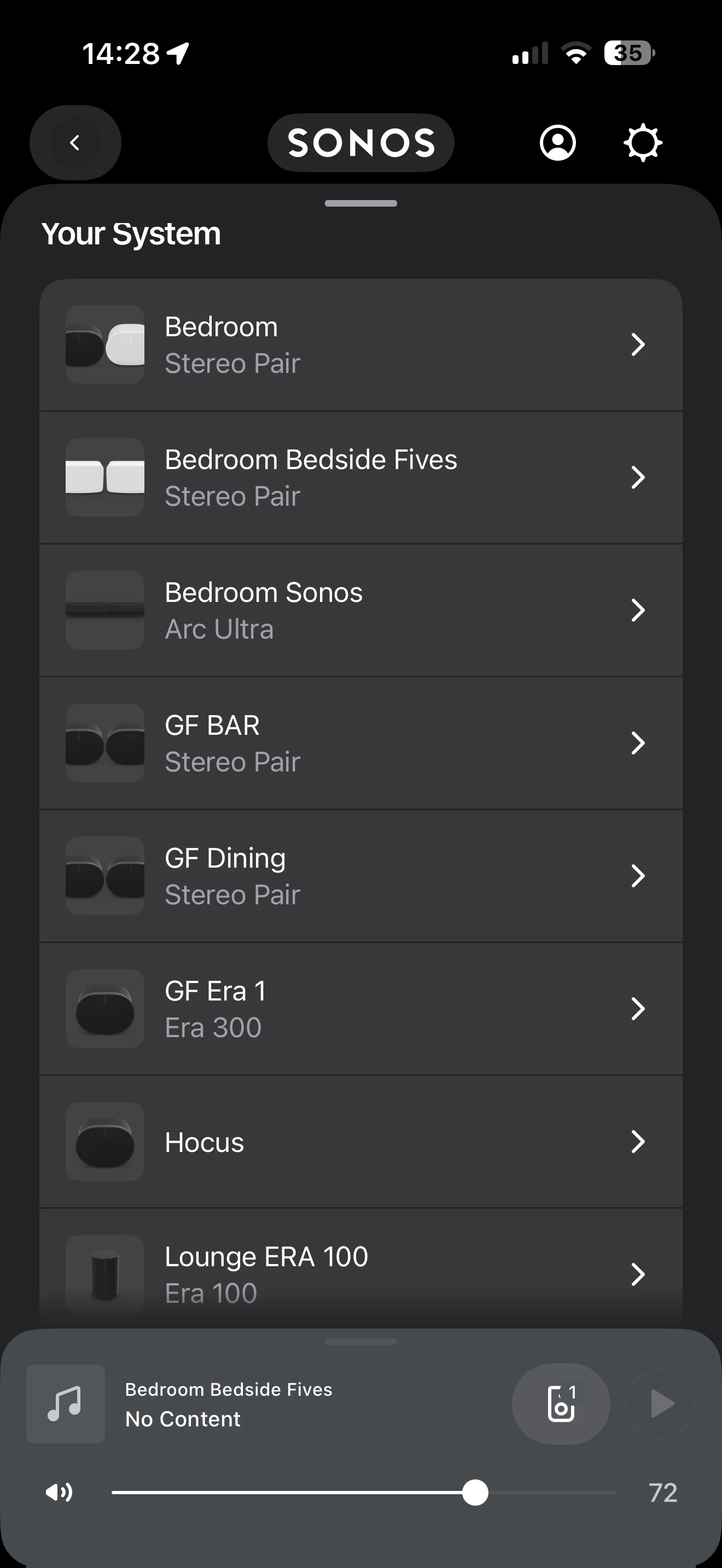
- At times the product type (“Era 300”) disappears and only the room name is shown.
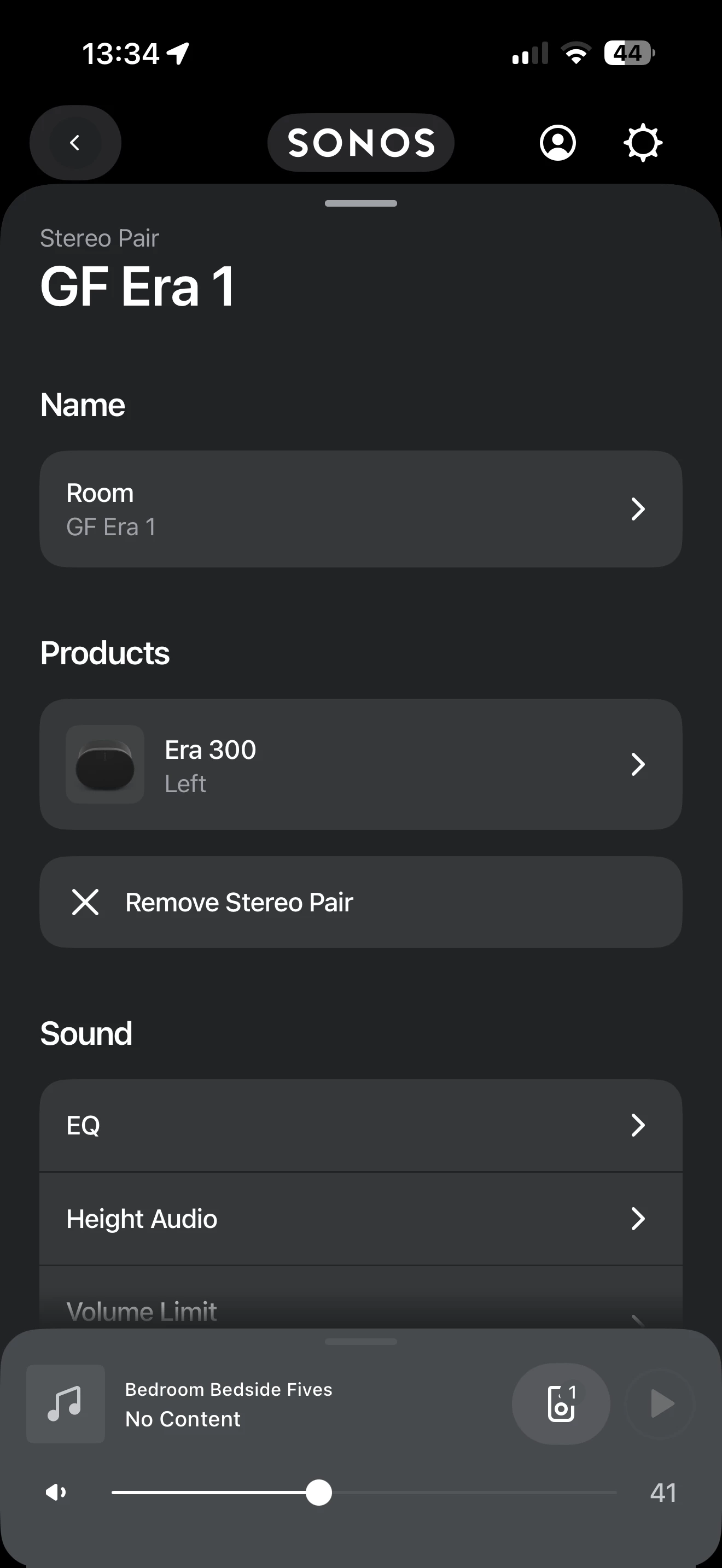
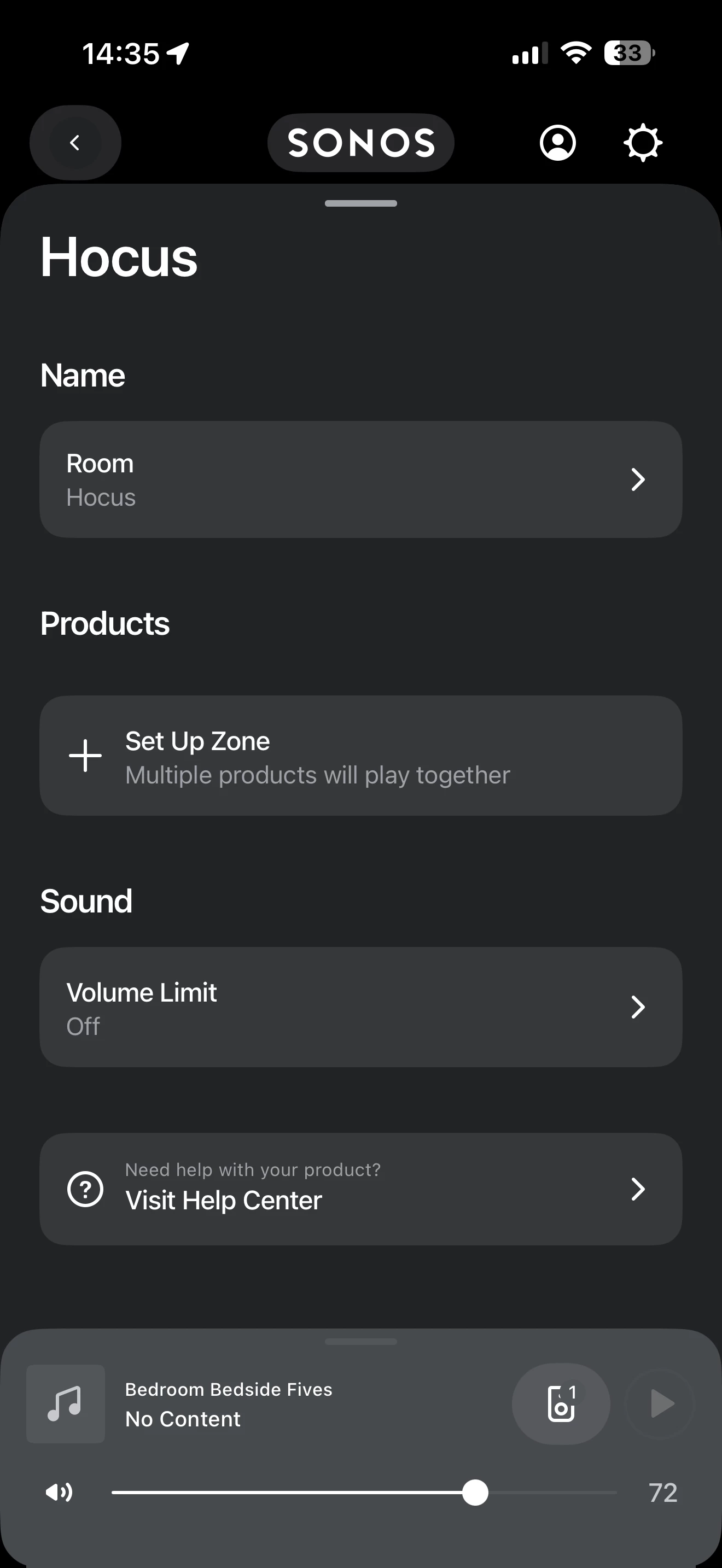
- When I open the speaker page, I don’t get the normal detailed product information/options that my other Era 300s show.
- Reinstalling the Sonos app did not help.
- Factory resetting and re-adding the speaker did not help.
- Renaming the room did not help.
- The issue only occurs in my main Sonos household.
What’s confusing is that the speaker itself appears to be healthy because it works normally in a separate Sonos system.
Has anyone experienced:
- An Era 300 showing as a generic speaker/ghost icon?
- Missing product information/options for a single speaker?
- A speaker that works in one Sonos household but not another?
Could this be a corrupted household record, firmware mismatch, or some kind of Sonos account/registration issue?
Any suggestions would be greatly appreciated.
Thanks!
I’d also attach the screenshots showing:
- The room appearing as a ghost/generic icon.
- The same speaker sometimes appearing as an Era 300 but without the “Era 300” label underneath.
Those screenshots will immediately help Sonos power users recognize what’s going on.

