Answered

Era 100 Line-In auto-disconnect and 10s "wake up" delay – started recently

  • February 12, 2026
  • 3 replies
  • 63 views

Hi everyone,

I’ve been using an Era 100 with a Line-In connection for a while now, but over the last two months, the behavior has changed significantly and it’s becoming quite frustrating.

The Issue: If there is no sound for a short period, the Era 100 seems to "disconnect" or go into a deep sleep mode. When I start playing music again, it takes about 10 seconds before any audio actually comes out of the speaker.

Why this is strange:

  1. This was not happening two months ago. It used to be near-instant or at least much faster.

  2. I am using the official Sonos Line-In adapter.

  3. Once it finally "wakes up," the audio is fine, but if I pause for a few seconds, the cycle repeats.


System Info:

  • Speaker: Era 100

  • Connection: Line-In (Official Adapter)

  • App Version: [Insert your app version here, e.g., 80.x]

Thanks for any help!

Best answer by chocobean

Solved: Era 100 Line-In Delay and Auto-Disconnect (Mac/Monitor Setup)


I’ve finally found the cause and the solution for the 5–10 second wake-up delay and the frequent auto-disconnections when using the Era 100 as a Mac speaker.

The Setup

  • Source: Mac (Apple Music, YouTube, etc.)

  • Connection: Mac → HDMI → Monitor → 3.5mm Audio Out → Sonos Line-In Adapter → Era 100.

The Problem

Whenever audio stopped playing, the Era 100 would automatically drop the Line-In connection. When I started playing audio again, there was a frustrating 5–10 second delay before the sound would kick in. I couldn't find a setting to disable this "auto-sleep" behavior.

The Solution

The issue was the output volume of the intermediary device (the monitor).

  • Old Setting: Monitor volume was at 50%.

  • The Fix: Set the Monitor volume to 100% and then use the Sonos app or Mac volume to provide the actual listening level.

Why this works

It appears the Sonos Line-In requires a certain signal strength to stay "active." At 50% volume from the monitor, the signal was too weak, triggering the speaker to go into idle mode. By maxing out the monitor's output, the Era 100 detects the signal instantly, reducing the wake-up time from 10 seconds to under 1 second.

Hopefully, this helps anyone else using a similar desktop setup!
 

While I’m glad I found a workaround, I shouldn’t have to "trick" my speakers into staying awake. Sonos should provide a setting that allows users to disable auto-disconnect entirely.


3 replies

Stanley_4
  • Grand Maestro
  • February 12, 2026

That is odd, capturing the issue with a diagnostic and CALLING Sonos support would be a good option.

I don't use the line-in here so I can't give good advice but it might be something causing wifi interference, maybe a neighbor if you haven't changed anything. 


AjTrek1
  • February 13, 2026

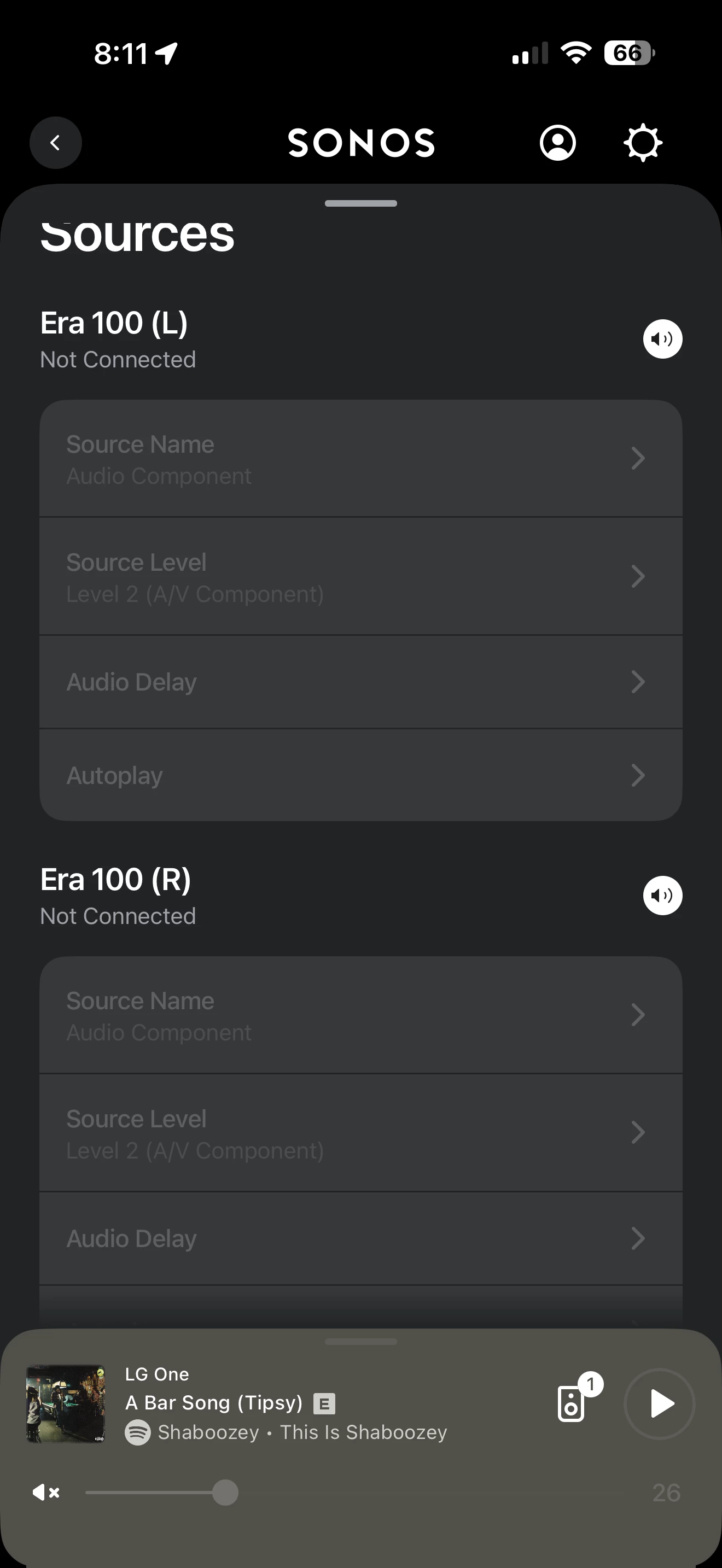
Audio Delay is normal for Sonos Line-in. You can reduce it but not eliminate it completely. Don’t ask me how...but changes may have inadvertently been made to the line-in audio delay settings.

Click here to learn more about Line-in Audio Delay and make adjustments.

Once in the room for the speaker you will see a page as shown below in the app. My page is grayed-out as I’m not using a line-in for the speakers shown.


  • Author
  • Contributor I
  • Answer
  • March 5, 2026

Solved: Era 100 Line-In Delay and Auto-Disconnect (Mac/Monitor Setup)


I’ve finally found the cause and the solution for the 5–10 second wake-up delay and the frequent auto-disconnections when using the Era 100 as a Mac speaker.

The Setup

  • Source: Mac (Apple Music, YouTube, etc.)

  • Connection: Mac → HDMI → Monitor → 3.5mm Audio Out → Sonos Line-In Adapter → Era 100.

The Problem

Whenever audio stopped playing, the Era 100 would automatically drop the Line-In connection. When I started playing audio again, there was a frustrating 5–10 second delay before the sound would kick in. I couldn't find a setting to disable this "auto-sleep" behavior.

The Solution

The issue was the output volume of the intermediary device (the monitor).

  • Old Setting: Monitor volume was at 50%.

  • The Fix: Set the Monitor volume to 100% and then use the Sonos app or Mac volume to provide the actual listening level.

Why this works

It appears the Sonos Line-In requires a certain signal strength to stay "active." At 50% volume from the monitor, the signal was too weak, triggering the speaker to go into idle mode. By maxing out the monitor's output, the Era 100 detects the signal instantly, reducing the wake-up time from 10 seconds to under 1 second.

Hopefully, this helps anyone else using a similar desktop setup!
 

While I’m glad I found a workaround, I shouldn’t have to "trick" my speakers into staying awake. Sonos should provide a setting that allows users to disable auto-disconnect entirely.