Answered

Sonos Voice Control with Local Libary and Plex through Sonos Playlist

  • June 6, 2026
  • 23 replies
  • 149 views

Hello everyone, My family currently using alexa to voice control our music that is hosted through plex on our local plex ubuntu server, though unfortunately we are loosing that feature in a couple days and I have been experimenting with sonos and SVC to try and find a alternate. 


I have done a bit of creeping and have seen many post referencing that you can convert your plex music or use your local library to make sonos playlist that then can be used to play music through SVC. I have had limited luck getting things working by following these forum posts and was wondering if something has changed? 


My system is set up with a shared drive over my network with Samba. I did have to open up my connection to SMB2 - 3 which was originally shared with just SMB3 for my plex server to get Sonos to link with my music library in the sonos app. Though I got it all up and running and everything works perfectly in the android app except voice control.


My problem is when I try and make sonos playlist to have SVC to play the music SVC can’t find the playlist and it either fails to do anything or auto plays sonos radio. 


My first attempt was to link my plex server in the sonos app and then que up my plex playlist into my sonos music queue and then batch convert my music que into a sonos playlist in the sonos android app. I named them “Bangers and Mash” “Party” and “Feather”. Only Party works with SVC after the 24 hours wait. I tried to rename Bangers and Mash to just Bangers Mix and Feather Mix and waited another 24 hours to no avail. The only playlist that SVC will play is “Party” 


After trying to trouble shoot this I ditched plex and took my shared music folder and plugged it in directly to sonos through the local music library option in the app. I had to open up SMB from SMB 3 to 3 max and 2 min and was able to successfully import my music library into sonos. I then made new sonos playlist using the local library music within my sonos app and waited 24 hours again. For these playlist I only added a couple songs per playlist, some with only 1 song to try to see if it works. After 24 hours none of these playlist work and would either fail or open sonos radio when prompted. 


I have tried to rename the playlist,

The wake word I have used has been “hey sonos play my X playlist” and “hey sonos play my playlist X”

I have tried updating everything and power cycling the router and speaker which is a beam 2,

I have turning on and off SVC, swapping the langue SVC uses  back and forth to reset SVC.


I have tried calling support two times and both times were very unhelpful with the phone techs not grasping what was going on or wrong. One even told me I just need to copy all my music to my windows desktop to have it “download” my music to the app which would then host my local music for me. When I told her I don’t want to have to keep my other computer on all the time to host my music she doubled down and said I wouldn’t have to and that the sonos app will host my music for me. She also told me the reason my other playlist were not working was because of copy righted music in the playlist even though all the songs in the failed playlist were also in my largest playlist “party” which was working. None of these interactions have instilled much confidence with support for me.


So here I am, hopefully I can get this working, any help would be greatly appropriated. I would love to replace all the alexas in my house with sonos 100s if I can get this up and running but on if it works lol.


Best answer by ajr88

Well I figured it out ​@MoPac. I’ll leave the steps that worked for me as of 6/11/2026 to get sonos playlist to work with voice control with local media.


Step one: make a sonos playlists in the app (I used the android app) from either plex or your local sonos library. You can batch convert playlist into sonos playlist by adding your plex playlist to the now playing queue in sonos and then converting your now playing into a playlist. The option to directly convert the plex playlist to sonos is currently broken for me.


Step two: wait 24 to 48 hours 


Step three: factory restore your sonos speaker that will be using voice control and reinstall it back into your system in the app. You can find how to factory restore your specific speaker on sonos support site.


Step four: enable voice control on the newly reset speaker.


And there you go, all of the playlist you made should be available through “hey sonos”. Without the factory restore none of my speakers were refreshing after the 24 hours to find the playlist. Hopefully this is fixed in the future.

23 replies

MoPac
Forum|alt.badge.img+19
  • Headliner III
  • June 6, 2026

Tried it here.  Seems like SVC cannot find Sonos Playlists, nor can it find my M3U playlists from my local library.  For this test I chose playlists with unique names.  Each time SVC said “Can’t find that content”.

It would be cool if you could make your local library the preferred service in the same way you now make one of your streaming services the preferred service.  Of course your local library isn’t a service.  But…..


  • June 6, 2026

I don’t use SVC, but after reviewing all the support articles I could find, I don’t see any indication it will work with a local music library (or plex). Only with the specific services listed. I could be wrong about that. Are you able to tell it to play a song or album from your local music library and it works?

Content services that work with Sonos Voice Control


MoPac
Forum|alt.badge.img+19
  • Headliner III
  • June 6, 2026

I don’t use SVC, but after reviewing all the support articles I could find, I don’t see any indication it will work with a local music library (or plex). Only with the specific services listed. I could be wrong about that. Are you able to tell it to play a song or album from your local music library and it works?

Content services that work with Sonos Voice Control

Not at this point.  SVC for a local library is a wish.  It was, a while back, when I tried using an Echo speaker to control a Sonos speaker with Alexa Voice, but Alexa can’t see my library either.  Actually wanted lights to be included in the Alexa group, but that seems to only work with lights+Echo(s) in a Routine.


  • June 6, 2026

I just found this: Voice Control - Play a playlist that is music from my personal library from 1 year ago. So apparently it worked at some point, but only by using a Sonos playlist. Try marking the playlist as a favorite, waiting 24 hours and try again?


MoPac
Forum|alt.badge.img+19
  • Headliner III
  • June 6, 2026

Thanks.  I’ll give that a try.


  • June 6, 2026

@ajr88, in case you didn’t see that, try marking the sonos playlists as favorites in the sonos app and then waiting the 24 hours. Let us know if that works.


  • Author
  • Contributor I
  • June 6, 2026

That is unfortunately what I have been trouble shooting and been trying to do to no luck.

I never expected svc to work whole sale but there are quite a few post that referenced it working with sonos playlist after a 24 hour caching window. I know my initial post is long and I understand the skim lol but this method is what I have been trying to do. 

I have made many playlists through the Sonos app while testing and only had one work.  All the others could not be found after the 24 hour period. Unfortunately I think it might be just a buggy part of the ecosystem. Hopefully either of you have better luck. 


MoPac
Forum|alt.badge.img+19
  • Headliner III
  • June 7, 2026

@ajr88, in case you didn’t see that, try marking the sonos playlists as favorites in the sonos app and then waiting the 24 hours. Let us know if that works.

Well my Sonos Playlists are already in Favorites.  I did however Favorite one of my local library M3U playlists.  I’ll check in 24 hours or so.  It has an odd name so maybe SVC won’t confuse it with some other playlist in a service.


  • June 7, 2026

I wasn’t sure, reading your initial post, if you had put the playlists in your Favorites first and then waited the 24 hours. That seems to be the key to getting it to work. At least according to the message thread in my link. It could be that it doesn’t work anymore. It wouldn’t be the first thing that was working and now no longer is.


MoPac
Forum|alt.badge.img+19
  • Headliner III
  • June 7, 2026

I was able this morning to ask SVC to play one of my Sonos playlists.  It finally worked.  I think I needed to enunciate clearly to get this to work.

A playlist from my local library that I put in Favorites did not work this morning.  Of course it has not been 24 hours yet.  I’ll try later.  The name of the playlist was nothing close in name to what SVC ended up playing.


  • Author
  • Contributor I
  • June 7, 2026

For sure, all of the playlist I created in the Sonos app auto added to favorites in the app. I don't think you can make a sonos playlist that isn't auto added to favorites in the android app in the current build I'm using. I only see the ability to toggle favorites for songs, albums and artists, though I might be missing something. 


That's great one showed up for you too. Let me know if your other playlist go online for svc too. I only had one of the playlist from my first batch worked for me too and then no others came online regardless of what I tried or how long I waited. Hopefully you have better luck then me lol. 


MoPac
Forum|alt.badge.img+19
  • Headliner III
  • June 7, 2026

I’m guessing my Sonos Playlists may need to be changed to unusual names.  If I tell SVC to play Jazz it will probably grab Jazz from my preferred service. 


  • Author
  • Contributor I
  • June 7, 2026

Yep I would try Jazz mix or something, what was the name of your playlist that worked? Surprisingly my only one that worked was the most simple and generic "party". 


I'm interested to see if there is some weird limit to one playlist or if you can get more than one working. 


  • Author
  • Contributor I
  • Answer
  • June 11, 2026

Well I figured it out ​@MoPac. I’ll leave the steps that worked for me as of 6/11/2026 to get sonos playlist to work with voice control with local media.


Step one: make a sonos playlists in the app (I used the android app) from either plex or your local sonos library. You can batch convert playlist into sonos playlist by adding your plex playlist to the now playing queue in sonos and then converting your now playing into a playlist. The option to directly convert the plex playlist to sonos is currently broken for me.


Step two: wait 24 to 48 hours 


Step three: factory restore your sonos speaker that will be using voice control and reinstall it back into your system in the app. You can find how to factory restore your specific speaker on sonos support site.


Step four: enable voice control on the newly reset speaker.


And there you go, all of the playlist you made should be available through “hey sonos”. Without the factory restore none of my speakers were refreshing after the 24 hours to find the playlist. Hopefully this is fixed in the future.


jgatie
  • June 11, 2026

To anyone reading this thread - Factory resetting a Sonos device is never a good idea unless recommended by Sonos support (and even then, I’d caution it unless your device is frozen in an update) or getting rid of the unit.

A factory reset does nothing beneficial that a reboot will not do, and it wipes out important system and diagnostic data that can help troubleshoot a problem.  On top of that, if you follow silly recommendations by the internet “experts” and reset your whole system, all system information is wiped out, including Sonos playlists, service logins, room names, Group presets, etc.  All of which are a pain to recreate, for no beneficial results.  

To ​@ajr88, it is highly unlikely that the factory reset is the secret to activating this feature.  More than likely a simple reboot (which takes place during the reset) would have accomplished the same thing. 


MoPac
Forum|alt.badge.img+19
  • Headliner III
  • June 11, 2026

Yep I would try Jazz mix or something, what was the name of your playlist that worked? Surprisingly my only one that worked was the most simple and generic "party". 


I'm interested to see if there is some weird limit to one playlist or if you can get more than one working. 

It is Atmos Classical 7.  It’s seven Atmos Orchestral tracks that I consider the best I’ve hear so far.  The one from my local library that I made a favorite is Gals.  It’s collection of female composer compositions.  That name is to generic so if I really wanted SVC to work for local library playlists I would have to change the name of the M3U playlist Gals in my library folder.  Not sure I want to go through that process when normally I would listen to that on my other stereo system.

For music during dinner I created a playlist in Spotify called Jazz.  The problem with that was when I said Hey Sonos. Play Jazz it would not necessarily play the Spotify Jazz playlist even though Spotify was set as the preferred service.  So I renamed the playlist Jazz Richard.  That works great.


  • Author
  • Contributor I
  • June 12, 2026

@jgatie  What a weirdly condescending response. At no point did I claim to be an "expert", though throughout the past couple days I have done extensive testing, including resetting the speaker, uninstalling svc and reinstalling it and much more to try and get this up and running for my family. The factory reset was the last resort and only thing to work for me personally. I do hope that they continue to update and fix this bug in the app though at this time this is the only thing that got svc up and running for local Sonos playlist for me.

It also did not wipe my system, account, playlist or login information as you described. You just need to do it to the speaker/s you want to use svc on, so I'm not sure you are thinking of the same process. What I'm talking about is taking a singular  bugged speaker out of your system  (by holding the Bluetooth or link button when powering it on ) that would control svc and then add it back in to your system through the app. It took maybe 5 minutes and was no where near as catastrophic as you described. 


I called support two times through this process and received no help and very outlandish information that just isn't correct. One employee told me to copy my full music library off my server to my personal computer so the app can "download" the songs to the sonos app. When I told her I didn't want to have my second computer hosting a duplicate copy of my local music when I have a server for that she doubled down and insisted the songs "download" (upload) to the app and afterwards I will not have to have my computer on to listen to my local music because Sonos will host my music for me online. One other reason I was giving svc didn't work for all my playlist was because the music I have is copyrighted so it's being blocked. Even though I pointed out the only playlist that worked with svc had all the songs in the failed playlist as well as everything worked as intended when controlled through the app. So I wouldn't have much faith in sonos support after my two support experiences or take much stock in blowing away support file personally. 


To anyone looking to get this working, do your own tests, make your own decisions, I'm not an expert or tech support. I'm simply relaying what finally ended up worked for me.  Hopefully this will be a moot topic in the future as they continue to fix bugs in the Sonos app. 


  • Author
  • Contributor I
  • June 12, 2026

@MoPac Nice, that sounds pretty awesome, I'll have to search around my local library too and see if they have them as well, sounds cool. Thanks for sharing. 


jgatie
  • June 12, 2026

No, what you describe is a reset.  A reset just isn’t necessary, and although you didn’t wipe out your entire system (because you only reset one component, something I noted in my post), you did wipe out any diagnostic information on that one unit, which could’ve been used by Sonos to fix the problem.  

Anyway, I stand by my advice . . . a factory reset isn’t something one should be doing, nor advising.  It may have worked for you, but the people who’ve been giving advice around here for decades know that correlation is not causation, and a reboot is all that is necessary for 99.999% of the time a factory reset is found to be a “fix”. 


melvimbe
  • June 12, 2026

No, what you describe is a reset.  A reset just isn’t necessary, and although you didn’t wipe out your entire system (because you only reset one component, something I noted in my post), you did wipe out any diagnostic information on that one unit, which could’ve been used by Sonos to fix the problem.  

Anyway, I stand by my advice . . . a factory reset isn’t something one should be doing, nor advising.  It may have worked for you, but the people who’ve been giving advice around here for decades know that correlation is not causation, and a reboot is all that is necessary for 99.999% of the time a factory reset is found to be a “fix”. 


I would hazard a guess that step 2 and 3 of the process could be replaced with just removing the SVC install from the specific speaker.  Something in step 4 seems to be looking at playlists for context of determining how SVC should be setup/optimized.  Of course, there should be a way to do this without uninstall and reinstall, so perhaps there is a bug with Sonos or some sort of network configuration that was blocking Sonos from updating after the playlist was created.  A diagnostic might have been helpful.

@ajr88 if you’re so inclined, it might be interesting to test that out.  Create a dummy playlist and see if it works with SVC on your specific speaker.  If it does not, then uninstall SVC, reinstall, and test again.  I would consider the test myself, but I’m not inclined...I’m lazy. (I don’t use a local library either)


MoPac
Forum|alt.badge.img+19
  • Headliner III
  • June 12, 2026

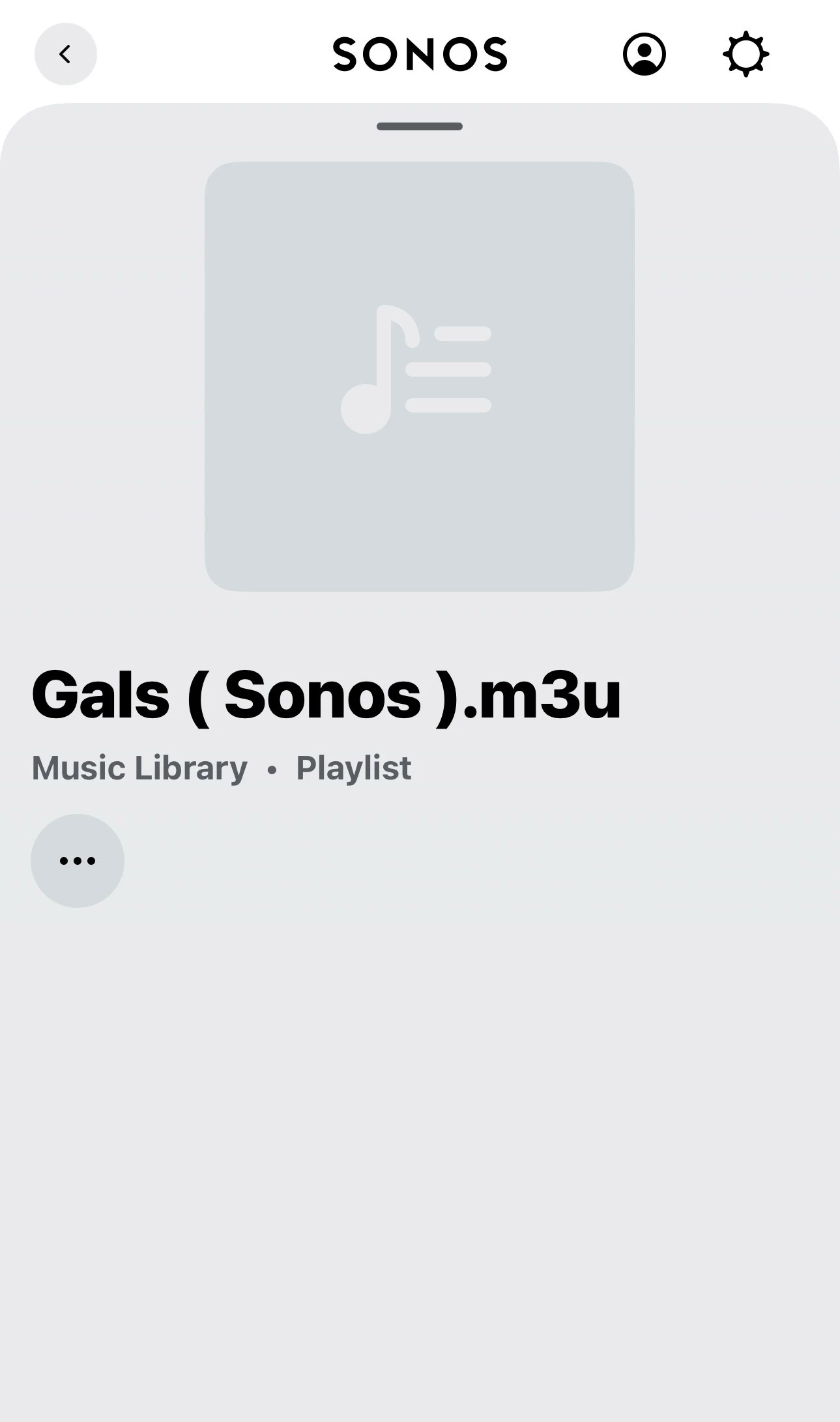
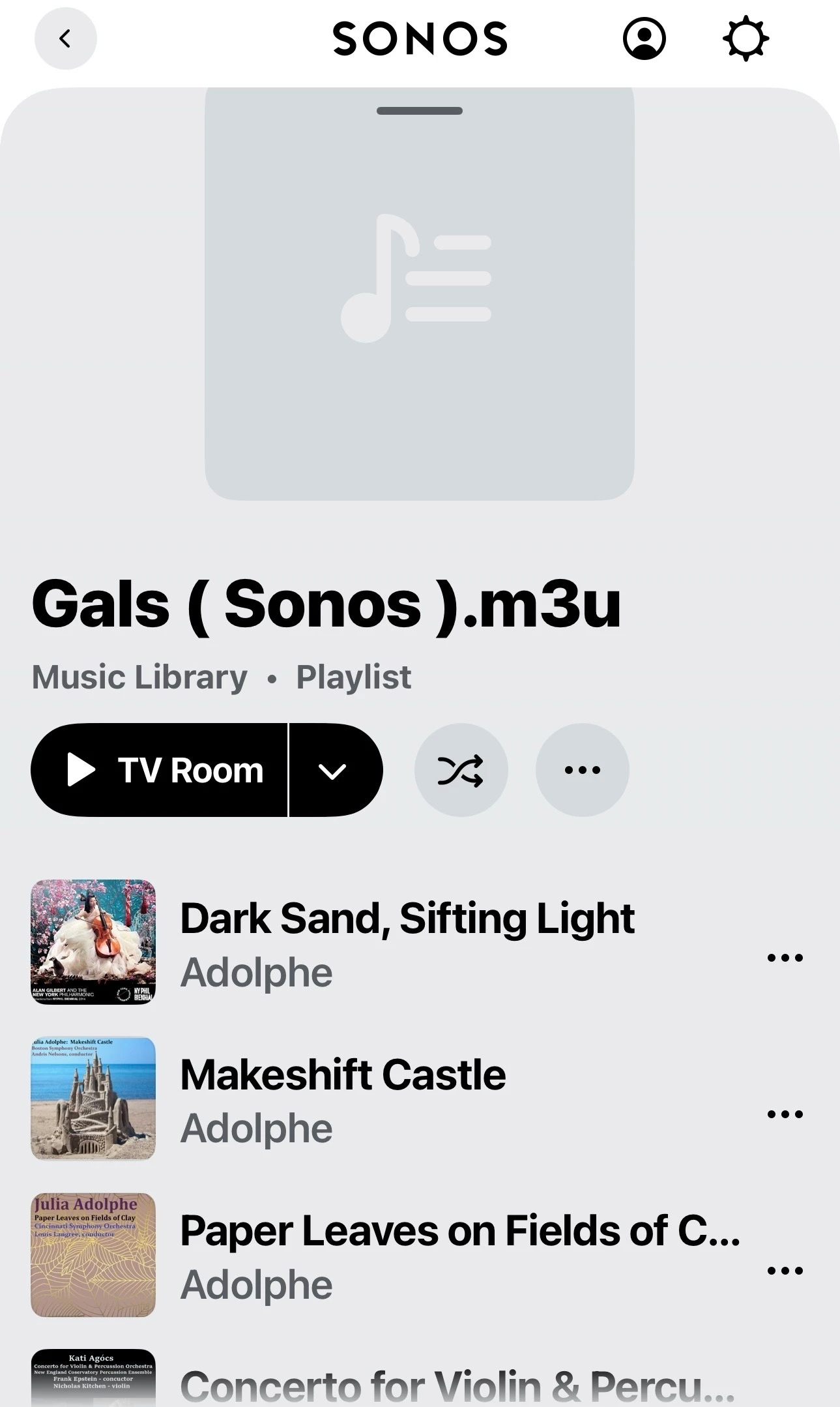
So the M3U playlist from my local library Gals ( Sonos ) that I added to Favorites would not play.  I neglected to open that playlist because my test was to see if SVC would play Gals ( Sonos ) when asked to do so.  I just opened Gals… in the Sonos Favorites list a saw there is no content.  Guess that’s why it won’t play!!


  • Author
  • Contributor I
  • June 12, 2026

@jgatie I understand your concerns about blowing away the diagnostic, though I only factory restored after calling support and had two pretty poor one hour plus calls that got nowhere with support, which at the time had access to the diagnostics.  They came up with some pretty outlandish conclusions too so of which I have started before. I also messed with it on my own for around a week before finally trying to reformat. 


@melvimbe For sure, these are some things I tried while trying to get this up and running. I creating the Sonos playlists and then tried:

-power cycling the speaker

-Power cycling the speaker after 24 

-Changing the svc language from English to French and back to reset it

-Removing and reinstalling svc 

-Removing and reinstalling svc after 24 hours

-Renaming  Playlist in case it was name recognition failing

-opening up my smb from 3 to 2-3 for my shared music hard drive. 

And probably some other test I can't remember off the top of my head. All and all it was about a week of trial and error. 

At this point i gave up on getting svc to work. I went out and picked up a two pack of sonos 100s from Costco because they were on sale and I was planning on swapping them out for where we used to have echos. 

To my surprise all the playlist registered and worked on the newly bought  and installed speakers. I then tried my old speaker again and it still didn't work with svc. That's when I had the idea to wipe and reinstall my old speaker, which after the wipe and reinstall worked perfectly with svc. 


I would recommend people start small and work up from there but for some reason with my personal experience and setup the reformat was the only think to fix the problem for me. 


MoPac
Forum|alt.badge.img+19
  • Headliner III
  • June 12, 2026

Pardon my major brain fart.  The Gals ( Sonos ) playlist in Favorites that showed no tracks, as shown in my above reply screenshot, was because the NAS was powered down due to a storm forecast that, of course, never came to fruition.

I will change that playlist name and try to see if SVC will play it.