

Shaun O
Sonos Staff
April 14, 2026
News

📲 New Sonos App & Player Updates Now Available! 🔊
Related content:SoftwareSonos
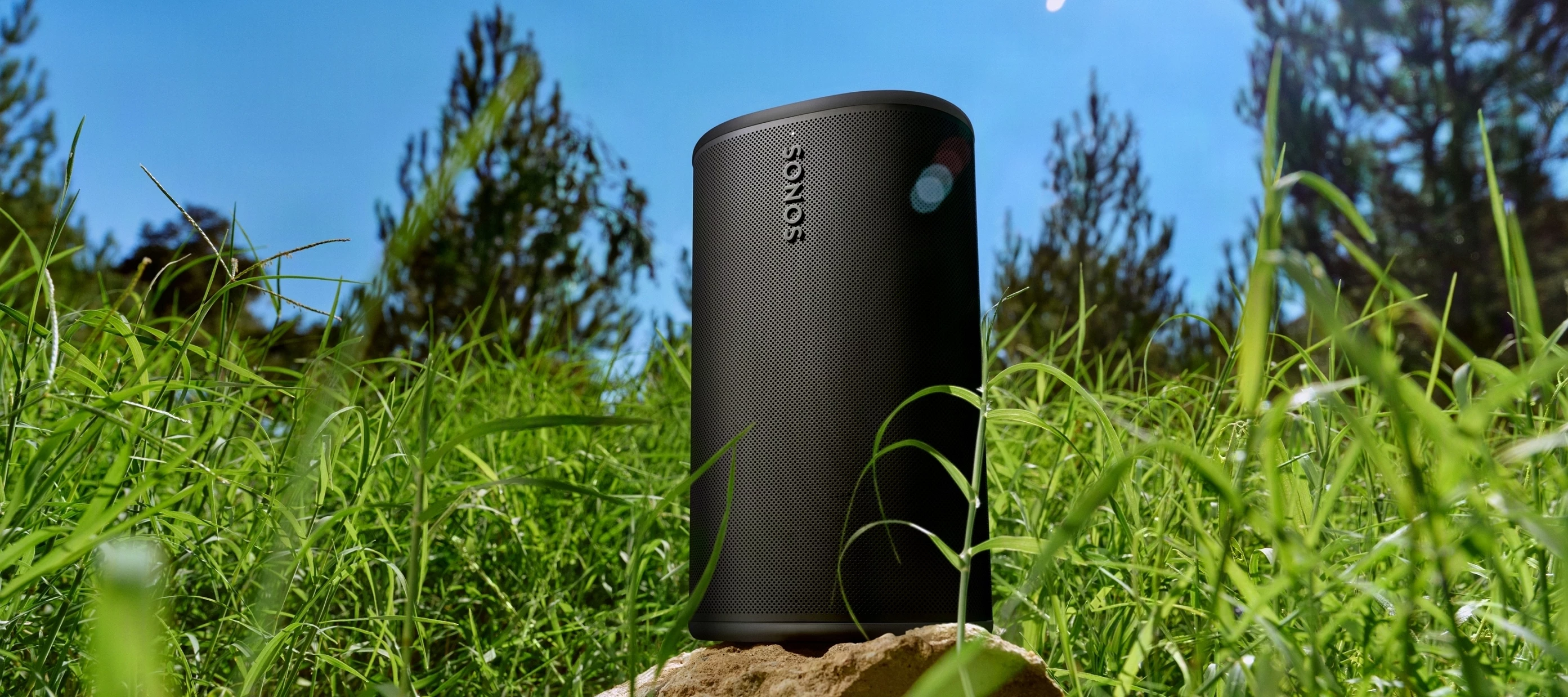
Sonos touches grass

Howdy folks!

This morning, the team is deploying an update to both the Sonos app and player firmware. This release brings some podcast control improvements and a handful of usability improvements.

As a reminder, this will be a phased rollout. You may see the update ready in your app store now, or it may become available to you over the next few days.


Update Details

App version:

  • iOS - 84.00.34
  • Android - 84.00.32


Player version:

  • Player: 94.1-76070

App Updates

In addition to the typical bug fixes and performance improvements this update includes:


  • Added controls to jump ahead and back for long-form audio, starting with Spotify, Pocket Casts, and SiriusXM.
  • Improved visibility and badging for in-app messages.


  • On Android, quickly access EQ controls for Ace with the new EQ Shortcut. Enable this in App Preferences.
  • Improved visibility and badging for in-app messages on Android.


  • Starting with version 84, the Sonos app will start requiring a minimum system software version to ensure your system is running at its best.
  • For iOS 17 and iPadOS 17 users: The Sonos app will now operate in an unsupported mode. It will no longer receive updates and will be limited to music playback controls. To access all system configuration options, update to iOS 18 or higher.


Release Notes & Support

You can find our full archive of release notes for previous updates here:

Questions or feedback? Leave a comment below and let us know! We appreciate your input as we continue to improve the Sonos experience together.

    This topic has been closed for further comments. You can use the search bar to find a similar topic, or create a new one by clicking Create Topic at the top of the page.

    30 replies

    Lyricist II
    April 20, 2026

    OK.  This is crazy.  Follow up to my post of 3 days ago.  I did work with Sonos support only to have it explained to me that it was my network that was at fault.  I talked with support for my ISP and they said everything was fine.  Sonos support had suggested that the problem was with a secondary router used for my alarm system where in theory the speakers were trying to connect to that device and not my primary router.  How could it?  The secondary router is wired with no WiFi involved!  Curious … the only objects messing up on my network right now are Sonos products.  Everything else is fine and working well.

    Since this undertaking with both Sonos support and my ISP, I am now starting have problems with my home theater that consists of Arc Ultra, a sub, and two ERA 100s as rear speakers.  This system has an Ethernet connection to my router.  It is having problems working with my Sony Bravia 8 TV … to which I think I’ve learned that the Sonos system is having CEC issues with other devices occupying other HDMI ports on the television.  I have it working now to where all other HDMI devices are not connected to my TV and the only connection is the Sonos system.  Hoping for the best … but had to reset the TV and system at least four times in the past 24 hours to get it to where it is now.  Let’s see if this is still working in the morning.  However, having to leave my other HDMI devices disconnected from the TV is unacceptable to accommodate Sonos.

    My remaining Sonos speakers have similar horror stories.  First, I have a Move 2 that sometimes is connected to the system and most times not.  Whenever I use the app to feed content to it, it keeps giving the error code “connection has timed out.”  I did do a hard reset on the speaker earlier today; only to have that last about 5 hours until it now gives me consistently gives me the “connection timed out” note.  Of note, a Bluetooth connection to my phone or iPad does work to the speaker.  But if I have to rely upon that, then what good is the app [that drew me to Sonos in the first place]?

    My second remaining system is a stereo pair of ERA 100s.  My initial problem was one speaker (the one for the left channel) worked and the other did not.  The one that did not give any music was showing up in the app and registering as a stereo pair.  Well, did hard resets on both speakers and brought them back into the system.  Worked, like the Move 2, for about 5 or 6 hours to where now . . . the problem is reversed.  Left does not work and right now does (and no, I did not change the location of the speakers).  So this is messed up again.  I do not expect to have to daily hard resets on these speakers to get them to work.

    I have been a Sonos customer since April last year.  I did change ISP from a cable modem to a fiber provider in February this year.  However, the Sonos system worked just fine with no issues whatsoever until the release of 84.00.34.  At the same time there was an iOS update to 26.4.1 that I have learned had no network connection updates.  I’m not certain who’s to blame here, but when everything else on my network and within my Mac and iOS operating systems is doing fine, it is easy to think that this Sonos update has to of had some fault.  Up until this release, I was recommending this system to anyone that would listen.  Now I am eating those words.

    Right now, I am ready to take the $3,000 loss and chuck this system.  I sincerely hope that the Sonos CEO reads this post and understands that these updates are making way too many changes with appears to be little testing to where it is directly effecting their customers.  If I could go back to an earlier release of the app, then I would because when the system works it does give great sound and connectivity to several terrific services (Apple Music and SiriusXM).

    Disgruntled in Arizona.  Guess I’ll talk with Sonos support one more time tomorrow; but I do not want to hear that it’s my network this time.


    Airgetlam
    April 20, 2026

    Double NAT or double IP address allocation? In general, two different routers present a lot of potential issues, you may want to try just one.

    I hope when you switched from cable to fiber you rebooted everything. And if you’re rebooting anything, you should be unplugging your Sonos first, then rebooting your router(s), waiting two minutes, then plugging back in (or powering back on the battery powered) speakers. 

    If you’re unhappy with level 1 support, I suspect you can get bumped to level 2. 

    Unfortunately, we in the public can’t see data in the diagnostics, so Sonos is likely seeing something we can’t. 

    I doubt the CEO reads this forum, although your comments may be forwarded to them in a report. 

    Bruce
    Stanley_4
    Grand Maestro
    April 20, 2026

    Support seems to be determined to upset people and make solving issues more difficult when they say "it is your network" it almost always isn't just your network! You can see all your other devices using your network with no issues, only your Sonos failing.

    What it almost always is, at initial setup, a conflict with your network settings and Sonos, which should be the primary suspect.

    Next most common  seems to be addressing issues. Much discussion of possibilities for the cause but no hard data, just speculation and frustration from folks failing to find the cause. The good news is you don't need the cause, just the fix, which we have and is easy to accomplish.

    Incompatible hardware, listed under Support here, is a possibility if Sonos has never worked right.

    The Factory Reset solution isn't a solution, it rarely fixes anything, maybe puts it off for a couple days and destroys important internal data Sonos could use.  Aside from when explicitly called for it should be avoided.


    Giving the addressing issue a shot only takes a few minutes and once done, is done until you add another Sonos or change routers. All steps are essential, skipping one defeats the process.

    • Go to the router's DHCP Settings page and set up addresses for all Sonos.
    • Power down all Sonos.
    • Reboot router and controller.
    • Power up all Sonos.
    Lyricist II
    April 23, 2026

    Update from 3 days ago.  Looked at the advice from Airgetlam and Stanley_4, as well as some posts from Reddit, and developed a solution that seems to be working.  Created a second 2.4GHz only network on my router for Sonos devices only.  This network does have a different name from my primary network … meaning if access is needed to the Sonos App, the WiFi has to be switched on either iPhone or iPad.  But this is a small price to have my Sonos system back again.  All devices have been working for the past 48 hours and everything sounds like it did prior to the mess up with the app update and the iOS update [have learned there is some problems with 26.4.1 and 5Ghz].

    My only conclusion is that there must be some 5Ghz interference in my neighborhood that was messing with my wireless speakers.  This solution, creating a second network, seems to be working best for me.

    Also, took steps to curb the CEC interference.  As the primary conflict seemed to be from my AppleTV puck, I simply shut its CEC off in the tvOS settings.  Have to use both remotes, now … little annoying … but again a small price to keep the system operational.

    Holding my breath for future updates … but it is good to have my system back.  Throughout this process I have learned what resets, hard resets, and simply unplugging the system means!  Thanks Airgetlam and Stanley_4 for your encouragement.

    By the way - if Sonos wants to make the 6g band WiFi band available through software updates with the speakers, then go for it!  My router is ready for that!

    Airgetlam
    April 23, 2026

    Not sure they have the electronics to receive the 6Ghz signal in all speakers…

    Bruce
    Lyricist I
    April 27, 2026

    ​@Robhazco I can only second your experience. Past 3 Firmware version broke my Sonos Setup in many ways. Grouping is not always working, I have intermittent playback outages, the devices seem to crash or just loos their connection to the WiFi. It’s been a mess and it way introduced by the firmware. I disabled automatic firmware upgrades and made the mistake to manually upgrade them. In the past this worked without issue but this time I was unlucky and hit some really bad firmware issues. Since about easter my system is only working after I manually unplugged all speakers, then plugged them back in one after an other. The system then works reliably for some time and after some hours or days it if messed up again and I’m back to restarting all speakers.

    Sonos was once known for high quality and great user experience but since they made some greedy decisions and made everything dependent on cloud it’s slow and broken all the time. This is very disappointing!

    Moderator Note: Modified in accordance with the Community Code of Conduct.

    106rallye
    April 27, 2026

    Strangely I haven’t noticed any change in behaviour on my system. Could you elaborate on your set up? Are you mixing older and newer speakers? What’s your WiFi set up like?

    Lyricist I
    April 27, 2026

    I have Sonos One SL, Roam SL and Ikea Symfonisk speakers all connected over WiFi from my ISP router (a premium one, I use since years without issues with the same Sonos setup). Issues started after the FW upgrade (1-2 versions back from the current). To me it looked initially like some process in the speaker crashes. Grouping failed to sync between the speakers. Playback dropped out on speakers (individually, not synchronous). Playback failed completely. Management through the app timed-out or failed. Playback using Spotify was not working or failed after about 1-2 songs. Groups lost individual speakers and fell apart completely.
    The whole setup is all in a small apartment with 2.4 + 5 GHz WiFi. This has been the same since years.

    Lyricist III
    April 27, 2026

    I have Sonos One SL, Roam SL and Ikea Symfonisk speakers all connected over WiFi from my ISP router (a premium one, I use since years without issues with the same Sonos setup). Issues started after the FW upgrade (1-2 versions back from the current). To me it looked initially like some process in the speaker crashes. Grouping failed to sync between the speakers. Playback dropped out on speakers (individually, not synchronous). Playback failed completely. Management through the app timed-out or failed. Playback using Spotify was not working or failed after about 1-2 songs. Groups lost individual speakers and fell apart completely.
    The whole setup is all in a small apartment with 2.4 + 5 GHz WiFi. This has been the same since years.


    this might be the symfonisk connectivity issue being reported by some owners.

    Smilja
    April 27, 2026

    I have Sonos One SL, Roam SL and Ikea Symfonisk speakers all connected over WiFi from my ISP router (a premium one, I use since years without issues with the same Sonos setup).


    If it’s a German Fritzbox, Sonos is currently investigating an issue regarding One SL & Symfonisks. You ought to phone in Support.

    »And the world is like an apple whirling silently in space, Like the circles that you find in the windmills of your mind.« (›Windmills Of Your Mind‹ [1967]. Music by Michel Legrand ; English lyrics written by Alan & Marilyn Bergman)