

3rd Nov 2026 📲 New Sonos 27 App & Player Updates Now Available! 🔊
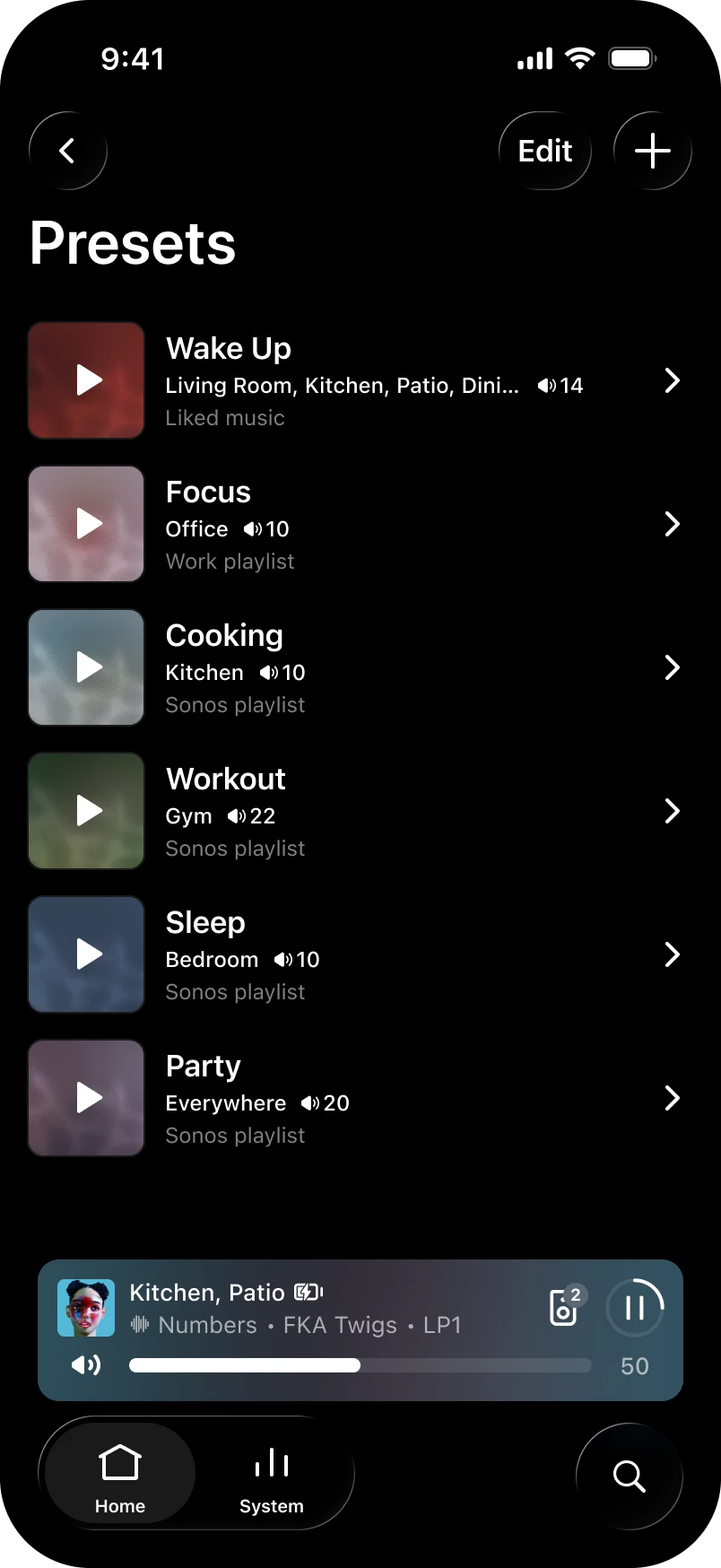
Hey all! We've got a new update live for both iOS and Android. This update brings an often requested feature: Presets - now you can start playback in a chosen room at a set volume with one tap!
Want the full history of what we've been up to? Check out our App Release Notes here and System (Player) Release Notes here. This release is Sonos 27.3 for both App and Player.
Sonos app releases and features are rolled out over the course of several days, and in some instances, weeks, so you may not immediately receive the update or feature. You can check for updates in your iOS or Android app store to download the latest version of the app when it’s available. If you're on iOS and want to nudge it along, head to the App Store, pull down on your Account page (the one showing pending updates), and give it a refresh. That usually does the trick. Now, the details:
App Update
- iOS - 91.00.41
- Android - 91.00.33
Player Update
- Modern: 98.0-82170
- Legacy: 86.11-82170
- Spotify volume levels, whether you use the Sonos app or direct control, are now more consistent with other services on Sonos.
What's New:
- Presets - Start playback of pre-saved content in a chosen room at a specific volume with one tap.
- Reorder your favorites - Arrange your saved content in preferred order by editing the "Featured" section in Sonos Favorites.
- Swipe to skip - Swipe on Now Playing or the mini player to skip tracks.
- Update network experience - Improvements to the experience when updating your network.
- Sonos 27voice - Available starting Fall 2026 and supports US-English. If you're in the United States, you can opt in to try it and share feedback during early access. Signups begin soon - more to come.
iOS only
- System Health - Find self-help info to spot potential issues and fixes for your system with the new System Health feature in the Help Center.
Android only
- Services - You can now rearrange your list of connected services.
Ace Ultra - 3.0.10
- Ace Vocal Guidance - Get spoken prompts when you change noise control modes, check battery percentage, or switch Bluetooth connections. You can turn it on or off in the app under Headphones > Settings > Hardware controls > Vocal guidance.
Let us know when you try out Presets. Tell us how you're using them, like a morning routine or a go-to party setup. We'd love to hear what's working for you.
As always, feedback is welcome. The good, bad, or in-between. We read it all.