
Ditte
March 9, 2021

Meet Sonos Roam, the ultra-portable smart speaker
Related content:Hardware
Meet Sonos Roam, the ultra-portable smart speaker

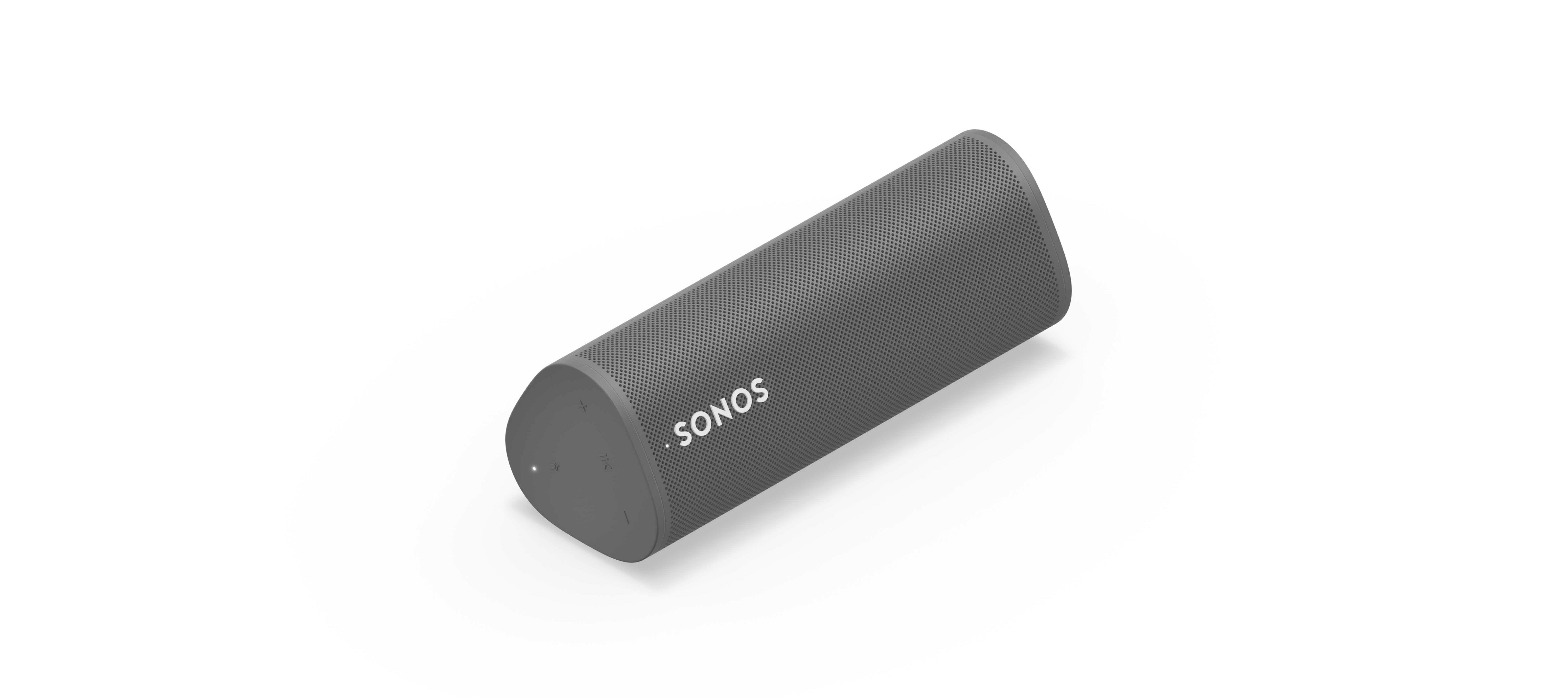
We’re happy to introduce you all to Sonos Roam, the ultra-portable smart speaker built to deliver great sound at home and on any adventure. Fully connected to your Sonos system on WiFi at home and automatically switching to Bluetooth when you’re on the go, Roam’s powerful, adaptable sound defies expectations for a speaker of its size. Effortless set-up and control and new smart features make it easier than ever to enjoy music and more from anywhere. Weighing less than a pound (450g), Roam’s elegant yet durable design is perfect for your home, the backyard, and wherever you go.

Get to know Sonos Roam

A simultaneous connection to both WiFi and Bluetooth makes streaming wherever you are seamless. When you’re listening at home Roam connects to your system and streams on WiFi, and when you leave it intuitively switches to Bluetooth and automatically re-pairs with your mobile device.

With an all-new feature called Sound Swap, you can hold the play/pause button on the speaker to switch the music to the nearest speaker on your system, making it easy to move music from room-to-room.
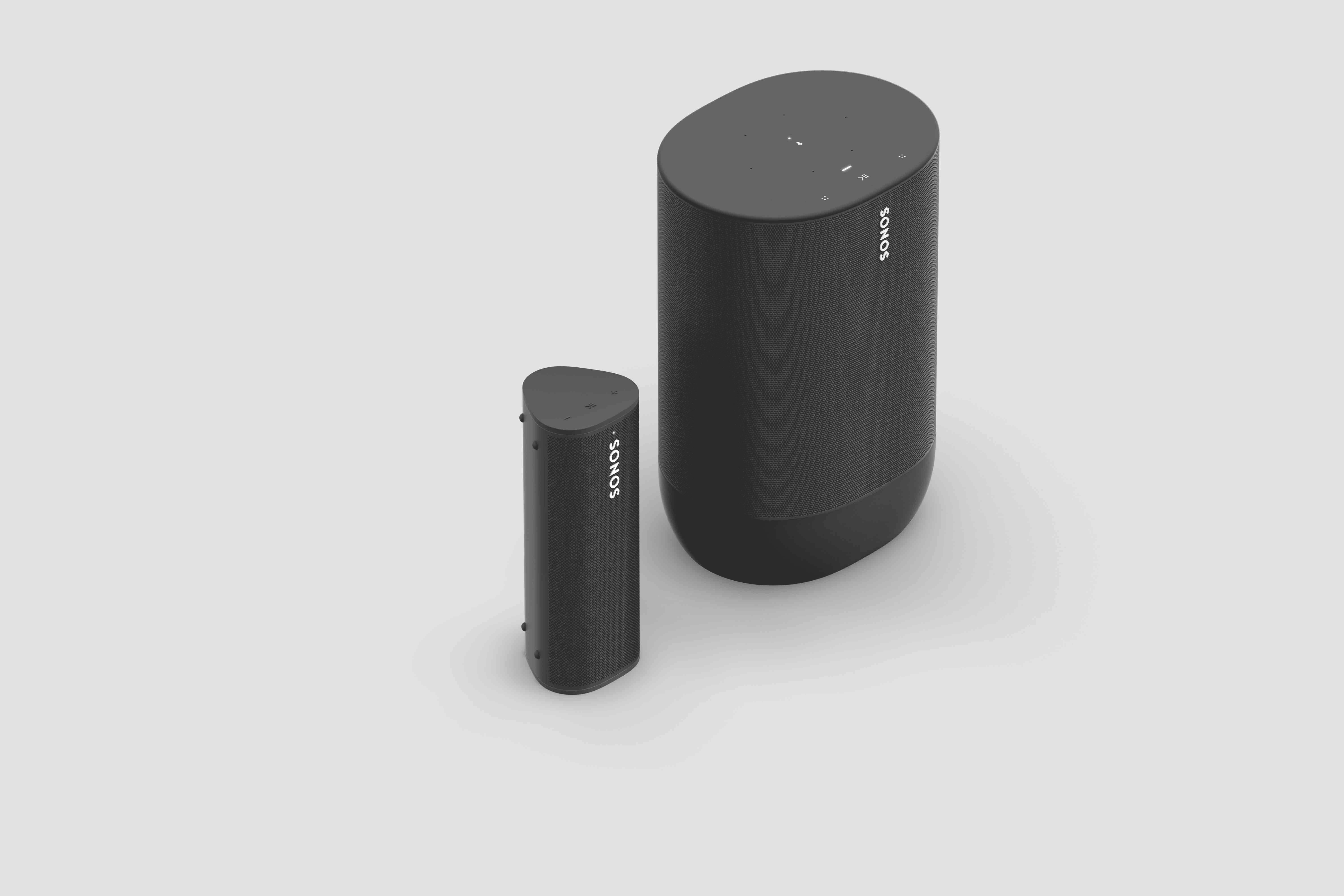
Sonos Roam (left) and Sonos Move (right)

Seamless connectivity also unlocks Bluetooth streaming for your entire system, with the Sonos app allowing you to group any of your Sonos speakers to Roam when streaming with Bluetooth. Roam works with more than 100 streaming services, including Sonos Radio, and is easily controlled with the Sonos app, your voice with Amazon Alexa or Google Assistant, Apple AirPlay 2, or directly from your favorite music service app.

Roam was created to deliver an incredible sound experience no matter where you are. Like all Sonos products, Roam was tuned by industry leaders across music and film to ensure the speaker reproduces content exactly how the creator intended. A carefully designed acoustic architecture delivers rich, detailed sound with the clarity, depth, and fullness you’d expect from a larger speaker.

Automatic Trueplay is now available when streaming via Bluetooth as well as Wi-Fi, and means Roam is always tuned for the best listening experience in any environment.

Available in shadow black or lunar white, Roam’s tactile triangular shape and soft profile is comfortable to pick up and looks great inside the home. Combining elegance and durability, Roam is dust proof and fully waterproof with a rigorously tested IP67 rating, and features silicone end caps and physical buttons to protect against drops or bumps.

Roam is ready for any adventure with up to 10 hours of continuous playback on a single charge and up to 10 days of battery life when not in use.

To recharge, Roam connects to a custom magnetic wireless charger from Sonos sold separately, any Qi wireless charger, or with the USB-C cable included in the box.
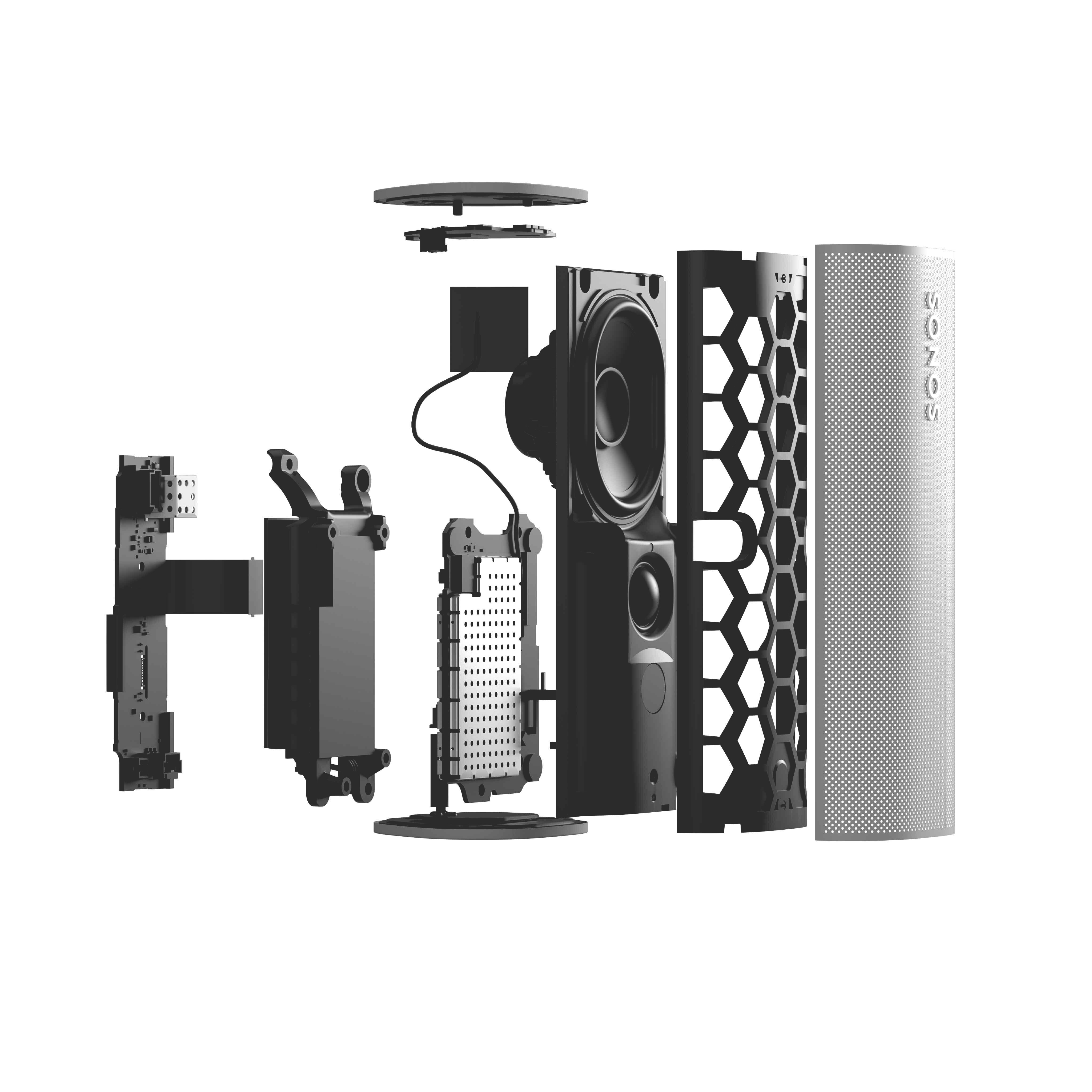
 

Sonos Roam

Roam’s compact size will fit into any bag or the smallest corner of your living space. Listeners can place Roam vertically for a smaller footprint or horizontally to provide added stability on uneven surfaces outdoors. Even the packaging leaves a light footprint, with a structure that is made of 100% sustainably-sourced paper, minimizes the use of inks, and includes no single-use plastics. 

Roam is available starting April 20 for $169, €179, £159, NOK1799, SEK1999, DKK1349. You can pre-order today on sonos.com.

This topic has been closed for further comments. You can use the search bar to find a similar topic, or create a new one by clicking Create Topic at the top of the page.

394 replies

March 10, 2021

Pre ordered pretty much straight away, the move was excessive for me but this is perfect. 

Does anyone know what this means? 

Seamless connectivity also unlocks Bluetooth streaming for your entire system, with the Sonos app allowing you to group any of your Sonos speakers to Roam when streaming with Bluetooth.

You can stream music via BT to the Roam and if the Roam is grouped with other Sonos speakers it will use SonosNet to play the music on all the speakers.

I have my doubts about whether SonosNet would be used, at least not in all setups for all connections.  The Move cannot connect to SonosNet and I expect the same is true of the Roam.  But that is technical detail for nerds like me - the practical effect is what matters and I think this could be a big positive feature for many users.

James L.
Retired Community Staff
March 10, 2021

Hey everyone, 


I thought I’d try to answer all the questions in this thread so far. Let us know if you have any other questions, and we’ll try our best to answer them!

  • Does stereo pairing work on Bluetooth as well as WiFi?
    • No, though we realise it’s something our customers would like to see, so we’ll be looking into this in the future.
  • Does it work with any Qi compatible charger?
    • Yes!
  • If you long press play/pause on the Roam when it’s not playing music, will it join a group that’s currently playing music in your system?
    • ​​​​​​​Holding the Play/Pause button on Roam will activate the Sound Swap feature, which lets you push or pull sound to/from another player on your system. Holding the button near a player that’s playing music will pull the music to the Roam.
  • Will the Roam be able to perform the rear surround duties in a home theatre room?
    • ​​​​​​​No. Roam is designed to be used on the go and is unable to be used with the Sub or in Home Theater configurations.
  • What is the voltage/amps of the charger?  Can it be charged with a typical phone or tablet charging setup?
    • ​​​​​​​You can charge Roam with any 10W (5V/2.1A) USB power adapter. A 1.5A USB power adapter can work, but 2.1A is recommended. Charging via USB-C may have varying speeds depending on the wattage of the charger.
  • Are there wall mounts or other accessories, besides the charger, coming for the Roam?
    • Not right now, though we’re always looking to see what our users want, so let us know!
  • Are any of these new features applied to the Move?
    • ​​​​​​​Automatic Trueplay on Bluetooth is available on Move right now (S2 version 13.0+)! We’re looking into applying the other new features, such as Sound Swap, in the future but have no further information to share at this time.
  • Will you be able to ‘speaker swap’ from the Move to the nearest Sonos speaker? 
    • ​​​​​​​Check out this article to find out more about Sound Swap.
  • Will the Move be able to be in BT and WiFi concurrently?
    • ​​​​​​​No, this feature is exclusive to Roam.
  • Will the Move be able to auto Trueplay in BT mode, as the Roam does?
    • ​​​​​​​Yes!
  • Does Roam work with Sonos S1?
    • No, Roam is only compatible with Sonos S2.
  • Can the Roam safely be used as a shower radio daily?
    • ​​​​​​​Roam is IP67 rated, which means it can withstand being in 3 feet of water for up to 30 minutes. Roam would make an excellent bathroom/shower speaker, though you should make sure it’s 100% dry before charging as the charger is not water resistant.
  • Is the battery easily replaceable like Move?
    • ​​​​​​​In order to make Roam fully waterproof, we had to create a sealed architecture for the battery which means it is not customer replaceable. We are working on a factory replacement service, but have no further details to share today.
  • How long can I expect the battery to last when playing/sleep/powered off?
    • From a full charge, you can expect the following from Roam's battery under these conditions:

    • On and in use = 10 hours (temperature and device volume can impact the overall result)
    • On but not in use = 1 day
    • Sleep mode = 10 days
    • Off = 70 days


Mark good posts by pressing the like button, and select the best answer on questions you've asked to help others find solutions.
Contributor I
March 10, 2021

I want to ask if this new Sonos Roam can be use with a computer?. I wanted to say if it can be the speaker of my computer?

Thanks in advance for your replay

BMF
Prodigy III
March 10, 2021

I want to ask if this new Sonos Roam can be use with a computer?. I wanted to say if it can be the speaker of my computer?

Thanks in advance for your replay

Yes as a general answer….. but just how good the experience will be is to be seen and will depend of a number of other factors.


I tried to use a pair of Sonos One’s as my Mac Mini computer speakers, but the experience was not that great…. but that was an issue with the way the computer worked more than the Sonos speakers.


The issues I had were with AirPlay, the Mac only seemed to want to send AirPlay 1 and not AirPlay 2, this resulted in latency when playing any videos.


The biggest pain was that the Mac would drop the Airplay selection if not used for a few minutes, so I kept having to manually reconnect to the speakers from the Mac.


I also borrowed a HomePod and the issues were exactly the same.


I have not tried bluetooth and Move.


In the end I decided to move the Sonos Ones to other rooms and bought a Beam in the sales to use as a computer speaker and it works great

James L.
Retired Community Staff
March 10, 2021

I want to ask if this new Sonos Roam can be use with a computer?. I wanted to say if it can be the speaker of my computer?

Hi @Rigcabl, 


Yes, if your PC has Bluetooth capabilities then you will be able to connect Roam to be used as a speaker. (That’s actually what I’ll be using mine for :wink: )

Mark good posts by pressing the like button, and select the best answer on questions you've asked to help others find solutions.
Contributor I
March 10, 2021

Hello, 

just a question about the roam as a surround speaker. Because off its size it would be great if this speaker could be used as a surround speaker, maybe even as a ceiling speaker.

Will this be able?

BMF
Prodigy III
March 10, 2021

Hello, 

just a question about the roam as a surround speaker. Because off its size it would be great if this speaker could be used as a surround speaker, maybe even as a ceiling speaker.

Will this be able?

No, it is not able to be used as a surround speaker with Sonos


“

  • Will the Roam be able to perform the rear surround duties in a home theatre room?
    • No. Roam is designed to be used on the go and is unable to be used with the Sub or in Home Theater configurations.

”

Source:-


melvimbe
March 10, 2021

Hello, 

just a question about the roam as a surround speaker. Because off its size it would be great if this speaker could be used as a surround speaker, maybe even as a ceiling speaker.

Will this be able?

No, it is not able to be used as a surround speaker with Sonos


Just my opinion, but if the Sonos quality is near Sonos One as Sonos is stating, then it seems like a version of the Roam that isn’t portable, but can be used as surrounds, seems like it would be a popular product. Drop the battery and related portable features, and allow connect in HT setup  The physical size and shape seeems to be rather appealing to many.  Call it the Sonos Point Five.

Danny
Airgetlam
March 10, 2021

Is it the form factor that’s appealing, in that case? The price isn’t all that different than a Sonos One SL, after all. 

Bruce
Contributor I
March 10, 2021

the main plus as a surround is the size off the speaker.