
News

A new player update is live!

Related content:Software News
  • July 8, 2025
  • 60 replies
  • 2170 views
A new player update is live!
Show first post

60 replies

Forum|alt.badge.img+17
  • Local Superstar
  • July 11, 2025

I hadn't really thought about this until now, maybe I have always associated players with system.

Reading the sonos.com website there are also some inconsistencies:

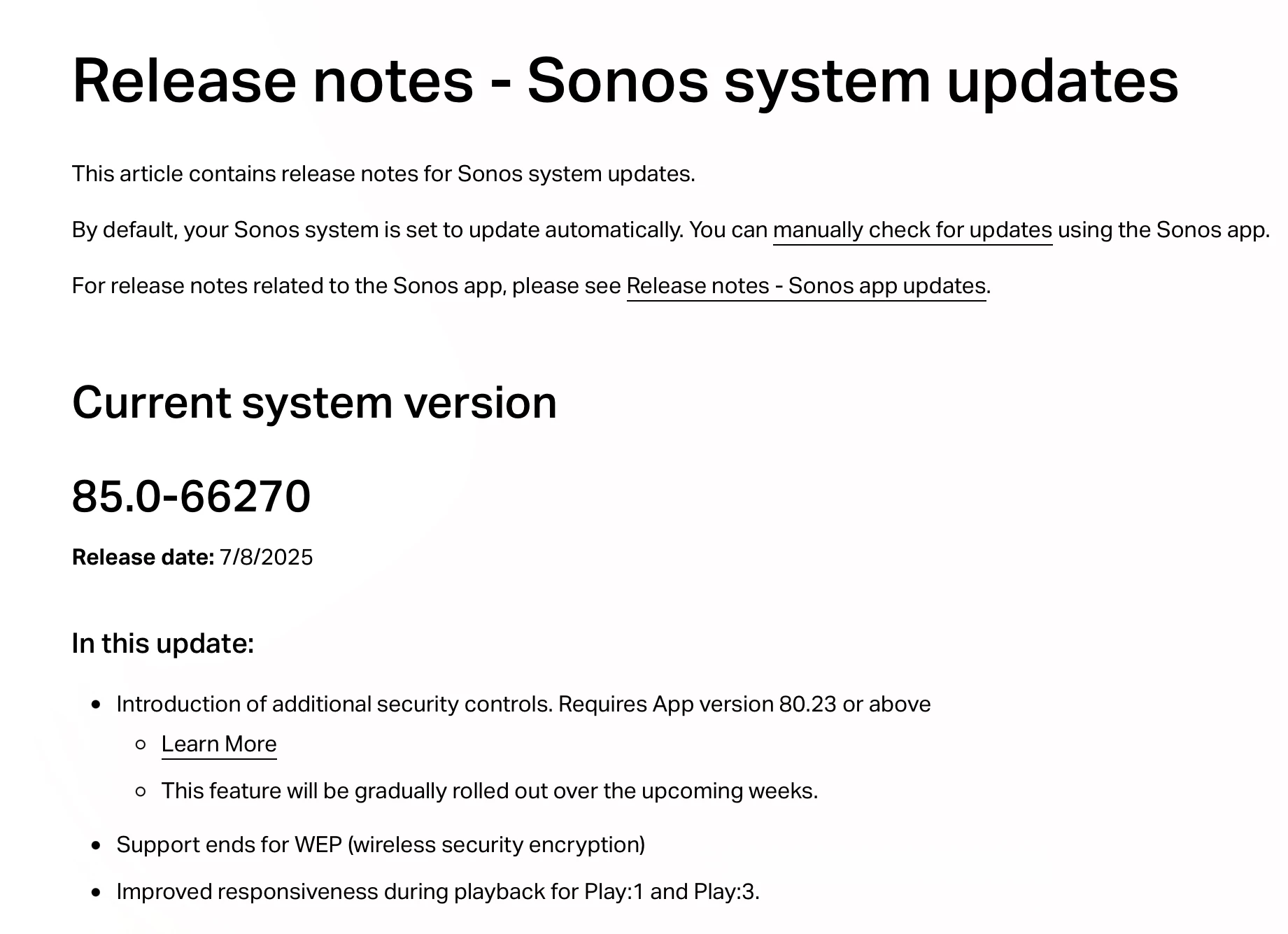
https://support.sonos.com/en-gb/article/release-notes-sonos-system-updates

Refers to ‘System’, but when you click ‘manually check for updates’ link it refers to ‘speakers’ in the title, but ‘system’ in the content. And when you click ‘release notes’ on the ‘update your Sonos speakers’ it links to the ‘release notes’ for ‘Sonos app updates’, the people that write the web content know what they mean, but from a consistency point of view, it could be confusing if unfamiliar with the terminology.


Mr. T
  • July 11, 2025

The only ones debating this on semantics are the ones that should know better. Nobody else appears confused in any way.


Forum|alt.badge.img+17
  • Local Superstar
  • July 11, 2025

I am also a little confused why others maybe confused. 😀


AjTrek1
  • July 11, 2025

I’m confused as well as to why there’s still a conversation about a question raised 1 day ago and was satisfactorily answered by ​@Rhonny 18 hours ago (CST)? 


Forum|alt.badge.img+17
  • Local Superstar
  • July 11, 2025

I’m confused as well as to why there’s still a conversation about a question raised 1 day ago and was satisfactorily answered 18 hours ago (CST)

More questions have been asked, just like your post above, that has lead to a discussion about the semantics of Sonos terminology, possibly with a delay due to time zone difference(s).


AjTrek1
  • July 11, 2025

I’m confused as well as to why there’s still a conversation about a question raised 1 day ago and was satisfactorily answered 18 hours ago (CST)

More questions have been asked, just like your post above, that has lead to a discussion about the semantics of Sonos terminology, possibly with a delay due to time zone difference(s).

Actually, my last post (question ) was rhetorical 😂


controlav
Forum|alt.badge.img+24
  • Lead Maestro
  • July 11, 2025

As a third party developer who is directly affected by these changes, I have a couple of questions:

  • What is the “LAN API” (evidently different to UPnP)? I see no mention of it on the developer site. I am guessing its the Cloud API but sent to local devices, is that right?
  • What has MUSE got to do with Sonos, exactly?

Thanks


Forum|alt.badge.img+1
  • Trending Lyricist I
  • July 16, 2025

My iOS app is version 80.23.9. The new release is  85.0-66270. When I try and update the system I’m told my system is up to date. I’m confused.


Mr. T
  • July 16, 2025

My iOS app is version 80.23.9. The new release is  85.0-66270. When I try and update the system I’m told my system is up to date. I’m confused.

Your system most likely updated automatically if you have that option enabled in the app.


Forum|alt.badge.img+1
  • Trending Lyricist I
  • July 16, 2025

It is set to update automatically. But of the new release was available on July 8 why wasn’t it updated?


Mr. T
  • July 16, 2025

It is set to update automatically. But of the new release was available on July 8 why wasn’t it updated?

Your app and system are on the latest versions.

Your Sonos account needs to be flagged for the new features mentioned in this thread.

Once that is the case, you will be able to see the new features in the app you have.


Forum|alt.badge.img+1
  • Trending Lyricist I
  • July 17, 2025

So more clearcut software from SONOS? Why was I sent an email announcing the new release, without any mention of automatic update settings? 


Forum|alt.badge.img+1
  • Trending Lyricist I
  • July 17, 2025

PS I worked in software development for years. Either something is ready for release or it’s not. This is nothing more than a glorified beta test.


melvimbe
  • July 17, 2025

So more clearcut software from SONOS? Why was I sent an email announcing the new release, without any mention of automatic update settings? 


The automatic update settings have been there for years.  I guess it would be helpful to mention this every type updates are released, but it does not seem like it’s something Sonos should be faulted for.


PS I worked in software development for years. Either something is ready for release or it’s not. This is nothing more than a glorified beta test.


My understanding is that Sonos is releasing the feature in waves like this partially because the app stores aren’t built to release a new app to the whole world all at one time, and so that Sonos support can better handle any questions and issues that may come up when users start using a new feature.  My company doesn’t release software in waves like this either, but there certainly is a spike in support questions when there are new features.  I can’t say that letting customers wait on hold longer, or hiring temporary workers who know little about the product, are better options.


Forum|alt.badge.img+1
  • Trending Lyricist I
  • July 17, 2025

Then why send an email blast like this? SONOS is clearly better at audio hardware development than software management. After all of their recent troubles you would think they would have a better understanding of release, and user, management.


106rallye
Forum|alt.badge.img+18
  • July 17, 2025

Not mentioning the way these new features are released is indeed strange - this can lead to disappointment with customers who think the features are released with the update and then find out they do not.

In my opinion an update is not “ready for release or (…) not”. You can’t test for everything, so a measured roll out can make a company halt the process if something unexpected goes wrong. To me this means Sonos has at least learned something form the debacle that was the (roll out of) the new app.


Forum|alt.badge.img+18
  • Prodigy II
  • July 17, 2025

Then why send an email blast like this? SONOS is clearly better at audio hardware development than software management. After all of their recent troubles you would think they would have a better understanding of release, and user, management.


I don’t get your issue here. All the things Sonos highlighted in this email are live in your app and on your system. If your system has updated automatically, great. You’re good to go. 

If you’re yet to see the security settings highlighted in this forum thread, so are a lot of people. It’s not exactly a feature to get excited about and will be activated in due course.


Forum|alt.badge.img+19
  • Senior Virtuoso
  • July 17, 2025

The announcement concludes

As usual, the new features will be rolled out gradually over the coming weeks to help ensure stability and performance. We’ll post another update once the release has been completed.


 

I’ve not seen a second notification so I conclude that not everyone has the features added to their system yet. But they did try to set expectations. 


Mr. T
  • July 17, 2025

Then why send an email blast like this? SONOS is clearly better at audio hardware development than software management. After all of their recent troubles you would think they would have a better understanding of release, and user, management.


I completely understand your point here. The new features mentioned in that email were introduced in the software update from June 10th, not the latest software update from July 8th. I was surprised to receive that email given the stated features had been available for over a month. Email would have been accurate if it had been sent in a timely manner, but clearly that wasn’t the case.

Edit: The Arc Ultra speech enhancement by AI was from May, so even older.


Forum|alt.badge.img+1
  • Trending Lyricist I
  • July 17, 2025

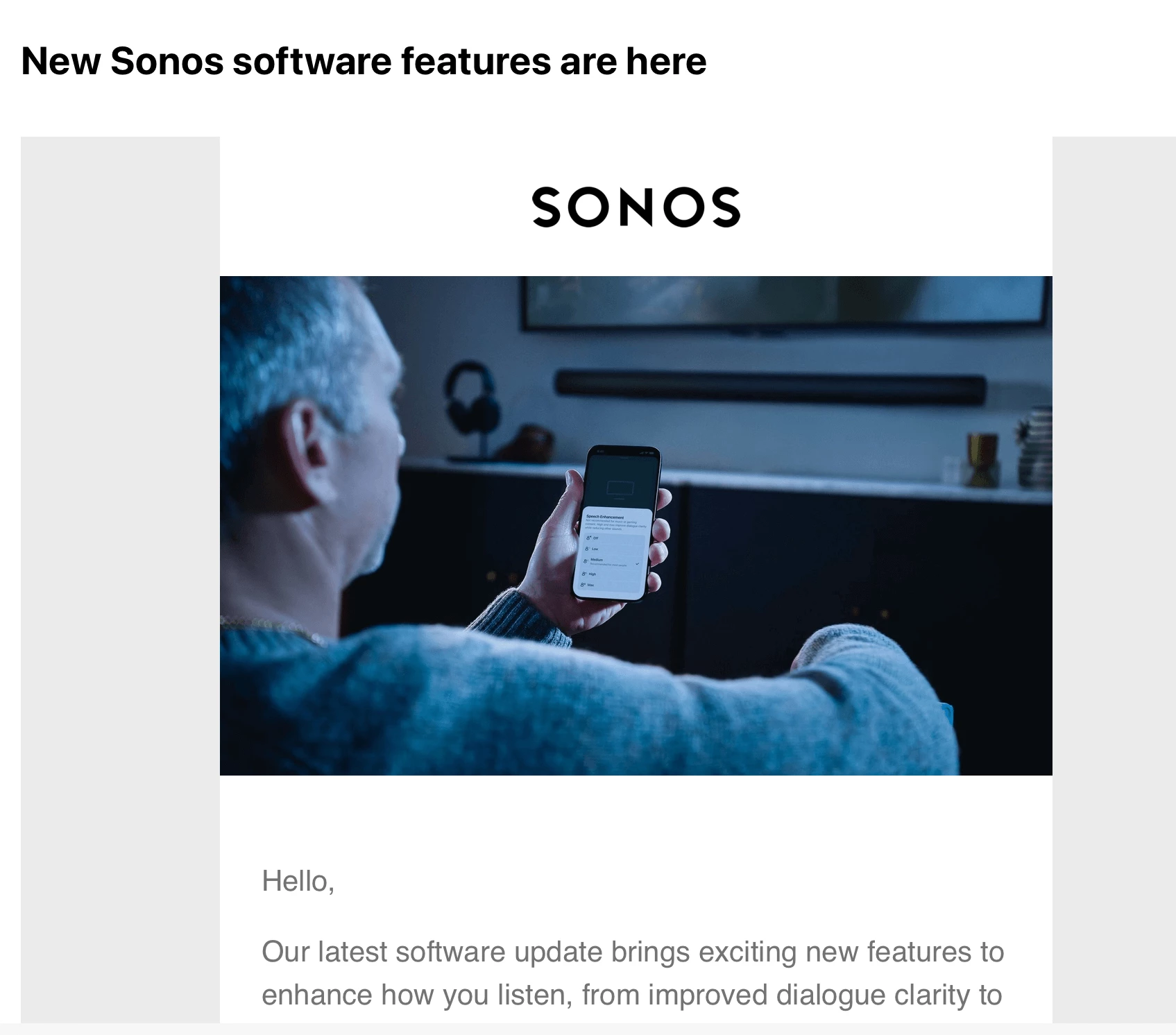
The release notes link at the bottom of the email brings you to this page. The version name is clearly different from the release name that my system says is current. This is not how application management works. 

Further, the reference to automatic updates on the release notes page suggests that, if my app is set to auto update, my app will in fact be automatically updated to the new release. It does not say that if I want the new release I should turn auto update off. 

Beneath the “Current System Version” is a list of 10 previous versions. All of these versions post date the version my system says is current. There is no mention for any of these releases that they apply to specific products only. Why is my “current” version 11 versions behind?

This is not how application management is done.


Mr. T
  • July 17, 2025

@kwarendorf - I think you are confusing app version (80.23.9) and system version (85.0-66270). They are two different things.

https://support.sonos.com/en-gb/article/release-notes-sonos-app-updates

https://support.sonos.com/en-gb/article/release-notes-sonos-system-updates


Forum|alt.badge.img+1
  • Trending Lyricist I
  • July 17, 2025

Why are the 2 different? The email clearly references software updates. This implies changes to the way the user interacts with SONOS. For 10 years I worked on systems that supported thousands of users in more than 500 locations at a major investment firm. I spent 15 years working on a system that managed a multi trillion dollar loan portfolio. In neither case was there a divergence between system and application. 

Part of my responsibilities in both jobs was the writing of myriad technical documents. Writing related to systems needs to be precise. Communications from SONOS is not. It is vague, incomplete and confusing. Following the recent fiasco SONOS declared that they were going to fix things. In my opinion, from a communication perspective, they have not. 

Kyle

PS Don’t get me wrong. I love SONOS. I have various speakers throughout my home. Their software management is another matter.


Forum|alt.badge.img+17
  • Local Superstar
  • July 17, 2025

For 10 years I worked on systems that supported thousands of users in more than 500 locations at a major investment firm. I spent 15 years working on a system that managed a multi trillion dollar loan portfolio. In neither case was there a divergence between system and application. 

500 locations is 0.003% of the 16+ million locations that Sonos is currently installed, so I would guess software ‘releases’ and ‘rollout’ of features has to be managed in a different way. I doubt the vast majority of consumers read T&C, privacy statements, release notes before upgrading/installing Apps on their personal devices.


Stanley_4
  • Lead Maestro
  • July 17, 2025

Looking at your CV it looks like you don't have any embedded systems experience.

Sonos devices are considered "embedded systems" and the programs they run called firmware.

Sonos Controllers are conventional software or Apps, and now a web page too.

While the two (software/firmware) must interact for the Sonos devices to function they are separate components of the system. While they must be compatible there is no reason they updates must be in sync.


melvimbe
  • July 17, 2025

Why are the 2 different?


Because it’s common that a new feature or bug fix only requires an update to the app. or the device firmware.  Because updates are burdensome to users, Sonos does not want to push customers to update the app or firmware if the only thing changing is the version number.  That said, I would personally want an update that does require app and firmware update to take the opportunity to get app and firmware on the same version, or have a version system that intuitively tells you what app and firmware versions are compatible, but without knowing more details of the development process, I can’t say how feasible that is. 

As others pointed out, I don’t know that many pay attention to versioning systems anyway, and only care that the system is up to date.  I really only care about software versions when I am trying to determine if a new software or system I want to acquire is compatible with something I already have.