

14th July 2026 - New Sonos App & Player Updates Now Available!
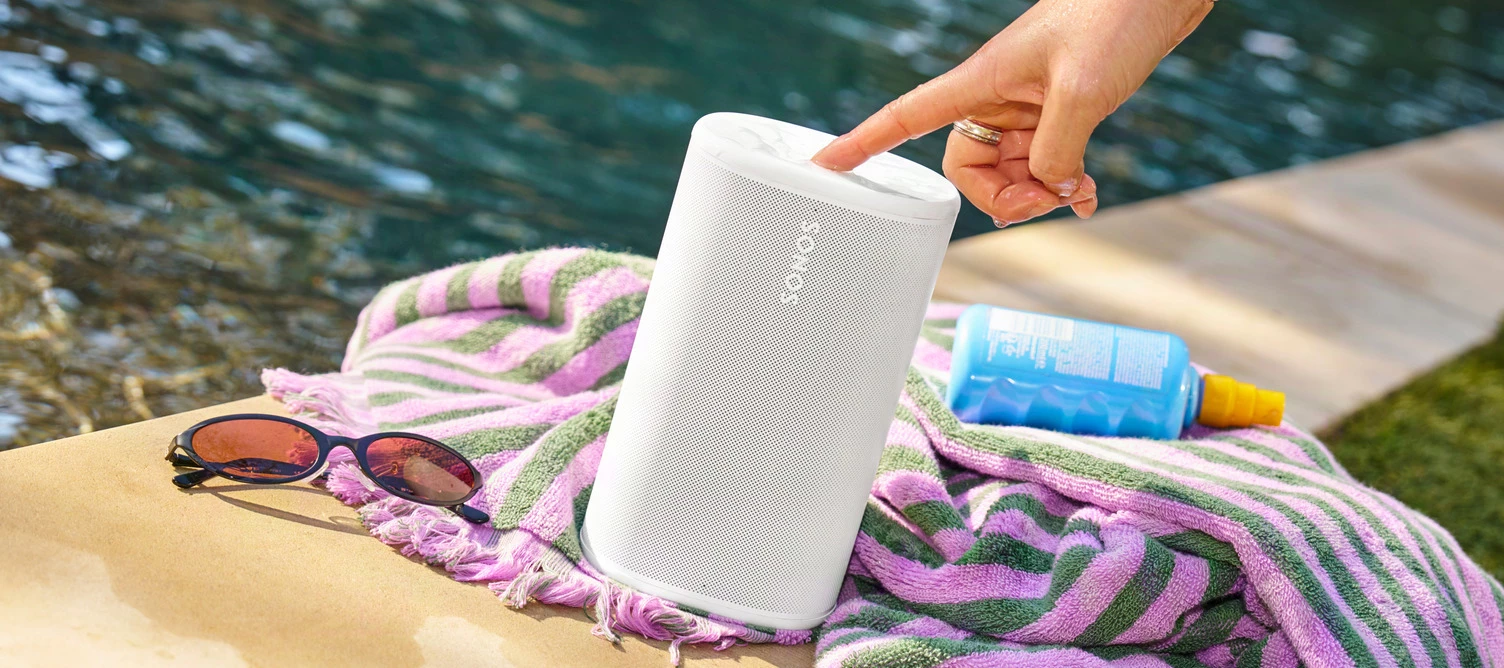
Howdy y’all! We have a new Sonos App update releasing today and it’s a big one. This update brings the ability to try out Tab Navigation, introduces speaker/room sorting, and adds a Dynamic Volume Slider for iOS (coming soon to Android!).
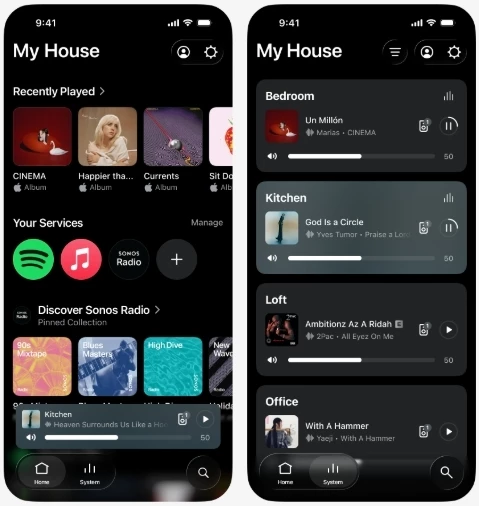
This update is rolling out in phases, so it may take up to two weeks to reach your device. No action is needed - it will install automatically once it's available to you and automatic updates are enabled.
iOS users: You can check availability early by opening the App Store, tapping your account icon, and pulling down to refresh. If it's not there yet, that means the update hasn't reached your device in the rollout. It's on the way.
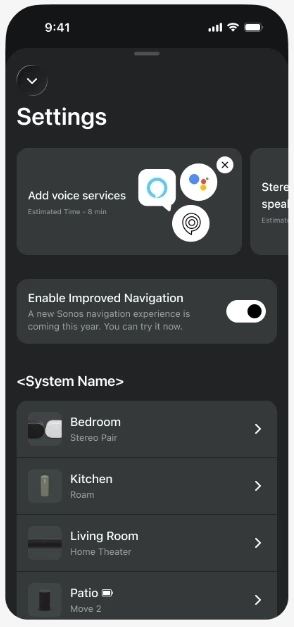
Tab Navigation uses a layout familiar to many of us - the buttons across the bottom of the app are now clear buttons that show what’s selected. Home, System, and Search are now easy to find and easier to see what’s selected. To enable Tab Navigation, look for Enable Improved Navigation in the Sonos App Settings.
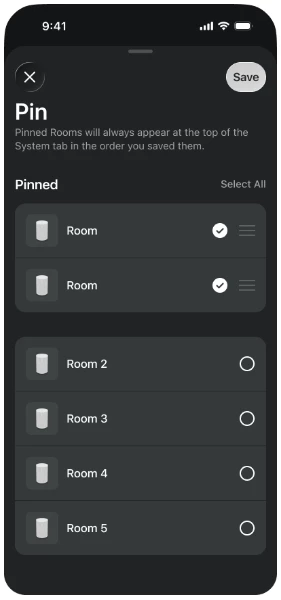
Sort Order is here! You can now choose how your speakers show up in the Sonos app on the System tab. You can also choose to pin specific speakers to the top, or pin all your speakers in a specific custom order.
We’ve got a lot of new things in this update that we’re excited to talk about. Please let us know with a reply below if you have any questions or feedback. And as usual, the technical details:
App Update details
iOS - 87.00.36
Android - 87.00.35
Player Update details
Modern Players - 96.0-78270
Legacy Players - 86.8.78270
New app features with the usual bug fixes and improved performance
- Familiar tabbed navigation.
- New volume interface on iOS.
- Product sorting and orientation
- Now Playing background colors update with album art
- Swipe to delete from Sonos Favorites
Want to check out our previous or current App and Player Release Notes? We got you covered: here’s the App and Player release notes.