
Contributor I
November 27, 2022
Answered

Unable to connect / group One SL to existing HT

I have recently bought a pair of One SL. 

Trying to connect it to my exisiting Home Theatre system.

Current set up for HT is 1 x Playbar, 1 x Sub, 1x Amp.

Amp is connected to 2 x in-ceiling speakers as surrounds.


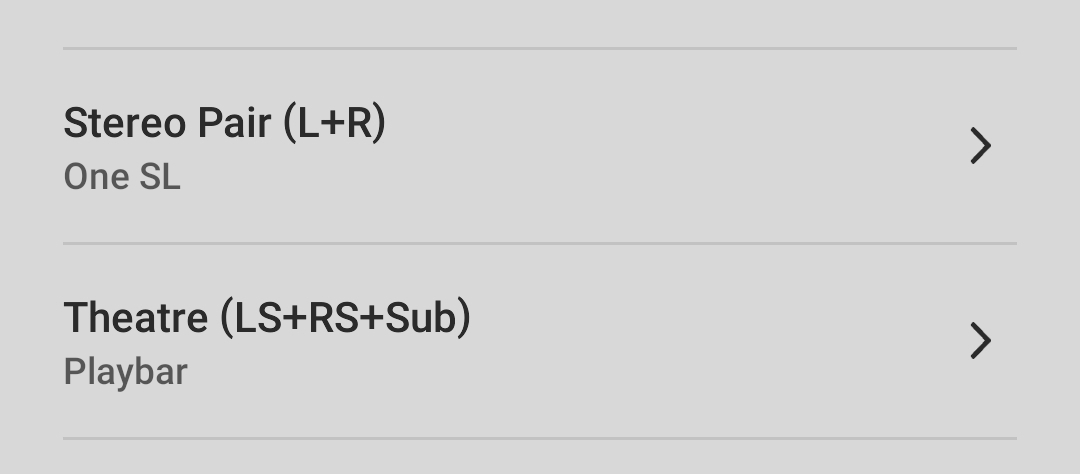
When I try to group the new speakers (tried both as Stereo Pair and individually) with the existing HT system, i can not do so.

Get error message saying Unable to Connect Device. Try again.. 

Of note, no issues with internet connection. Have tried by turning off and on (both speakers and router) - but no success.


Much appreciate any ideas/ suggestions.
    This topic has been closed for further comments. You can use the search bar to find a similar topic, or create a new one by clicking Create Topic at the top of the page.
    Dip3nAnswer
    Contributor I
    November 27, 2022

    Yes.. not looking to add them as surrounds.

    These are set up as stereo pair. Currently kept in the same room but is set as a separate group on Sonos App.

    And yes, i cam stream music to them independently. But can not stream music from One SL to HT and vise versa..


    12 replies

    Airgetlam
    November 27, 2022

    You already have the maximum speakers in a home theater ‘room’ in the Sonos software…although you could potentially add a second Sub.

    But your Amp is already bonded as surround speakers, so you can’t add any more surround speakers. 

    You could unbond the Amp from the PLAYBAR, and use the Amp for music purposes, and then you would be able to bond the One SLs as surrounds in the Home Theater ‘room’. 

    Bruce
    Dip3nAuthor
    Contributor I
    November 27, 2022

    Thank you. I suspected so too.


    But can I also not use it as a group even if it is not bonded as one room? 

    ie group HT speakers and Stereo Pair of SLs

    Airgetlam
    November 27, 2022

    You can always ‘group’ Sonos rooms. There is the caveat that the content from the digital input (the TV) will get delayed by at least 75 Ms when played on any ‘room’ that is not part of the home theater room, so that Sonos can ‘buffer’ it in order to play simultaneously in all other rooms. However, when streaming music, and not the Tv input, all ‘rooms’ will be in sync. 

    Bruce
    Dip3nAuthor
    Contributor I
    November 27, 2022

    Thanks Bruce.


    I do appreciate the small delay. And most likely it may hamper the cinema experience. But want to give it a go anyway.

    I have tried the grouping but it isnt working. I get error message as outlines above. Please let me know if any solution. Nonethless, truely appreciate your response such quickly.

    Airgetlam
    November 27, 2022

    Ok, so we are ignoring the attempt to add them as surrounds, and they’re now set up as a stereo pair in a separate room? Can you stream music to them?

    Bruce
    Dip3nAuthorAnswer
    Contributor I
    November 27, 2022

    Yes.. not looking to add them as surrounds.

    These are set up as stereo pair. Currently kept in the same room but is set as a separate group on Sonos App.

    And yes, i cam stream music to them independently. But can not stream music from One SL to HT and vise versa..


    Airgetlam
    November 27, 2022

    The above looks right, you have two rooms in the controller, one the Home Theater, and one the stereo pair. 

    I wonder if we are getting caught up on terminology. 

    You should be starting playback of music in one room, then following the instructions in the FAQ to ‘group’ the second room to the one streaming the music, after which both rooms should be playing the same thing. 

    Is this process not working for you? If not, where does it fail, and what is the system showing you in terms of error codes?


    Bruce
    Dip3nAuthor
    Contributor I
    November 27, 2022

    When i try to play music on two different groups together - in this case HT and Stereo - i get message at the bottom of the app stating: "Unable to connect to device. Try again later" 

    Happens regardless of which device i use first.

    Airgetlam
    November 27, 2022

    Interesting. And not normal ;)

    Is your system wired with one device (or more) connected to your router with an Ethernet cable? Or are they all connected to your router’s Wi-Fi signal?

    Bruce
    Dip3nAuthor
    Contributor I
    November 27, 2022

    Yeah inreresting isnt it?


    Amp and Playbar are wired with ethernet cable! 

    Ones are connected wireless.