
Answered

Sonos Stuck Playing Stereo PCM

  • January 8, 2026
  • 7 replies
  • 55 views

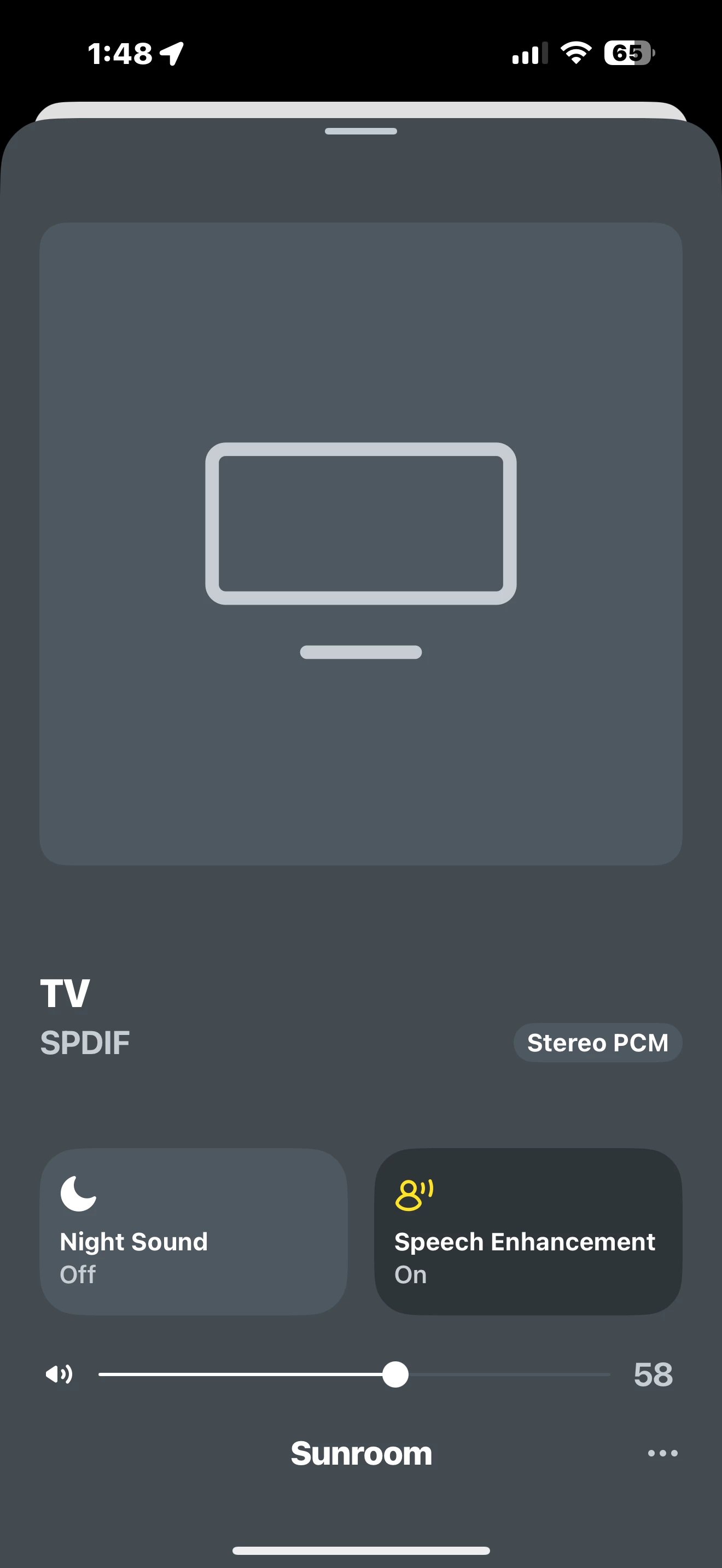
Hey folks. I’m running my Sony XBR-55X9004 TV through an Epson projector. The audio when watching TV programming (primarily sports) changed to very weak recently. Worked fine until recently. I first tried a new HDMI but that didn’t help. I then noticed the Stereo PCM display on my Sonos App. I have to crank the volume way up to get adequate volume. Volume works normally when listening to music via Sonos (displays Dolby Atmos) but when switching to TV the volume diminishes and display switches to Stereo PCM. The TV feed comes from a Sony TV (casting to a separate room using the projector). Everything else works great. Any help is appreciated!
 

Best answer by Airgetlam

Disconnect the Arc from that Evolution Vanco box (never heard of it) , since that might be the source of the issue. Connect the Arc directly to the TV’s set’s ARC HDMI, and test. This will tell you (mostly) if the issue is the Evolution Vanco box, which might possibly need an update (or replacement.

The TV, according to Crutchfield, has no capability to ‘cast’ to your projector, so I’m trying to understand this as well. This really goes way beyond a Sonos project. 

7 replies

Airgetlam
  • January 8, 2026

Not really enough information. Exactly how is this TV ‘casting’ to the projector? How and which Sonos devices are connected for playback? 

The suggestion on your screen capture is we’re talking a PLAYBAR/ PLAYBASE connected by an optical cable to something. Optical can only carry Dolby Digital, but I’d agree that a DD signal is eroded in volume when passed through a stereo (PCM 2.0) carrier. I think you’re chasing the right issue, we just need more information to build that mental image of your system so we can make more reasoned suggestions. 


  • Author
  • Contributor I
  • January 8, 2026

The TV (in adjoining room) is connected to the projector via a long HDMI. I have a Sonos amp, Arc and sub in the projector room (plus 2 ceiling speakers). A Vanco selector switch box and transmitter are also in use. The projector  room has been set up for several years with no audio issue when viewing TV programming (fiber op delivered through service provider).  I tried going into the Sony TV settings to see if someone changed the audio output but that doesn’t seem to be the issue. Not sure if it’s a setting or a failing device. I’m wading into territory WAY above my pay grade lol. Greatly appreciate the help!


  • Author
  • Contributor I
  • January 8, 2026


  • Author
  • Contributor I
  • January 8, 2026


Airgetlam
  • January 8, 2026

Wow, that’s a mess. What is the Sonos Arc connected to? How is it connected? Those pictures don’t tell me much, unfortunately.

Were I you, the first thing I’d do is simplify. Connect the Arc to the TV’s ARC port, and play something on the TV, instead of involving the projector. Figure out that issue, then move on to the next. 


  • Author
  • Contributor I
  • January 8, 2026

The Arc is connected to the Evolution Vanco box (top left).


Airgetlam
  • Answer
  • January 9, 2026

Disconnect the Arc from that Evolution Vanco box (never heard of it) , since that might be the source of the issue. Connect the Arc directly to the TV’s set’s ARC HDMI, and test. This will tell you (mostly) if the issue is the Evolution Vanco box, which might possibly need an update (or replacement.

The TV, according to Crutchfield, has no capability to ‘cast’ to your projector, so I’m trying to understand this as well. This really goes way beyond a Sonos project.