Contributor I
February 14, 2026
Answered

Product not connected after setting up as surround and adding sub to Arc

Hi, hopefully you can help me out here.


I was able to connect my Arc, 2 Era 300s and the sub 3 in my network having 2.4ghz with WPA/WPA2 authentication as it is the bare minimum requirement. 

First step was connect my sub to a room, which is with my Arc. after connecting, it says that the Product is not connected. which is weird.

I tried to setup the surround with my 2 Era speakers and Arc, still ended up with the same error message on both Era speakers.


I have also added their IP & MAC adresses as dedicated devices under the DHCP list and still got the same error messages and result of not having all of them turned on.. except for the Arc itself. 


Basically I did the LAN cable thing and yes it worked but I cannot affort to have my cable running across the floor as it was only a test.


I rang up the support which they said its a DHCP issue, which I never had before after their upgrade of my sonos products recently.



This topic has been closed for further comments. You can use the search bar to find a similar topic, or create a new one by clicking Create Topic at the top of the page.
AjTrek1
AjTrek1Answer
February 15, 2026

​@nahzd 

Glad you asked….

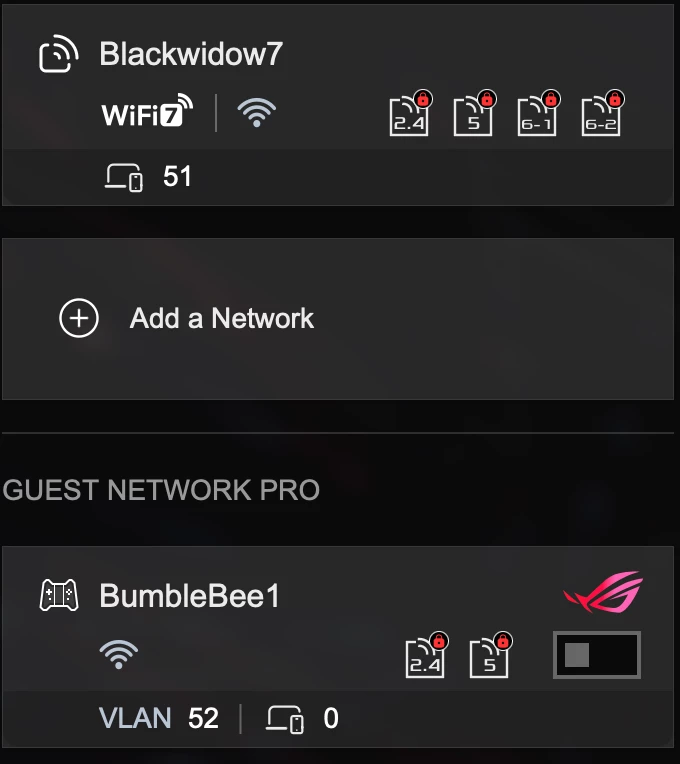
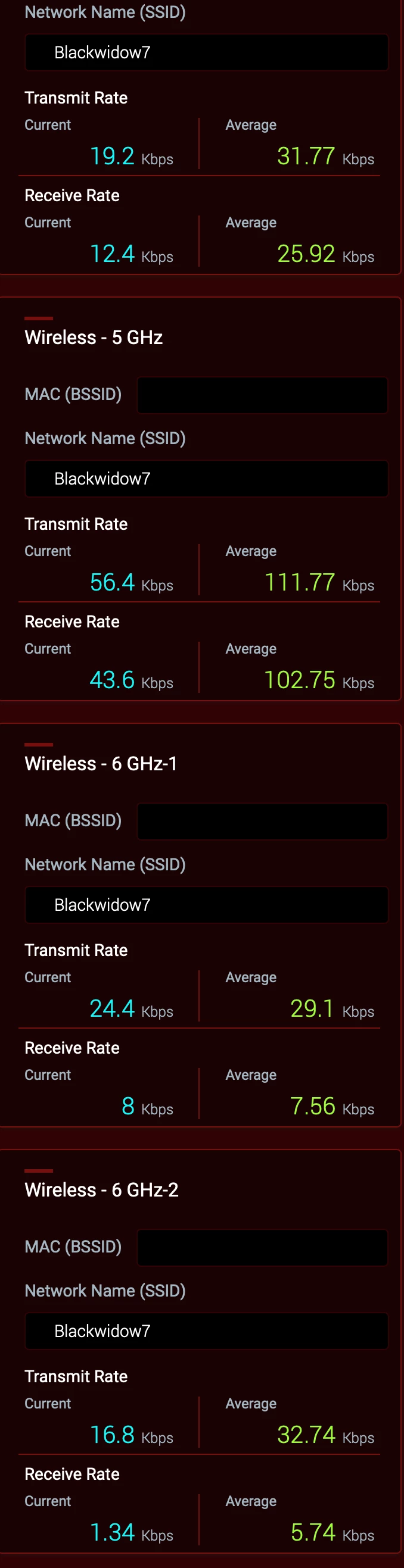
All bands have the same SSID as you can in the screen shot below and same password.


WiFi 7 is Active for all bands. However, the Guest network is turned off. *


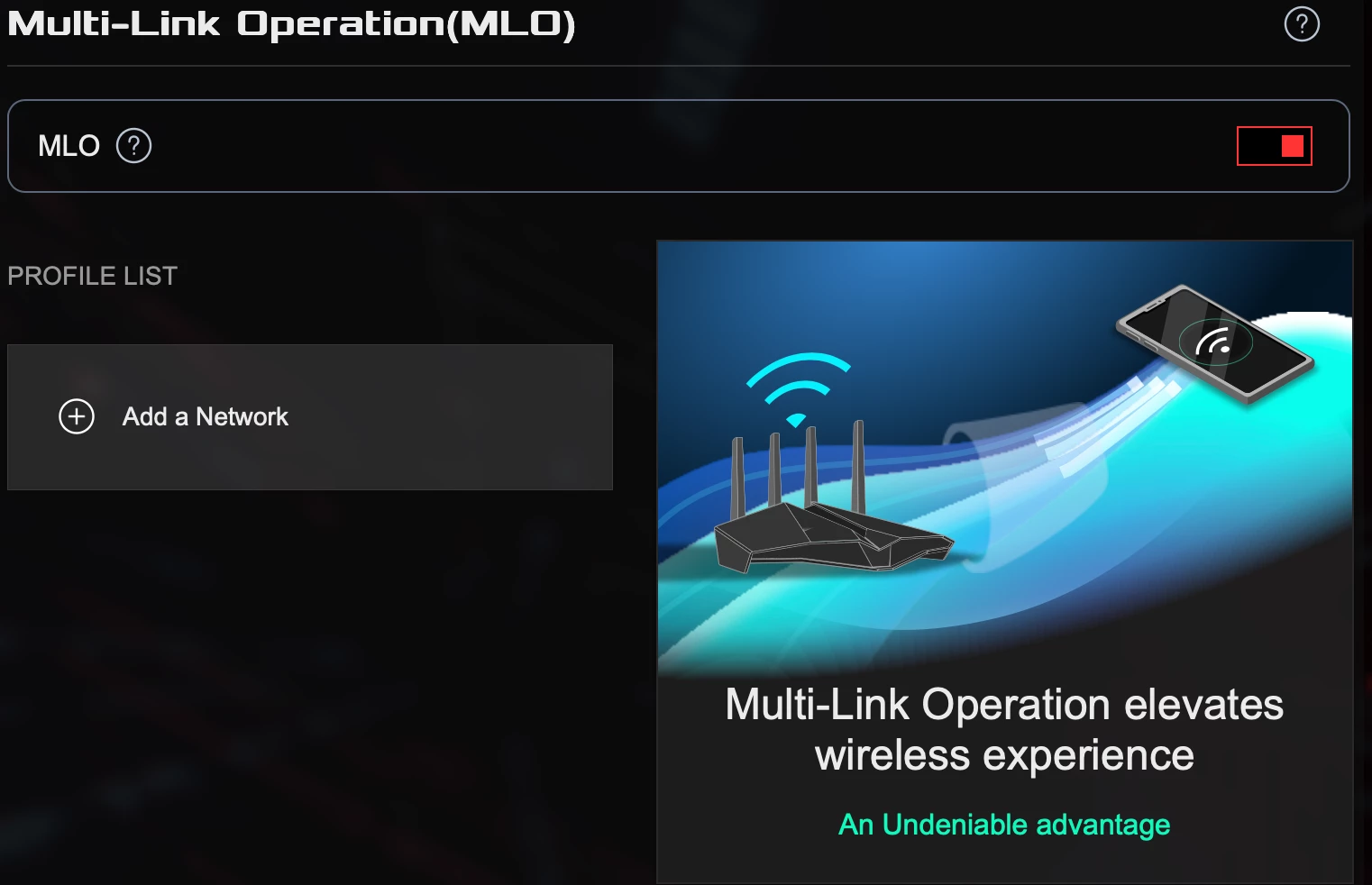
MLO is active but I haven’t set a parameter 


 * This may be the cause of your problems in a nutshell. It’s been verified by Asus that engaging the Guest Network will disrupt the hidden 5Ghz channel generated by Sonos to communicate with surrounds and subs.

As I don’t have people visiting needing to use my Wi-Fi; I haven’t pursued the issue to any great length with ASUS. A future firmware update is suppose to be pushed out based upon a beta.  However, I don’t have the time nor the inclination to test it as a Guest Network is very low on my list of priorities. Besides my Sonos and other devices are running rock solid.

Together Everyone Achieves More = T.E.A.M.

27 replies

nahzdAuthor
Contributor I
February 14, 2026

So you’re using an Asus router. I use three Asus routers in an AiMesh setup Wi-Fi 7. I have 31 Sonos units with no issues and no Boost is needed. BTW … I’m running the latest Sonos updates for the App and hardware.

However, you didn’t answer my question completely. Who is your ISP and what equipment have they provided. We need precise information about your network to assist. If you are unwilling to provide that information then I suggest you call Sonos tech support.

Oh sorry, I am with Aussiebroadband and they didnt supply me any modem.

I have FTTP connectivity atm, so it is directly plugged to the router on the WAN port.


Airgetlam
February 14, 2026

My suspicion is there is a network setting somewhere to disable proxy IP addresses, but not being familiar with either the ASUS, or the ISP equipment, that’s as far as any guesses would go. I’d certainly suggest another call Sonos Support to discuss it, with the hope that a more knowledgeable rep is reached, as both ​@nik9669a and ​@AjTrek1 have had excellent suggestions.

Bruce
AjTrek1
February 14, 2026

Thanks for the reply. I see you are in Australia as evidenced by your use of Aussie Broadband. To be honest I’m in the US and not familiar with the Australian network. Hopefully, someone more knowledgeable than I can assist. However, you might call Sonos Tech support for assistance.

I have provided my Wireless General and Wireless Professional settings used for my GT-BE98 Pro router.  As I mentioned earlier all bands use the same SSID along with the other settings I suggested. Good luck to get your Sonos connected.


Together Everyone Achieves More = T.E.A.M.
Senior Virtuoso
February 14, 2026

​@nahzd: in your first post you said “Basically I did the LAN cable thing and yes it worked but I cannot affort to have my cable running across the floor as it was only a test”. You’ve also earlier said that you have wifi enabled on all of your speakers.
 

If the system works correctly when wired, but not when using WiFi, the issue must lie with your network settings. 

Stanley_4
Grand Maestro
February 14, 2026

I have replied above all the points you have mentioned.  I am point to find the Sonos Boost device that might help.

Going back a bit jjust in case others see this bit:

Hopefully the advice to get a Boost was from an AI program, not a human as it is so incredibly wrong.

1. The Boost creates Sonosnet, the 300s can't use Sonosnet.

2. The Boost is obsolete and provided a lower standard connection than current Wi-Fi. 

Many other lesser reasons too.

Senior Virtuoso
February 14, 2026

I have replied above all the points you have mentioned.  I am point to find the Sonos Boost device that might help.

Going back a bit jjust in case others see this bit:

Hopefully the advice to get a Boost was from an AI program, not a human as it is so incredibly wrong.

1. The Boost creates Sonosnet, the 300s can't use Sonosnet.

2. The Boost is obsolete and provided a lower standard connection than current Wi-Fi. 

Many other lesser reasons too.

As I understand it, when wireless, surrounds are connected via a dedicated WiFi link created by the soundbar. A Boost will do nothing to the setup. 

Stanley_4
Grand Maestro
February 14, 2026

I think it depends on the surrounds, older, Sonosnet capable ones will initially connect to the 2.4 gHz Sonosnet if present, then Wi-Fi if it isn't. They may also use that connection for updates as the soundbar and 5 gHz Sonosnet may be busy doing the update, that isn't documented that I can find.

Newer ones will likely do the same minus the 2.4 gHz Sonosnet option.


Airgetlam
February 14, 2026

I was unaware that surrounds ever fell back to SonosNet. I thought part of the ‘make this a surround speaker’ was to ‘bond’ it to the soundbar, and the only ‘fallback’ available was both the surrounds and the soundbar being wired directly to the router.

Part of the challenge may be what we call SonosNet may not be what Sonos engineers call it. To me, SonosNet is the WiFi equivalent that a Sonos device creates for other speakers to connect to it, and excludes the 5Ghz connection between the soundbar and surrounds/subs. From what I understand, engineers at Sonos call any Sonos generated connection, wired or not, SonosNet. Which confuses me. Wired to me isn’t SonosNet, nor is a signal that can’t be seen such as the bonding between surrounds or Subs and the soundbar.

Bruce
Stanley_4
Grand Maestro
February 14, 2026

I'm going to try experimenting a bit and see if I can see anything.

AjTrek1
February 14, 2026

I was unaware that surrounds ever fell back to SonosNet. I thought part of the ‘make this a surround speaker’ was to ‘bond’ it to the soundbar, and the only ‘fallback’ available was both the surrounds and the soundbar being wired directly to the router.

Part of the challenge may be what we call SonosNet may not be what Sonos engineers call it. To me, SonosNet is the WiFi equivalent that a Sonos device creates for other speakers to connect to it, and excludes the 5Ghz connection between the soundbar and surrounds/subs. From what I understand, engineers at Sonos call any Sonos generated connection, wired or not, SonosNet. Which confuses me. Wired to me isn’t SonosNet, nor is a signal that can’t be seen such as the bonding between surrounds or Subs and the soundbar.

I agree with most of what you said except…

My understanding is that the SonosNet is only created when a Sonos component is Wired back to the router; excluding Subs and Surrounds, Move and Move2. Otherwise Sonos is Wireless using home Wi-Fi.

It was further to my understanding that after wiring one product all Sonos would ignore home Wi-Fi and use the SonosNet created by the wired product.

I could be wrong 🤔

Together Everyone Achieves More = T.E.A.M.