Contributor I
February 14, 2026
Answered

Product not connected after setting up as surround and adding sub to Arc

Hi, hopefully you can help me out here.


I was able to connect my Arc, 2 Era 300s and the sub 3 in my network having 2.4ghz with WPA/WPA2 authentication as it is the bare minimum requirement. 

First step was connect my sub to a room, which is with my Arc. after connecting, it says that the Product is not connected. which is weird.

I tried to setup the surround with my 2 Era speakers and Arc, still ended up with the same error message on both Era speakers.


I have also added their IP & MAC adresses as dedicated devices under the DHCP list and still got the same error messages and result of not having all of them turned on.. except for the Arc itself. 


Basically I did the LAN cable thing and yes it worked but I cannot affort to have my cable running across the floor as it was only a test.


I rang up the support which they said its a DHCP issue, which I never had before after their upgrade of my sonos products recently.



This topic has been closed for further comments. You can use the search bar to find a similar topic, or create a new one by clicking Create Topic at the top of the page.
AjTrek1
AjTrek1Answer
February 15, 2026

​@nahzd 

Glad you asked….

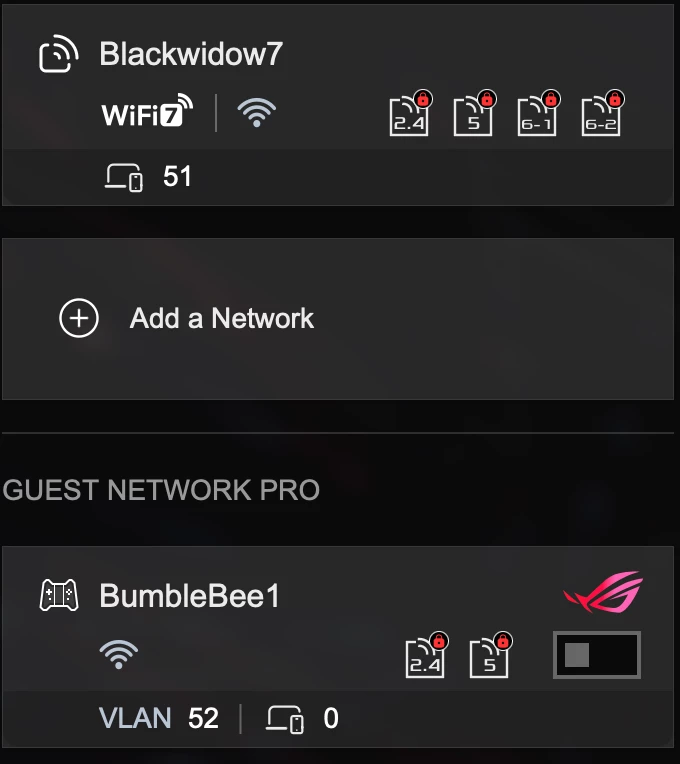
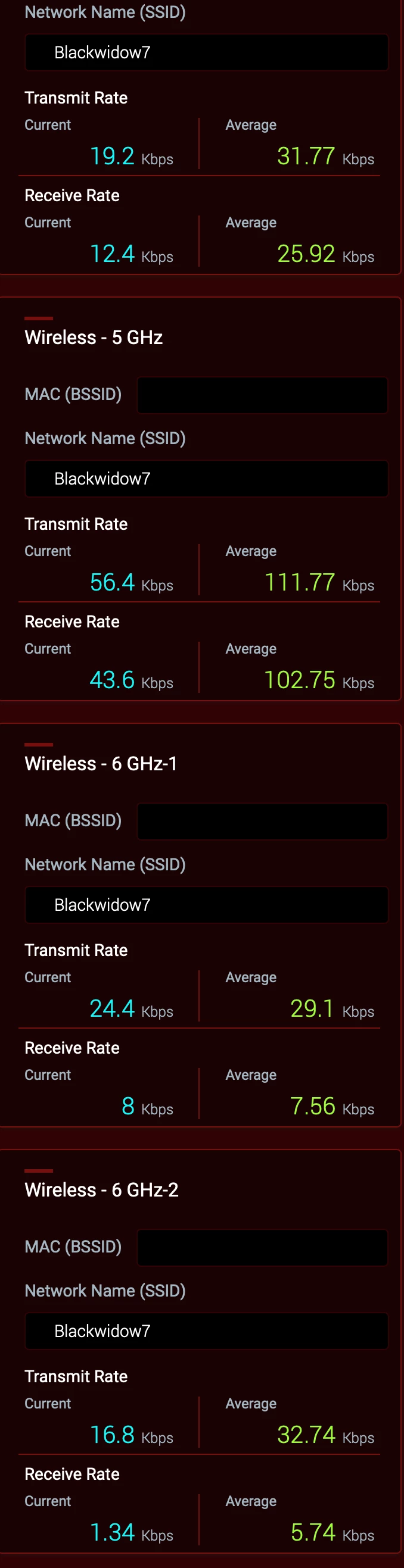
All bands have the same SSID as you can in the screen shot below and same password.


WiFi 7 is Active for all bands. However, the Guest network is turned off. *


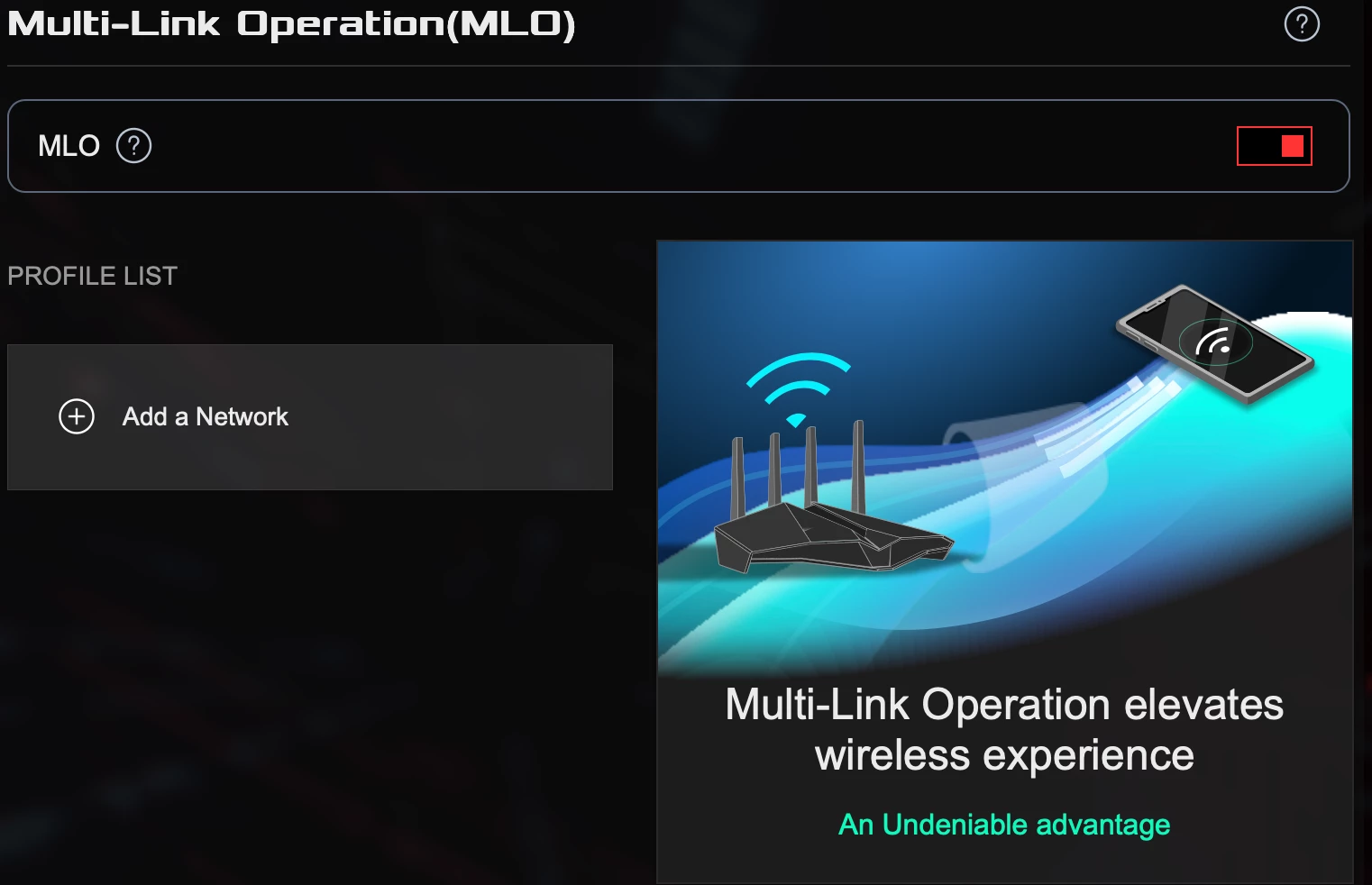
MLO is active but I haven’t set a parameter 


 * This may be the cause of your problems in a nutshell. It’s been verified by Asus that engaging the Guest Network will disrupt the hidden 5Ghz channel generated by Sonos to communicate with surrounds and subs.

As I don’t have people visiting needing to use my Wi-Fi; I haven’t pursued the issue to any great length with ASUS. A future firmware update is suppose to be pushed out based upon a beta.  However, I don’t have the time nor the inclination to test it as a Guest Network is very low on my list of priorities. Besides my Sonos and other devices are running rock solid.

Together Everyone Achieves More = T.E.A.M.

27 replies

Airgetlam
February 14, 2026

First, I’d check to ensure that the radio was turned on, on all devices. The surrounds and Sub communicate with the Arc, and receive IP addresses from your router through that signal. The only time your surround speakers go directly to the router is when they’re initially set up as normal speaker. Once they get moved to surround mode, they change to connecting with the Arc. 

Bruce
nahzdAuthor
Contributor I
February 14, 2026

First, I’d check to ensure that the radio was turned on, on all devices. The surrounds and Sub communicate with the Arc, and receive IP addresses from your router through that signal. The only time your surround speakers go directly to the router is when they’re initially set up as normal speaker. Once they get moved to surround mode, they change to connecting with the Arc. 

Thanks Bruce. Yes, As I have described, I was to get them linked to my 2.4ghz network without issues. Its only the time when I add the sub to the arc and/or to the Era 300, it gives that error message. I had to factory reset all over again to try another way, but still failed.

AjTrek1
February 14, 2026

A Few Suggestions

  1. You should not have to bother with manually adding IP and MAC addresses for a new and/or factory reset Sonos product during setup.
  2. You can setup “reserve” IP Addresses for your Sonos (or any Wi-Fi device) later; as a fun project 😊
  3. The best encryption is WPA2/WPA3 Personal. If you have devices that require WPA encryption you may want to consider upgrading them. 
  4. It’s best not to give each WiFi band a separate SSID. Use the same SSID for all bands and let your devices (including Sonos) choose the band they want to connect to. 
  5. Do not engage any type of “smart connect” or “band steering” in your router
  6. Turn off “AirTime Fairness” in you router 

Regarding your setup issues I suggest...

Factory reset the Era 300’s and Sub then follow the setup instructions below.

Era 300’s

  1. In the app select “Add speaker or component” for each Era 300 one at a time.
  2. Give each a different room name. I suggest “Era 300 One” and “Era 300 Two”. By doing so you don’t waste a legitimate room name that you may need in the future.
  3. Go to the room with the Arc and select “Add Surrounds” and follow the directions

Sub 3

  1. In the app select “Add speaker or component”.
  2. The app will detect the Sub 3.
  3. Once added the app may ask if you would like to add it to the room with the Arc or another room that is capable of using the sub. You would select the room with the Arc.
  4. If the app doesn’t prompt you...then go to the room with the Arc and select “Add a sub” and follow the directions
Together Everyone Achieves More = T.E.A.M.
Senior Virtuoso
February 14, 2026

Do you currently have 1 room, which has the Arc, Sub and 2xEras associated to that room? 
 

Have you checked all devices - speakers and controllers - are up-to-date?


Have you tried refreshing your system by powering down all speakers and routers? If not, do so. Power up the router first and wait until it is fully restarted and the wifi signal is established. Then power the Arc, and when it’s fully running do the Sub and then the Eras. 

nahzdAuthor
Contributor I
February 14, 2026

A Few Suggestions

  1. You should not have to bother with manually adding IP and MAC addresses for a new and/or factory reset Sonos product during setup.- This was my alternative after downgrading the encryption based from the minimum specs.
  2. You can setup “reserve” IP Addresses for yo ur Sonos (or any Wi-Fi device) later; as a fun project 😊
  3. The best encryption is WPA2/WPA3 Personal. If you have devices that require WPA encryption you may want to consider upgrading them.  - This was my first struggle after a couple of attempts when my speakers got updated with the version 93.1-73190
  4. It’s best not to give each WiFi band a separate SSID. Use the same SSID for all bands and let your devices (including Sonos) choose the band they want to connect to. - Yes, I had only 2.4 & 5ghz only since I got my speakers.
  5. Do not engage any type of “smart connect” or “band steering” in your router - yup I did that too
  6. Turn off “AirTime Fairness” in you router 

Regarding your setup issues I suggest...

Factory reset the Era 300’s and Sub then follow the setup instructions below.

Era 300’s

  1. In the app select “Add speaker or component” for each Era 300 one at a time.
  2. Give each a different room name. I suggest “Era 300 One” and “Era 300 Two”. By doing so you don’t waste a legitimate room name that you may need in the future.
  3. Go to the room with the Arc and select “Add Surrounds” and follow the directions

 -  Yes I did these steps too, and ended up the same result.

Sub 3

  1. In the app select “Add speaker or component”.
  2. The app will detect the Sub 3.
  3. Once added the app may ask if you would like to add it to the room with the Arc or another room that is capable of using the sub. You would select the room with the Arc.
  4. If the app doesn’t prompt you...then go to the room with the Arc and select “Add a sub” and follow the directions

-  Yes I did these steps too, and ended up the same result.

I have replied above all the points you have mentioned.  I am point to find the Sonos Boost device that might help.


nahzdAuthor
Contributor I
February 14, 2026

Do you currently have 1 room, which has the Arc, Sub and 2xEras associated to that room? 
 

Have you checked all devices - speakers and controllers - are up-to-date?


Have you tried refreshing your system by powering down all speakers and routers? If not, do so. Power up the router first and wait until it is fully restarted and the wifi signal is established. Then power the Arc, and when it’s fully running do the Sub and then the Eras. 

Yes Nik9669a, did all of that too.

AjTrek1
February 14, 2026

The Boost should not be necessary. Are you using an ISP supplied router/modem combo box in addition to another single router or mesh setup? Also, what country are you in as network gear differs.

Together Everyone Achieves More = T.E.A.M.
nahzdAuthor
Contributor I
February 14, 2026

The Boost should not be necessary. Are you using an ISP supplied router/modem combo box in addition to another single router or mesh setup? Also, what country are you in as network gear differs.

I am using a gaming router GT-Be98 Pro, which i have not had any issues after upgrade. I just suspect that it might be the new software upgrade is the culprit..

AjTrek1
February 14, 2026

So you’re using an Asus router. I use three Asus routers in an AiMesh setup Wi-Fi 7. I have 31 Sonos units with no issues and no Boost is needed. BTW … I’m running the latest Sonos updates for the App and hardware.

However, you didn’t answer my question completely. Who is your ISP and what equipment have they provided. We need precise information about your network to assist. If you are unwilling to provide that information then I suggest you call Sonos tech support.

Together Everyone Achieves More = T.E.A.M.
AjTrek1
February 14, 2026

​@nahzd 

Just to clarify….

The questions asked by me or other members are to gain information about your setup and network. If you’ve done everything that I and ​@Airgetlam and ​@nik9669a have suggested; and you say all Sonos is up-to-date, then there are clearly local network issues involved.

The information you provide (when asked) needs to be precise. You are not providing that type of information.

For example you stated that you have a GT-Be98 Pro router. I was only able to determine that you are using an ASUS router due to the fact that I use the same router. Do you think that everyone knows that the GT-Be98 Pro is an ASUS router? 

I asked about your ISP and what equipment they have provided. That’s critical information that you seem reluctant to provide.

I assure you that adding a Boost will not resolve your issues. You would essentially be creating the SonosNet which BTW the Era 300’s would ignore if being used as stand-alone speakers. 

So help us to help you by providing precise information when asked. We’re here to help.😊

Together Everyone Achieves More = T.E.A.M.