Contributor I
February 14, 2026
Answered

Product not connected after setting up as surround and adding sub to Arc

Hi, hopefully you can help me out here.


I was able to connect my Arc, 2 Era 300s and the sub 3 in my network having 2.4ghz with WPA/WPA2 authentication as it is the bare minimum requirement. 

First step was connect my sub to a room, which is with my Arc. after connecting, it says that the Product is not connected. which is weird.

I tried to setup the surround with my 2 Era speakers and Arc, still ended up with the same error message on both Era speakers.


I have also added their IP & MAC adresses as dedicated devices under the DHCP list and still got the same error messages and result of not having all of them turned on.. except for the Arc itself. 


Basically I did the LAN cable thing and yes it worked but I cannot affort to have my cable running across the floor as it was only a test.


I rang up the support which they said its a DHCP issue, which I never had before after their upgrade of my sonos products recently.



This topic has been closed for further comments. You can use the search bar to find a similar topic, or create a new one by clicking Create Topic at the top of the page.
AjTrek1
AjTrek1Answer
February 15, 2026

​@nahzd 

Glad you asked….

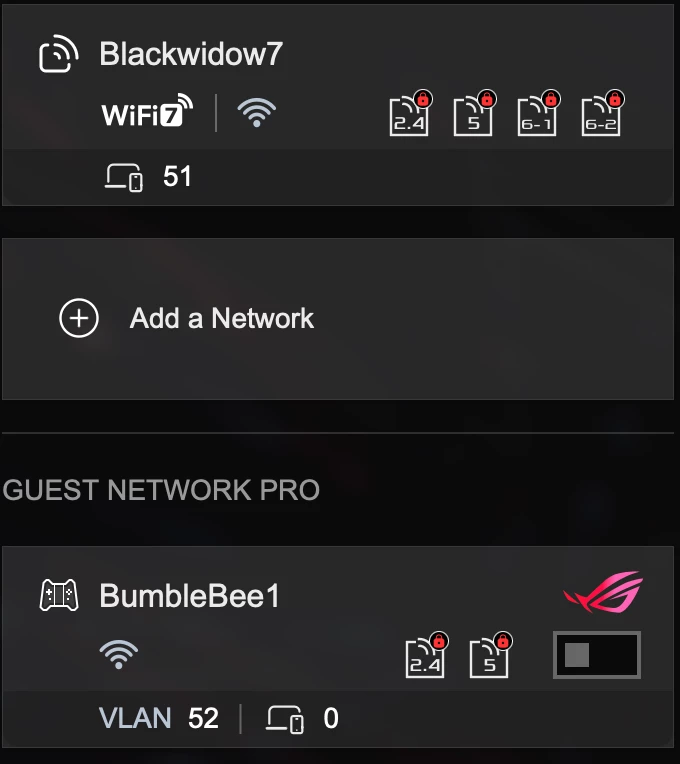
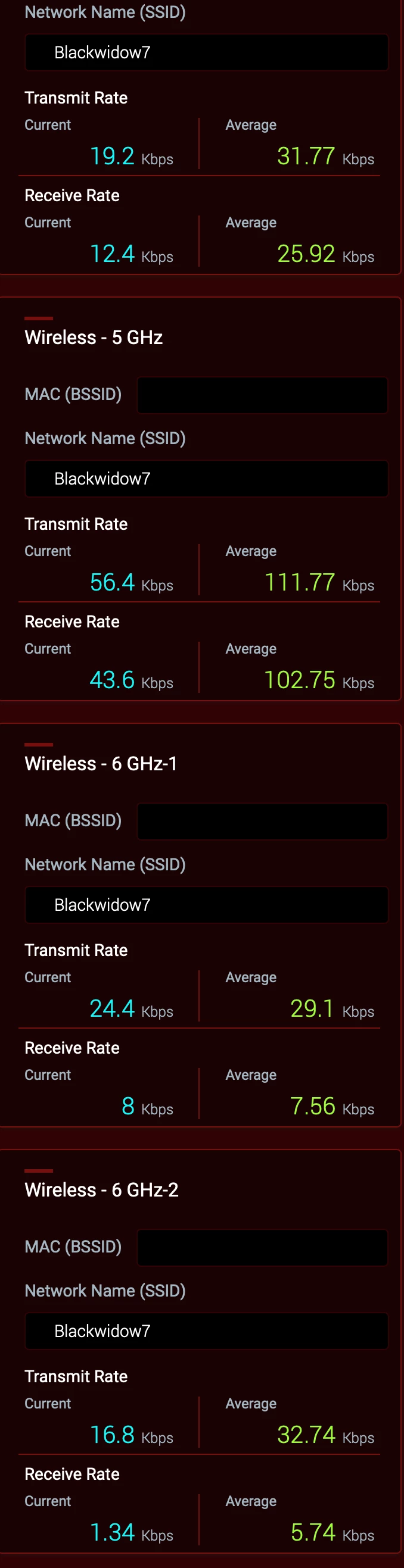
All bands have the same SSID as you can in the screen shot below and same password.


WiFi 7 is Active for all bands. However, the Guest network is turned off. *


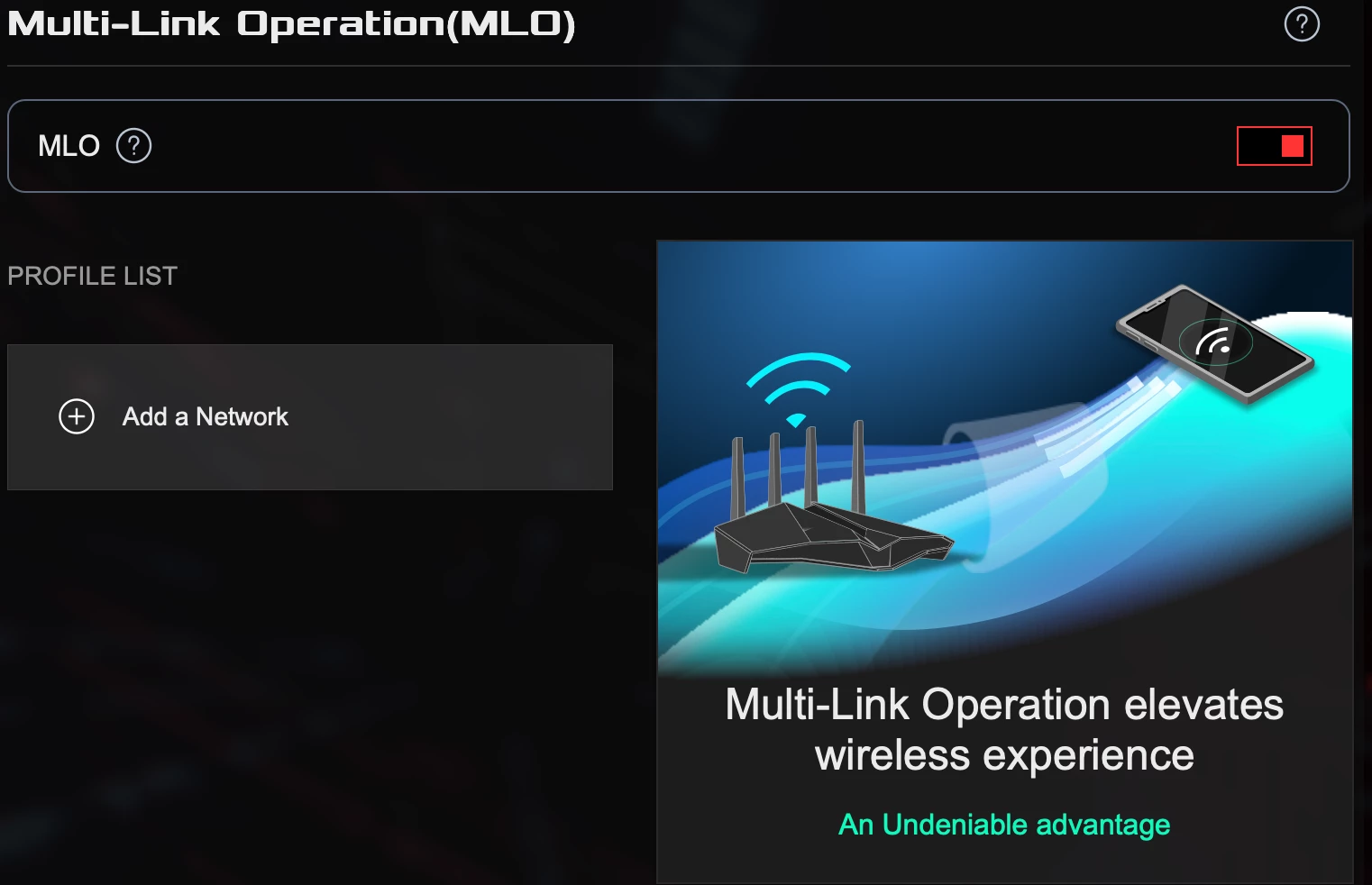
MLO is active but I haven’t set a parameter 


 * This may be the cause of your problems in a nutshell. It’s been verified by Asus that engaging the Guest Network will disrupt the hidden 5Ghz channel generated by Sonos to communicate with surrounds and subs.

As I don’t have people visiting needing to use my Wi-Fi; I haven’t pursued the issue to any great length with ASUS. A future firmware update is suppose to be pushed out based upon a beta.  However, I don’t have the time nor the inclination to test it as a Guest Network is very low on my list of priorities. Besides my Sonos and other devices are running rock solid.

Together Everyone Achieves More = T.E.A.M.

27 replies

Stanley_4
Grand Maestro
February 14, 2026

There are two Sonosnets, the 2,4 gHz we have known about for years, and the recently revealed tidbit that internal to Sonos the 5 gHz Sub/surround network is also called Sonosnet.

Only older Sonos establish the 2.4 gHz Sonosnet. If the 2.4 gHz Sonosnet is established speakers capabile (old ones) of using it will, if it has qn adequate signal in their location.

AjTrek1
February 14, 2026

I think the bottom-line for this thread is that the Boost or wiring the Arc to create the SonosNet is not the answer. The OP’s router is more than adequate to handle the Wi-Fi unless a Mesh setup is called for. As I said...I have the same router which is the latest tech for Wi-Fi 7 and none of the products listed by the OP should have issues connecting

I honestly believe there are tweaks that need to be made with the router in order to accommodate the Aussie Broadband NBN infrastructure. A call to local customer support may help and/or to Sonos Tech Support. 

As I recall this is the second thread with issues involving Aussie Broadband.

Together Everyone Achieves More = T.E.A.M.
nahzdAuthor
Contributor I
February 14, 2026

Thanks for the reply. I see you are in Australia as evidenced by your use of Aussie Broadband. To be honest I’m in the US and not familiar with the Australian network. Hopefully, someone more knowledgeable than I can assist. However, you might call Sonos Tech support for assistance.

I have provided my Wireless General and Wireless Professional settings used for my GT-BE98 Pro router.  As I mentioned earlier all bands use the same SSID along with the other settings I suggested. Good luck to get your Sonos connected.


Thanks for this. Initially these were my setup but having different SSID names. Are you saying that they should only have 1 SSID & password including the 2 6ghz? have you still created 1 guest network with a different name?  Did you also remove the Wifi7 Mode in this case and/or enable MLO?


nahzdAuthor
Contributor I
February 15, 2026

​@AjTrek1 

I Did change the SSID to one name for all. To start off, I factorry reset the arc and sub. I was successfully able to add them but after trying to pair them, same results: 


AjTrek1
AjTrek1Answer
February 15, 2026

​@nahzd 

Glad you asked….

All bands have the same SSID as you can in the screen shot below and same password.


WiFi 7 is Active for all bands. However, the Guest network is turned off. *


MLO is active but I haven’t set a parameter 


 * This may be the cause of your problems in a nutshell. It’s been verified by Asus that engaging the Guest Network will disrupt the hidden 5Ghz channel generated by Sonos to communicate with surrounds and subs.

As I don’t have people visiting needing to use my Wi-Fi; I haven’t pursued the issue to any great length with ASUS. A future firmware update is suppose to be pushed out based upon a beta.  However, I don’t have the time nor the inclination to test it as a Guest Network is very low on my list of priorities. Besides my Sonos and other devices are running rock solid.

Together Everyone Achieves More = T.E.A.M.
nahzdAuthor
Contributor I
February 15, 2026

​@nahzd 

Glad you asked….

All bands have the same SSID as you can in the screen shot below and same password.


WiFi 7 is Active for all bands. However, the Guest network is turned off. *


MLO is active but I haven’t set a parameter 


 * This may be the cause of your problems in a nutshell. It’s been verified by Asus that engaging the Guest Network will disrupt the hidden 5Ghz channel generated by Sonos to communicate with surrounds and subs.

As I don’t have people visiting needing to use my Wi-Fi; I haven’t pursued the issue to any great length with ASUS. A future firmware update is suppose to be pushed out based upon a beta.  However, I don’t have the time nor the inclination to test it as a Guest Network is very low on my list of priorities. Besides my Sonos and other devices are running rock solid.

Yes you are correct. I discovered that its the Guest network was the culprit. Luckily, it has an on/off switch which I had played around. Now it is off, I can definitely say it is working now. 👍👌

Funny why it was even considering try to connect to that network in the background even if you are not connected to it?