This topic has been closed for further comments. You can use the search bar to find a similar topic, or create a new one by clicking Create Topic at the top of the page.
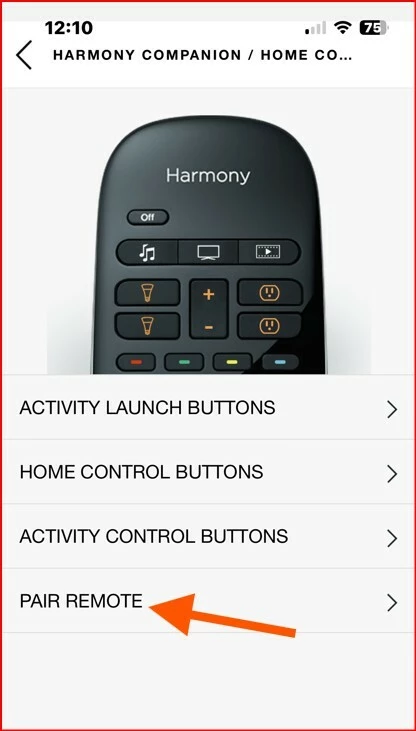
Good day folks - I also encountered the same issue with one of my Harmony Home Hub's yesterday. Volume stopped on controlling my Beam (GEN1). I also noticed this community post on it yesterday, however, unaware that I was impacted as well. Today, I tried powering on and off all equipment - no luck. I did not want to go to the extreme of deleting the HUB as I have such a hard time remembering how to set it all up. So, what I tried today was just re-pairing the remote. Once the remote finished pairing, then it does a final Sync - my first Sync failed and then I disconnected the HUB from it's power /reconnected and tried again. Sync successful - tested volume on remote control and back in business!! I have put the screenshots below on how to pair if anyone is interested. @Airgetlam - yes, I am curious as well as to what update caused this - looks like the last update I did for either the app or firmware was on April 16th, 2025. I am currently at:
Firmware 84.1-64070
iOS 80.19.21
So, not sure if maybe Logitech had some sort of blip or the issue is on Sonos's side.
Derek
Pairing Remote Instructions
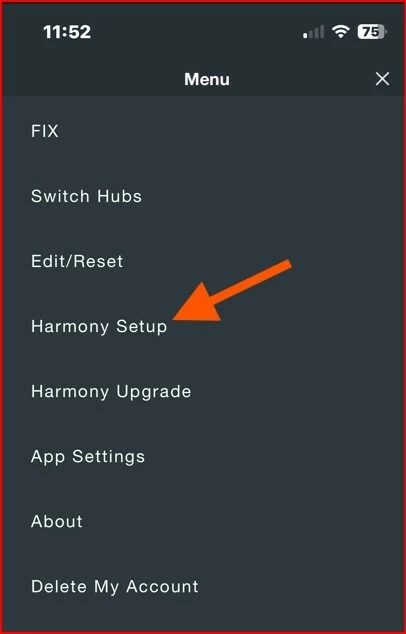
Go to Settings in the Harmony Hub Application and on the Hub you want to work with
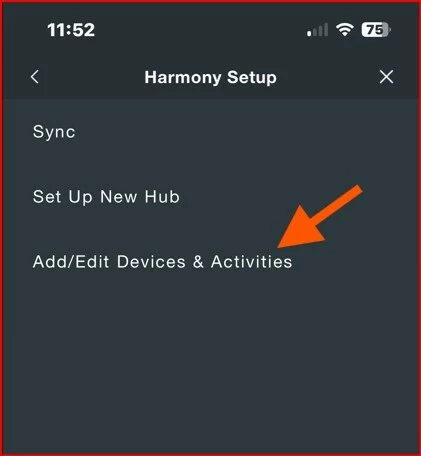
Harmony Setup
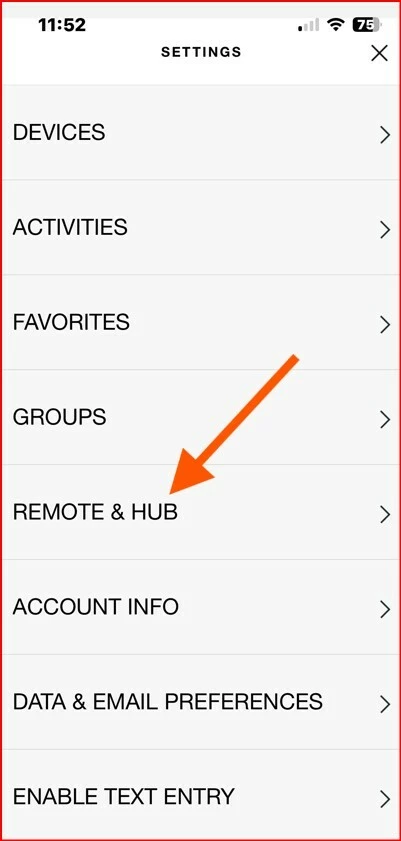
Add/Edit Devices & Activities
REMOTE & HUB
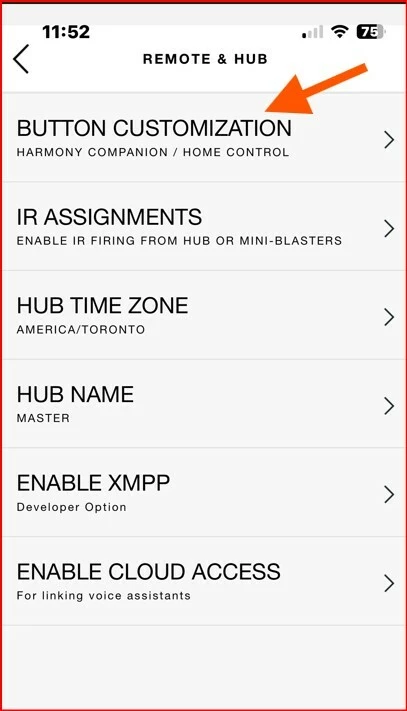
Button Customization
PAIR REMOTE
Harmony SetupAdd / EditRemote & HubButton CustomizationPair and follow the instructions and do final Sync - Good luck!!
How is your Sonos Arc connected to your TV? If it is via HDMI-ARC or eARC, your Harmony would be controlling the volume on the TV, and not directly to the Sonos Arc. The only time you have to use the IR system to control the Sonos Arc is when it is connected via optical.
Note, Logitech no longer supports the Harmony system, which makes things more difficult.
How is your Sonos Arc connected to your TV? If it is via HDMI-ARC or eARC, your Harmony would be controlling the volume on the TV, and not directly to the Sonos Arc. The only time you have to use the IR system to control the Sonos Arc is when it is connected via optical.
Note, Logitech no longer supports the Harmony system, which makes things more difficult.
Believe me when i tell you, Harmony was controlling Sonos and not the tv. because when i wanted to listing to music or tv is off, i can control Sonos (music) volume up or down or mute. Nothing has been changed.
I have also two Sonos one as pair and i could control them separatly and now i cant anymore.
Then I would recommend that you submit a system diagnostic within 10 minutes of experiencing this problem, and call Sonos Support to discuss it. Don’t post the resulting diagnostic number here, they get sensitive about GDPR. And make sure they understand you have been using IR, since that isn’t the normal way to connect to the Arc.
There may be information included in the diagnostic that will help Sonos pinpoint the issue and help you find a solution.
When you speak directly to the Support staff, they have tools at their disposal that will allow them to give you advice specific to your network and Sonos system.
Then I would recommend that you submit a system diagnostic within 10 minutes of experiencing this problem, and call Sonos Support to discuss it. Don’t post the resulting diagnostic number here, they get sensitive about GDPR. And make sure they understand you have been using IR, since that isn’t the normal way to connect to the Arc.
There may be information included in the diagnostic that will help Sonos pinpoint the issue and help you find a solution.
When you speak directly to the Support staff, they have tools at their disposal that will allow them to give you advice specific to your network and Sonos system.
You said that’s not the normal way, by IR, what is the different way? Network?
You said that’s not the normal way, by IR, what is the different way? Network?
Normally, you would control the soundbar from the TV via CEC. That way you would get feedback for volume up/down or volume level displayed on the TV. However, this would mean the TV needs to be on to control the volume.
The normal way is via HDMI ARC, where the remote control operates the television, and the television sends the volume commands via CEC (HDMI ARC) to the Sonos Arc via the HDMI cable between the ARC port on the TV and the Sonos Arc.
The remote generally doesn’t directly communicate with the Sonos, but the TV set itself. However, when you force IR communication, the remote controls the Arc directly.
Edit: @jgatie types faster…and I was distracted, I tell you! ;)
The normal way is via HDMI ARC, where the remote control operates the television, and the television sends the volume commands via CEC (HDMI ARC) to the Sonos Arc via the HDMI cable between the ARC port on the TV and the Sonos Arc.
The remote generally doesn’t directly communicate with the Sonos, but the TV set itself. However, when you force IR communication, the remote controls the Arc directly.
Edit: @jgatie types faster…and I was distracted, I tell you! ;)
I have reset my Harmony Hub and re-added as new Hub in my network and account and it’s working fine. It’s very weird but it’s working and I’m happy.