Answered

cant use era 100 as surround
  • June 13, 2026
  • 27 replies
  • 164 views

Forum|alt.badge.img

I have had a Sonos Beam Gen 1 in my living room for quite some time. It is connected to my Samsung TV via HDMI ARC and connected to my network through Wi‑Fi. I am using a 2.4 GHz Wi‑Fi network. The Beam works fine on its own.


Recently, I purchased two Sonos Era 100 speakers with the goal of using them as surround speakers with the Beam.


When installing the Era 100 speakers through the Sonos app, I initially receive a message stating that the Era 100 has been added but may not be visible in the system. The app then advises me to unplug the speaker and reconnect it. This is indeed the case: after the first installation, the Era 100 does not appear in my list of devices.


When I set up the Era 100 again, I am asked to confirm that the speaker is working by pressing two touch controls. After that, the Era 100 speakers do become visible and function normally either as standalone speakers or as a stereo pair.


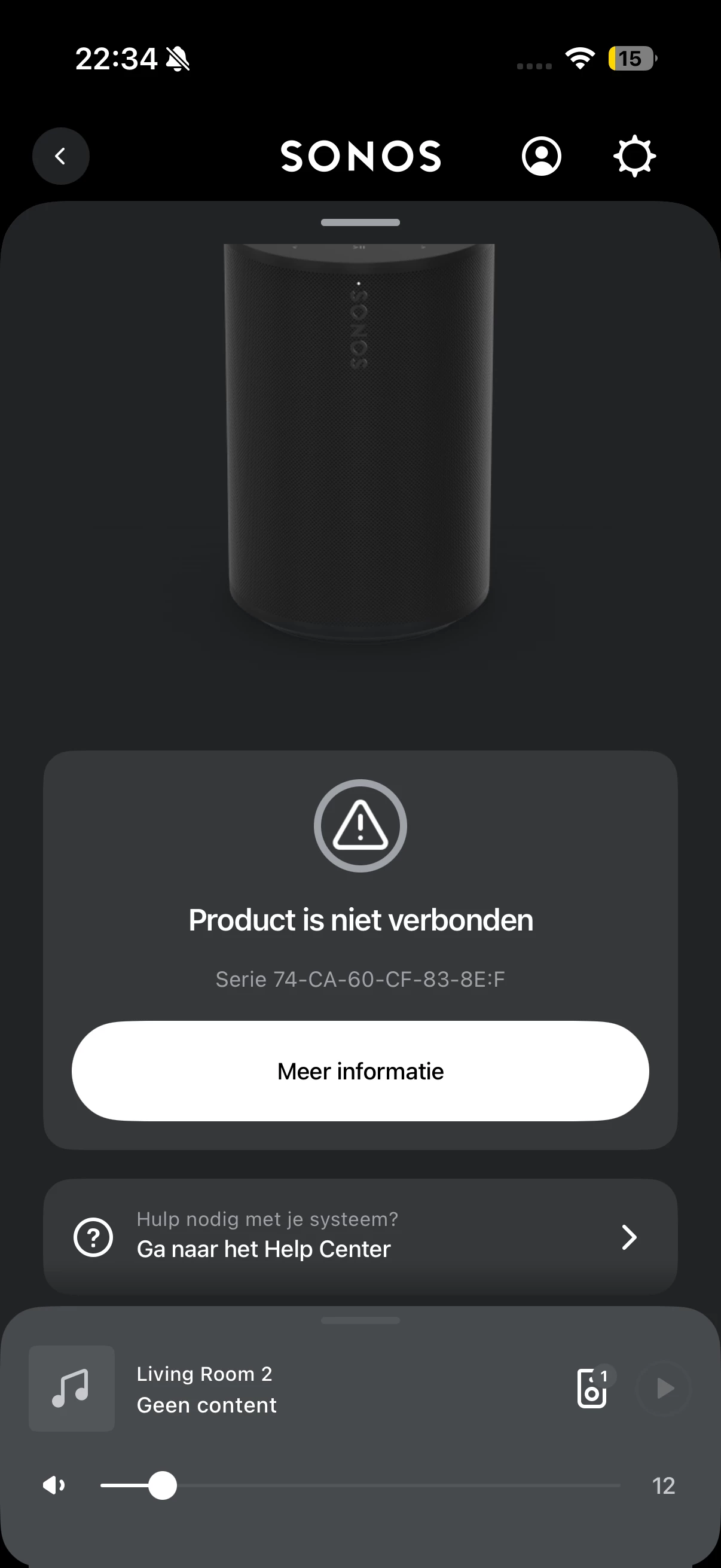
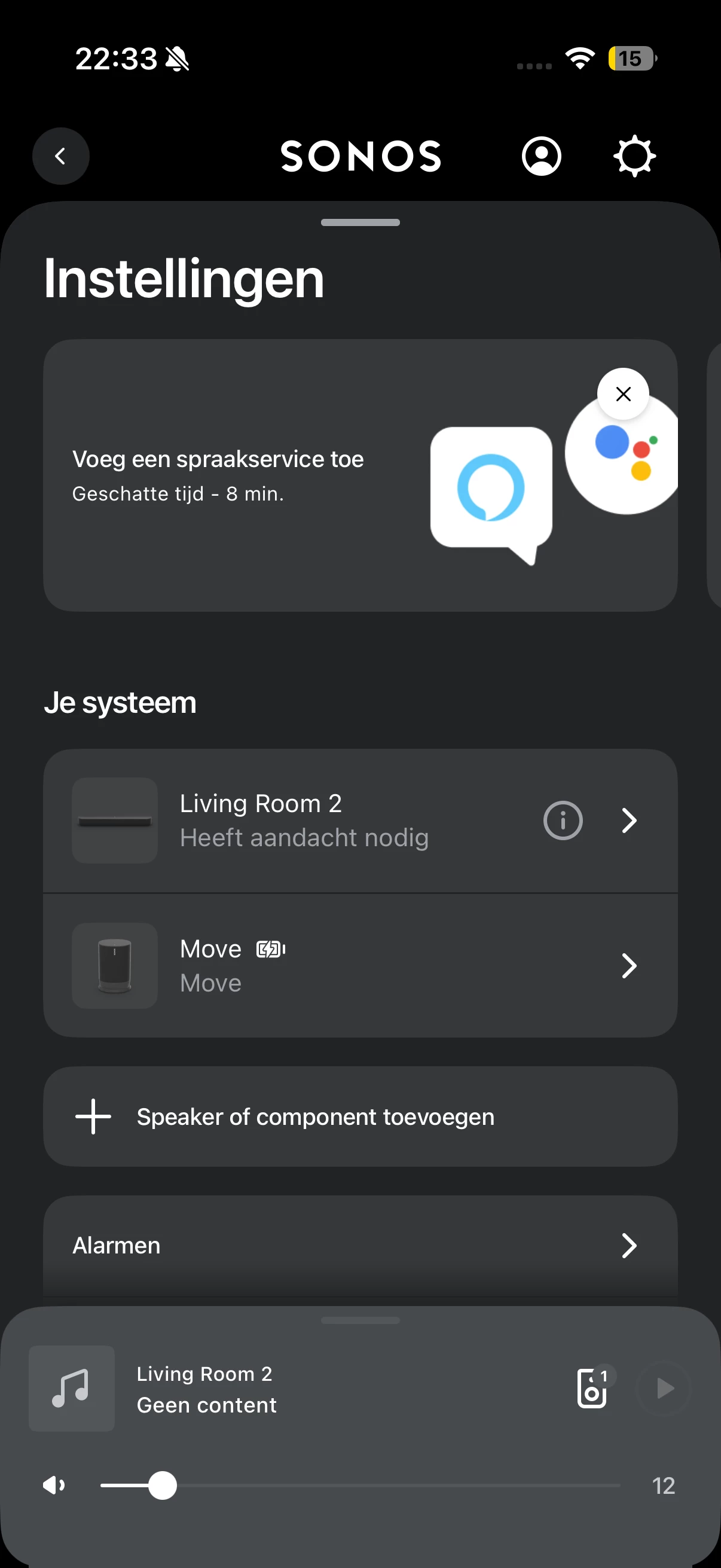
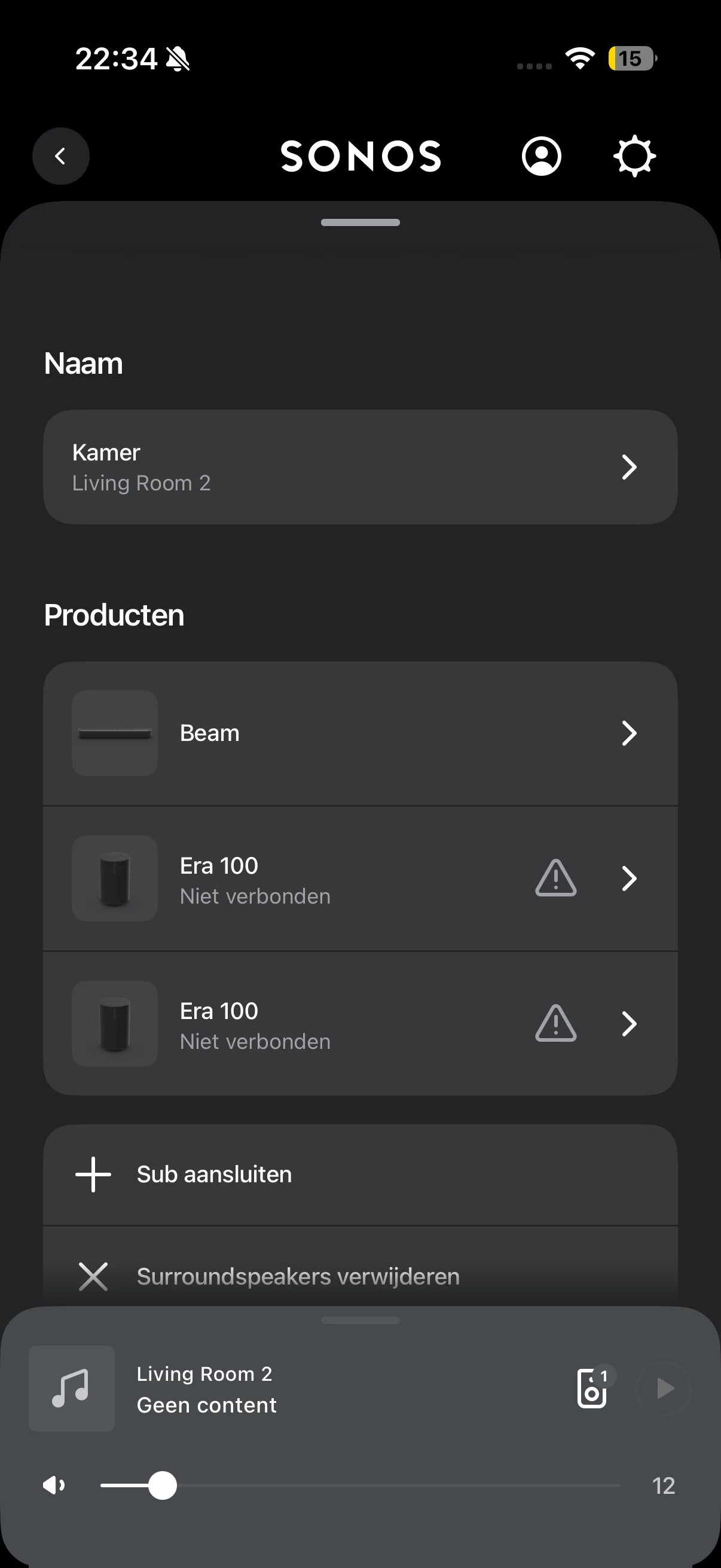
The problem occurs as soon as I add the two Era 100 speakers as surround speakers to the Sonos Beam. After adding them as surrounds, the Era 100 speakers suddenly stop working. In the Sonos app, I can see that there is an issue with the Beam. When I click on it, it indicates that the Era 100 speakers are no longer connected. At that point, they also cannot be played individually anymore.


I have already tried several steps to resolve this issue. I have fully reset the Era 100 speakers multiple times using a hard reset: unplugging the power cable, holding the button on the back while reconnecting power, waiting for the LED to flash, and then releasing the button before setting them up again. I also connected the Beam via an Ethernet cable and then attempted the surround setup again.

This did not solve the problem. In addition, the Beam itself has been reset multiple times, but that also did not help.


In summary:
    ●    Beam Gen 1 works correctly via HDMI ARC with a Samsung TV.
    ●    The system runs on a 2.4 GHz Wi‑Fi network.
    ●    Era 100 speakers work properly as standalone speakers or as a stereo pair.
    ●    During installation, I initially receive a message that the speaker may not be visible.
    ●    After setting them up again, the Era 100 speakers function normally.
    ●    As soon as I add them as surrounds to the Beam, they lose connection.
    ●    After that, they cannot be used either as surrounds or as standalone speakers.
    ●    The Era 100 speakers have been hard reset multiple times.
    ●    The Beam has been reset multiple times.
    ●    The Beam has also been tested with an Ethernet connection, but this did not resolve the issue.


My question is why the Era 100 speakers lose their connection after being paired as surrounds, while they work correctly on their own or as a stereo pair. I would like to know which network or Sonos settings could cause this behavior and what additional troubleshooting steps I can try to get the Era 100 speakers working reliably as surround speakers with the Beam Gen 1.

Best answer by Stanley_4

Not sure what router brand that is, so a generic answer.

https://en.community.sonos.com/tutorials-and-how-to-s-229149/sonos-unifi-best-practices-recommended-settings-6933597?tid=6933597&fid=228987

Proxy ARP: Disabled (unchecked).


27 replies

MoPac
Forum|alt.badge.img+19
  • Headliner III
  • June 13, 2026

Look at the model number to see which region the ERA 100 is from.  I believe the number will end with US1 or EU1.  Bonding may not be possible if the 100s are from a different region.

you may have to call Sonos if that is the case.


Forum|alt.badge.img
  • Author
  • Contributor I
  • June 13, 2026

Both the beam and era’s are from the eu.


MoPac
Forum|alt.badge.img+19
  • Headliner III
  • June 13, 2026

Should work then.  Are the 100s stereo paired?  If so unpair them then add them as surrounds.  If that doesn’t work send a diagnostic and call Sonos service.  They are much faster than they used to be.


Forum|alt.badge.img
  • Author
  • Contributor I
  • June 14, 2026

They are unpaired yes, because making them stereo makes them unable to configure them as surround.


MoPac
Forum|alt.badge.img+19
  • Headliner III
  • June 14, 2026

How is the Beam connected to the network?  If it is Ethernet wired make sure its WiFi radio is ON.  Are the Beam & 100s on the same account?  Is the Beam & 100s firmware up to date.


AjTrek1
  • June 14, 2026

First ...dont’t Factory Reset the speakers as doing so erases data that Sonos might use to determine the issue and hopefully suggest a solution.

I suggest you run a diagnostic within 10 minutes of your next attempt to set the Era 100’s as surrounds. Make note of the reference ID; but do not post it in the community. Call Sonos Tech Support to discuss the data.


Stanley_4
  • Grand Maestro
  • June 14, 2026

Might be an arp issue, the forum serach AI has good suggestions

https://en.community.sonos.com/search?q=arp


Airgetlam
  • June 14, 2026

Is arp related to ARP?


106rallye
Forum|alt.badge.img+18
  • June 14, 2026

So your router maya have difficulty with Sonos surrounds being connected to the network through the Beam. What is your WiFi set up? What router etc.?


Forum|alt.badge.img
  • Author
  • Contributor I
  • June 14, 2026

How is the Beam connected to the network?  If it is Ethernet wired make sure its WiFi radio is ON.  Are the Beam & 100s on the same account?  Is the Beam & 100s firmware up to date.


so yes they are wifi connected. I tried connecting it via ethernet, but i couldnt choose the disable wifi function as that requires a ethernet cable connection. After a few tries (connecting to the bridge router) it didnt show the wifi on/off function and therefore i presumed the wifi was off and it was connected with ethernet cable. I did this because somebody on reddit said he had the same issue and this solved it


Thank you all for the quick replies! 
 

regarding the diagnostics, how do i run a diagnostics?


AjTrek1
  • June 14, 2026

@Maahes89 

To learn how to run a diagnostic click the link:

https://support.sonos.com/en-us/article/submit-diagnostics

Caution:

Do not publish the Reference ID in the community as it contains Personal Identifiable Information 


Forum|alt.badge.img
  • Author
  • Contributor I
  • June 14, 2026

 This is my setup with the Mesh router on another floor. I have a router which i received from the internet provider and this is in bridgemode. So the AC5300 is my primary retourer which has an 2.4 ghz  and 2x 5 ghz AP.


im not using any antivirus that i know of that might block it. But how can insee whether an ARP attack is the cause? 


Stanley_4
  • Grand Maestro
  • Answer
  • June 14, 2026

Forum|alt.badge.img
  • Author
  • Contributor I
  • June 14, 2026

I apologise, they are ASUS routers.


AjTrek1
  • June 14, 2026

That’s an Asus router in AiMesh mode. However you need to verify that the ISP router is still in Bridge mode. Your device may still be connecting to the ISP gear.

The other possible is that you are using a different SSID and Password for your ASUS as opposed to the one used by your ISP. If that is the case your Sonos is still using the ISP credentials. Therefore, you need to update the WiFi for your Sonos via the app.


HaHa… I determined it was ASUS gear as I use ASUS as well. Below is my setup:


AjTrek1
  • June 14, 2026

After reading your last post again. It seems you may have said that your ASUS router is in Bridge mode. If so that is an improper configuration. It is your ISP router that needs to be in Bridge mode. Your ASUS should be in Router mode. See my system below:


Forum|alt.badge.img
  • Author
  • Contributor I
  • June 14, 2026

I have been using the SSID for as long as i have the asus router. The Ips router is definitely in bridgemode, this is done by the internet provider from distance.


Ill try doing it again with the recommended router settings although the names for certain settings are different or i cannot find them. Is there a guide for asus routers?


My asus router is not in bridgemode btw.


AjTrek1
  • June 14, 2026

I have been using the SSID for as long as i have the asus router. The Ips router is definitely in bridgemode, this is done by the internet provider from distance.


Ill try doing it again with the recommended router settings although the names for certain settings are different or i cannot find them. Is there a guide for asus routers?

I hear what you are saying… however you are showing ZERO clients on your network. At the very least your network should show ONE client which is your device ( cell phone or tablet). 


Forum|alt.badge.img
  • Author
  • Contributor I
  • June 14, 2026

Ah yes that screenshot was made somehow when the app was not working. This is the working situation:


Stanley_4
  • Grand Maestro
  • June 14, 2026

Zero luck finding anything on the Asus site on arp / addresses resolution protocol. 


AjTrek1
  • June 14, 2026

Ah yes that screenshot was made somehow when the app was not working. This is the working situation:


OK… you should be able to see what those clients are. Sonos may show as SonosInc or SonosZP. 

On your device can you see another WiFi network that you use or once used in the past? 


AjTrek1
  • June 14, 2026

I think this thread has gotten off track. The original issue was that the Era 100’s were not able to be used as surrounds. My suggestion is to reproduce the issue starting from the beginning then run the diagnostic as suggested and call Sonos Tech support.


Forum|alt.badge.img
  • Author
  • Contributor I
  • June 14, 2026

I will! Thanks alot!

quick question, does it matter i connect the era’s on 5ghz and the beam on 2.4ghz, or do they need to be on the same frequency?

because when i try to put the era’s via 2.4ghz, they wont show up on my system unless i remove the plug and restart them, then i need to configure them again.


MoPac
Forum|alt.badge.img+19
  • Headliner III
  • June 14, 2026

Sounds like you have more than one network.  The controller ( device using the Sonos app ) & all Sonos speakers must be on the same network & subnet.  Check your mesh settings.

If 2.4 & 5 are two different networks connect the Controller & Sonos speakers to one of them.  The Surrounds connect to the Beam’s separate hidden 5Ghz network.

i know nothing about mesh systems.  My Sonos stuff runs on an ISP “Band Steering” network.  Never have connection issues.  All IP Addresses are reserved.


Stanley_4
  • Grand Maestro
  • June 14, 2026

You should have one SSID for all the Wi-Fi bands. Let Sonos devices pick the one they want. Trying to force things usually does not go well.

Do not factory reset your Sonos unless support tells you to or it is in an official Sonos article. Rebooting (Sonos and router) is fine and often helps.