Answered

Cannot get Sonos one to pair as Surround Sound woth Beam

  • February 21, 2026
  • 1 reply
  • 74 views

Hi Guys, 


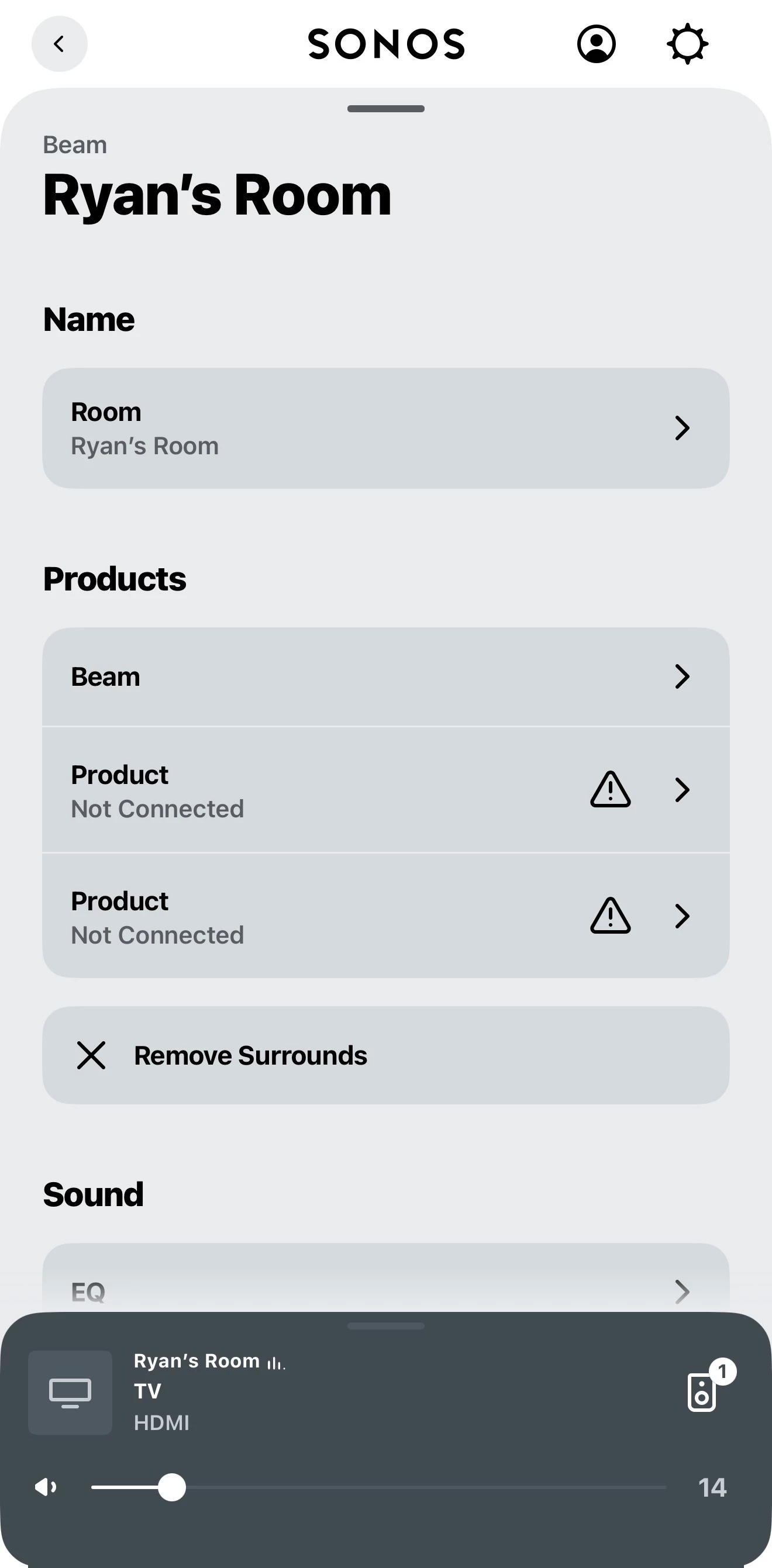
I cannot seem to get my 2 Sonos Play ones to connect to with my beam to make a surround experience. I can connect the 2 speakers as single or as a stereo pair but when I click on the beam and add the 2 Sonos ones as surrounds they are coming up saying “not connected” I have tried to factory test both Sonos ones and the beam and I am still getting the same issue 


I have attached a screen shot below 

Best answer by Airgetlam

It’s possible that your router settings are blocking a ‘proxy’ connection for devices. I’d certainly check the router’s settings, and also perform a network reset, by unplugging all Sonos devices from power, then rebooting the router. Wait two minutes then plug back in your Sonos devices. Wait another two minutes , open the controller, and check all devices for updates, and apply them. Finally, test.

If you’re still having issues, I’d recommend that you submit a system diagnostic within 10 minutes of experiencing this problem, and call Sonos Support to discuss it. Don’t post the resulting diagnostic number here, Sonos’ lawyers get sensitive about GDPR, I suspect.

There may be information included in the diagnostic that will help Sonos pinpoint the issue and help you find a solution.

When you speak directly to the Support staff, they have tools at their disposal that will allow them to give you advice specific to your network and Sonos system.

 

This topic has been closed for further comments. You can use the search bar to find a similar topic, or create a new one by clicking Create Topic at the top of the page.

1 reply

Airgetlam
  • Answer
  • February 21, 2026

It’s possible that your router settings are blocking a ‘proxy’ connection for devices. I’d certainly check the router’s settings, and also perform a network reset, by unplugging all Sonos devices from power, then rebooting the router. Wait two minutes then plug back in your Sonos devices. Wait another two minutes , open the controller, and check all devices for updates, and apply them. Finally, test.

If you’re still having issues, I’d recommend that you submit a system diagnostic within 10 minutes of experiencing this problem, and call Sonos Support to discuss it. Don’t post the resulting diagnostic number here, Sonos’ lawyers get sensitive about GDPR, I suspect.

There may be information included in the diagnostic that will help Sonos pinpoint the issue and help you find a solution.

When you speak directly to the Support staff, they have tools at their disposal that will allow them to give you advice specific to your network and Sonos system.