Question

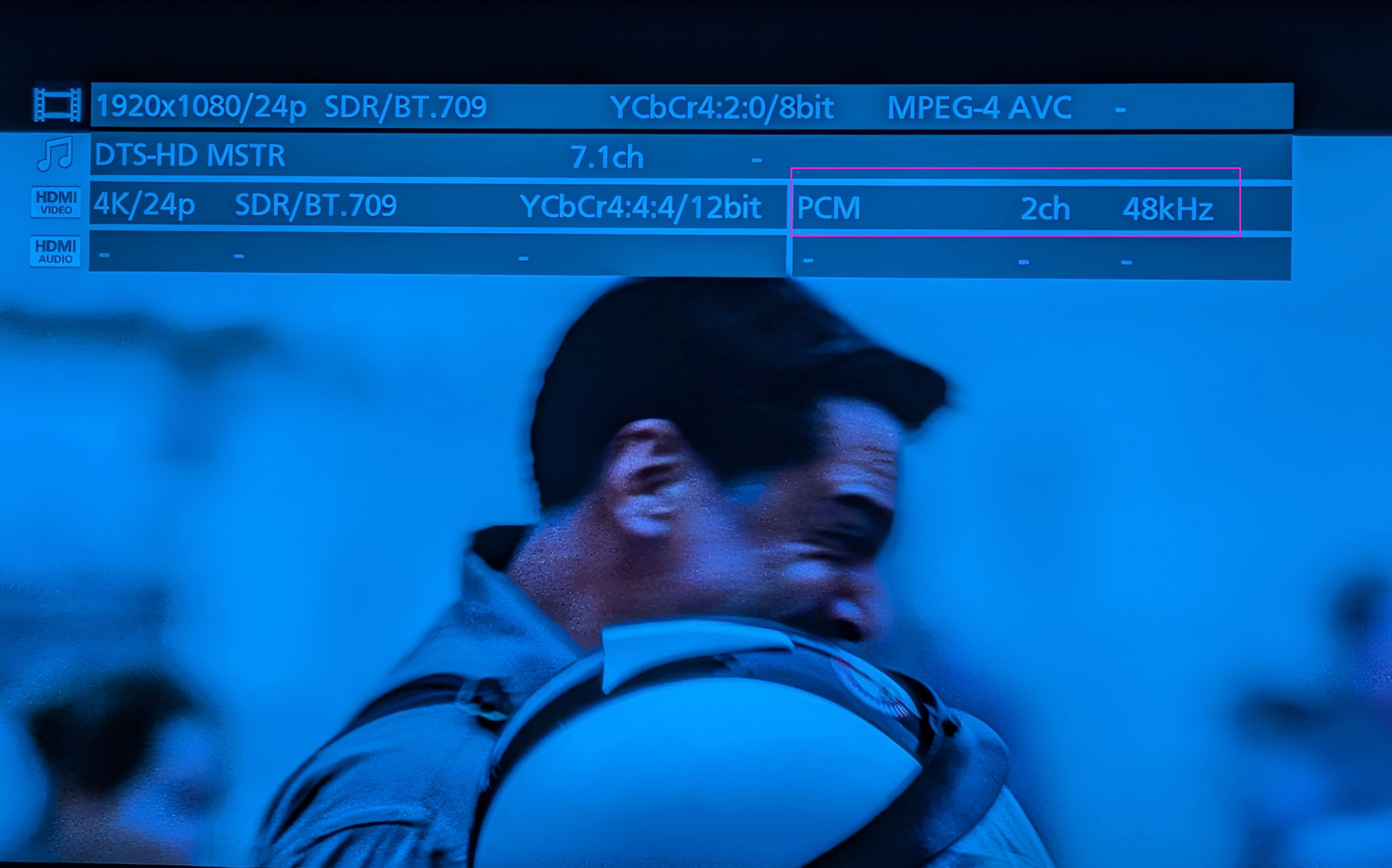
App shows "Stereo PCM" for Arc Ultra when playing 7.1 DTS HD Blu-Ray

  • August 11, 2026
  • 5 replies
  • 45 views

Forum|alt.badge.img+6

I’ve had my Arc Ultra for a couple months and it’s been great. I have a Panasonic DP-UB820-K Blu-Ray player and an LG OLED65CXPUA TV.

Recently, we watched a Hunger Games Blu-Ray and the only audio soundtrack in English was 7.1 DTS HD. I assumed the Arc would appropriately downmix or convert this and was surprised to see that the Sonos app showed we were getting “Stereo PCM” instead. I attempted to Google around to find a solution, but I found all sorts of mixed messages ranging from “the Arc doesn’t support DTS” to “the Panasonic is the problem, try a Sony”. All the TV and Panasonic settings that were suggested to change were either already set as suggested, or had no effect (including trying my old Sony 4K player). Hoping someone can give me some better answers here. Thanks!


5 replies

Airgetlam
  • August 11, 2026

The Arc doesn’t ‘downmix’ anything. It plays what it is handed by the source (the TV, and by extension, in this case, the blu-ray player). I’d be looking at the audio settings on both to see what is being handed to the Sonos across ARC/eARC. 


Airgetlam
  • August 11, 2026

Caveat…what the Sonos can interpret. If something is being sent to it (rare) across the HDMI connection it doesn’t recognize, it just won’t play anything. It still won’t ‘downmix’.


AjTrek1
  • August 12, 2026

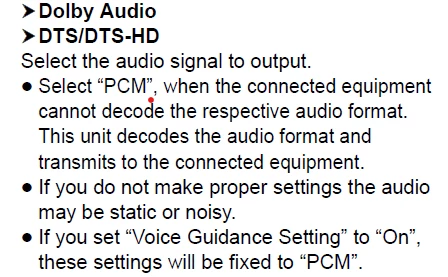
Sonos soundbars do not natively decode DTS. It will be presented as PCM. Check page 31 of your Panasonic manual to see the below information:


Forum|alt.badge.img+6
  • Author
  • Chromatic Producer I
  • August 12, 2026

Sonos soundbars do not natively decode DTS. It will be presented as PCM. Check page 31 of your Panasonic manual to see the below information:


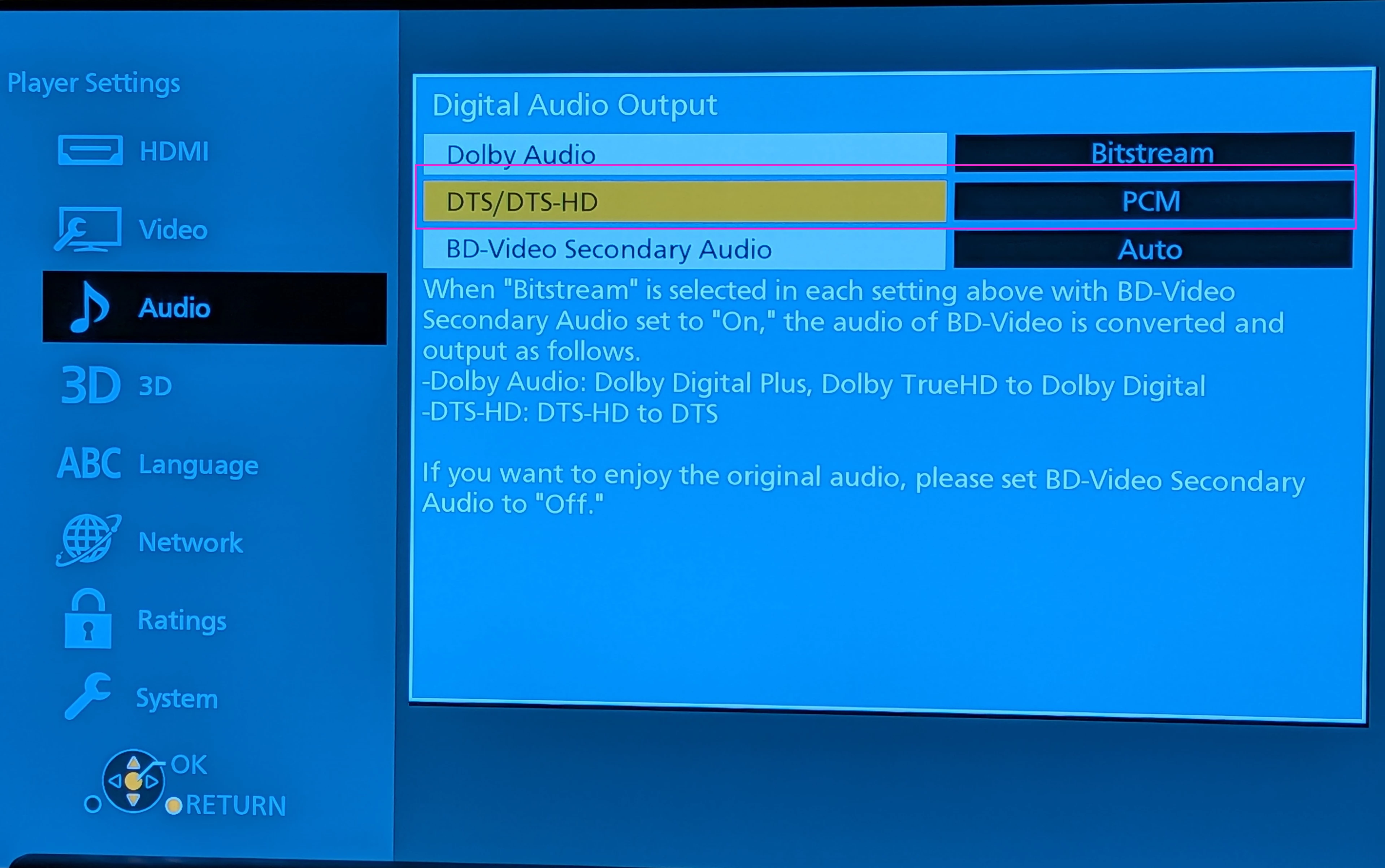
Thanks. I made that change to the player’s (bafflingly difficult to understand) settings, but there was no change in the result:

Panasonic DTS output config change
 
Panasonic playback settings display on TV
​​​​​​

So I guess I don’t understand the issue, because in these modern times, it seems like all of this should “just work”. Let me restate the problem. I have a high quality home theater system and when playing a disc that is outputting DTS audio, I’m getting lousy sound. Where is the problem, the Panasonic Blu-Ray, the LG TV, or the Arc, and what needs to be fixed in the device that is the problem?

You say that the Arc can’t do DTS, so when it is given DTS, it just downmixes it to 2 channel stereo (aka lousy sound). The Panasonic doesn’t seem to have any settings that can be used to specify “when DTS is output, downmix it instead to 5.1”. It sounds like the Arc is the issue but the Panasonic cannot work around the issue by giving it something besides DTS.

Does everyone with an Arc get lousy sound for discs that only have DTS audio?! DTS isn’t something new, why doesn’t the Arc support it? Licensing? 


106rallye
Forum|alt.badge.img+18
  • August 12, 2026

The Arc only does old fashioned DTS, not the higher end formats like 7.1. Besides that, many TV manufacturers (Samsung, but also in many cases LG) do not support DTS (at all). So even when your BD-player is capable of playing DTS, the TV will not pass it through to the Arc Ultra. Because the TV communicates its inability to play DTS to the BD-player it will choose/you will have to set it to something that it will play: PCM.

A couple of years ago som BD-players were able to decode DTS to Dolby Digital, which would circumvent all of these problems. These players are long gone though.

Googling your BD-player I came across this post: https://www.facebook.com/groups/sonosusersgroup/posts/998543010955520/

The Panasonic seems to be able to create 7.1 PCM. The TV could then still be a problem though….