Question

Sonos Ace Ultra as a room in the S2 app

  • September 2, 2026
  • 39 replies
  • 404 views

Show first post

39 replies

Forum|alt.badge.img+19
  • Author
  • Local Superstar
  • September 2, 2026

Think about it this way.

The music services are stored on the speaker. In order to play music on Ace Ultra from the Sonos app, you need a compatible player. If the compatible player is powered off, then the audio will stop. At least that’s my understanding from the support articles available.

If you're right (maybe a Sonos rep could shed some light on this) I will not purchase a Sonos Ace Ultra. I just want to add the Ace Ultra to my system and stream music to it (like I do to any Sonos item in  my household). I dont want to have to link anything and swap music from A to B before I can listen to it.


Mr. T
  • September 2, 2026

Think about it this way.

The music services are stored on the speaker. In order to play music on Ace Ultra from the Sonos app, you need a compatible player. If the compatible player is powered off, then the audio will stop. At least that’s my understanding from the support articles available.

If you're right (maybe a Sonos rep could shed some light on this) I will not purchase a Sonos Ace Ultra. I just want to add the Ace Ultra to my system and stream music to it (like I do to any Sonos item in  my household). I dont want to have to link anything and swap music from A to B before I can listen to it.

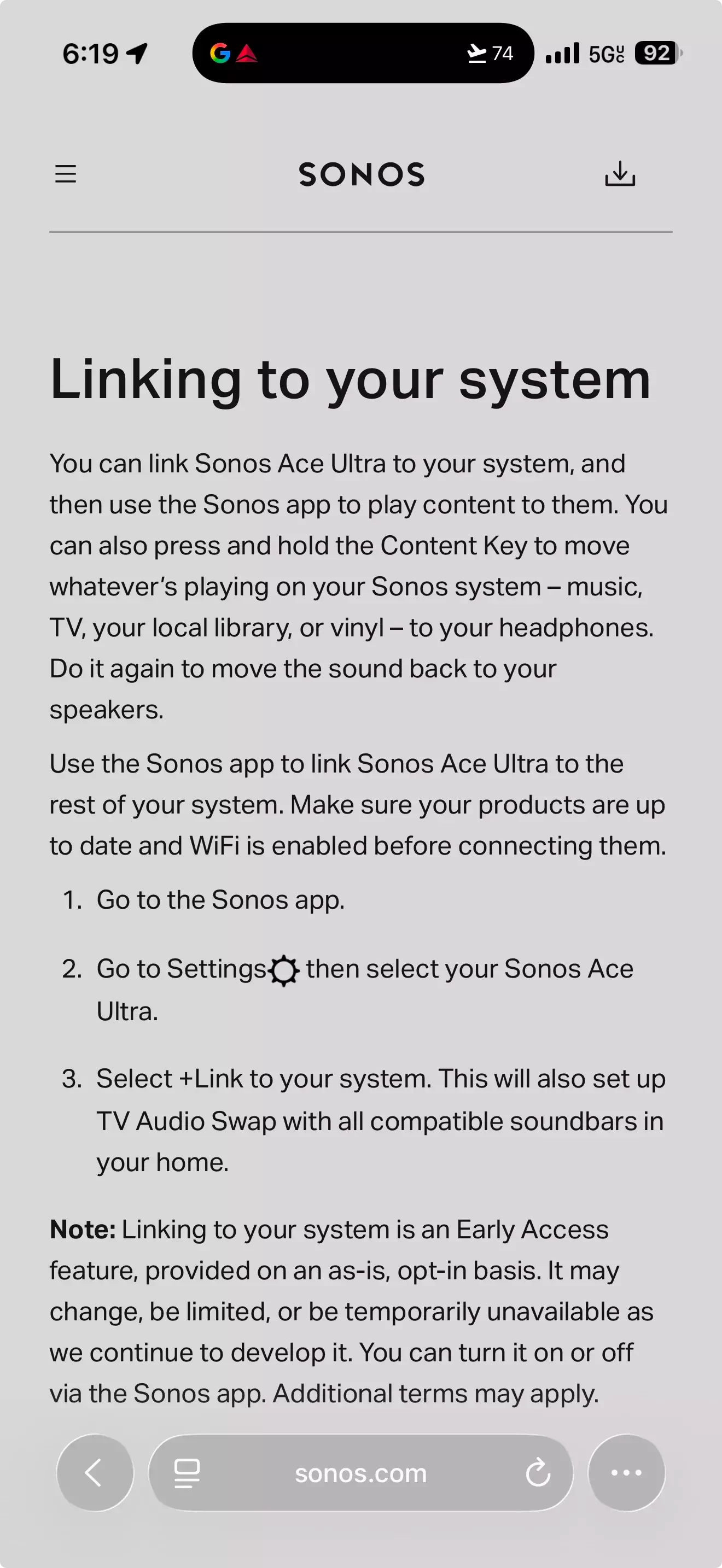
In order to add Ace Ultra to your system, you have to link it. This appears to be a one off process, like setting up TV Audio Swap is currently on Ace. You can then select Ace Ultra in the System tab to play directly to them from the support page you have previously quoted.

  1. You can select content to play directly to your headphones by navigating to the System tab and selecting your Sonos Ace Ultra.
  2. Once selected, navigate to the Home or Search tabs to select content.

jgatie
  • September 2, 2026

So guessing it would not link to a turntable hooked up to 2 Sonos Fives? I guess not sadly even if a speaker from the above list was also owned.


Uhhh, the Sonos Five is in the list of players.  Also, the Line-In used by the turntable is a Sonos source and can be played on any Sonos player.  So you would choose the Line-In source on any player from that list (including the Fives), link the Ace Ultra to that player, and drop the needle.


SarahN
Forum|alt.badge.img+14
  • Headliner I
  • September 2, 2026

So guessing it would not link to a turntable hooked up to 2 Sonos Fives? I guess not sadly even if a speaker from the above list was also owned.


Uhhh, the Sonos Five is in the list of players.  Also, the Line-In used by the turntable is a Sonos source and can be played on any Sonos player.  So you would choose the Line-In source on any player from that list (including the Fives), link the Ace Ultra to that player, and drop the needle.

Lol - see my other replies and you will see there is a discrepancy between the list of players on the Shop site compared to the list of players on the info page from Mr T’s link. The Five appears in one list but not the other. I was only looking at the info page link where it is not listed. Sonos just  need to update the lists so that they match!

support page: https://support.sonos.com/en-gb/article/set-up-headphone-linking


jgatie
  • September 2, 2026

Lol - see my other replies and you will see there is a discrepancy between the list of players on the Shop site compared to the list of players on the info page from Mr T’s link. The Five appears in one list but not the other. I was only looking at the info page link where it is not listed. Sonos just  need to update the lists so that they match!

support page: https://support.sonos.com/en-gb/article/set-up-headphone-linking


I see that.  Even if the Five is not supposed to be on the list, you can still use the Line-In on the Fives as a source in any other Ace Ultra compatible unit.  


Forum|alt.badge.img+19
  • Author
  • Local Superstar
  • September 2, 2026

In order to add Ace Ultra to your system, you have to link it. This appears to be a one off process,

If you're right about this, it wouldn't be a problem for me. Linking & swapping every time I want to use the Ace Ultra would be a no go for me. I hope you're right. Can anybody confirm this?


melvimbe
  • September 2, 2026

In order to add Ace Ultra to your system, you have to link it. This appears to be a one off process,

If you're right about this, it wouldn't be a problem for me. Linking & swapping every time I want to use the Ace Ultra would be a no go for me. I hope you're right. Can anybody confirm this?

 I think you need  to link to a speaker everytime you want to initiate playback over wifi.  And it seems like all that entails is just pressing a button on your headphones, not anymore complicated than a Bluetooth connection. 


Mr. T
  • September 2, 2026

In order to add Ace Ultra to your system, you have to link it. This appears to be a one off process,

If you're right about this, it wouldn't be a problem for me. Linking & swapping every time I want to use the Ace Ultra would be a no go for me. I hope you're right. Can anybody confirm this?

 I think you need  to link to a speaker everytime you want to initiate playback over wifi.  And it seems like all that entails is just pressing a button on your headphones, not anymore complicated than a Bluetooth connection. 


That is not what the support pages imply.


SarahN
Forum|alt.badge.img+14
  • Headliner I
  • September 2, 2026

Given the linking thing will be in a testing environment and could be subject to change, I will hold off ordering the Ace Ultra until it is fully available and tested. That way, I will know for sure how it will work and will have other people’s experiences to go by on what it’s like 😁That bit of wording saying ‘it may change, be limited, or be temp unavailable’ just makes me think watching and waiting is the best plan.


Forum|alt.badge.img+19
  • Author
  • Local Superstar
  • September 2, 2026

@Keith N ​@Liz P. Could you enlighten us about the linking part? Is it one off or something that needs to be done every time when the Ace Ultra is used?


Liz P.
Forum|alt.badge.img+1
  • Sonos Staff
  • September 2, 2026

@Keith N ​@Liz P. Could you enlighten us about the linking part? Is it one off or something that needs to be done every time when the Ace Ultra is used?

Just a one off. You won't have to do it every time. 


melvimbe
  • September 2, 2026

@Keith N ​@Liz P. Could you enlighten us about the linking part? Is it one off or something that needs to be done every time when the Ace Ultra is used?

Just a one off. You won't have to do it every time. 


Forum|alt.badge.img+19
  • Author
  • Local Superstar
  • September 2, 2026

Just a one off. You won't have to do it every time. 

Perfect, thanks for your answer.


AjTrek1
  • September 2, 2026

Given the linking thing will be in a testing environment and could be subject to change, I will hold off ordering the Ace Ultra until it is fully available and tested. That way, I will know for sure how it will work and will have other people’s experiences to go by on what it’s like 😁That bit of wording saying ‘it may change, be limited, or be temp unavailable’ just makes me think watching and waiting is the best plan.

IMHO I don’t think Sonos is going to go all-in on a marketing campaign that specifies a unique feature such as Ace Ultra Linking and later bail-out. Doing so would seemingly sound the death-nell for Sonos or a close approximation there of.

My thinking is that during further develpment the software linking feature via the app may go silent as a matter of code adjustment. While the hardware button linking on the Ace Ultra will continue to function.

For example you can start an audio stream via the app to a speaker, delete the app and the stream will continue. At that point it becomes a hardware only control for play/pause (stop).

I may be wrong; but that’s nothing new 😂