Dogdad
Headliner III
December 13, 2022

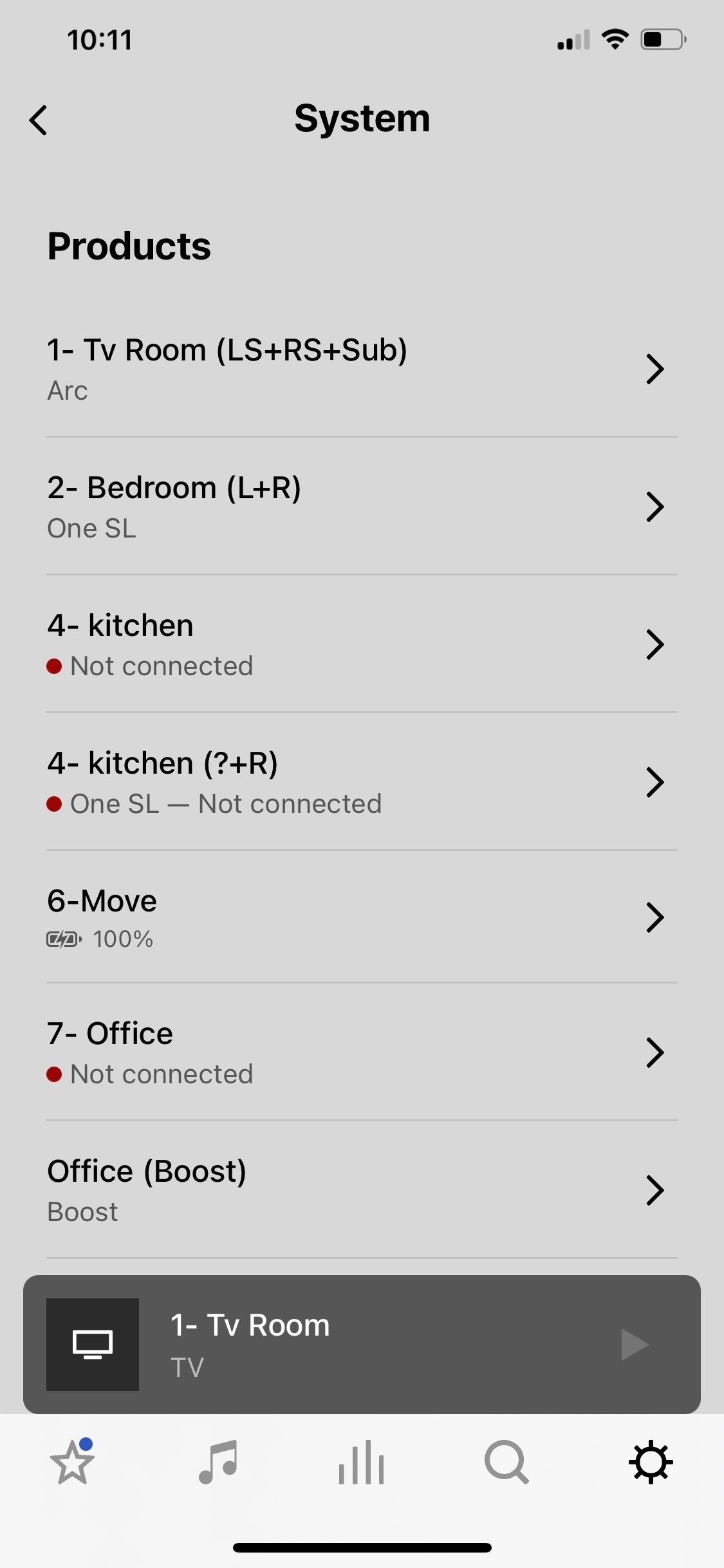
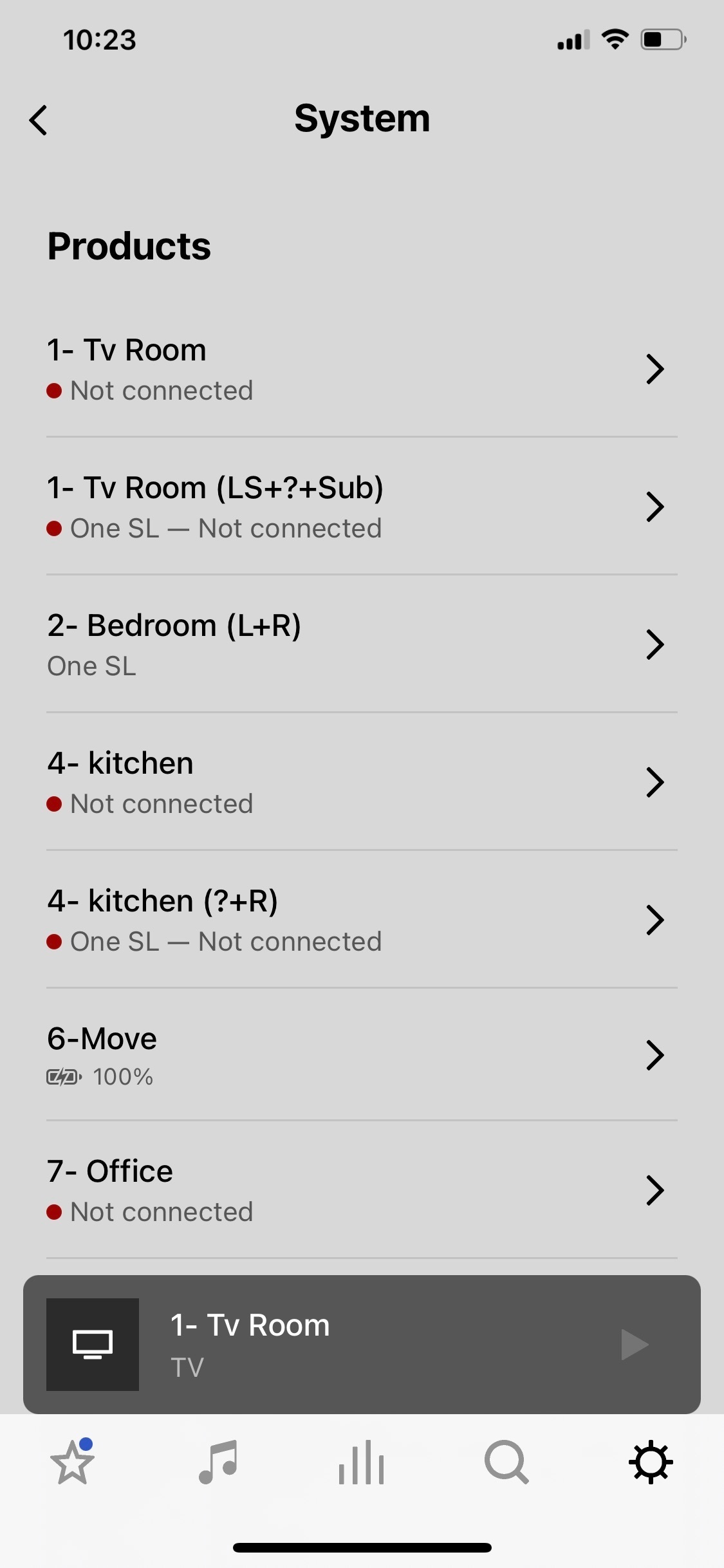
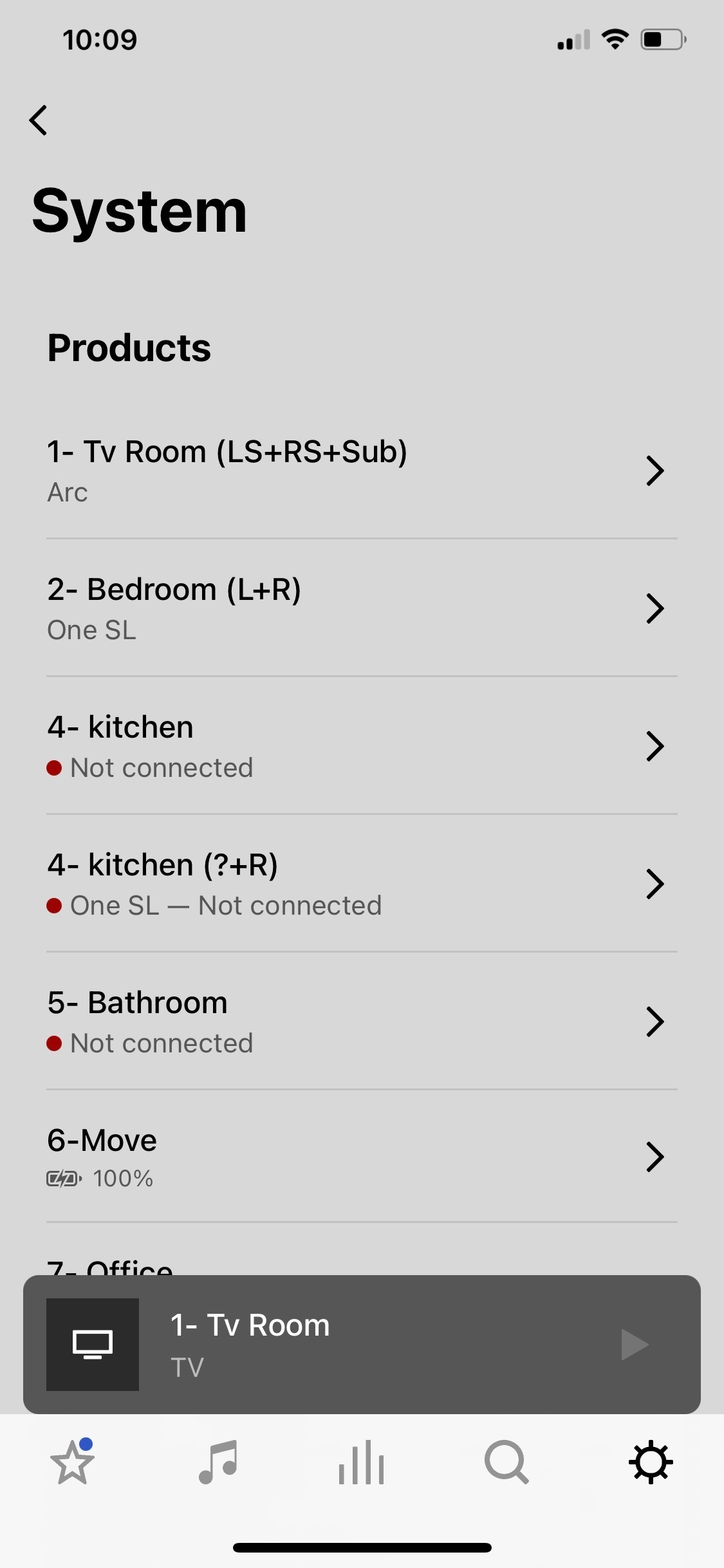
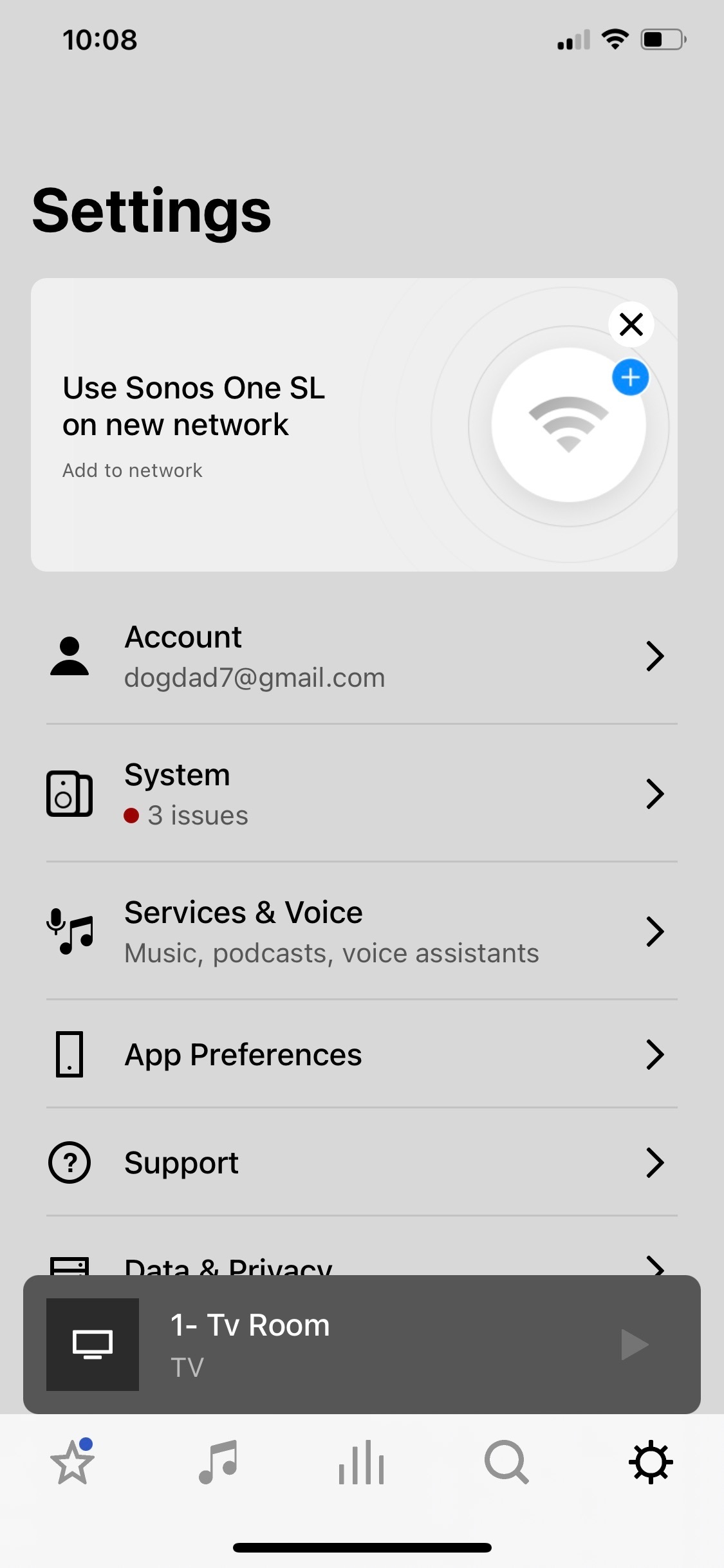
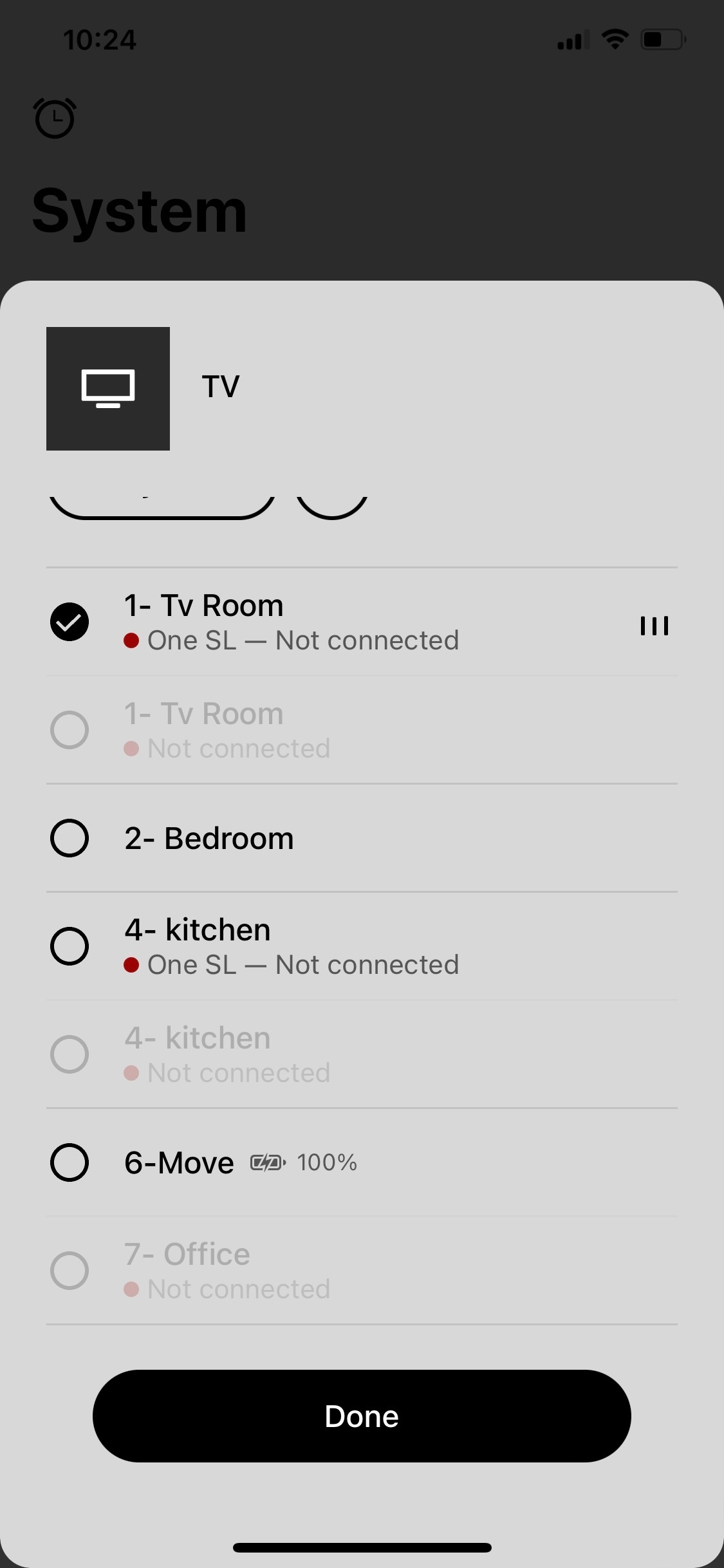
Sonos app crashing and showing rooms not connected but are.

So I’m watching a Dolby Atmos movie and all is good. I happen to open the Sonos app and see rooms that say not connected and has the red dot by each. So I go to open a room that says no connection on the app and the app crashes to the iPhone Home Screen. Also, one of the rooms listed as not connected is my main tv room. But, I never lost any sound from the Arc, sub, or Ones and watched the entire movie with no interruptions.Then the bathroom room disappears on the list of my system , and two kitchens appear. Then tv room appears twice listed. Never happened before. Wondering if it’s the same on my iPad. Ideas? 
 

This topic has been closed for further comments. You can use the search bar to find a similar topic, or create a new one by clicking Create Topic at the top of the page.
Pinned Reply By Corry P

Hi All

I have one more request - could some of you please record a screen-capture video of the logged-in/logged out behaviour? Our forum won’t allow the uploading of videos, but if you could attach it to a reply to the last email you received for an existing, related technical support case and let me know here when you have done so, and I’ll forward it to our engineer buddy again. Or, upload to YouTube and paste a link here, if that’s easier for you. Thank you.

Please don’t post any case numbers or email addresses - I’ll be able to find your cases with a quick search.

86 replies

Corry P
Corry PPinned
Sonos Staff
January 4, 2023

Hi All

I have one more request - could some of you please record a screen-capture video of the logged-in/logged out behaviour? Our forum won’t allow the uploading of videos, but if you could attach it to a reply to the last email you received for an existing, related technical support case and let me know here when you have done so, and I’ll forward it to our engineer buddy again. Or, upload to YouTube and paste a link here, if that’s easier for you. Thank you.

Please don’t post any case numbers or email addresses - I’ll be able to find your cases with a quick search.

"Common sense is the collection of prejudices acquired by age eighteen." - Albert Einstein
Enthusiast I
January 5, 2023

Thanks @Corry P for passing this information to your team, hopefully these issues can be resolved soon. 

Lyricist III
January 6, 2023

@Corry P : sorry for the delay -- my computer was having a mind of its own. At any rate, I did respond to an email with link to a video showing the behavior: I started logged int and showed how the system does not show up. I then logged out, restarted the app and showed that the system that fully there and showed that it was stable across app restarts (either force restarts or just restarts). I then logged in again, showed that the system disappears pretty much right away (this is not always the case but frequently) and that it does not reappear across restarts. I logged out and tada, system back to being visible. I responded to an email from Christopher (tier 2 support).


Thanks for passing it along.


Thanks,

Romain


Corry P
Sonos Staff
January 9, 2023

Hi @R C 

Thanks for that - I’ll forward your case details.

"Common sense is the collection of prejudices acquired by age eighteen." - Albert Einstein
Lyricist I
January 13, 2023

Hi, I am having the exact same issues. I have a super simple setup. No ray, vpn or anything. I have a Move, two One speakers, a boost, bar, sun and two surround speakers.  It literally just started doing this today. The Sonos One speakers no longer activate Alexa, and none of the speakers are connected in the app.  When I try to click on one of the speakers, the app crashes. 
 

it just seems odd that SO many people are having this issue. There must be something going on. 
 

Anyone that can provide assistance?  


Lyricist III
January 13, 2023

I am having the same issue - checked all sonos devices connected to router -- same as phone using sonos app.  It is the same configuration  that has been used successfully daily for ~2+ years. Randomly lately, the app cant find devices and appears same as posted earlier in this post. Even though the sonos devices were verified to be connected to the router (have IP address etc),  I tried disconnecting / reconnecting, resetting router, etc., to try to recover the system functionality.  Issue did not resolve during several subsequent hours attempting recovery.  The next day, the issue did recover without further actions.    This is the second or third occurrence of this type of failure in the last few weeks.

Lyricist III
January 13, 2023

At least for me, this is still being looked at by support. They asked me for much more detailed logging and what not and am waiting to hear back. I hope this is fixed soon!

Lyricist III
January 13, 2023

Thanks. Me too.

Lyricist I
January 18, 2023

So, this same thing happened to me this morning. My Roam wouldn’t connect for some reason. I tried restarting it and my router. Then it started working fine, connected, and I was listening to radio grouped to my beam and surround speakers too, then everything stopped. Saying it couldn’t connect to the internet. I restarted my router again. Computer was connecting to internet fine. So was phone. But app would show the same thing as above -- speakers not connected, even though at this point I was watching TV with the surround speakers working just fine. And the Sonos app would just crash if I tried to ‘reconnect’ any of the speakers. This happened over and over again. In the end, I just shut my iPhone down completely for about a minute, then restarted. The app now doesn’t crash, shows that my speakers are connected and playing the TV and everything appears to be back to working order. 

Lyricist I
January 18, 2023

Mine is working fine now too!  🤷🏻‍♂️