Dogdad
Headliner III
December 13, 2022

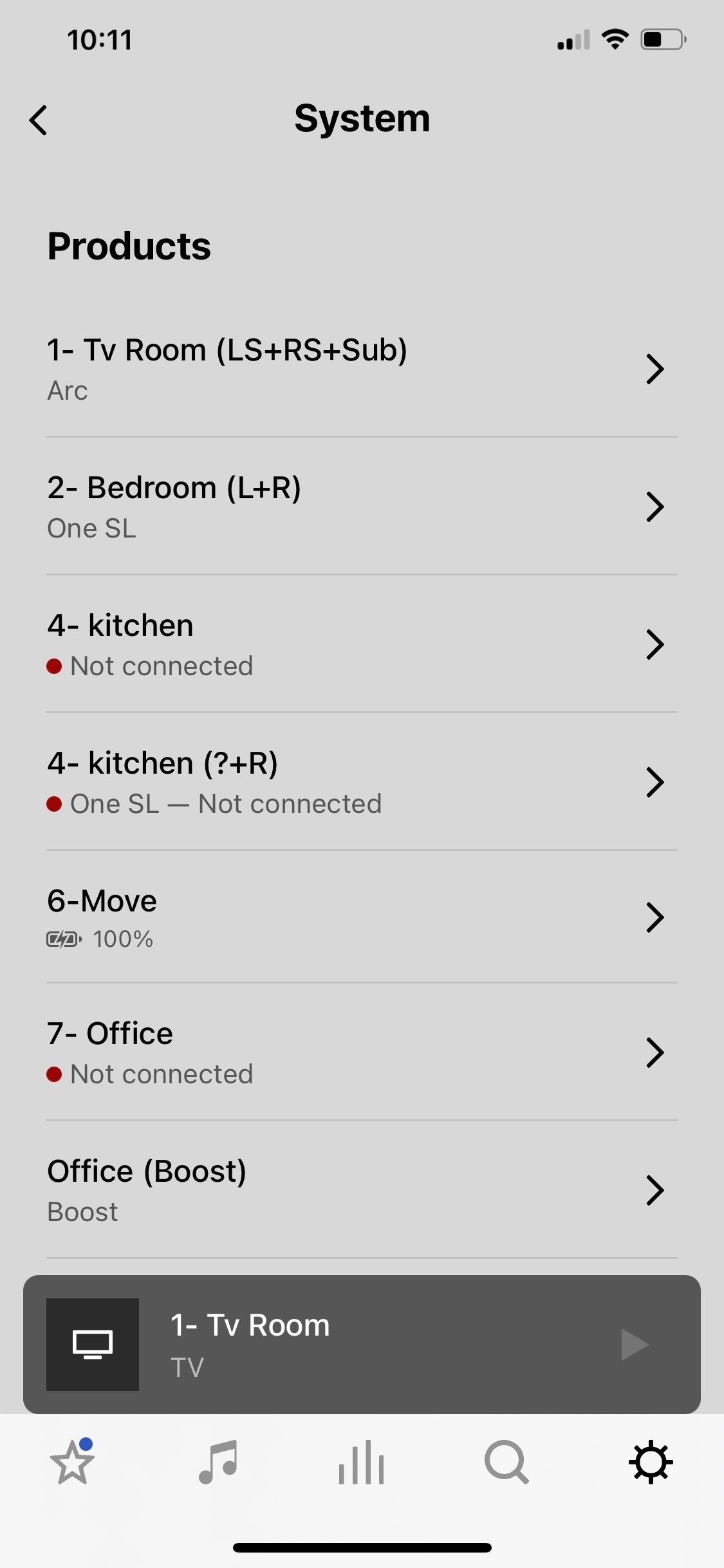
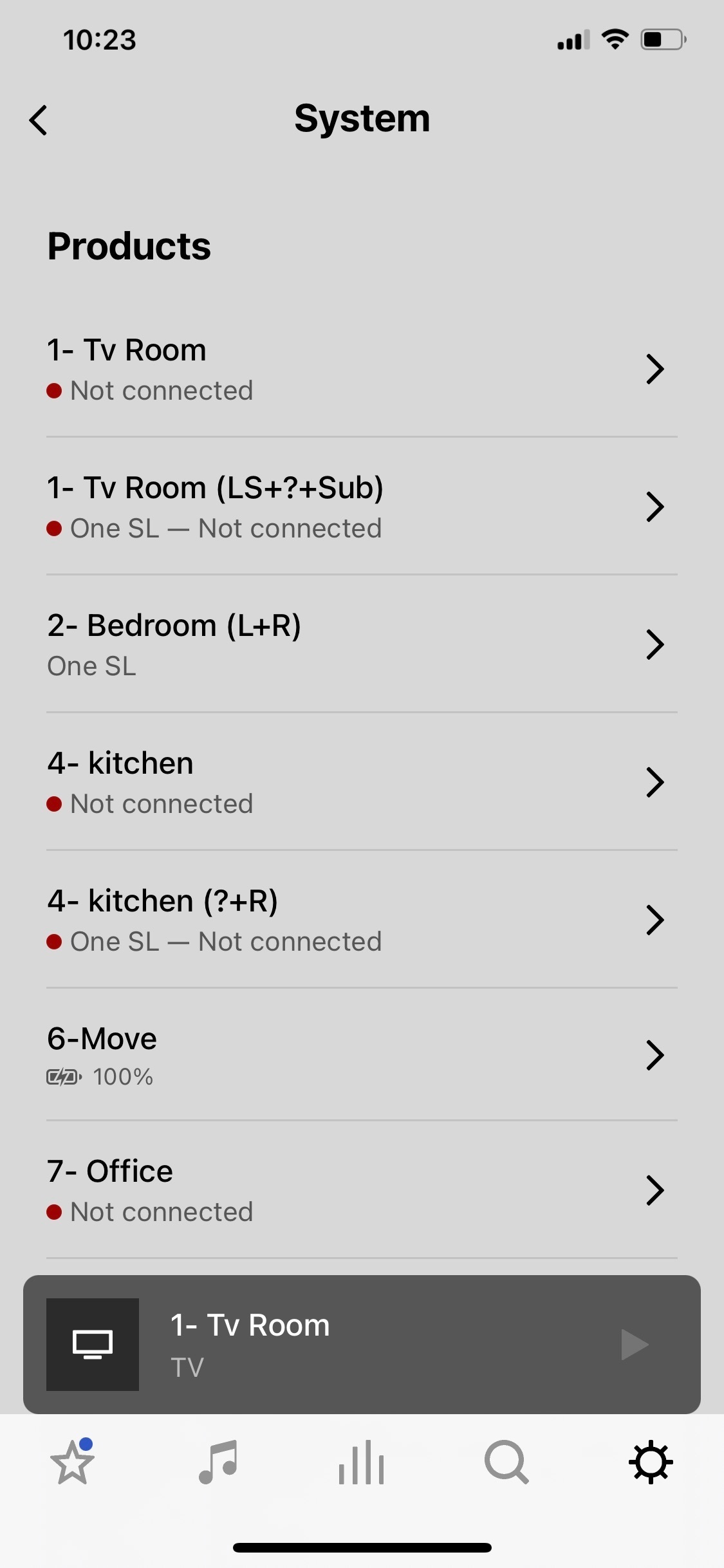
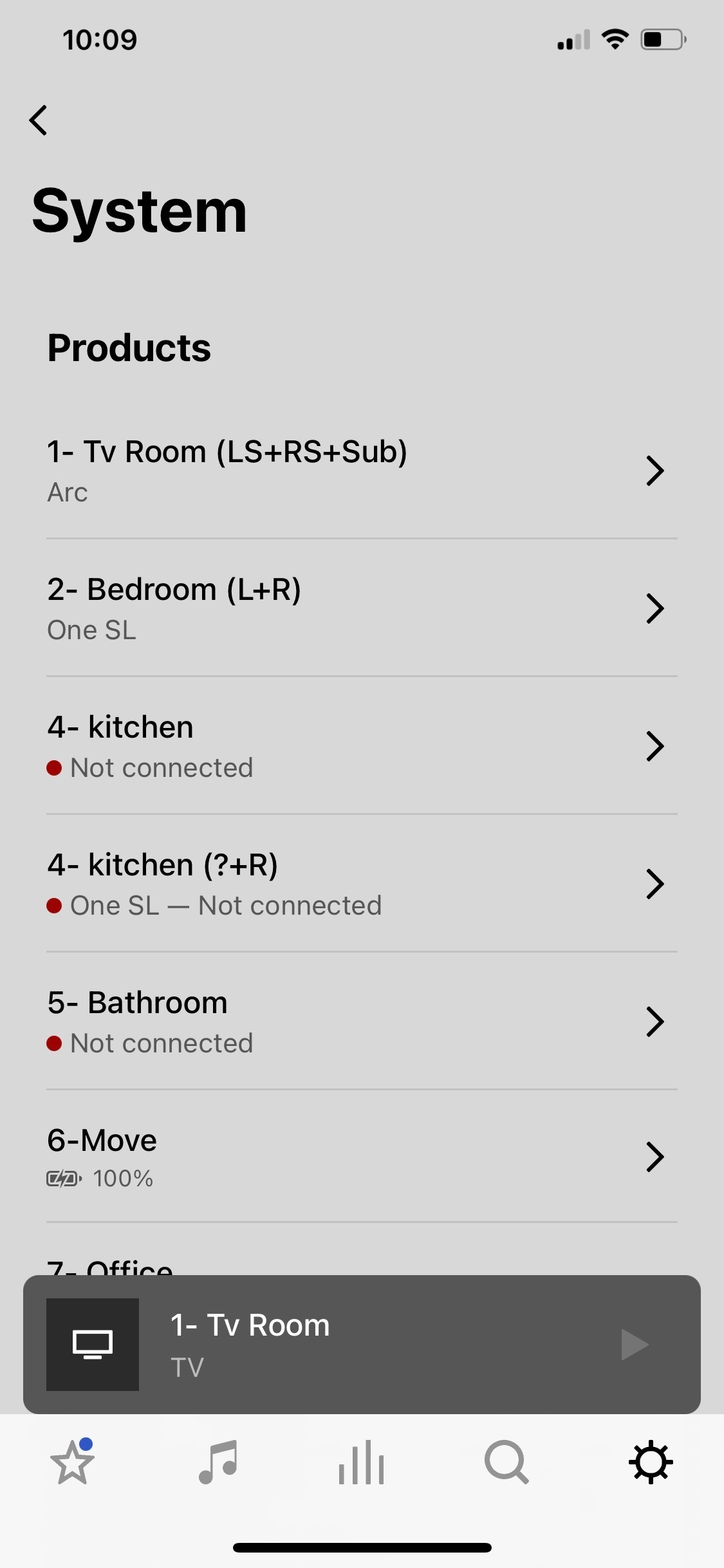
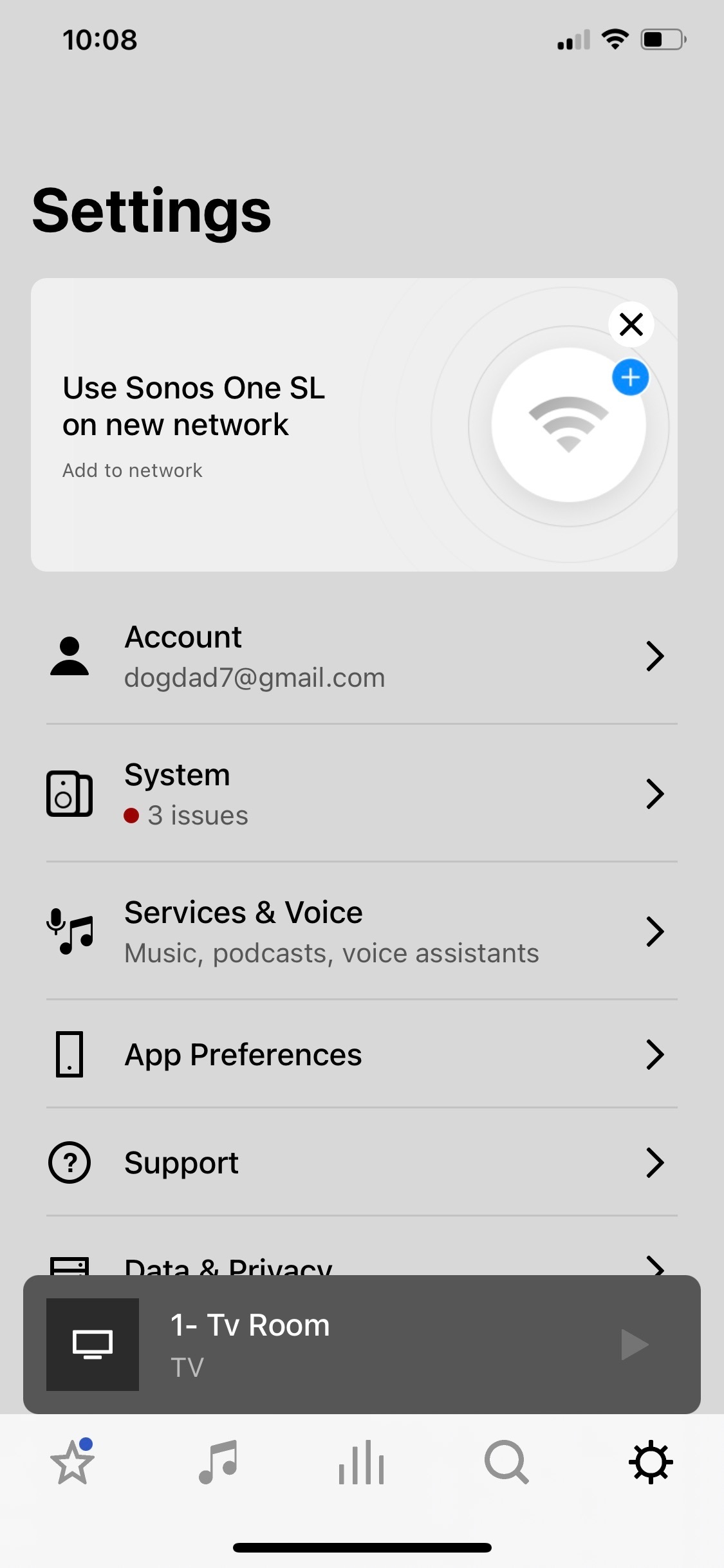
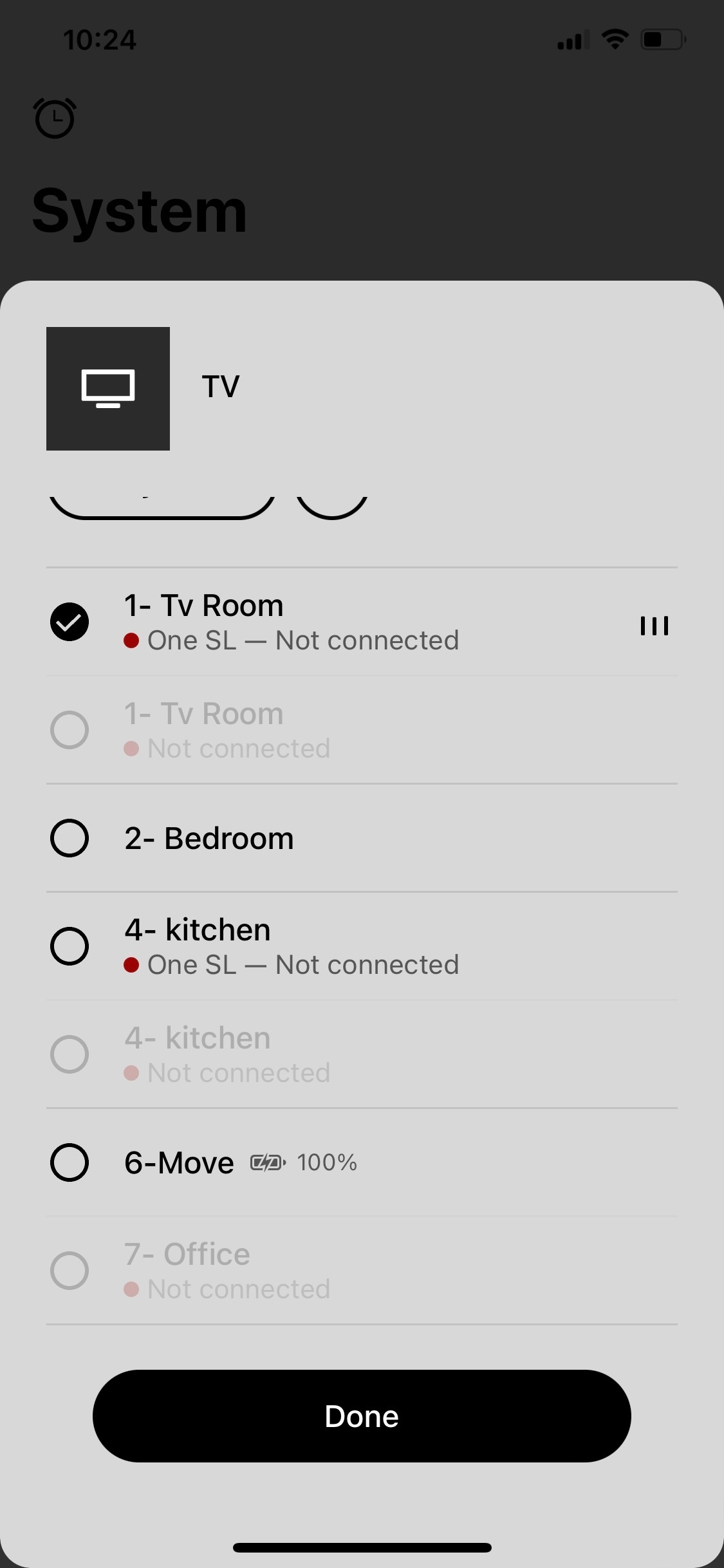
Sonos app crashing and showing rooms not connected but are.

So I’m watching a Dolby Atmos movie and all is good. I happen to open the Sonos app and see rooms that say not connected and has the red dot by each. So I go to open a room that says no connection on the app and the app crashes to the iPhone Home Screen. Also, one of the rooms listed as not connected is my main tv room. But, I never lost any sound from the Arc, sub, or Ones and watched the entire movie with no interruptions.Then the bathroom room disappears on the list of my system , and two kitchens appear. Then tv room appears twice listed. Never happened before. Wondering if it’s the same on my iPad. Ideas? 
 

This topic has been closed for further comments. You can use the search bar to find a similar topic, or create a new one by clicking Create Topic at the top of the page.
Pinned Reply By Corry P

Hi All

I have one more request - could some of you please record a screen-capture video of the logged-in/logged out behaviour? Our forum won’t allow the uploading of videos, but if you could attach it to a reply to the last email you received for an existing, related technical support case and let me know here when you have done so, and I’ll forward it to our engineer buddy again. Or, upload to YouTube and paste a link here, if that’s easier for you. Thank you.

Please don’t post any case numbers or email addresses - I’ll be able to find your cases with a quick search.

86 replies

Lyricist III
January 2, 2023

As a quick update: spent another 1.5h on the phone with Sonos support. More things happened but un-resolved still. I was “promoted” to level 2 support and am supposed to get a call at some point to do further troubleshooting. So, TL;DR: still no resolution but maybe at least inching closer to someone figuring it out.

Corry P
Sonos Staff
January 2, 2023

Hi @KiWi2106, @MichaelGG, @R C

Thanks! - I’ve forwarded your diagnostics to an engineer.

"Common sense is the collection of prejudices acquired by age eighteen." - Albert Einstein
Corry P
Sonos Staff
January 3, 2023

Hi @KiWi2106 @MichaelGG @R C & @BvE91 

Firstly, thank you so much for responding.

I passed your diagnostics to an engineer, and he’s reported back that in all these cases your systems/speakers are having issues with their cloud connections, which goes some way to explaining the behaviour you see - when the Sonos app is logged-out of, the app no longer uses the cloud for determining that the speakers are online, and sees them through local discovery instead.

Rebooting your system and/or router should help with this, but if you want to be as sure as possible that it’s been resolved in one attempt, please do the following:

  • turn off (unplug) your Sonos devices
  • turn off your router for at least 30 seconds
  • wait for WiFi to return
  • if you have ethernet-wired Sonos devices, turn these back on first - wait for solid, white lights before continuing
  • turn on [the rest of] your Sonos system

If you still see this issue after performing these steps, I would encourage you to contact technical support for assistance in fixing the cloud-connection issue.

Obviously, this is all due to a new feature - please be assured that we are keeping a close eye on how things go with it in general, but in these cases we see the reason for the behaviour reported.

I hope this helps.

"Common sense is the collection of prejudices acquired by age eighteen." - Albert Einstein
Lyricist III
January 3, 2023

@Corry P : thanks for this. Unfortunately, at least for me, I have rebooted so many times I lost track. We tried wired, wireless, rebooting only some devices, rebooting the router, etc. The explanation makes sense but it still does not explain why the speakers can’t connect to the cloud. I went through all this with sonos support. You say this is a new feature, when did it appear? It was definitely working fine at some point soi am curious to know what new feature you are referring to. Thanks!

Avid Contributor I
January 3, 2023

@Corry P : Thank you! I followed your instructions - let’s see how it goes.

I have to say prior to the last update the Sonos experience was next to perfect - I had zero issues with the app and the sound was extraordinary. I really hope Sonos will bring it back up to par. 


Smilja
January 3, 2023

@Corry P : thanks for this. Unfortunately, at least for me, I have rebooted so many times I lost track. We tried wired, wireless, rebooting only some devices, rebooting the router, etc. The explanation makes sense but it still does not explain why the speakers can’t connect to the cloud. I went through all this with sonos support. You say this is a new feature, when did it appear? It was definitely working fine at some point soi am curious to know what new feature you are referring to. Thanks!


See @Corry P’s reply on page 1 of this topic.


»And the world is like an apple whirling silently in space, Like the circles that you find in the windmills of your mind.« (›Windmills Of Your Mind‹ [1967]. Music by Michel Legrand ; English lyrics written by Alan & Marilyn Bergman)
Enthusiast I
January 4, 2023

@Corry P Thanks for the feedback.  For the last 3 days the Sonos app has improved and has been connecting for about 90% of the time.  I have made no changes to my network at all over this time as I have been too busy and had just given up but I did notice an improvement. I have also tried the steps you mention above countless times which makes no difference. One thing that I have noticed is that when the Sonos app tries to connect and fails I go to airplay on my phone I select 2 speakers and then deselect them and then the Sonos app will instantly find my system. This is why I believe that there is a problem with the app and Sonos cloud and that this is not a local issue. I still experience immediate app crashing when the app is opened on some occasions. There isn’t even anytime for the app to find the system as it crashes instantly, another reason why I believe the Sonos app has problems.  


I’d also like to add that if my local network had issues I would also expect other devices etc to have issues however it is only the the Sonos system that has issues on my network nothing else - and yes I have trouble shooted by turning off other devices in case of interference and this makes no difference. 


There has definitely been something that has changed that has caused all these Sonos performance issues as up until recently I didn’t have these issues. You have mentioned that there is a new feature that you are monitoring, can you please explain this further?


I appreciate your efforts so far but based on my experience that I have tried to articulate as best as I can above I still feel that there are issues with the Sonos app/cloud that is causing these problems and I hope that your engineering team is still trying to fix these issues that are impacting Sonos users. 


Thanks 


Corry P
Sonos Staff
January 4, 2023

Hi All,

The new feature I was referring to is the fact that disconnected rooms now show as being disconnected in the app, rather than disappearing entirely.

I understand that this is frustrating, and that many of you have already tried the steps I outlined above - but, if those steps don’t work, and if we’re unable to repair your cloud connectivity, then that may be indicative of an underlying issue that will need cases with documented steps taken to move discovery forward.

Or, it may be that you were already experiencing these connection issues but it was not previously apparent due to the old app behaviour. I don’t have access to the metrics, but I’m sure if there’s an uptick in connection issues, we’re on the case.

Thank you all.

"Common sense is the collection of prejudices acquired by age eighteen." - Albert Einstein
Enthusiast I
January 4, 2023

Hi @Corry P I am not convinced by your response at all, you have also not even acknowledged everything that I have put in my post above. Particularly the app immediately crashing and how selecting speakers in airplay helps the app to find my system. 

In regards to your comment about an uptick in connection issues, you would probably find that if you went out on another wider platform like Facebook (that is if you haven’t already) and asked for feedback there would be a greater response than relying on this thread which is not easy to find and only targets a small proportion of your customers who have the ability and time to trouble shoot like the users above have. Also my experience when contacting Sonos support is that it is too easy to blame everything on the customers network and not actually dig deeper into the issue so there may be more users impacted than you may think.

So I can’t say that I am a happy Sonos customer and I hope that you are doing more to fix these stability issues on your platform.


Thanks again


Corry P
Sonos Staff
January 4, 2023

Hi @MichaelGG 

My last reply here was a response for everyone here who had replied since my last post, and I was trying to keep in generic. Apologies.

Regarding the app crashing, we are aware of an issue causing the app to crash when the Sonos Ray drops offline in a HT setup, and we are working on a resolution. We currently have no ETA to share. If this doesn’t match the description of the crashes (an app crash is when the app exits altogether, or completely freezes - if anything else is happening, it is not a crash) you experience, I can only recommend you touch with our technical support team - if you haven’t already done so regarding this particular issue.

We have performance metrics from our servers and from each and every Sonos system (no identifying info is used). While I have colleagues who do monitor such third-party sites as Facebook, we don’t only rely on customers actually noticing and reporting to find out if there are problems.

As for the AirPlay behaviour, I have not heard of this before, but I’ll certainly bring it to the attention of an engineer - in fact, I just heard back from said engineer that it might be related to mDNS as AirPlay uses it for local device discovery, and so do we (partially). Again, it’s probably indicative of a local network issue. Thanks for bringing this to our attention, however - I’m sure it will be useful. I’ve added a note to your existing support case to reflect this information, but this doesn’t change the status of your case, which is currently expired - you’d need to get back in touch for it to be opened again. More on this in my next reply here, coming shortly.

Please be assured that we are actively investigating this logged-in/logged-out behaviour, but have not yet identified an actual issue. When a large majority of technical issues relating to networking are due to the network, it’s necessary to carefully verify that the remaining issues are not, or further investigation is wasteful - for those customers it can be unfortunately tedious, but for the much larger majority issues are identified and usually resolved.

"Common sense is the collection of prejudices acquired by age eighteen." - Albert Einstein