Dogdad
Headliner III
December 13, 2022

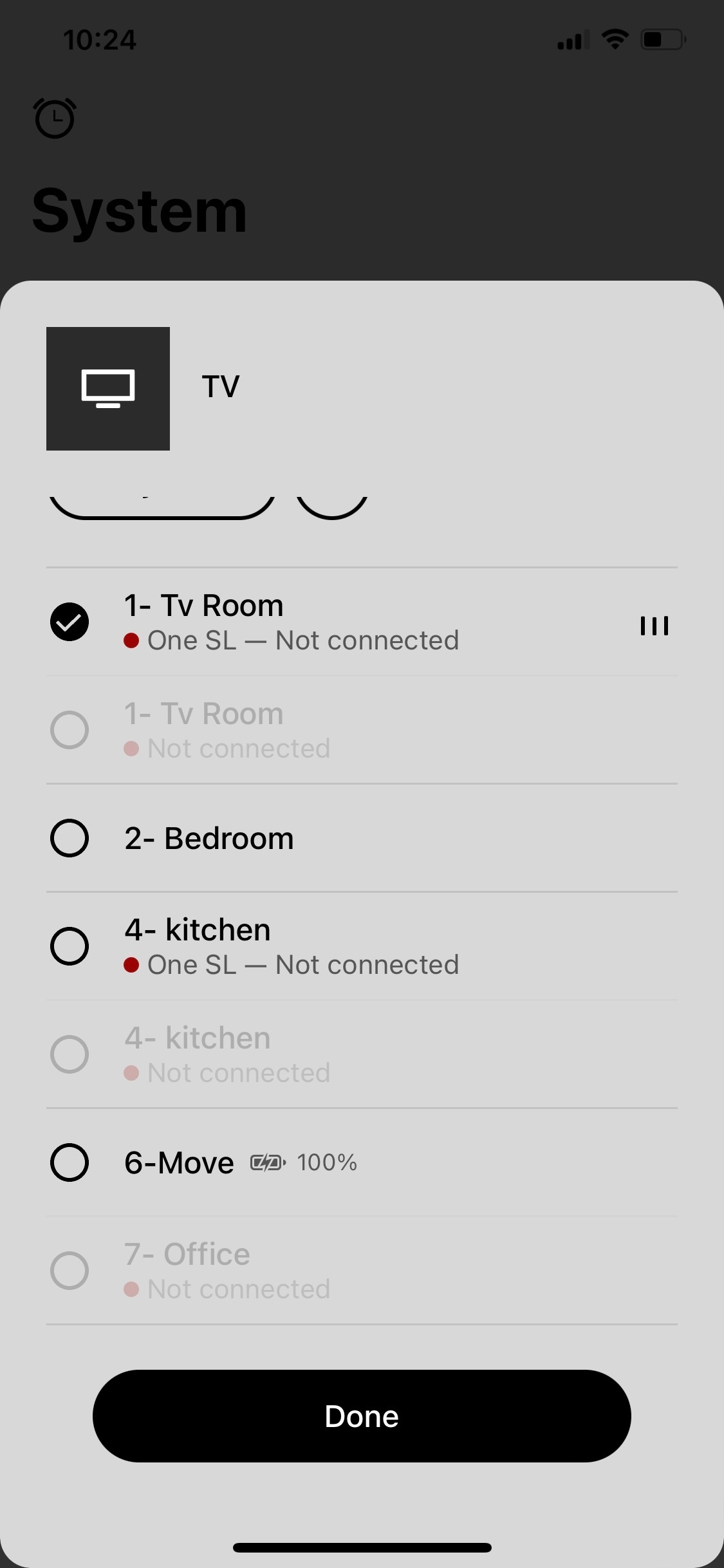
Sonos app crashing and showing rooms not connected but are.

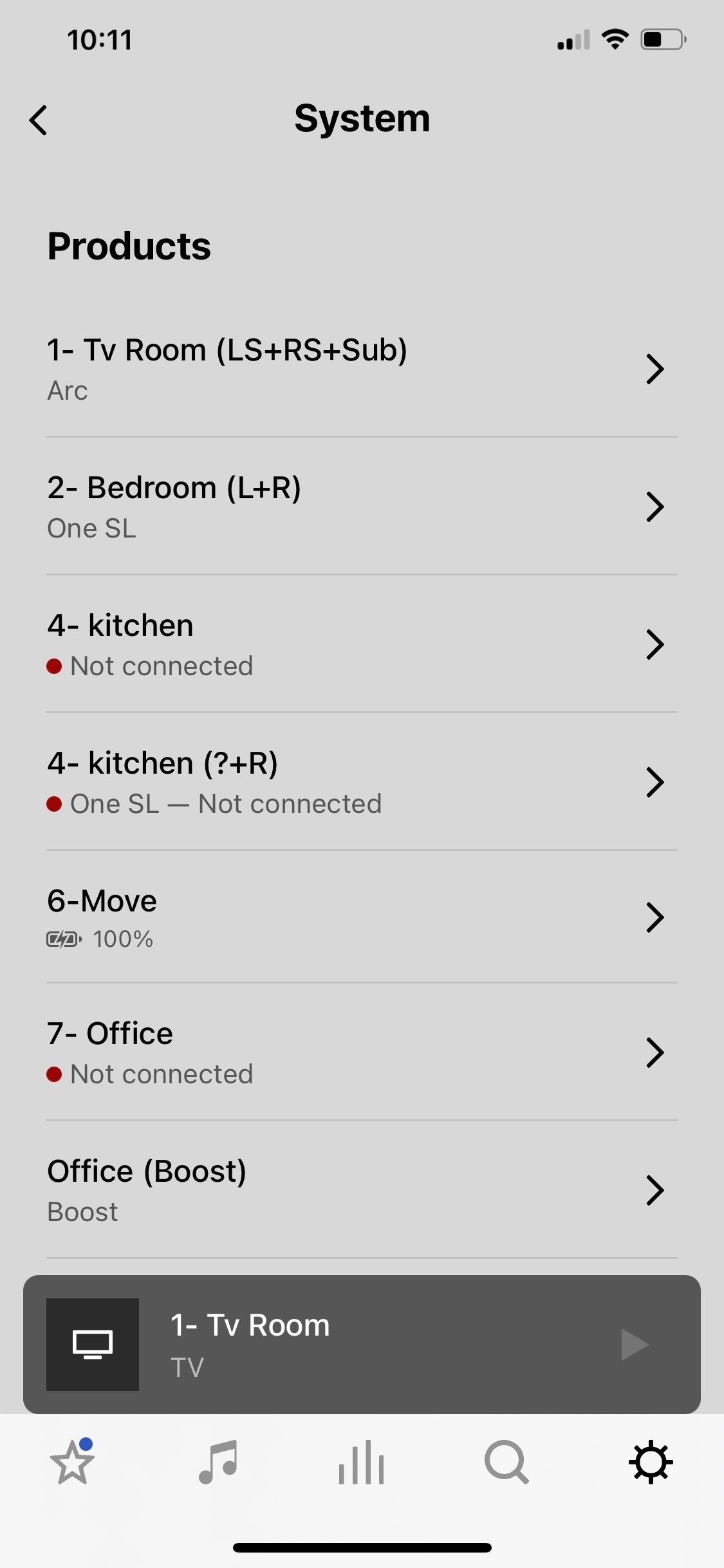
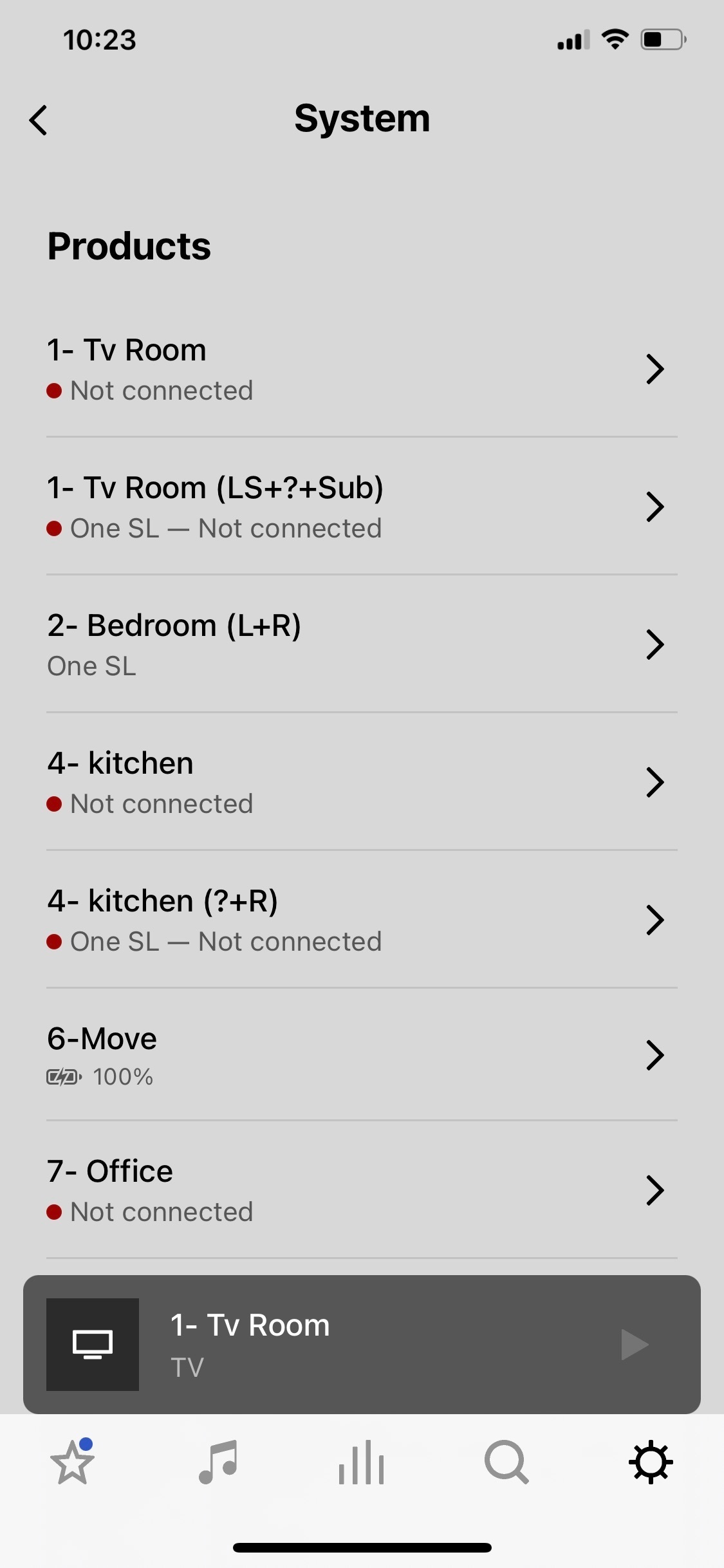
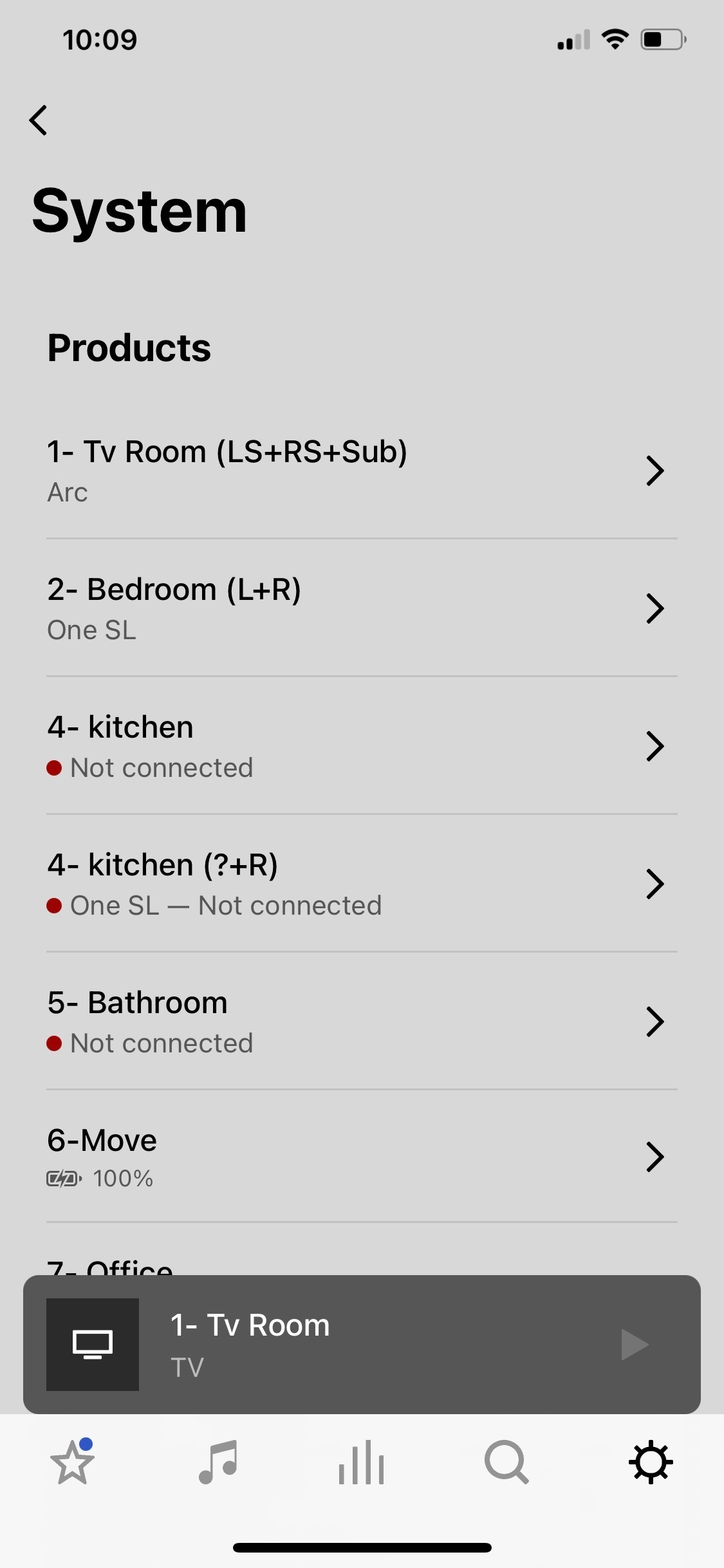
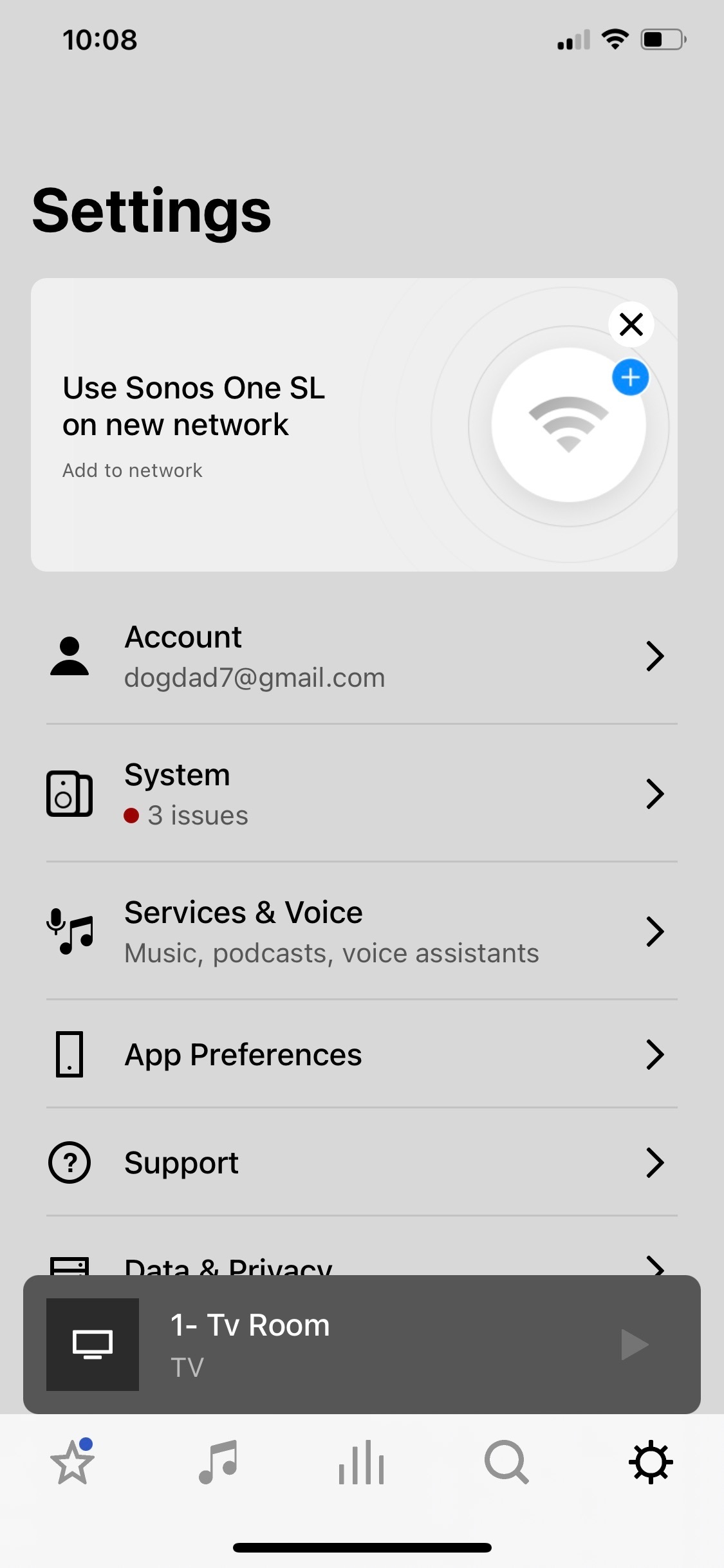
So I’m watching a Dolby Atmos movie and all is good. I happen to open the Sonos app and see rooms that say not connected and has the red dot by each. So I go to open a room that says no connection on the app and the app crashes to the iPhone Home Screen. Also, one of the rooms listed as not connected is my main tv room. But, I never lost any sound from the Arc, sub, or Ones and watched the entire movie with no interruptions.Then the bathroom room disappears on the list of my system , and two kitchens appear. Then tv room appears twice listed. Never happened before. Wondering if it’s the same on my iPad. Ideas? 
 

This topic has been closed for further comments. You can use the search bar to find a similar topic, or create a new one by clicking Create Topic at the top of the page.
Pinned Reply By Corry P

Hi All

I have one more request - could some of you please record a screen-capture video of the logged-in/logged out behaviour? Our forum won’t allow the uploading of videos, but if you could attach it to a reply to the last email you received for an existing, related technical support case and let me know here when you have done so, and I’ll forward it to our engineer buddy again. Or, upload to YouTube and paste a link here, if that’s easier for you. Thank you.

Please don’t post any case numbers or email addresses - I’ll be able to find your cases with a quick search.

86 replies

Enthusiast I
December 23, 2022

App crashing, unable to find your sonos system is happening to me too ever since the last update. I have followed all of the trouble shooting steps I had no issues before the update. All my speakers will be playing music and the app will no longer find my system. I do find that when the app cannot find my system if I select all the speakers and deselect them in airplay then 90% of the time the app will find the system again. But i have tried it all, static ip, I have a boost, only one wifi router, changing frequencies making sure my wifi and boost are on different frequencies. I have even called support who were no support and wanted my ISP to fix their problem. How can we as consumers promote Sonos when all these problems happen, yes I am frustrated now but I think I have a right to be. I am convinced it’s the app based on my experience and looking at this thread I am not the only one. I am at a loss now this consumes so much time you need to make your product simple to use. I don’t have any other issues on my network just Sonos. 

Airgetlam
December 23, 2022

Have you done as requested in the post immediately before yours, so that Sonos can determine exactly what the issue is, and can create a fix?

Bruce
Enthusiast I
December 23, 2022

Yes while I was speaking to support !!! The problem happened while I speaking to support and I submitted ti diagnostic. Their trouble shooting was very illogical and resulted is nothing. 

Lyricist I
December 23, 2022

Still the same issue here. Tried everything. Spoke with support twice. I don't have a Roam. When logged off in the app everything work perfectly. This is not a network issue..

Diagnostics number: 212429496

Corry P
Sonos Staff
December 23, 2022

Thanks @BvE91! - I’ve already forwarded it to an engineer

"Common sense is the collection of prejudices acquired by age eighteen." - Albert Einstein
Enthusiast I
December 23, 2022

“Unable to connect to sonos” and then crashed again

Diagnostics number 1920072242

Avid Contributor I
December 26, 2022


Unable to connect to my system, app crashed.

Diagnostics number: 127063552


Thank you!

Lyricist I
December 29, 2022

I have the same issue. Network is mixed Wi-Fi and Ethernet with some switches, but it worked perfectly before. 
 

Tried logging out from the Sonos account in the app and it seems to work, so probably not a network issue. 
 

Update: when I log in to the Sonos account again the problem reappears. 
 

Erik

Enthusiast I
December 30, 2022

We need more people to keep coming forward so this is taken seriously . Again this morning I just wanted to play music, had to mess around with the app again just puts you off the whole experience with Sonos unfortunately. 

Lyricist III
December 31, 2022

This seems related to this btw: 


@Corry P : here are my diagnostics: 
  - logged in and not fully working: 281898548
  - logged out and fully working: 10793618 (for this, I logged out, quit the app and rebooted)
  - logging back in in the same app session (ie: no quitting the app) and the speakers disappearing again: 246331294


Literally did all those within 2 minutes of each other with no change to the actual sonos system. It’s eery how reproducible it is. I’ll try to contact support again with these diagnostics as well.


Sonos app is 14.20. All speakers are on 14.20.1. My devices are arc SL, One SL (2x) and sub.