

Quick hot key tray app for Windows

  • June 22, 2026
  • 3 replies
  • 42 views

CQCoder
Forum|alt.badge.img

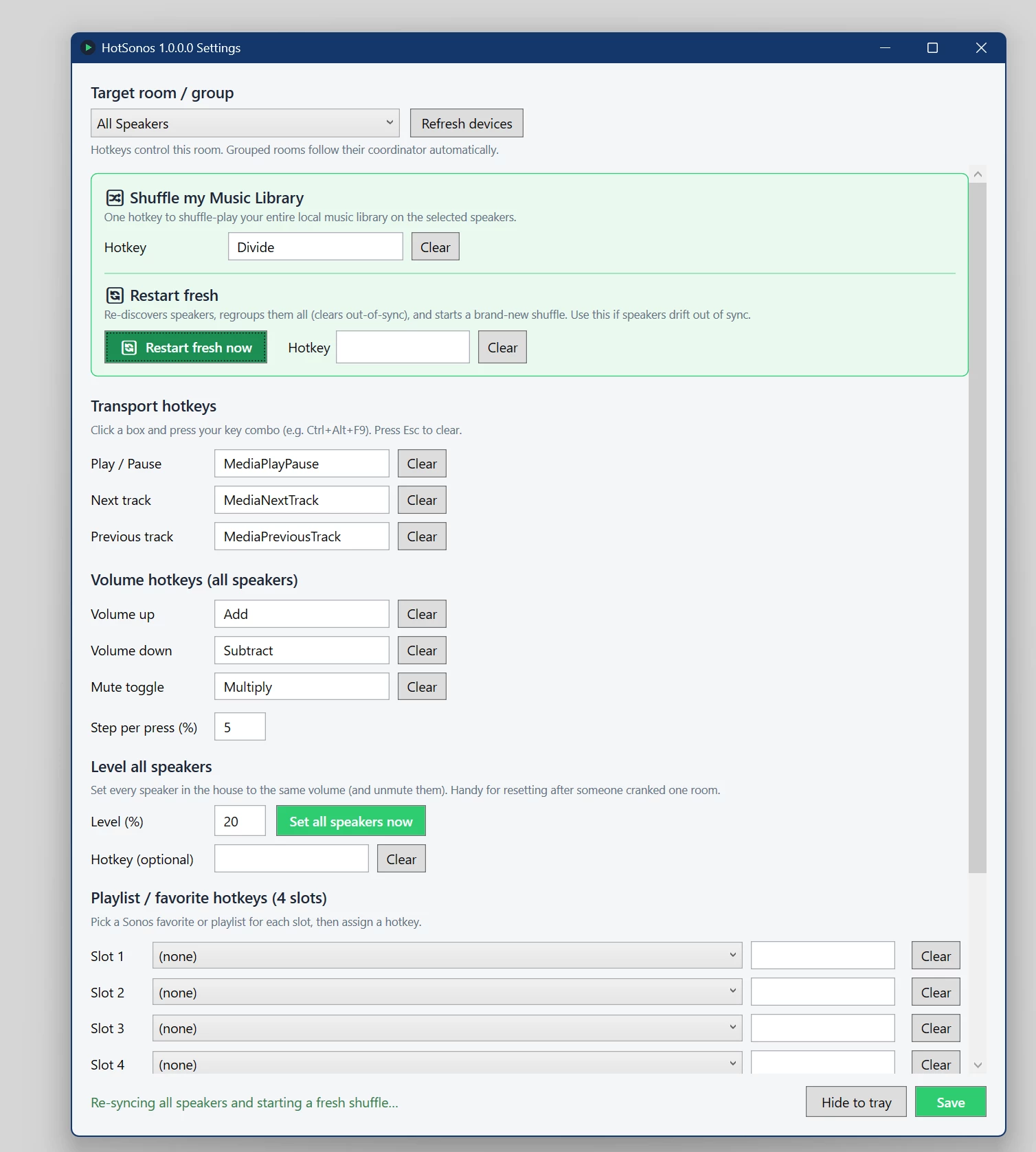
In the FWIW department, I wanted an easy way to spin up all my music to all speakers in my house as well as be able to quickly adjust volume, skip & pause.

So if anyone is interested, here’s the initial version of my little app.  MIT open source in C#.  Suggestions welcome.

https://github.com/nhustak/HotSonos

BTW,  I mapped my controls to the keypad which I never use - add/subtract for volume, multiply for pay and divide for restart.

3 replies

Forum|alt.badge.img+19
  • Senior Virtuoso
  • June 23, 2026

I’ve not looked at your app so can’t comment on that. But I’m curious: What was wrong with the “group everywhere” feature of the Sonos app to get music to all speakers? The skip/pause and volume control is also already there in the app. 


Forum|alt.badge.img+18
  • Local Superstar
  • June 23, 2026

But I’m curious: What was wrong with the “group everywhere” feature of the Sonos app to get music to all speakers? The skip/pause and volume control is also already there in the app. 
 

HotSonos provides a HotKey feature, so no need to focus on App and click etc. A nice feature for those that prefer keyboard interface, rather that mouse/trackpad, and don’t want to focus another App to change volume.


CQCoder
Forum|alt.badge.img
  • Author
  • Contributor I
  • June 23, 2026

Thanks ​@craigski  - you are exactly correct.  Global hotkey support was a key thing to me.

I’ve also added a lot of just QOL things.  I added a hot key to run a ‘reset/regroup’ of all speakers so when one drifts, it’s a easy to fix.   I also have this setup to auto run at 3am so it’s just always clean.

I just added a ‘level all speaker volumes’.