
Enthusiast I
Jul 17, 2024 9:19 AM UTC
Question

Forced APP update following latest Desktop Controller update (Build 80155014)...

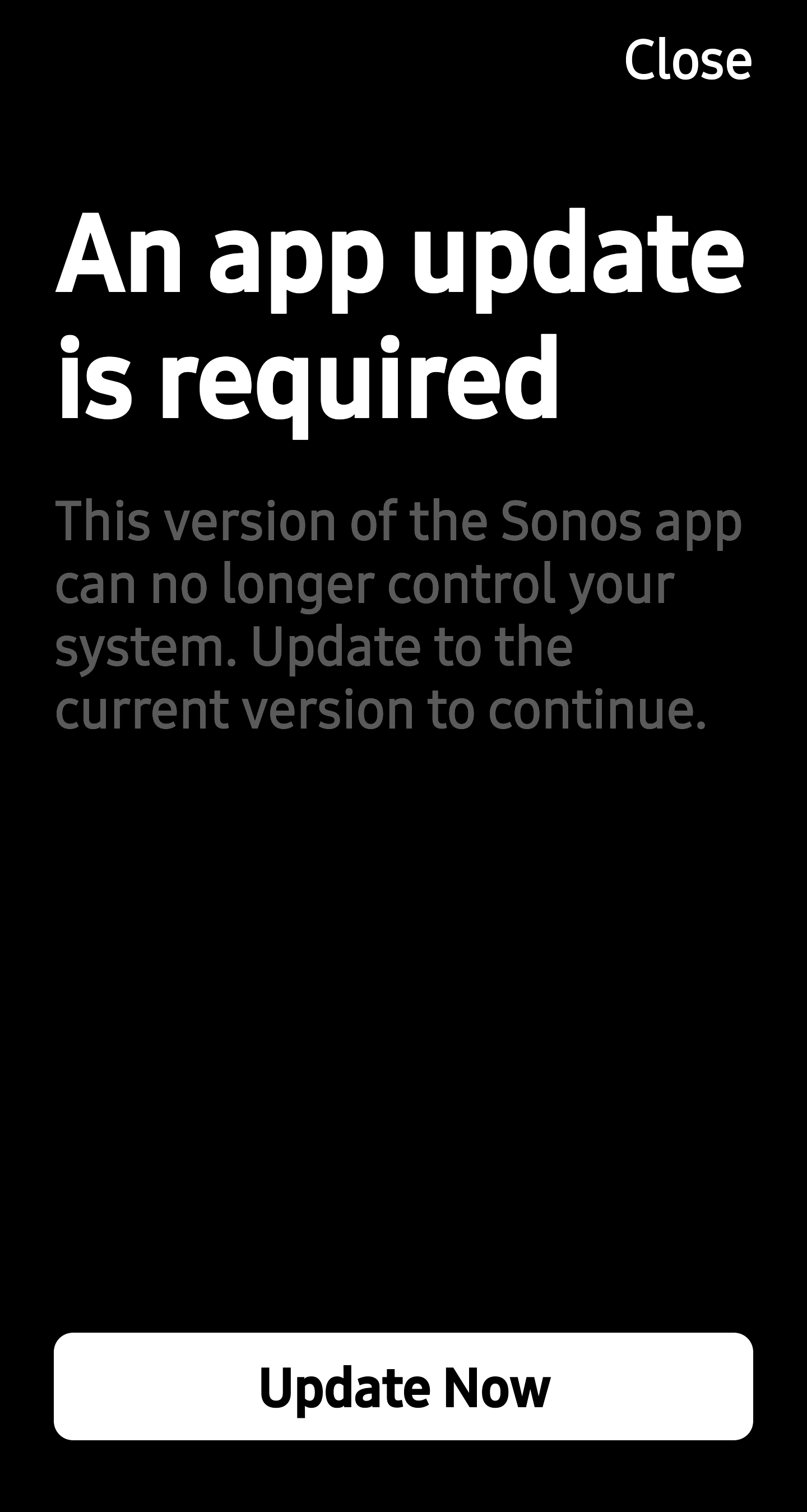
What on earth have you done now? My Windows Desktop Controller indicated an update and I carried this out and assume it’s made some firmware changes to my speakers and now I can no longer use S2 16.3 app as it just states this with no functionality: 
I have retained using the old app as IT ACTUALLY WORKED unlike your failed new 80 version.

HOW DO I CONTINUE USING MY SYSTEM AS I WANT TO WITHOUT LOSING ALL FUNCTIONALITY???

This topic has been closed for further comments. You can use the search bar to find a similar topic, or create a new one by clicking Create Topic at the top of the page.

72 replies

Local Superstar
Jul 18, 2024 7:02 PM UTC

I  can't believe I've been so stupid. I've updated the wife's Ipad to new app and managed to stay on 16.1 on.my android. Now after the 16.3 update today - I can't use the android app without updating it. Come on sonos sort this out as I'm seriously thinking of looking for alternatives to replace my 10 sonos units. I used to be a software developer and have never seen such a debacle of a rollout as this in all my years.  I'm totally gutted. I saw a couple of posts mentioning a new app update is on its way, any idea when?

Mon 22nd July.

Monday there was an update coming on ‘Update Tuesday’, Tuesday it was Wed, Wed it was today etc.. 

Is this date official somewhere? The weird Firmware update the other day has broken lots and Sonos aren't commenting on any of these problems anymore.

The official Sonos line is here: https://support.sonos.com/en-us/article/the-new-sonos-app-and-future-feature-updates

There was no specific date I’m aware of so why you’re claiming “Tuesday, then Wednesday…” is rather speculative and untrue. 

If it's speculative or untrue then feel free to level those comments elsewhere.  I'm ‘claiming' nothing and am merely quoting many, many others and haven't said it anywhere else.  I didn't even know ‘Update Tuesday’ was a thing.

Hence me actually asking if the date I QUOTED was official.

Back in your box.

Translate
Senior Virtuoso
Jul 18, 2024 8:31 PM UTC

@sjw 

If you just wanted the official source, why quote anything: just ask the question.

To then have a go at me for daring to challenge you on your - by your own admission - unjustified claims of missed dates (which you couldn’t even be bothered to verify) is pathetic. It’s you spreading those claims; all I did was challenge the claims  


I gave you the link to the official Sonos source in my earlier link. No doubt you’ll be back to attack me again if they fail to meet those dates, but so be it. Have a happy life. 

Translate
Local Superstar
Jul 18, 2024 8:55 PM UTC

@sjw

If you just wanted the official source, why quote anything: just ask the question.

See the bit where I literally asked “ Is this date official somewhere?”, that’s me asking the question for an official source.  Try reading posts before posting.

@sjw

To then have a go at me for daring to challenge you on your - by your own admission - unjustified claims of missed dates

Where have I said or claimed anything is unjustified?  I’ve just mentioned others who’ve said there was an update imminent - I have had no clue if they were justified or otherwise - hence me asking for something official.

Comments in this forum posted such as “quite often a Tuesday when the updates go out “ from Monday or “Perhaps today or tomorrow’s app update will help to rectify these” from today were, amongst many others, the basis of the comment.  Your accusations, if you feel so strongly about them may have been better posted there.

Translate
Senior Virtuoso
Jul 18, 2024 9:05 PM UTC

Ok, @sjw I’ll say no more. Others reading your posts above and my responses can draw their own conclusions. 

Translate
Lyricist III
Jul 18, 2024 10:38 PM UTC

FWIW I called in and spoke to tech support today about this very issue (and came to this thread because of searching for additional info about the problem while we were on the phone). Today my Sonos apps have been working perfectly, I got on the desktop app to update my music library, it said there was an update, I took the update (same version snd build as referenced above), and although after the update the Sonos system would work in response to voice and in response to the PC app, the Android app on all my devices, regardless of Android version, would no longer open at all, and on my Android 14 device I was getting in messages that the app had been closed because it had an error and I needed to wait for Sonos to update the app. Uninstalling and reinstalling the app, likewise forcing a stop and clearing all the data allowed the app to start, but as soon as it connected to my Sonos system, it again crashed and would not reopen.
 

The person I spoke to hadn't heard about and didn't know anything about the problem. However after trying several things, he rebooted my system from the Sonos side (which he stated was equivalent to unplugging and plugging back in all of the individual speakers, so at least theoretically you could do it yourself), and this did fix the problem. I thought at the time it was permanently fixed, but when I started playing from my music library from the PC app, the Android apps again went back to not working. I was able to restore them to working order myself by stopping music from the PC app, and unplugging and replugging in a couple of the speakers (I didn't test each of those steps individually to see how many of them were actually necessary, I wasn't in the mood to fool with it; I also didn't reboot every speaker, but only a couple of them but that was enough to get rid of whatever was causing the Android app to crash).


I told the person I was speaking to about this thread, and that Sonos didn't yet know about the fix that he had found and nothing had been posted here, so they might want to let people know, but I'm posting now several hours after that conversation, and there's still been nothing new posted since the last comment I read when I was working with the tech, so, I'm posting it.
​​​​

Anyway, those having this problem might want to try that - do whatever you want or need to do on the PC app, like updating the music library, don't be playing music from it, and unplug and replug in all your speakers, and then see if the Android app will open. Due to how the problem at least temporarily returned, I suspect that there's some conflict in the Android app accessing the contoller either when and/or after the PC app has, that gets cleared by rebooting one or more speakers.


Also since I'm posting and Sonos apparently follows these forums, I will also for the record state that I'm relatively new to Sonos, I spent thousands on buying multiple new speakers, and I'm also extremely unhappy about Sonos's apparently ​growing abandonment of support for people playing their own digital music and want to see a reversal, toward dedication to that core function.

The entire reason I bought the Sonos system was 1) to be able to play my own music that I already own, a huge collection, and 2) a hope from what I'd read and reviews that Sonos handled speaker groups and multi-room music much better than Amazon Echos (which it does). I was then later in our first big utilities outage here, which lasted more than a week, extremely pleased to find out in addition that Sonos will work entirely on my local network, without any dependence on internet access or streaming services at all (in contrast to a whole bunch of other "smart" devices which actually shouldn't have any need for any more than local area network service for at least basic functionality), so that when in my rural area my internet goes down due to storms etc, I still have whole house music on my local network even if my home and routers and speakers are running on a generator.

I would never, ever have spent that kind of money, or bought this system at all, if all it offered was media through streaming services. The functionality of the system and design it started off with is essential to its desirability and utility IMO, and Sonos will lose me as a customer if it abandons that.

Translate
Lyricist III
Jul 18, 2024 11:06 PM UTC

I would guess that the OP, like others of us, has been using the Windows PC App to manage things. There have been a few firmware updates since 7th May but until this one they did not break the 16.1 Android and IOS Apps.

Yes exactly this. I'm so annoyed. Can't believe I updated the windows app. I wish I had read this thread first 

Translate
Bumper
Jul 18, 2024 11:18 PM UTC


Mon 22nd July.

Monday there was an update coming on ‘Update Tuesday’, Tuesday it was Wed, Wed it was today etc.. 

Is this date official somewhere? The weird Firmware update the other day has broken lots and Sonos aren't commenting on any of these problems anymore.

The official Sonos line is here: https://support.sonos.com/en-us/article/the-new-sonos-app-and-future-feature-updates

There was no specific date I’m aware of so why you’re claiming “Tuesday, then Wednesday…” is rather speculative and untrue. 

If it's speculative or untrue then feel free to level those comments elsewhere.  I'm ‘claiming' nothing and am merely quoting many, many others and haven't said it anywhere else.  I didn't even know ‘Update Tuesday’ was a thing.

Hence me actually asking if the date I QUOTED was official.

Back in your box.

Sonos instagram (now deleted) and Twitter said an update coming this week on July 15. Sonos was quoted by a journalist that the update was July 18 but then the journalist said Sonos changed it to July 22. 
 

No one is being speculative Sonos said a date and then changed it. 
https://tweakers.net/nieuws/224472/sonos-maakt-het-weer-mogelijk-om-lokale-muziekbibliotheken-in-te-stellen-via-app.html


The responses on Twitter are quite something 

https://x.com/Sonos/status/1812913455881679103

Translate
Lyricist III
Jul 19, 2024 2:44 PM UTC

Here's an update I've discovered to the above posted here - you can play your local music through both the PC app and the Android app if you save whatever local music queue you want to a Sonos playlist. After it seemed like this was the case I tested it directly by playing a local music album from the PC app, which crashed the Android app, playing that same local music album from the Android app, which also crashed the Android app, and then from the PC app playing that same local music album but then saving the queue as a Sonos playlist, and after clearing the queue so the Android app would open again, playing the resulting playlist, which played from both the Android app and the PC app, without crashing the Android app.

Translate
press250
Prodigy III
Jul 19, 2024 3:59 PM UTC

Here's an update I've discovered to the above posted here - you can play your local music through both the PC app and the Android app if you save whatever local music queue you want to a Sonos playlist. After it seemed like this was the case I tested it directly by playing a local music album from the PC app, which crashed the Android app, playing that same local music album from the Android app, which also crashed the Android app, and then from the PC app playing that same local music album but then saving the queue as a Sonos playlist, and after clearing the queue so the Android app would open again, playing the resulting playlist, which played from both the Android app and the PC app, without crashing the Android app.

And people say the new app isn’t easy to use!

Translate
Lyricist III
Jul 19, 2024 5:07 PM UTC

Haha. It's purely coincidence/by accident that a while back I had happened for convenience to save several large queues of local music to Sonos playlists instead of local music playlists, and then now, after playing local music from the PC app and running into the problem you all are having, and so calling tech support and also finding these threads, but then realizing this morning that despite that problem, I hadn't been having any trouble playing any of those Sonos playlists, even though they were all playlists of all local music.

Translate