Feature Request: Search to correctly return compilation albums in Artist results

  • June 7, 2026
  • 20 replies
  • 186 views

User117655
Forum|alt.badge.img+9

The search results returned within the Android app should behave as they do in the desktop app and return ‘Album Artist’ within the Artists results for compilations...

Any compilation albums have the ‘Album Artist’ value effectivly excluded from Artist search results in the App. This is new behaviour for the app since the ‘May 2024’ release. Prior to this behaviour was correct. It remains correct in the Desktop app.

Details:

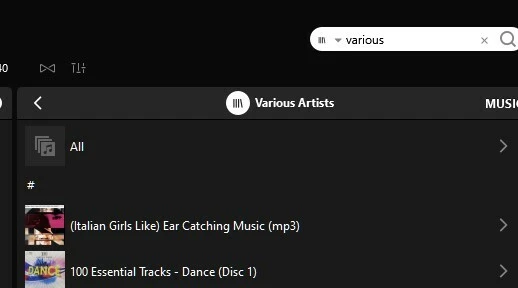
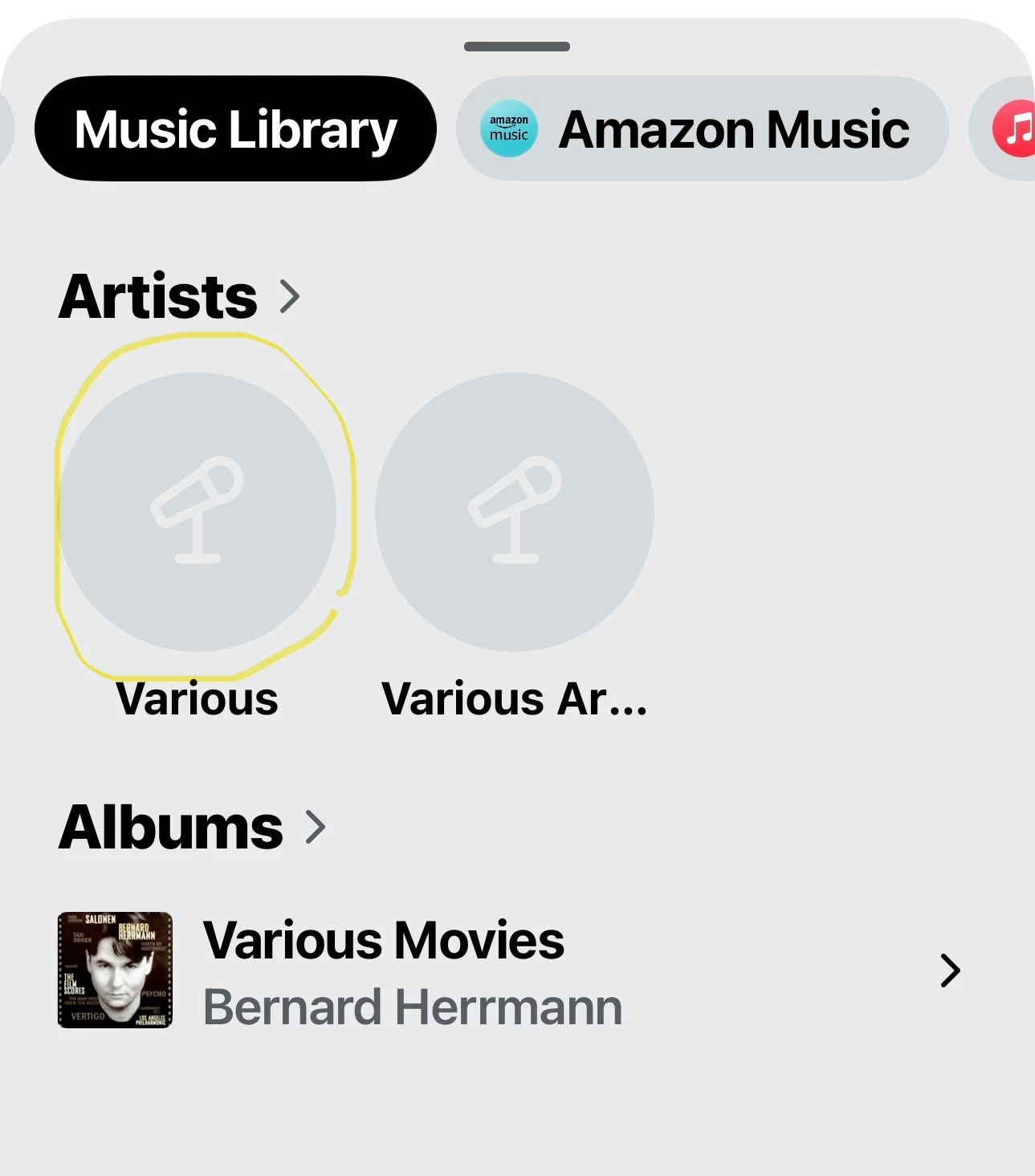
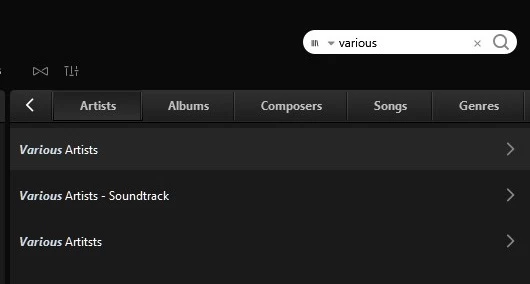
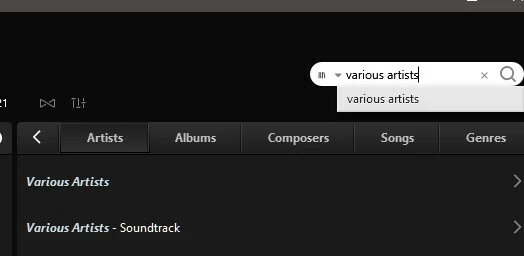
  •  On searching for ‘Various’/’Various Artists’ the Windows desktop application it, correctly, does what it always has done and returns ‘Varions Artists’ in the ‘Artists’ search results:
 

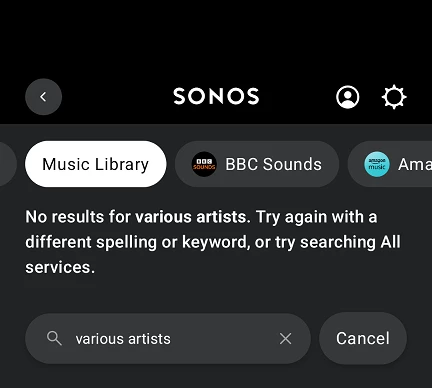
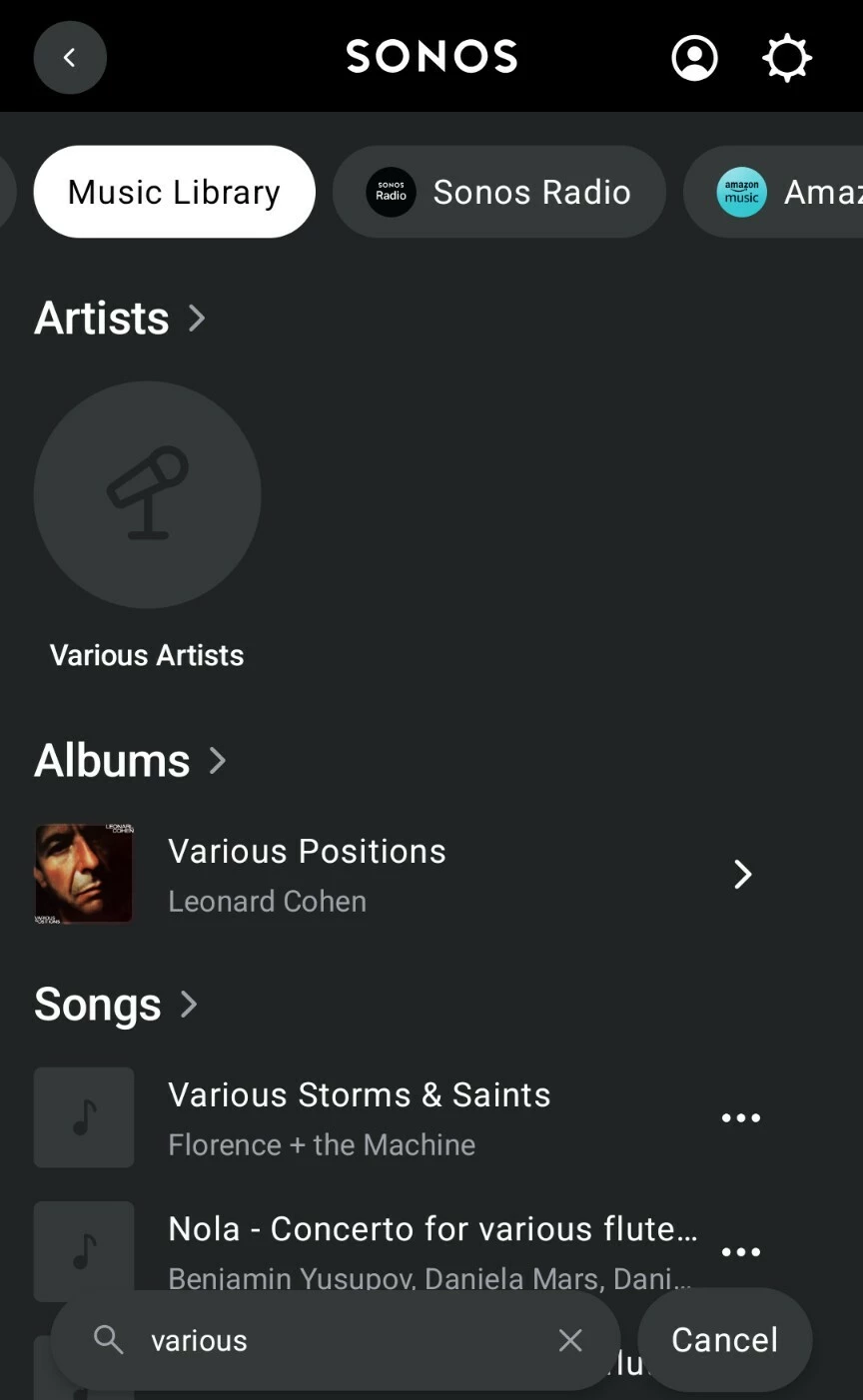
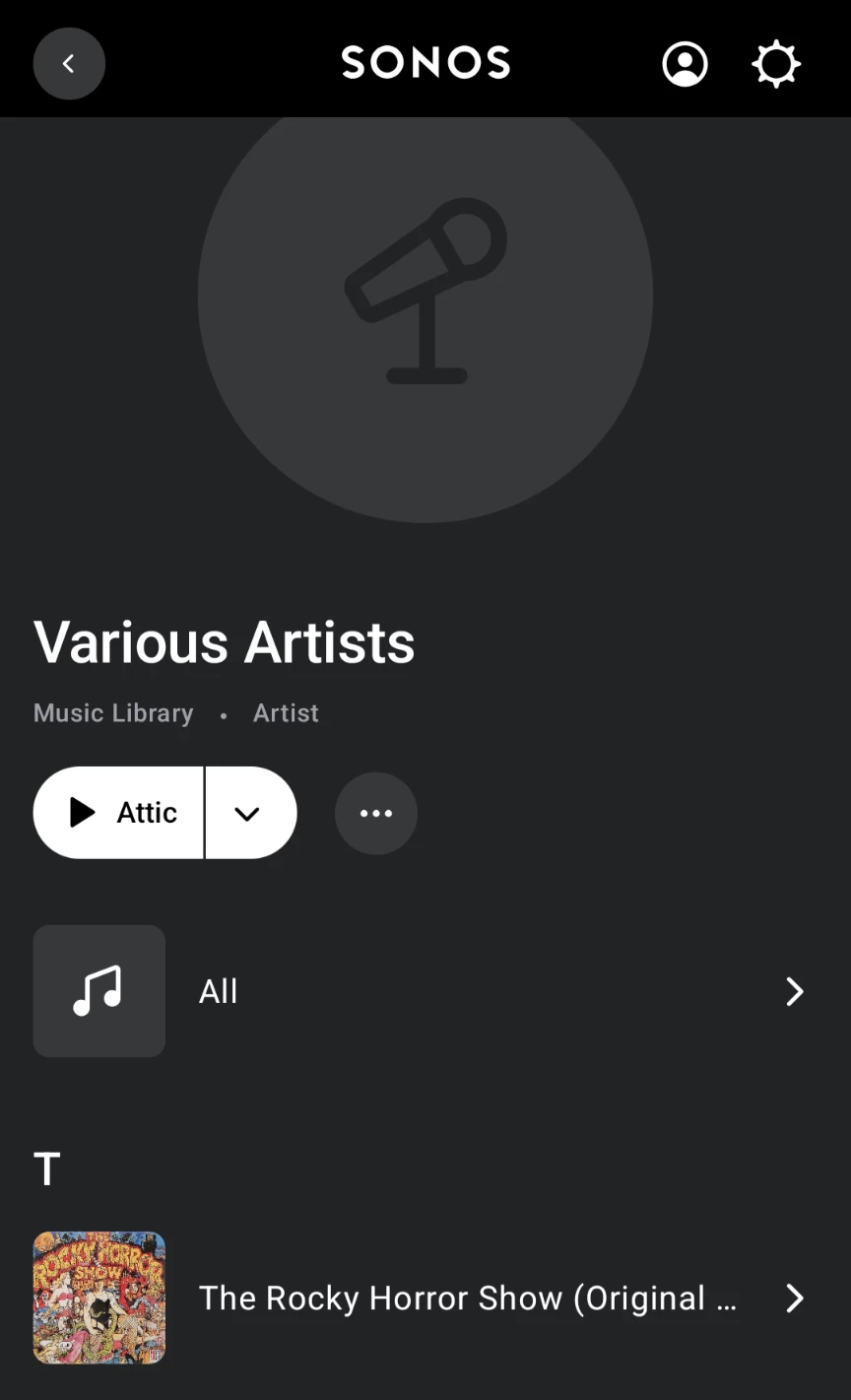
  • However, when the same search is performed from the Android app there are no results under ‘Artists’:
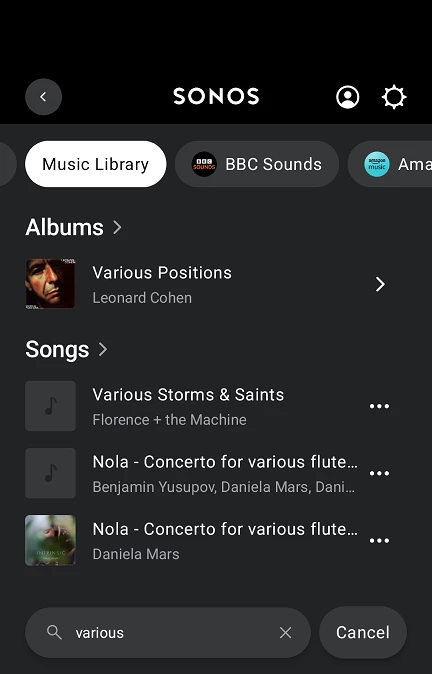
  • All other results (Albums/Songs/Composers ect.) are consistent & correct across both Android and Winsows apps.
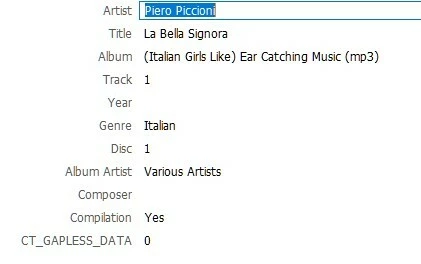
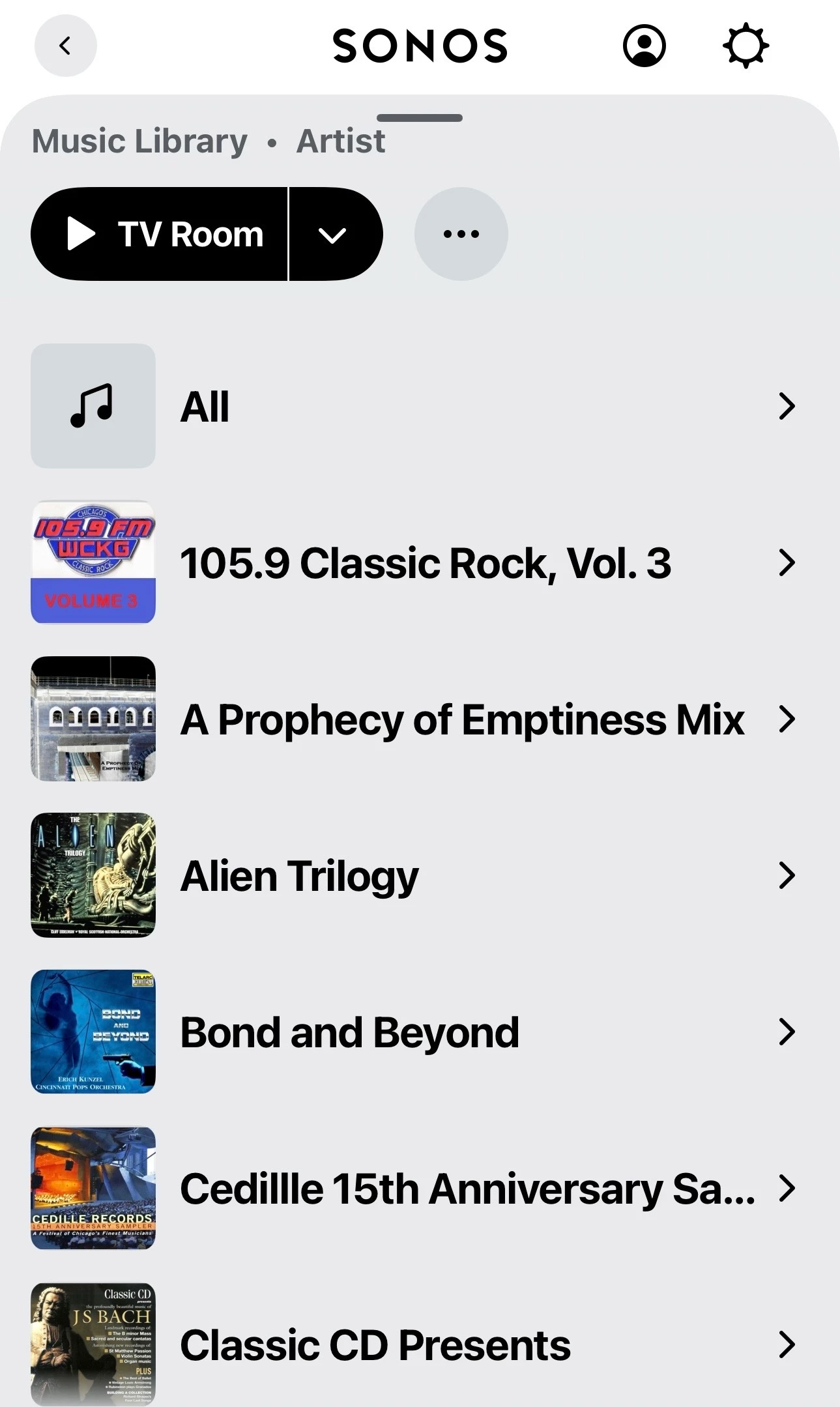
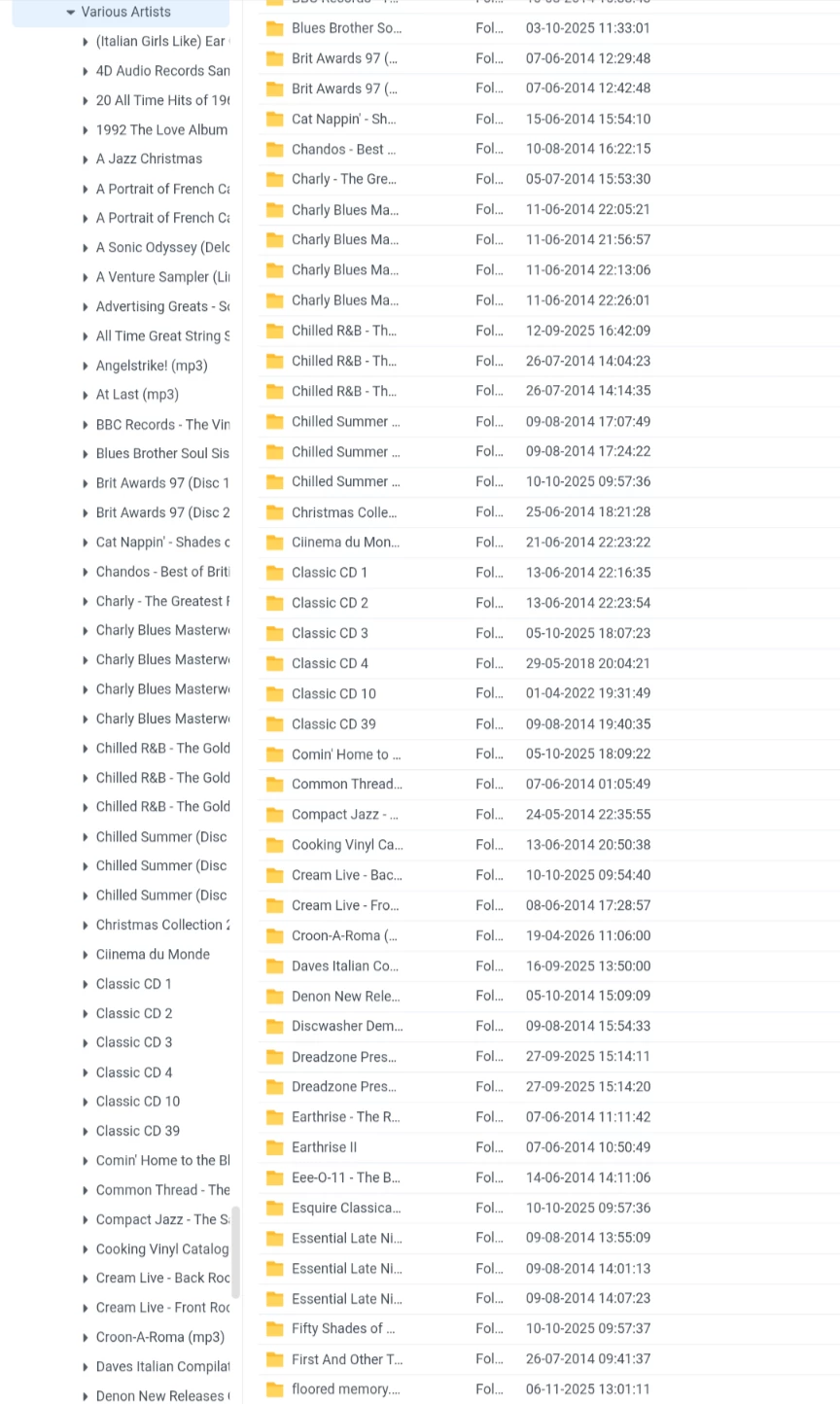
  • Albums are correctly tagged:

Capitalisation, varying index grouping between album artist/compilation/both options or removing the ‘Compilation’ tag has no impact on the behaviour - except removing the ‘Compilation’ tag results in duplicate albums for each individual artist - as would be expected. 

However:

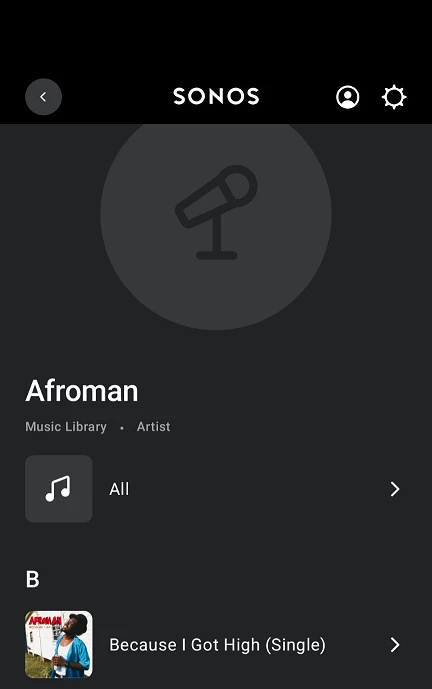
  • Tagging a non-compilation album with ‘Album Artist’ only:
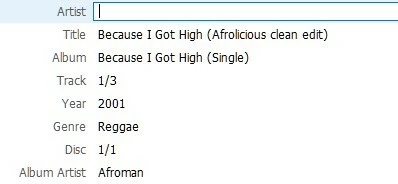
    has the correct result:
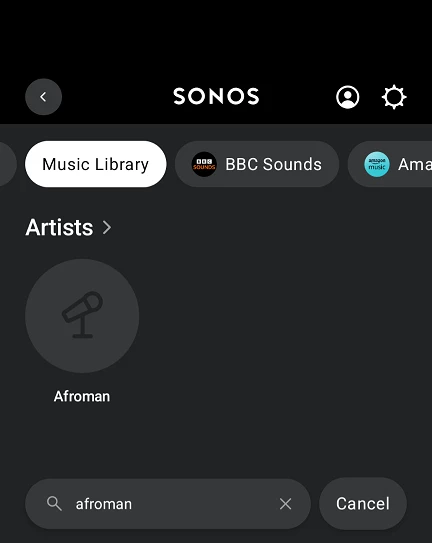
     

So it would seem there is an issue processing albums with the ‘Compilation’ tag set for searches initiated from the Android app… I would guess this is also true of iThing apps too? 

Please can this be corrected, maybe alongside the other outstanding issue:

  •  

Thankyou for your time...

20 replies

  • June 7, 2026

That is strange. It does this in the S2 iOS apps too. S1 apps, desktop and all third party apps that I’ve tried all get this correct. Just the S2 mobile apps that don’t.

Feature request or bug? It looks like a bug to me. So, if both Artist and Album Artist are filled in, ignore the Album Artist and only return Artist in search results. But if only one is populated, either one, then use that in search results. But only in the S2 mobile apps. I say bug.


User117655
Forum|alt.badge.img+9
  • Author
  • Prodigy II
  • June 8, 2026

@kdowling  Well I think bug too but I was being polite! 

Yes, s1 and 3rd party apps work correctly for me too and 'good' to confirm it is in iOS as well...

Hopefully ​@Sotiris C. , ​@Jamie A or ​@Corry P will be able to pick this up and progress appropriately🤞


controlav
Forum|alt.badge.img+24
  • Lead Maestro
  • June 8, 2026

Desktop and third party apps (eg mine) use the UPnP Search API for this, and produce results the OP desires. For some inexplicable reason the S2 mobile apps use something else entirely, which evidently doesn’t work.


User117655
Forum|alt.badge.img+9
  • Author
  • Prodigy II
  • June 19, 2026

I have contacted second line support regarding this issue and thier reply:

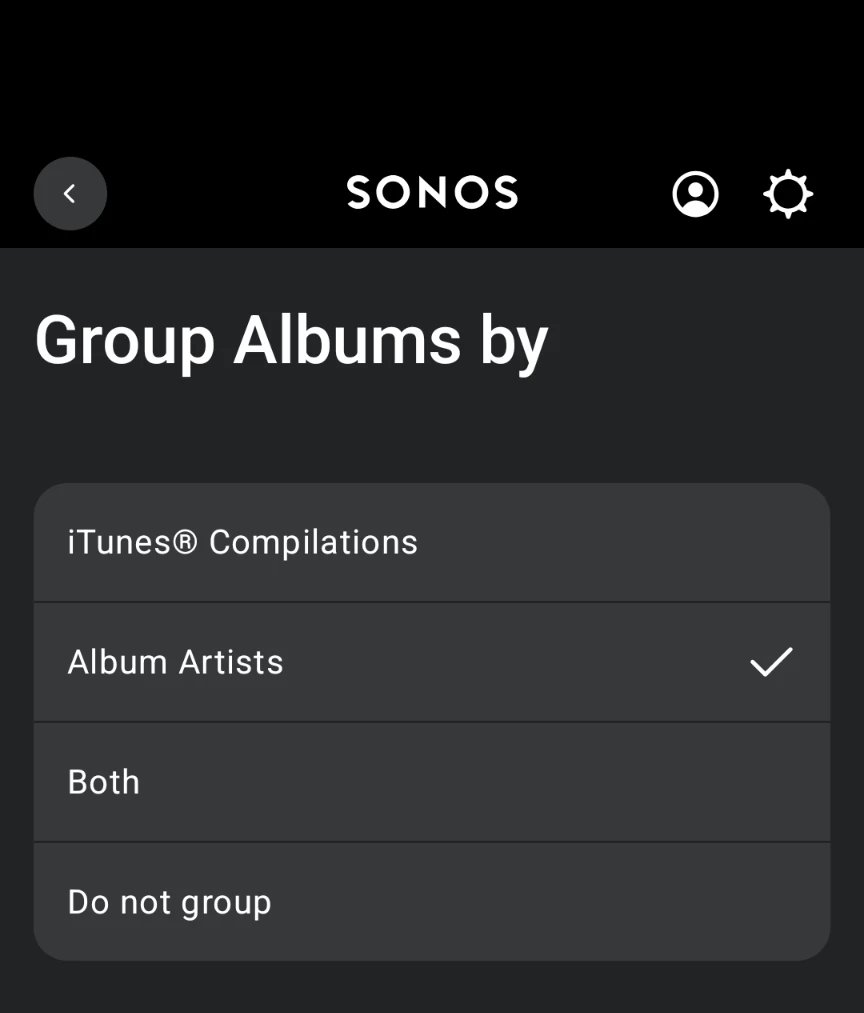
We’ve confirmed that this behavior is expected. As a first step, please open the Sonos Desktop Controller and go to Manage > Music Library Settings > Advanced, then set Group Albums using to Album Artists.

If the issue continues after that, the affected tracks will need to have their Album Artist metadata updated. Using a value such as Various Artists usually works well for compilation or mixed-album content.

Which I believe is exactly what I have done. I have responded by referencing this thread to provide further detail missed in out discussion…

Just some added detail, album grouping is (and always has been) as suggested:


MoPac
Forum|alt.badge.img+19
  • Headliner III
  • June 19, 2026

Mine seems to work correctly here ( IOS up to date ).


User117655
Forum|alt.badge.img+9
  • Author
  • Prodigy II
  • June 19, 2026

@MoPac Lucky, lucky... Assuming you are doing nothing different to me except being on IOS rather than Android?


  • June 19, 2026

I’m not sure what the difference might be, but searching Music Library for Various Artists here on S2 iOS does not give me any results.


MoPac
Forum|alt.badge.img+19
  • Headliner III
  • June 19, 2026

@MoPac Lucky, lucky... Assuming you are doing nothing different to me except being on IOS rather than Android?

Not sure if the search is different on Android.  Wish I had a Droid device I could test.  I’ll have to talk to one of my Droid friends to let me try their phone.  No one in my neck of the woods even knows what Sonos is.


User117655
Forum|alt.badge.img+9
  • Author
  • Prodigy II
  • June 25, 2026

Well, the latest app release and I thought it had resolved this issue for 'various'/'various artists':

But it is NOT resolved as the above result only shows ONE (newly indexed) album:

Out of many:

ect. ect.

It is also not working for identically tagged collections using other album artist text, for example:

* Various Artists - Soundtrack

* Ministry of Sound

* Fabric (London)

This is after a library re-index 🤷🏼‍♂️


User117655
Forum|alt.badge.img+9
  • Author
  • Prodigy II
  • June 27, 2026

A correction to the above post, the single album that I thought was indexed correctly (The Rocky Horror Show) was incorrectly tagged with 'Artist' set to 'Various Artists' amd the compilation tag was absent... Not totally my fault I hasten to add 🙄

Once corrected it disappeared so it would seem that Album Artist is ignored for compilations (or just ignored full stop?) for the artist search result section.


MoPac
Forum|alt.badge.img+19
  • Headliner III
  • June 27, 2026

A correction to the above post, the single album that I thought was indexed correctly (The Rocky Horror Show) was incorrectly tagged with 'Artist' set to 'Various Artists' amd the compilation tag was absent... Not totally my fault I hasten to add 🙄

Once corrected it disappeared so it would seem that Album Artist is ignored for compilations (or just ignored full stop?) for the artist search result section.

I don’t use the Compilation tag.  As long as my Album Artist tag is Various Artists all the compilations show correctly.  Yes, Artist tag set to Various Artists would cause issues.


User117655
Forum|alt.badge.img+9
  • Author
  • Prodigy II
  • June 28, 2026

I don’t use the Compilation tag.  As long as my Album Artist tag is Various Artists all the compilations show correctly.  Yes, Artist tag set to Various Artists would cause issues.

It is odd, I may try again at some point by removing the compilation tag on an album and reindexing but it made no difference for me in the past. Also the fact that the windows desktop and 3rd party android apps behave  properly suggests it is not a tagging issue... 


MoPac
Forum|alt.badge.img+19
  • Headliner III
  • June 28, 2026

I’m very confused by all these compilation errors that many in this community are having.  I’ll be glad when a solution is found.  I’ve never had an issue with compilations after an update to the Sonos app was made sometime last year in response to many complaints about multiple versions of the same compilation albums being shown, each containing the track(s) from each Artist in the compilation.  After that update my compilations showed correctly.

I have yet to borrow someone’s Droid to test that Album Artist search.  The problem is ​@kdowling posted above that with his IOS S2 app an Album Artist search failed to show any results.  Back to being confused.


  • June 28, 2026

I’m confused as well ​@MoPac, that you are getting search results. So let’s see what the difference is. All of my Various Artists albums are flac files. There is no compilation tag. Album Artist tag is “Various Artists” and Artist tag is the track artist. All my albums that are not multiple artist albums have no “Album Artist” tag at all.

The only tags my files use are TITLE, ARTIST, DATE, ALBUM, TRACKNUMBER, GENRE and ALBUM ARTIST only if it’s a multi artist album.

I use replay gain, so the tags REPLAYGAIN_TRACK_PEAK, REPLAYGAIN_TRACK_GAIN, REPLAYGAIN_ALBUM_PEAK and REPLAYGAIN_ALBUM_GAIN are also present.

Music Library settings: Group Albums by is “Album Artists”, Sort Folders by is “Song Number”, View Contributing Artists is Off.

Music Library → click in Search Music Library box. Type Various Artists and get no results returned. Both using iOS and Android S2 controllers.

Music Library → Artists, scroll down to Various Artists and see 163 albums listed. (158 in S1, S2 current indexing problem makes dup errors)


MoPac
Forum|alt.badge.img+19
  • Headliner III
  • June 28, 2026

The only difference I can see in the tagging discipline is I use the Album Artist for all tracks.  So a Miles Davis album has Miles Davis as the Artist & Miles Davis for Album Artist.  For classical albums the Artist & Album Artist is the last name of the composer.  Also if a classical album has multiple composers I separate each composer.  For example if an album contains Tchaikovsky: Symphony No. 6 & Shostakovich: Symphony No. 5 that album becomes two albums: Tchaikovsky: Symphony No. 6 & Shostakovich: Symphony No. 5.  When I search for the Artist Tchaikovsky I want to see only albums that contain Tchaikovsky compositions.  Same for all composers.  If a classical album has several composers I may treat it as a compilation.  Don’t have very many albums that have been treated that way. 
 

I do not use Replay Gain.  Also any other tags, other than the ones we both use, that may be included in purchased downloads are removed.  My tagging software is DbPoweramp.


User117655
Forum|alt.badge.img+9
  • Author
  • Prodigy II
  • June 28, 2026

My tagging is detailed in my initial post.

From my observations it would appear that Album Artist is ignored in favour of Artist (if present) in the Sonos Android (and iOS) app(s).

I have tried combinations of tagging and app grouping with no correct behaviour materialising in the Android app.

Like I say, 3rd party (across platforms) and the windows Sonos apps all behave consistently and as expected (i.e. properly)... for me at least! I will add that I have a fairly large local library.

This is a bug/fault/issue that needs to be rectified on the new, post 2024, infrastructure.

Having been a professional technical test consultant for far far too long I do not have the time(mainly) or inclination to further narrow this down for Sonos unless they:

a) Pay me a professional rate 

and, to properly debug,

b) Grant me appropriate backend/codebase access

...but mainly (a) 🤓😉


  • June 28, 2026

The only difference I can see in the tagging discipline is I use the Album Artist for all tracks.

I think this is where Sonos search is messing up somehow.

Do you have albums with the Album Artist tag as “Various Artists”? And if you do, when you search the local music library for “Various Artists”, does the result show an Artist by the name “Various Artists” at the top. And if you click on that, does it list all the albums where the Album Artist tag is “Various Artists”?


MoPac
Forum|alt.badge.img+19
  • Headliner III
  • June 28, 2026

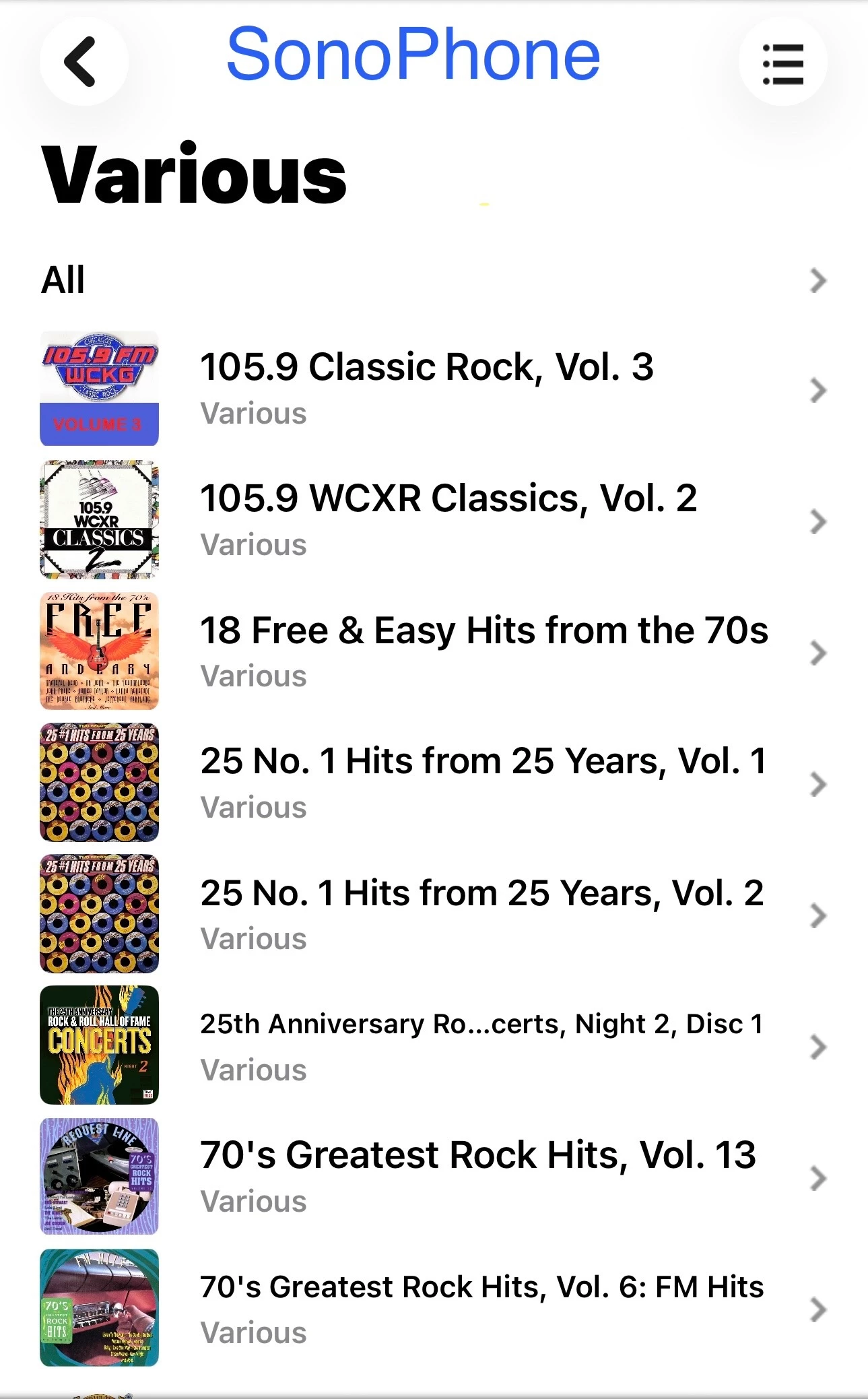
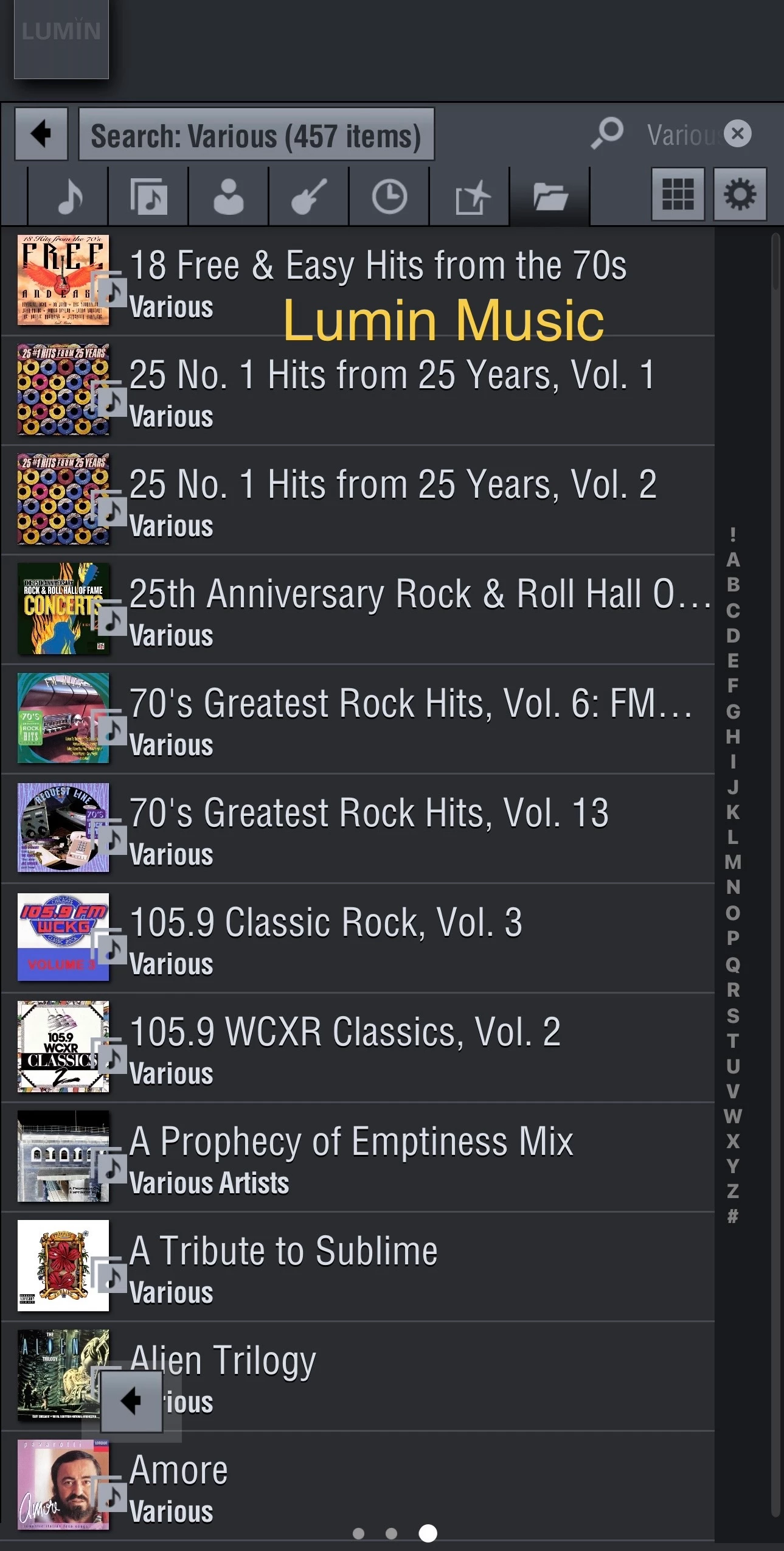
After further research I noticed a difference in Various Artists search results using different IOS apps.  When I use either SonoPhone or Lumin Music or other control point apps I get a complete list of my compilation albums.  When I use the Sonos app to search Album Artists I get results, but the results are incomplete.


User117655
Forum|alt.badge.img+9
  • Author
  • Prodigy II
  • June 28, 2026

So it seems to be a broken some or none situation with the 'new' apps and a correct all situation with the 'old'... 🤷🏼‍♂️


controlav
Forum|alt.badge.img+24
  • Lead Maestro
  • June 28, 2026

So it seems to be a broken some or none situation with the 'new' apps and a correct all situation with the 'old'... 🤷🏼‍♂️

The ‘old’ and 3rd party apps use the UPnP api which has exsited forever and seems to work. The mobile apps use some crazy new thing which, for some reason, which does more than just proxy the call back to UPnP.